

Das Abonnement beinhaltet
Support
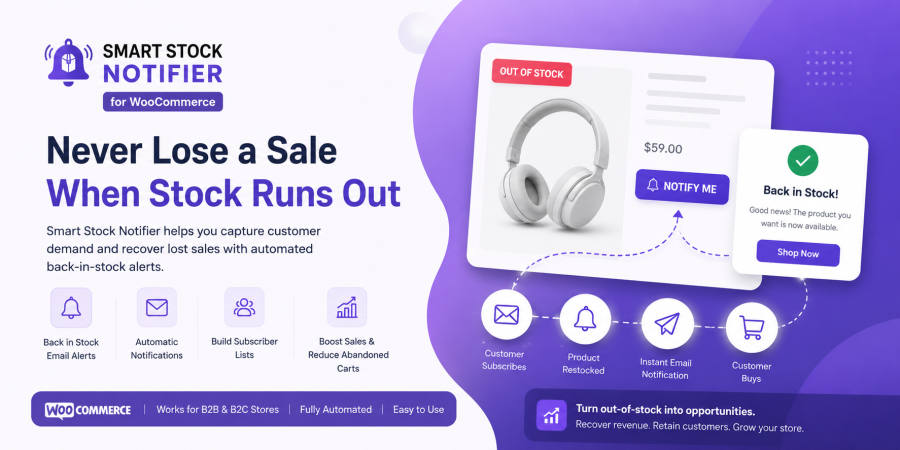
Automatically notify customers when products are back in stock.
Recover lost sales, increase conversions, and never lose demand again.
Every out-of-stock product is a potential lost sale unless you have a system that brings customers back the moment it’s available again.
Smart Stock Notifier for WooCommerce keeps your shoppers engaged with real-time stock status messages on product and shop pages. Using a built-in rule-based system, you can create unique stock notifications for individual products or entire categories displayed exactly the way your brand needs them.
When a product runs out, customers can subscribe with one click to receive an automatic email notification the moment it’s restocked. No manual follow-up. No lost customers. Just more sales recovered on autopilot.
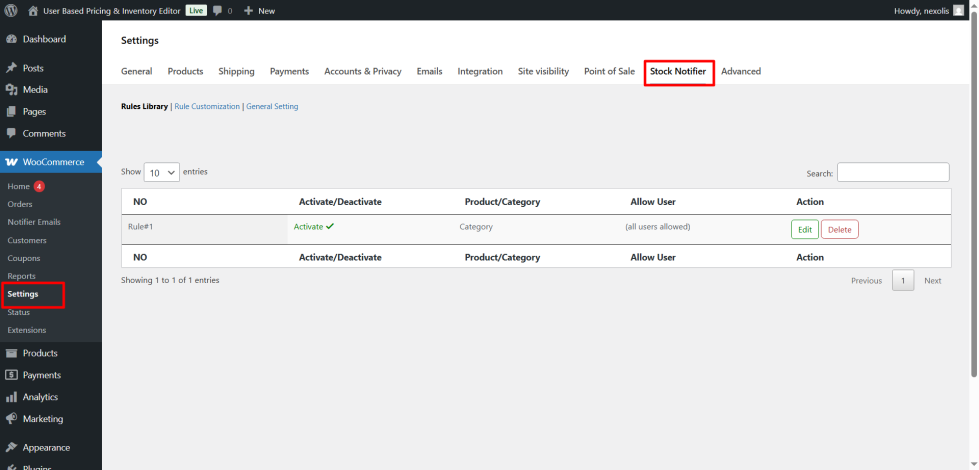
Create and manage unlimited stock notification rules directly from your WooCommerce dashboard. All rules appear in a clean, organized table where you can view, edit, activate, or pause each condition at any time.
Define custom messages for specific products, entire categories, or stock situations like “Out of Stock,” “Limited Stock,” or “Back Soon.” Every message can be tailored independently, giving you complete control over how availability is communicated across your entire store.
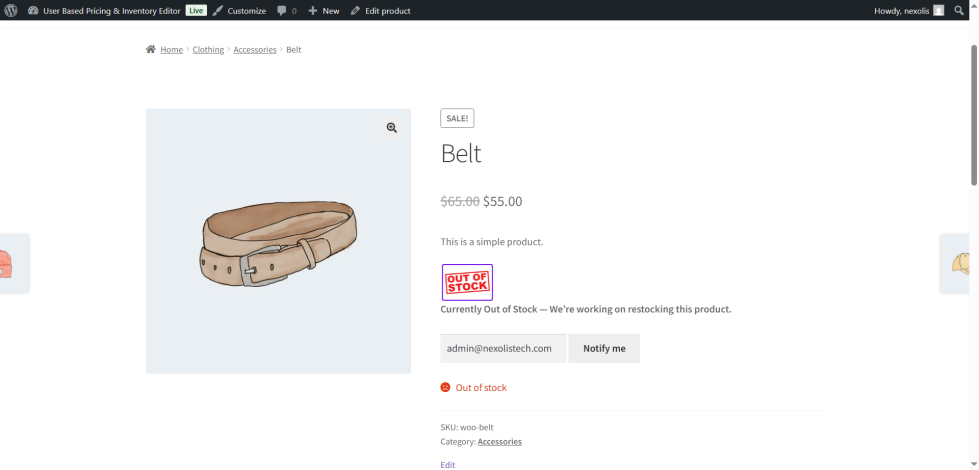
When a product is unavailable, Smart Stock Notifier displays a “Notify Me” button on the product page. Customers enter their email once and the plugin handles everything else automatically.
The moment you restock that product, subscribed customers receive an email alert bringing them straight back to your store. No manual outreach just automated restock emails that recover sales you would have otherwise lost permanently.
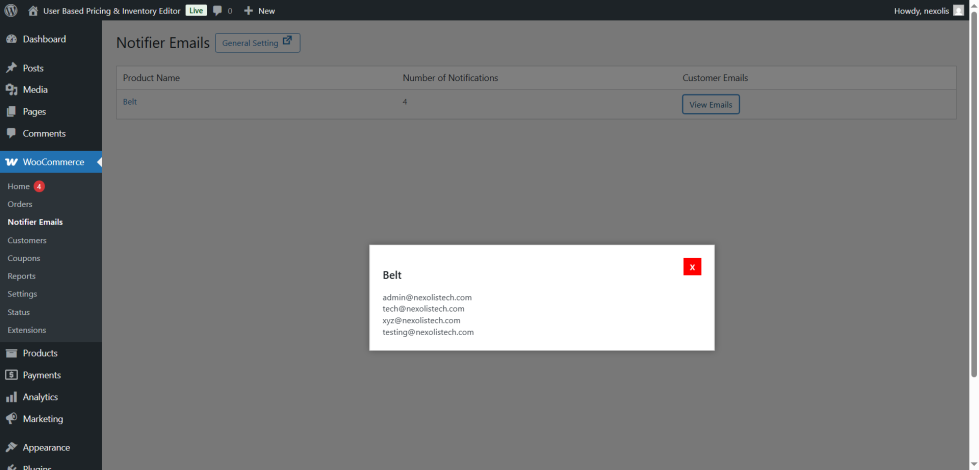
Every “Notify Me” subscription is tracked in a dedicated admin panel inside your WooCommerce dashboard. You can see each out-of-stock product alongside the exact number of customers waiting to be notified.
This demand data is invaluable for inventory planning restock the products your customers are actually waiting for, not just what you think will sell. Make smarter purchasing decisions and eliminate guesswork from your supply chain.
Replace WooCommerce’s default plain-text stock labels with eye-catching custom icons and animated badges. Customers can instantly see whether a product is in stock, low in stock, on backorder, or sold out without reading a word.
Visual stock indicators reduce confusion during browsing, help customers make faster decisions, and create a more polished, professional shopping experience that builds trust.
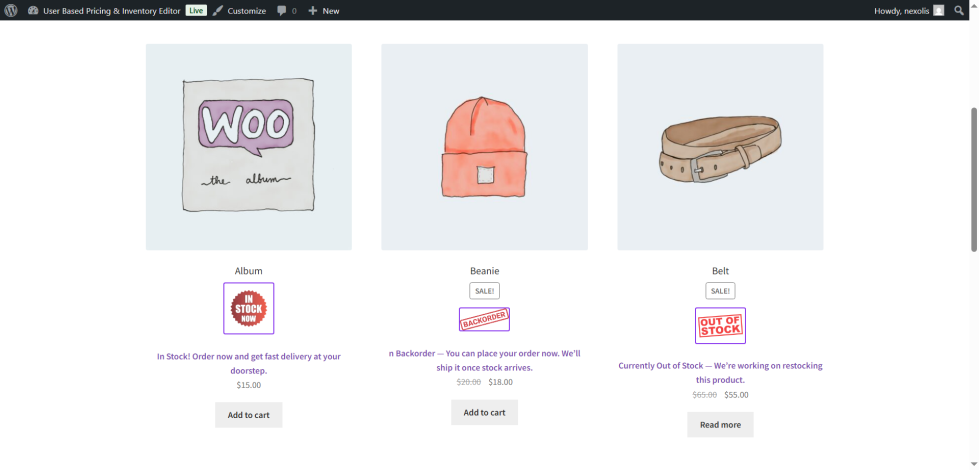
Stop showing generic “Out of Stock” text. With Smart Stock Notifier, you can display any message you choose Sold Out, Coming Soon, Only 2 Left, or anything else that fits your store’s tone and brand voice.
Custom stock messages are proven to reduce bounce rates on unavailable product pages. Instead of leaving, customers understand their options and are more likely to subscribe for updates or explore related products.
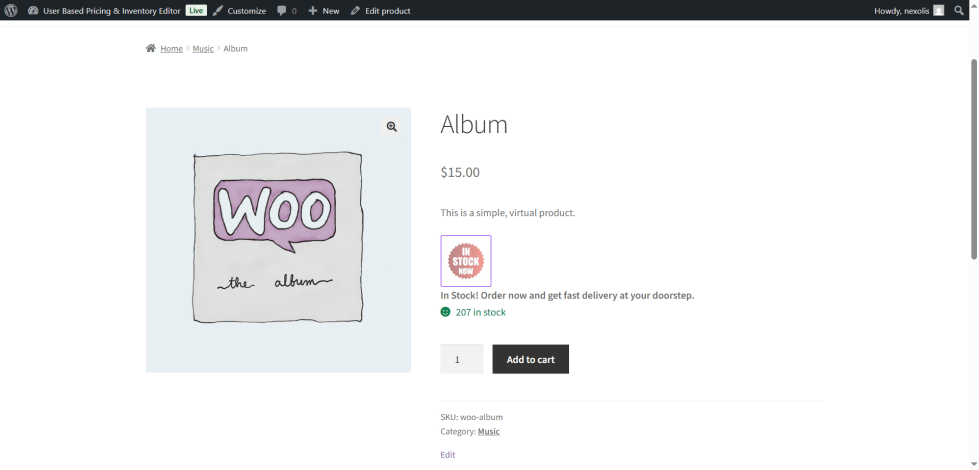
Smart Stock Notifier plugin works seamlessly with WooCommerce, meaning no complex setups are necessary. Just set it up in a few minutes, and stocks will be updated in real-time on the product and shop pages without further configuration. This helps keep stock management running smoothly with WooCommerce Scheduled Stock Manager.
This option can be easily turned on or off if you want to allow guest users to receive stock alerts. This way, they will not miss any stock alerts with updates, which would help retain and gain customer loyalty.
Clear, real-time stock visibility removes uncertainty before customers leave.
Restock emails automatically bring subscribed customers back at the perfect moment.
Subscriber insights help identify which products should be prioritized for restocking.
Fully automated notification system once configured.
Supports registered users, guest shoppers, B2B, and B2C audiences seamlessly.
Customize messages, icons, and emails to perfectly match your store branding.
Fashion stores where sizes and colors sell out frequently capture demand instead of losing it.
Electronics and high-demand product stores that restock in batches and need to alert waiting customers instantly.
Seasonal or limited-edition product launches where “Notify Me” builds pre-launch subscriber lists.
B2B stores that need to notify specific customer groups or account types when trade items are available.
Any WooCommerce store that wants to recover lost sales from out-of-stock products automatically.
Smart Stock Notifier is a Woo Commerce plugin that helps you display dynamic stock-related messages, icons, and animations on shop and product pages. It also allows customers to subscribe for restock notifications via email.
Yes, guest users can also subscribe to stock alerts if you enable the option in the plugin settings.
Absolutely. The plugin supports rule-based customization, so you can create unique messages, icons, or animations for specific products or categories.
Yes, it is fully compatible with WooCommerce and designed to work seamlessly without complex configurations.
Yes, you can customize the subject and body of the email notifications to match your brand voice and message.
Yes, the plugin supports role-based settings, so you can configure alerts for specific customer groups such as B2B or B2C.
Kategorien
Extension information
Quality Checks
Länder







