

La suscripción incluye
Ayuda y soporte
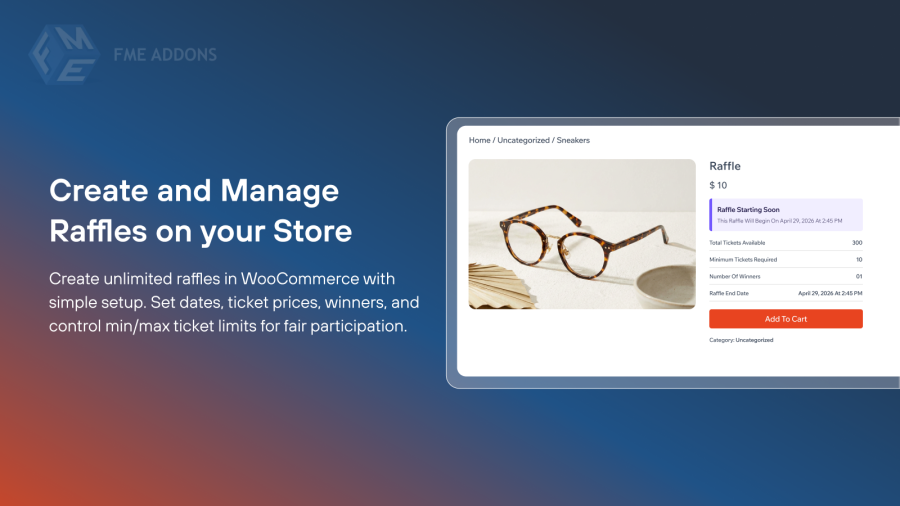
Raffle and Giveaway extension gives you everything you need to create and manage engaging prize draws and giveaways directly from your store. Set ticket prices, define start and end dates, limit tickets per user, and reward winners with coupons, cash, or free products, turning everyday shoppers into engaged, loyal participants.
Whether you want to run a one-time giveaway or keep customers coming back with ongoing raffles, the plugin handles the entire process from ticket generation to winner announcement. Countdown timers, progress bars, quiz-style entry questions, and automated email notifications make every raffle feel professional, fair, and exciting for your customers.
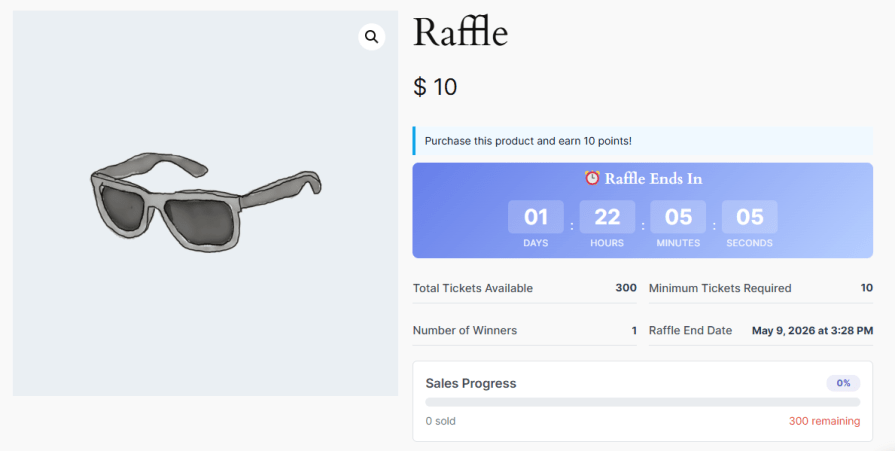
Create and manage unlimited raffles directly within WooCommerce without any complicated setup. Set flexible start and end dates, define ticket prices, and choose how many winners each raffle will have. You can also set minimum and maximum ticket purchase limits per user to keep participation fair and the experience engaging for everyone.
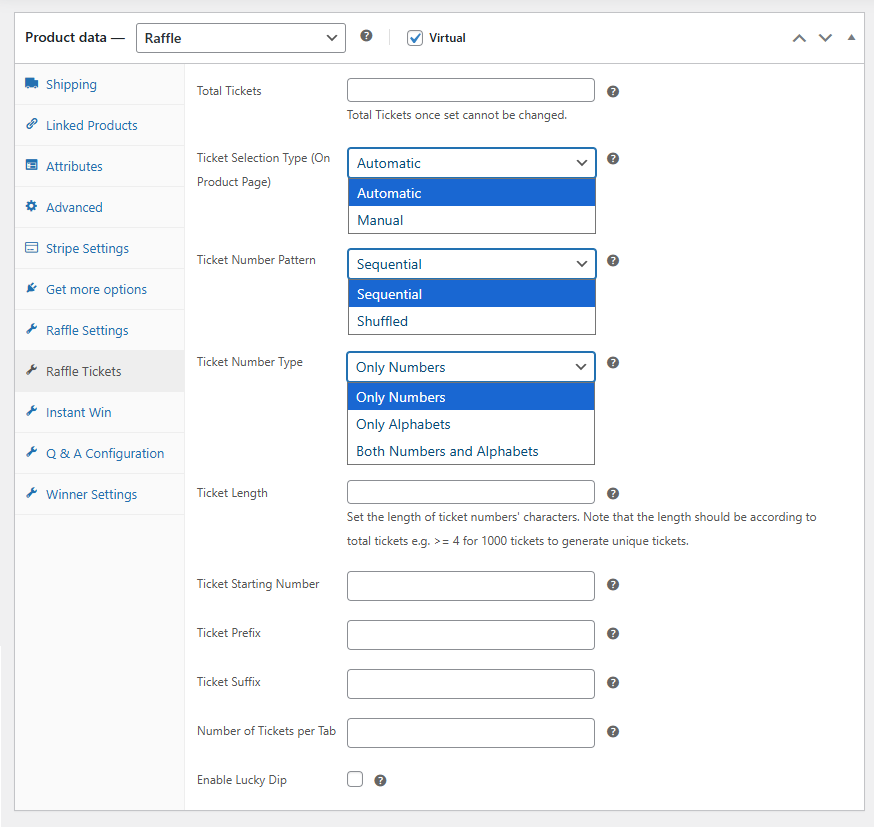
Generate tickets automatically or let customers pick their favorite numbers manually. Customize ticket formats with prefixes, suffixes, sequential or shuffled patterns, and adjustable lengths to create unique combinations for every raffle. You can also enable the Lucky Dip feature to let customers get a randomly assigned ticket with a single click, available when manual ticket selection is active.
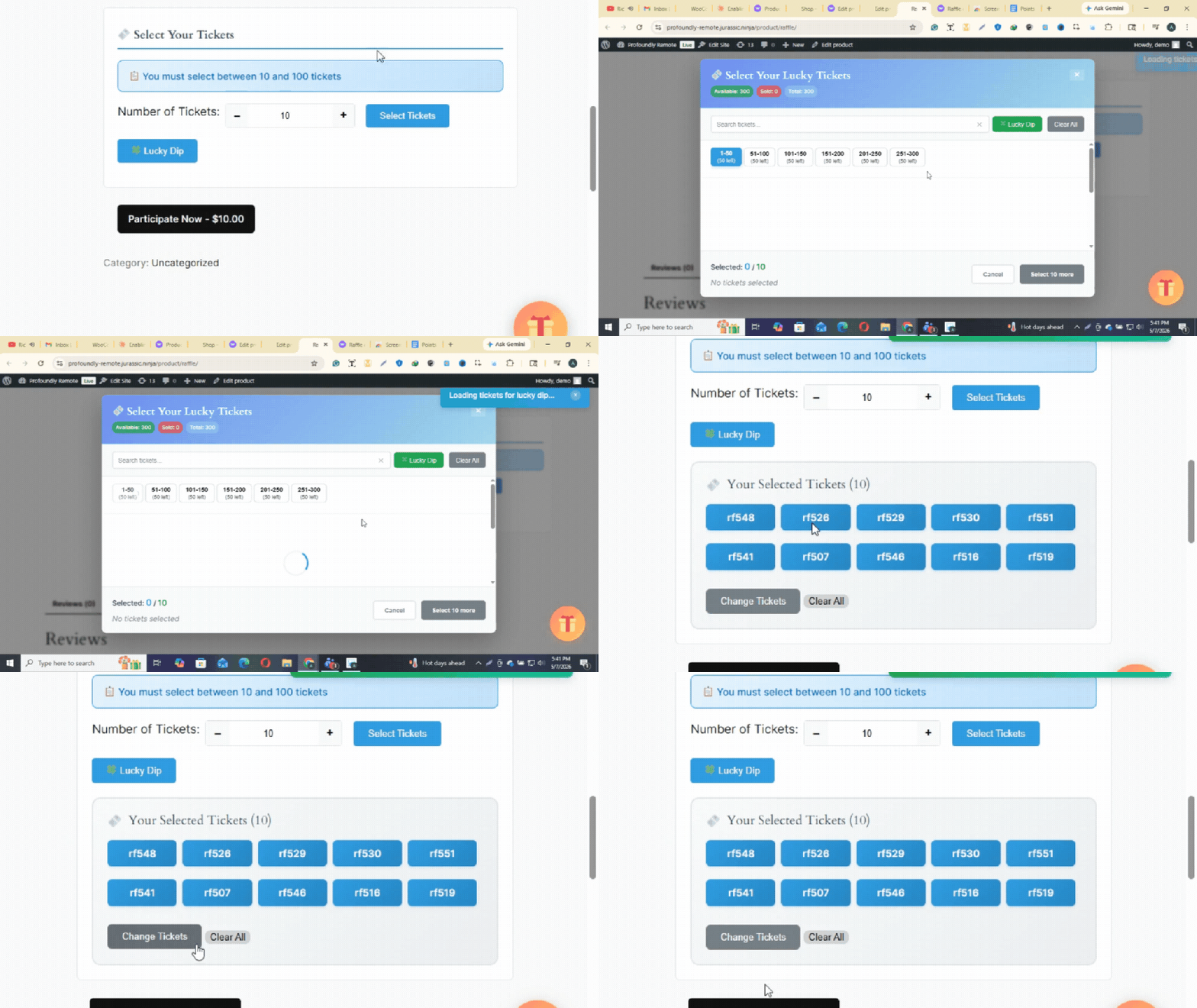
Take the guesswork out of ticket selection. With Lucky Dip enabled, customers can instantly receive a randomly assigned ticket rather than manually browsing and picking one themselves, making the entry process faster, more fun, and accessible to everyone.
Configure the reward type for each raffle individually by choosing between coupons, cash prizes, or free products. You can also enable unique winner settings to prevent the same participant from winning more than once, ensuring every raffle remains fair for all participants.
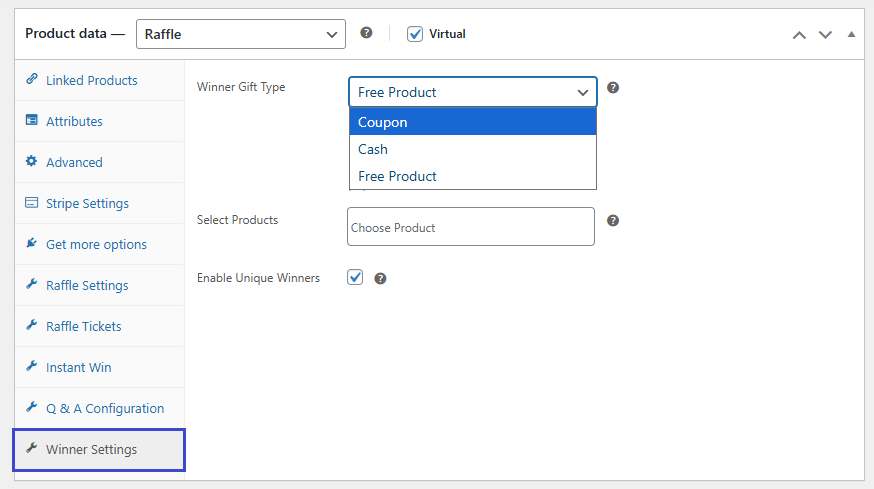
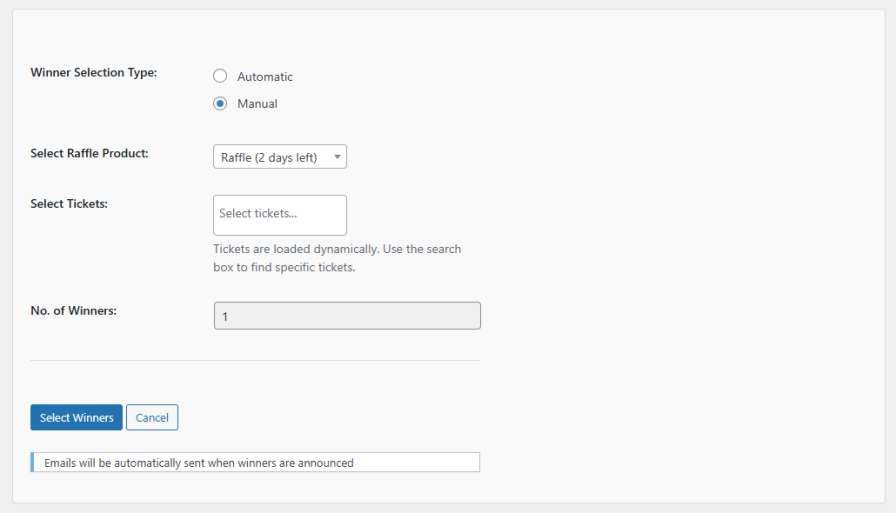
Select raffle winners manually by choosing them yourself, or let the plugin handle the selection automatically. Once winners are selected, the plugin immediately sends out email notifications to announce the results. You can also view a complete overview of all announced winners, including their name, email, ticket number, prize, and win date.
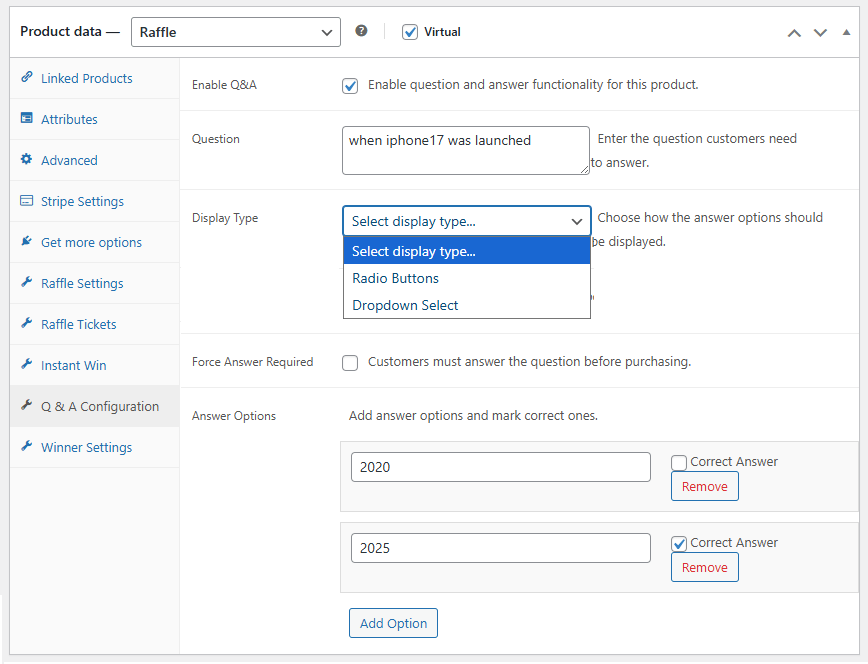
Add a quiz-style question that participants must answer correctly before they can enter a raffle. Choose between radio buttons or a dropdown display and make the question mandatory. If a customer selects an incorrect answer, the plugin automatically blocks their entry, ensuring only valid participants can join and keeping the raffle fair and credible.
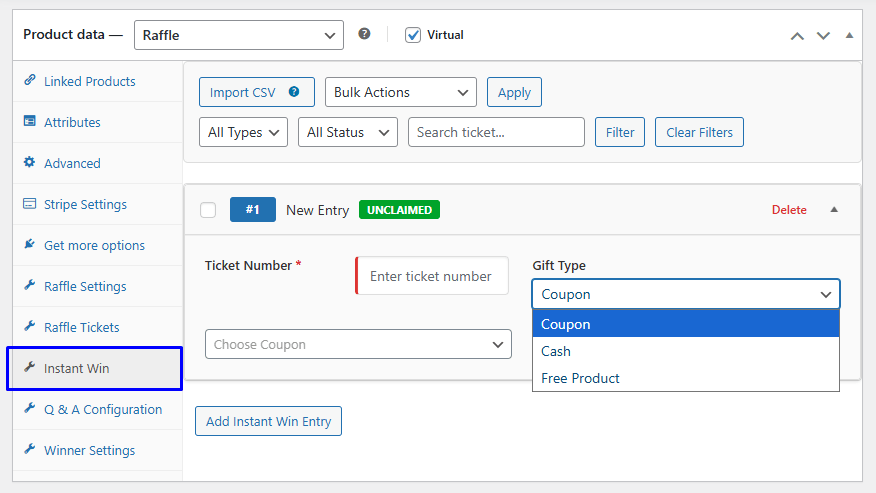
Give selected ticket numbers an instant win prize before the main raffle draw takes place. From the Instant Win tab on the product edit screen, you can add one or more instant win entries, assign a specific ticket number to each, and choose the gift type as a coupon, cash amount, or free product. Any ticket number marked as an instant win will automatically be flagged as a winner the moment that ticket is purchased, creating an extra layer of excitement and reward for your customers.
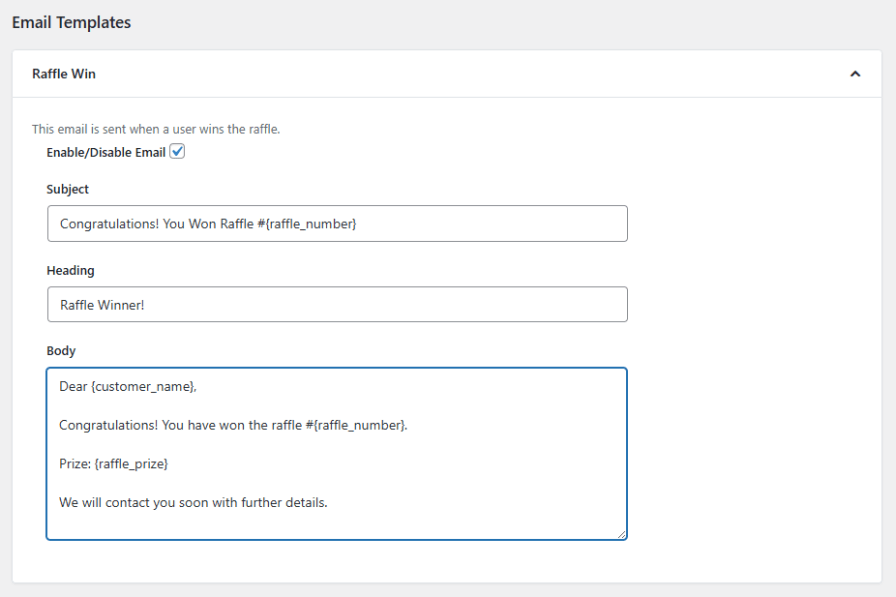
Keep customers and admins informed at every stage of the raffle using fully customizable email templates. Send automatic notifications for raffle wins, completed raffles, unsuccessful entries, extended timeframes, and instant wins. Use dynamic placeholders such as customer name, raffle name, ticket number, and prize details to personalize every message and match your store’s communication style.
Yes. The plugin lets you create and manage unlimited raffles simultaneously, each with its own settings, ticket limits, dates, and reward types.
You can choose between automatic and manual ticket selection. With automatic selection, tickets are assigned when a customer adds them to their cart. With manual selection, customers can browse and pick their preferred ticket numbers from a pop-up on the product page.
Yes. You can add a prefix, suffix, and choose between sequential or shuffled patterns. You can also set the ticket length and choose whether ticket numbers use only numbers, only letters, or a combination of both.
You can reward winners with a coupon, a cash amount, or a free product. Each raffle can have its own reward type configured independently.
You can select winners manually by choosing them yourself, or let the plugin select them automatically. Once winners are selected, the plugin immediately sends out email notifications to announce the results.
Yes. You can enable the unique winners setting to ensure that each winner is selected only once per raffle.
If the block entry on the wrong answer option is enabled, the plugin will automatically prevent that customer from entering the raffle. Only customers who answer correctly can participate.
You have full control over guest access. You can require guests to log in at checkout, restrict guest access entirely, or allow guest participation depending on your store's needs.
Yes. You can display countdown timers and progress bars on both the shop page and individual product pages to create urgency and encourage ticket purchases.
Yes. You can enable the option to automatically close a raffle once all available tickets have been sold.
Comprobaciones de calidad
Países







