La suscripción incluye
Ayuda y soporte
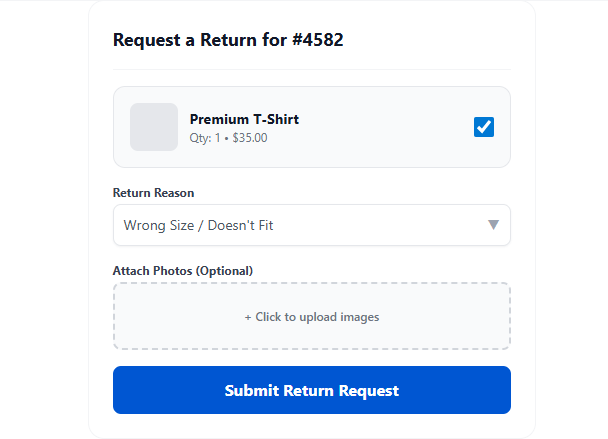
Customers initiate returns directly from their My Account page. They select the order, choose items, pick a return reason, upload photos if needed, and submit — all without contacting support.
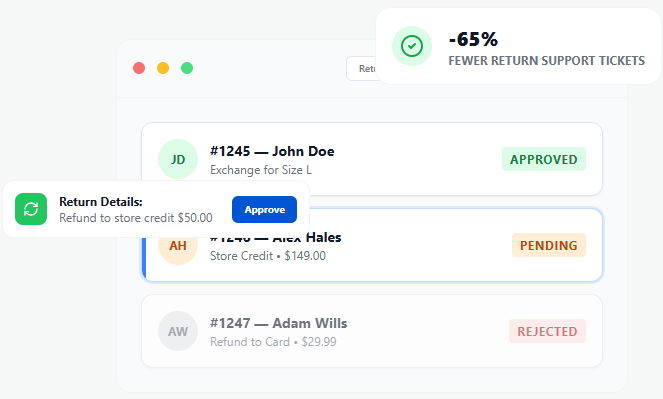
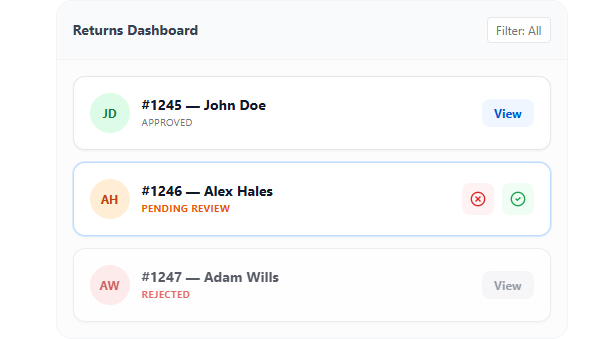
Every return request in one admin dashboard. Filter by status, search by customer or order, view full request history, and take action — all without leaving the page.
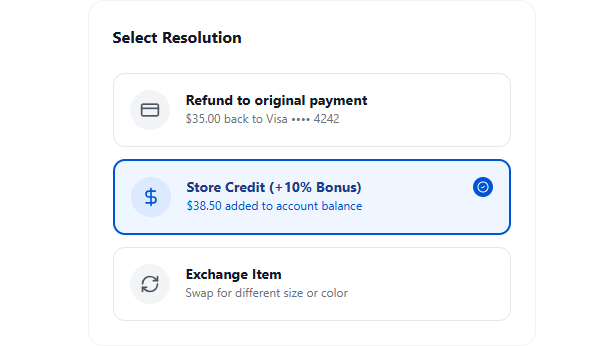
Offer customers more than just refunds. Issue refunds to the original payment method, process product exchanges (same or different SKU), or issue store credit to retain the revenue.
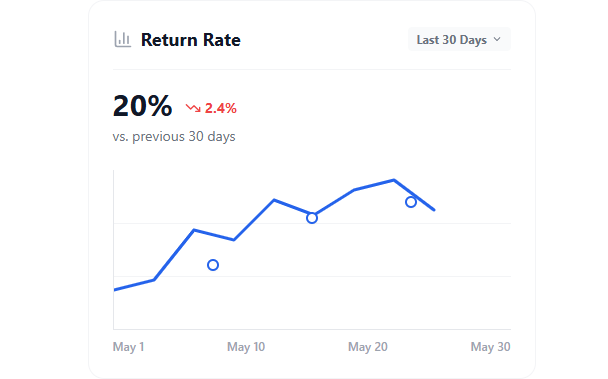
Gain deep insights into your return trends and protect your profitability. Zorem Returns provides a comprehensive analytics dashboard right inside WooCommerce.
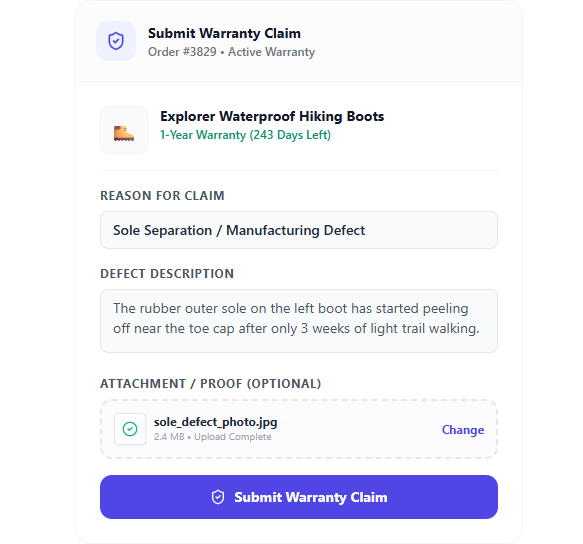
Let customers submit warranty claims directly from their WooCommerce account. Define custom warranty eligibility periods per product, capture precise defect details, accept photo proof, and process everything inside your existing Returns Dashboard.
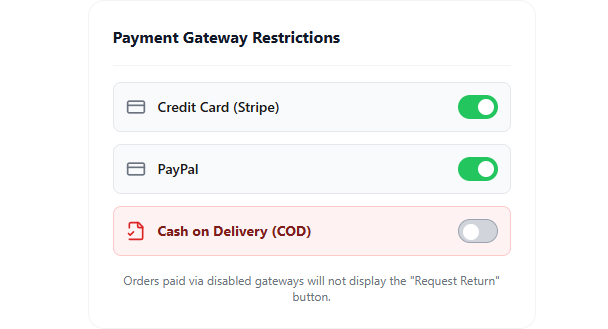
Different payment methods have different refund constraints. Block returns for cash on delivery, gift cards, or bank transfers if your business requires it. Set per-method return eligibility to match your operational reality.
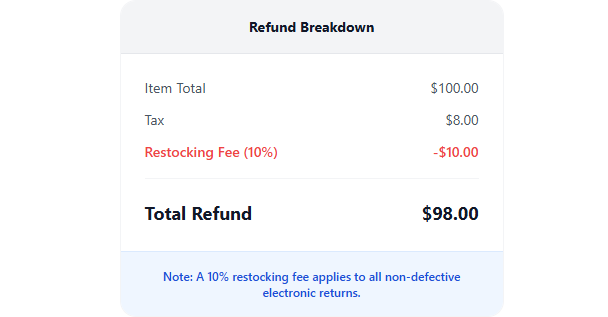
Apply restocking fees to returns to recover handling costs. Set a flat fee or percentage, automatically deducted from the refund amount. Configurable per product, category, or return reason.
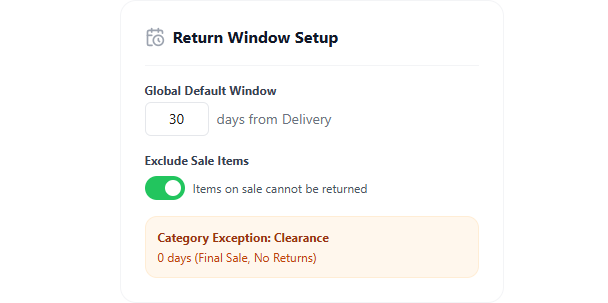
Define exactly when and what can be returned. Set return windows by product, category, or order status. Exclude sale items, discounted products, digital goods, or specific SKUs from returns.
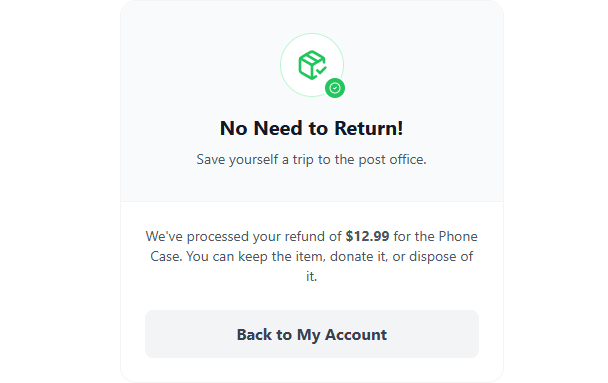
For low-value items, return shipping often costs more than the product. Offer customers the option to keep the item while still receiving their refund or store credit. Better customer experience, lower operational cost.
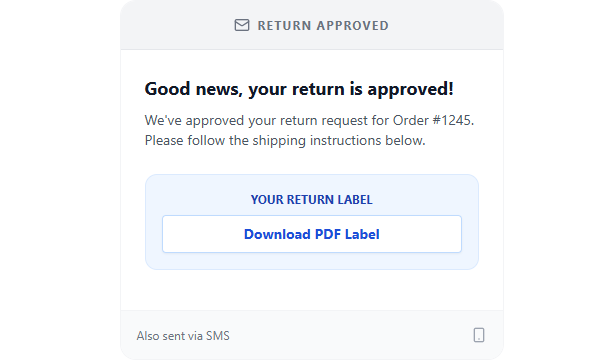
Keep customers informed at every step without lifting a finger. Automated emails for request submission, approval/rejection, processing, and completion. Add SMS via Zorem’s SMS for WooCommerce plugin for instant alerts.
A complete suite of tools to turn returns from a cost center into a retention engine.
Customers self-serve returns. Fewer emails, fewer phone calls.
Smooth return experience builds trust and repeat purchases.
Centralized dashboard cuts return processing from days to minutes.
Eligibility rules and restocking fees prevent return abuse.
Convert refunds into store credit to keep the revenue.
‘Keep the Item’ option eliminates shipping costs on low-value returns.
Custom return reasons reveal product quality issues.
Return center matches your store’s branding and tone.
Recover handling costs automatically per return.
Restrict returns on COD, gift cards, or specific gateways.
Built for modern WooCommerce installations.
Regular updates, dedicated support team.
Returns for WooCommerce is a return management system (RMA) for WooCommerce stores. It allows customers to submit return requests, and store admins can efficiently process refunds, exchanges, and store credits.
Customers can request a return from their My Account > Orders page by selecting the order and clicking Request Return.
The plugin supports:
Yes, you can specify a return window (e.g., 14 or 30 days after delivery), and customers will only be able to submit return requests within that period.
Yes, admins can review each request and approve, reject before processing the return.
Yes, you can enable or restrict return requests for:
Yes, customers can attach images or documents to support their return request (e.g., proof of damaged or defective items).
Once a return request is approved:
Yes, customers and store admins receive email notifications for:
Yes, you can create a custom list of return reasons (e.g., defective item, wrong size, changed mind).
Categorías
Información de la extensión
Comprobaciones de calidad
Países