

La suscripción incluye
Ayuda y soporte
Role Based Analytics for WooCommerce brings User Role reporting into WooCommerce Analytics so you can compare customer groups, review guest checkout performance, view the customers behind each role, and reduce manual spreadsheet work.
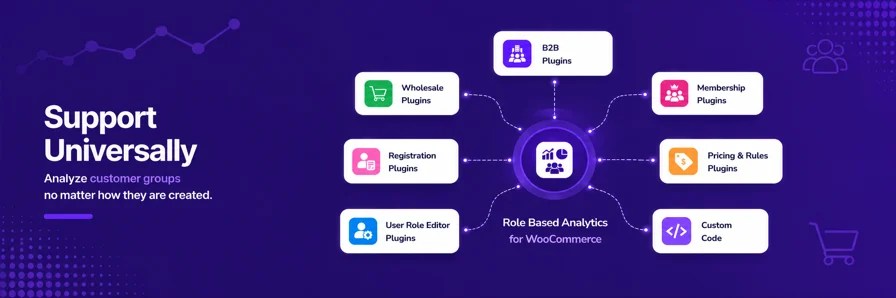
Bring User Role reporting into WooCommerce Analytics so you can compare customer groups, review guest checkout performance, view the customers behind each role, and reduce manual spreadsheet work. It works with any User Role already available on your store, including roles from plugins or custom code that you use to group customers, such as wholesale, B2B, B2C, membership, VIP, retail, or other customer groups.
With Role Based Analytics for WooCommerce, you gain access to role-based reporting tools inside WooCommerce Analytics:
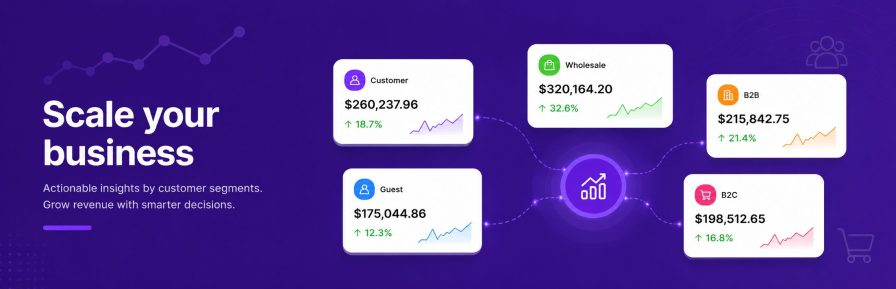
Use User Role reporting to make faster decisions about customer groups, reduce manual spreadsheet work, and see which roles are driving orders, revenue, and guest checkout activity. Use these insights to:
“We were looking for a solution to get analytics of the different user roles we have in WooCommerce (b2c and different b2b-roles). I tested different plugins of which «Role Based Analytics» was the best integrated one in the WooCommerce environment. You still use the same reports as before but get the opportunity to show the stats by user-role. Also it creates dashboard widgets with the most important stats which helps a lot! At the beginning we had some functionalities that we were missing but the support-team integrated them within days and the support in generel is phenomenal! So thank you so much for that beautiful solution and the great support! This is how it should be done by all plugin-developers!”
Note: We are currently collecting verified reviews from our users. Once enough feedback has been submitted, reviews will automatically appear in the public Reviews section of this page.
Most B2B and wholesale WooCommerce stores use WordPress user roles to manage different customer groups, such as Wholesale Customers, Distributors, Dealers, Resellers, or other custom customer roles.
Role Based Analytics for WooCommerce uses these existing roles to help you understand how each customer group performs, compare sales performance, and filter WooCommerce Analytics reports by customer role.
Get a quick overview of your top-performing User Roles and how they contribute to orders, revenue, returns, and average order value. Use these insights to:
This plugin is built for total flexibility and automatically detects every User Role active on your store—no manual setup required. It works instantly with roles created by third-party membership, B2B, or wholesale plugins.
Role-level totals show performance. Customer drilldown shows who is behind the performance.
From the User Roles report, click a role to view the customers associated with that customer group on the same screen. This helps you move from role-level totals to customer-level context without leaving the report.
Guest checkout customers are included as their own reporting group, making it easier to compare registered and non-registered customer performance.
Use Guest reporting to understand:
Running a complex store shouldn’t mean looking at messy reports. If your backend is cluttered with multiple custom roles, use Role Aliases to bundle them into logical business segments. This simplifies your charts and exports without touching your actual store permissions, pricing, or checkout behavior.
When you need deeper analysis, export role-based reports with selected role context included.
Role-based exports reduce cleanup before sharing data with a team, client, or spreadsheet workflow.
That’s it! Instantly start analyzing your WooCommerce data by user role for smarter insights.
 |
DocumentationNeed guidance? Check out the comprehensive documentation to learn everything you need to know about the Role Based Analytics for WooCommerce extension. View documentation |
 |
SupportIf you have pre-sale questions or need help, get in touch with our friendly Support Engineers. Get support
|
Role Based Analytics for WooCommerce now provides a dedicated User Roles Report page, complete with performance cards, time and role comparison charts, and detailed tables filtered by user roles.
It also introduces a User Roles Leaderboard in the Analytics Overview, where you can instantly see top-performing roles ranked by orders, gross sales, returns, net sales, and total sales.
In addition, user role filters and columns are available on these WooCommerce Analytics screens:
Since version 1.11.0, Role Based Analytics for WooCommerce supports Role Based filtering for Revenue, Variations, and Taxes reports on supported WooCommerce versions..
Yes, you can use the built-in User Role Aliases feature. This allows you to bundle several backend roles (like multiple tiers of B2B or wholesale groups) under one clean reporting label without altering actual site permissions or pricing.
Yes. If you segment or group your customers using WordPress User Roles, this plugin can automatically use those exact roles inside WooCommerce Analytics.
For example, if your store uses roles such as Wholesale, B2B, VIP, Dealer, Retail, Member, or Distributor, the plugin instantly turns those groups into analytics segments and reporting filters.
Step 1: Verify your customer groups
Go to Users → All Users in your WordPress dashboard and confirm your customers are assigned to the correct WordPress User Roles.
Step 2: View analytics by customer group
After activating the Role Based Analytics for Woocommerce plugin, go to Analytics → User Roles.
You will see those same WordPress User Roles available as customer segments for analytics and reporting.
This allows you to analyze revenue, orders, customer counts, and performance by customer group directly inside WooCommerce Analytics.
Categorías
Información de la extensión
Comprobaciones de calidad
Países







