
Installations actives
1K+
Comparaison de produits
L’abonnement comprend
Assistance
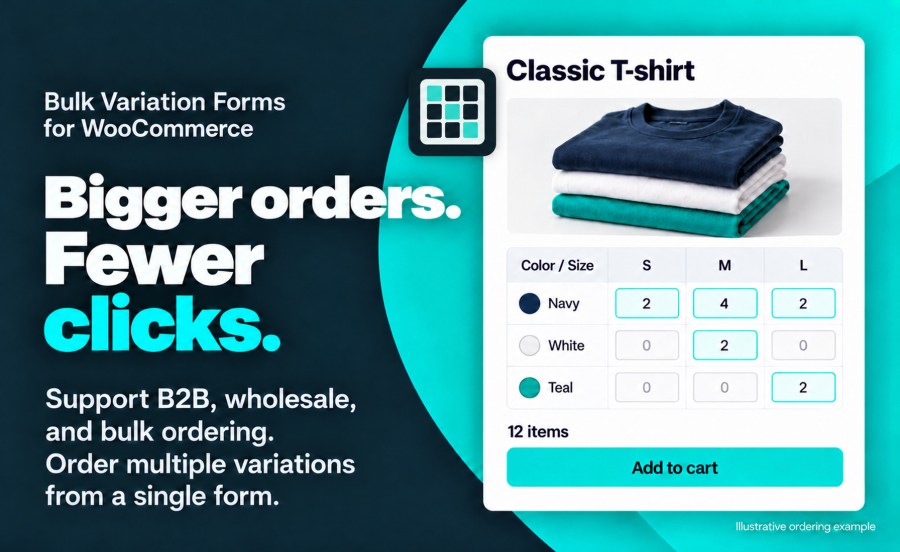
WooCommerce Bulk Variation Forms permet à vos utilisateurs d’ajouter plusieurs variantes d’un produit à leur panier à partir d’un seul formulaire. Configurez facilement les produits qui ont deux attributs de variante pour la saisie en vrac. Le formulaire en vrac simplifiera le processus de commande pour les grossistes, les sites B2B ou tout utilisateur souhaitant commander plusieurs variantes du même produit en même temps. Les acheteurs apprécient toujours d’avoir un moyen simple et efficace de commander des produits dans votre boutique. Bulk Variation Forms leur permet de commander facilement et rapidement tout ce dont ils ont besoin. 
Yes. Version 2.0 supports variable products with more than two variation attributes. Matrix uses two attributes for rows and columns, with selectors for the others. List shows each complete configuration. Each bulk form orders variations of one product.
Yes. Matrix and List share the same assortment. Switching views, changing filters or grouping, and moving between pages keep selected quantities. Your assortment includes selections outside the current filters.
Yes. Inline keeps the form in the product purchase area. Full page opens a wide ordering view through the Bulk order link, with Back to product to return. Choose the layout in store settings, a configuration profile or an individual product. Products upgraded from 1.8 use Full page.
Yes, with the separate WooCommerce Wishlists extension. After entering quantities, choose Save in Your assortment. Saved assortments appears beside the view controls when the shopper has a saved selection for that product. Each save creates a new wishlist. Whole-number quantities and supported shared add-on answers can be restored; guest access follows your Wishlists settings.
Supported shared fields can be filled in once for the assortment. Every selected variation receives the same answers, and normal add-on charges apply to each cart line. Complex or unsupported forms use Standard ordering. See the documentation for supported fields and limits.
Bulk ordering supports classic variable-product forms and WooCommerce’s Add to Cart with Options block. Shortcode and server-rendered block placement are also available. Check your actual product template on staging, especially when upgrading a customized store.
The displayed catalog is limited to 2,500 complete configurations; larger products use Standard ordering. The assortment subtotal is an estimate. Final discounts, option charges, tax and shipping are confirmed in the cart.
Existing enabled products retain their settings and use Full page. The storefront interface is new, so review custom templates, CSS selectors and JavaScript customizations on staging. Legacy row-wide quantity shortcuts are not included. Follow the documentation’s upgrade checklist before updating a customized store.
Informations sur l'extension
Vérifications qualité
Pays