

Installations actives
400+
Comparaison de produits
L’abonnement comprend
Assistance
Cost & Reports for WooCommerce helps you manage product costs, pricing, profit, and reporting directly inside WooCommerce. Update costs and prices in bulk, track margins across orders and products, export reports, and use the new Insights tab to better understand your store’s financial performance.
Use your product costs, purchase prices, shipping costs, markups, stock values, order data, and refunds to make clearer pricing and profitability decisions.
Cost & Reports for WooCommerce has been recognized as one of the best accounting software solutions for WooCommerce in 2024 by TechReport.
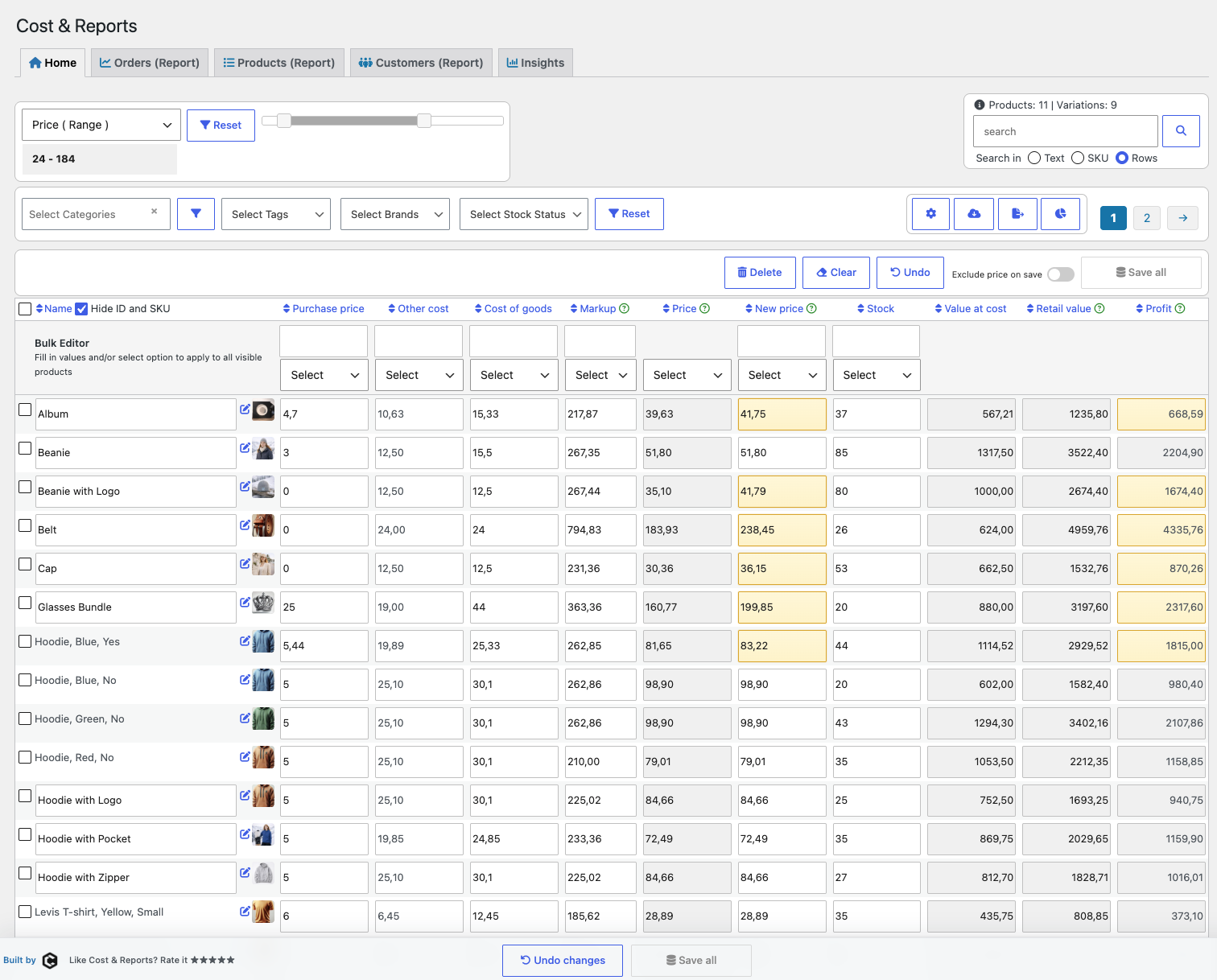
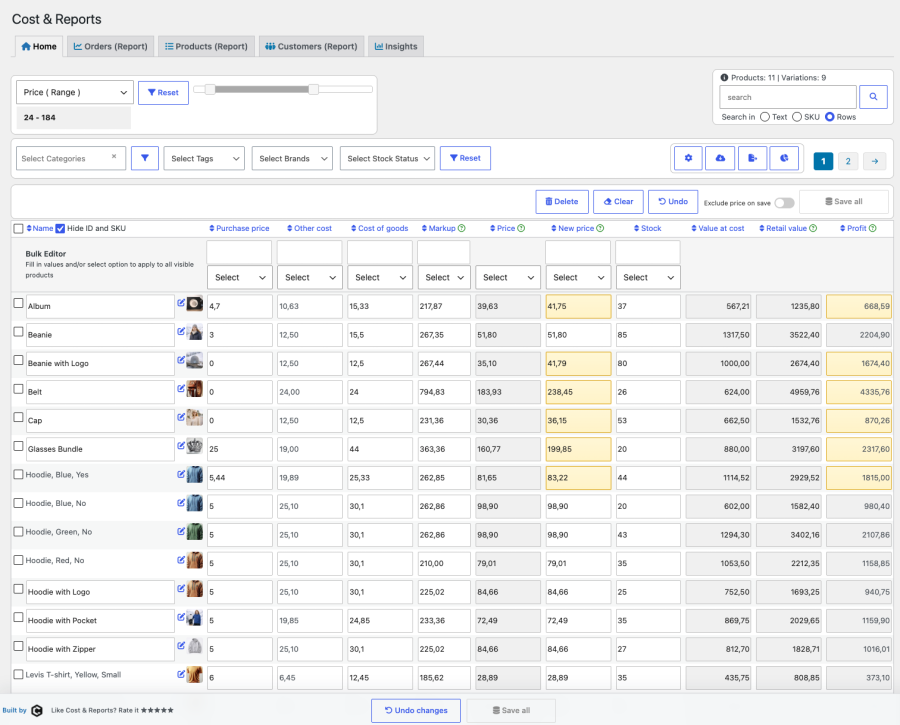
The Cost & Reports table editor is built for efficient bulk updates and inventory management. Quickly modify purchase prices, cost of goods, shipping fees, markups, regular prices, sale prices, and stock values.
Automated calculations help you understand retail value, cost value, profit, and markup while you work.

Bulk editing functions let you update multiple rows with a few clicks. Adjust costs, markups, prices, and stock values, apply rounding for cleaner pricing, and save changes from one table view.
For example, you can increase an “other cost” field for all selected products, apply a rounding rule, or update prices while Cost & Reports recalculates markup and profit automatically.
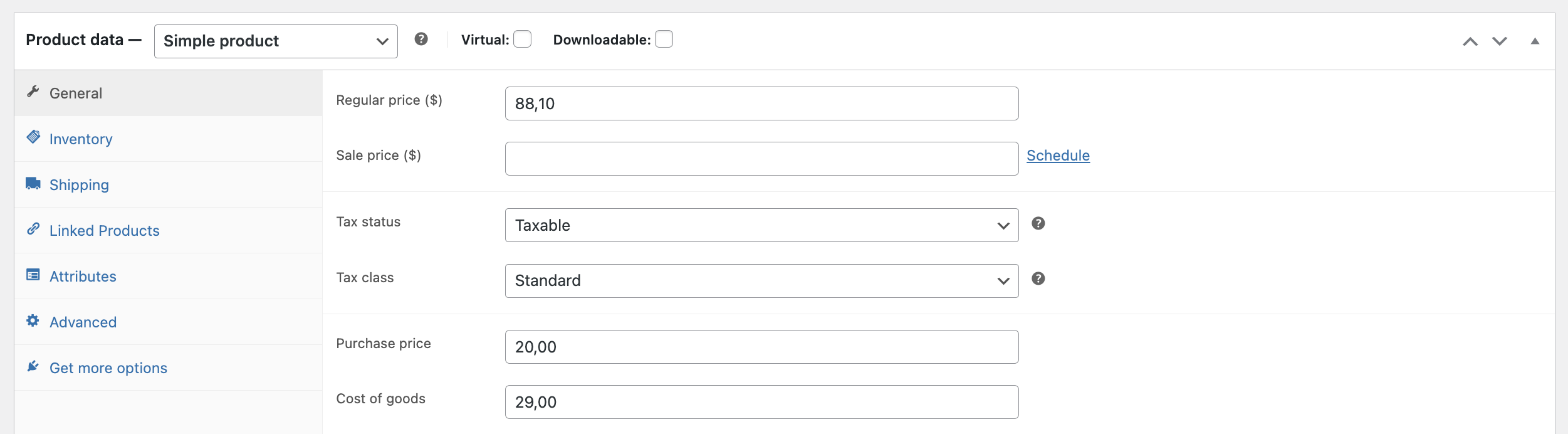
Add purchase prices and cost of goods on each product or variation. Cost & Reports stores cost information so reports can show historically accurate profit when orders are placed.
Support for the native WooCommerce Cost of Goods field is available and can be enabled in the plugin settings.

Work with prices including or excluding VAT and let the plugin calculate cost, retail value, markup, and profit. This makes it easier to maintain accurate pricing while keeping profitability visible.

Filter products and reports by values such as purchase price, cost, markup, profit, stock, and more. Range filters help you quickly find products that need attention, such as low-margin products or items with missing cost data.
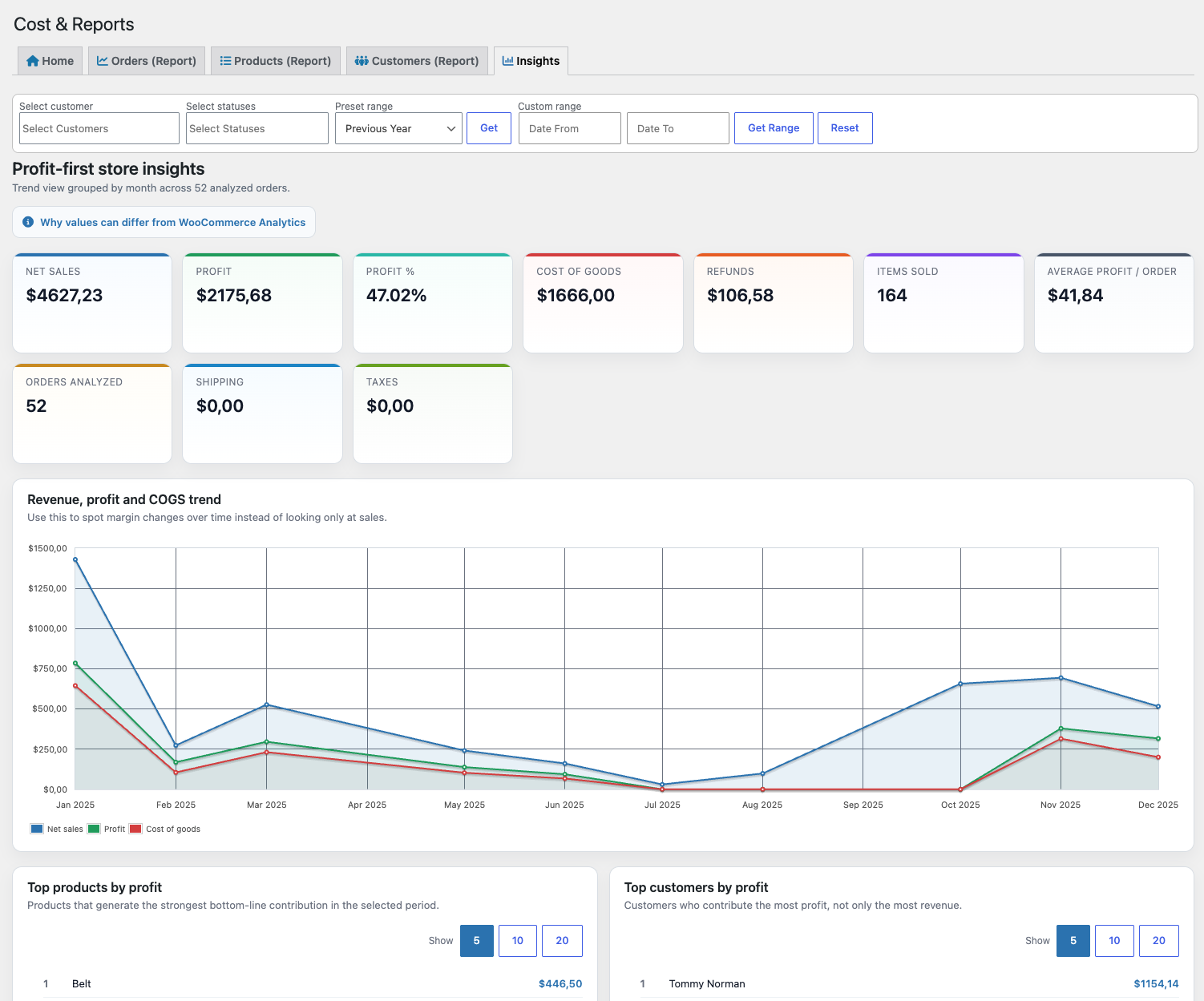
Turn store data into clearer decisions with the new Insights tab. See profit-first KPI cards, sales and margin trends, and ranked lists for top products and customers without exporting data.
The Insights tab complements the detailed Orders, Products, and Customers reports by giving store owners a faster way to understand what is driving real profitability.
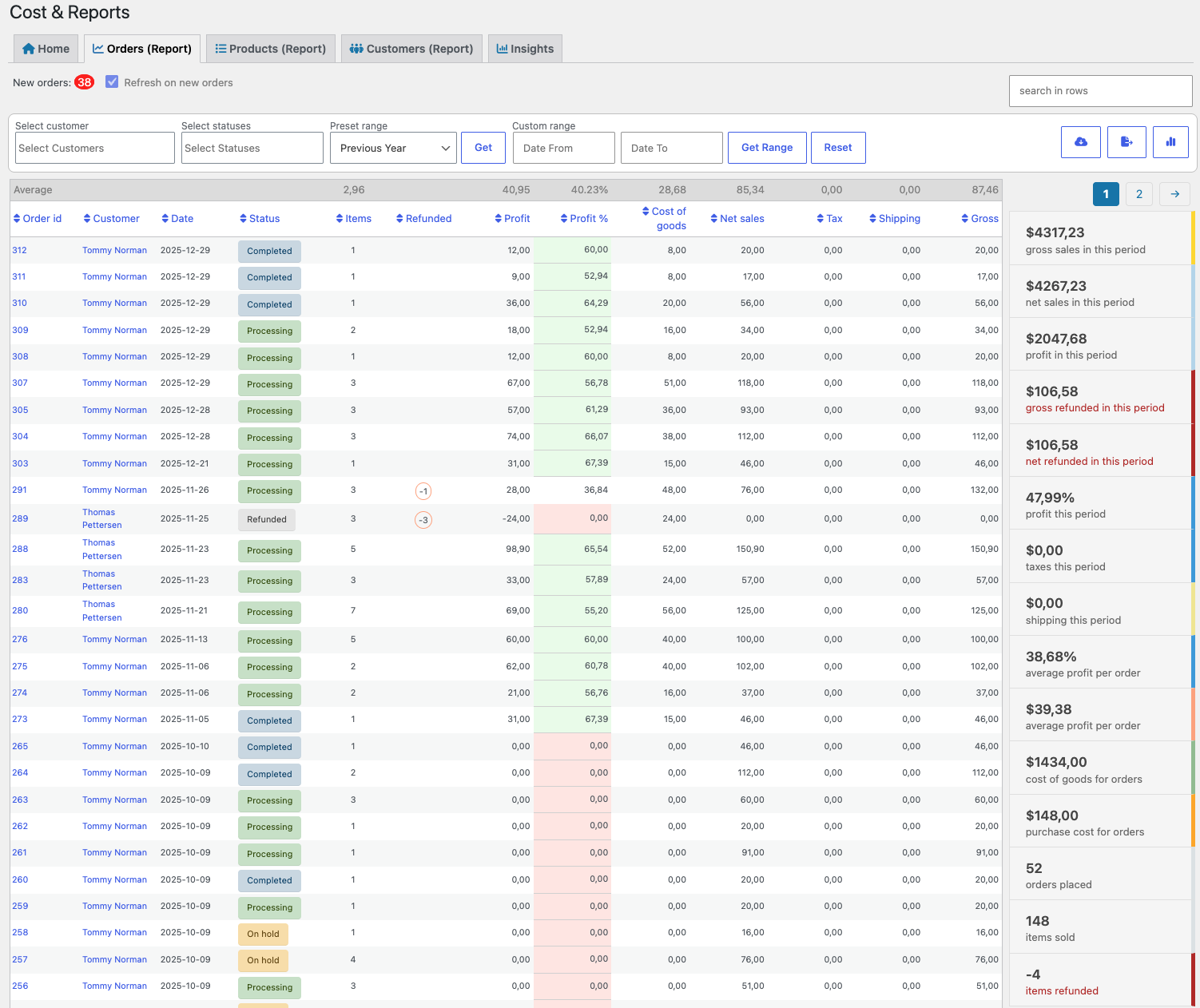
Analyze store performance with detailed reports for orders, products, and customers. Choose date ranges, filter results, search rows, view totals and averages, and export data when needed.

Use the customer filter to analyze reports by specific customers, companies, or roles. Combine customer filtering with date ranges to understand revenue, profit, refunds, and purchasing behavior for selected segments.

The products report gives you a product-level view of sales, cost, and profit. Review order IDs, product names, variations, categories, SKUs, quantities, prices at purchase, net sales, profit, and margins.
Use sorting and row search to quickly find the products, variations, or categories you want to analyze.

The customer report helps you understand customer activity and totals. View customer name, company, email, phone, shipping, order total, tax, items purchased, currency, country, and payment method.

Click the info icon to see customer totals and summary values for a selected customer.

Use row search to filter report tables by order ID, category, product name, SKU, customer, or other visible values. Totals, averages, best sellers, and profit calculations update automatically for the filtered selection.
Reports can show an automatic counter for new orders and can be refreshed automatically when enabled in settings. This makes the report view useful for live monitoring throughout the day.
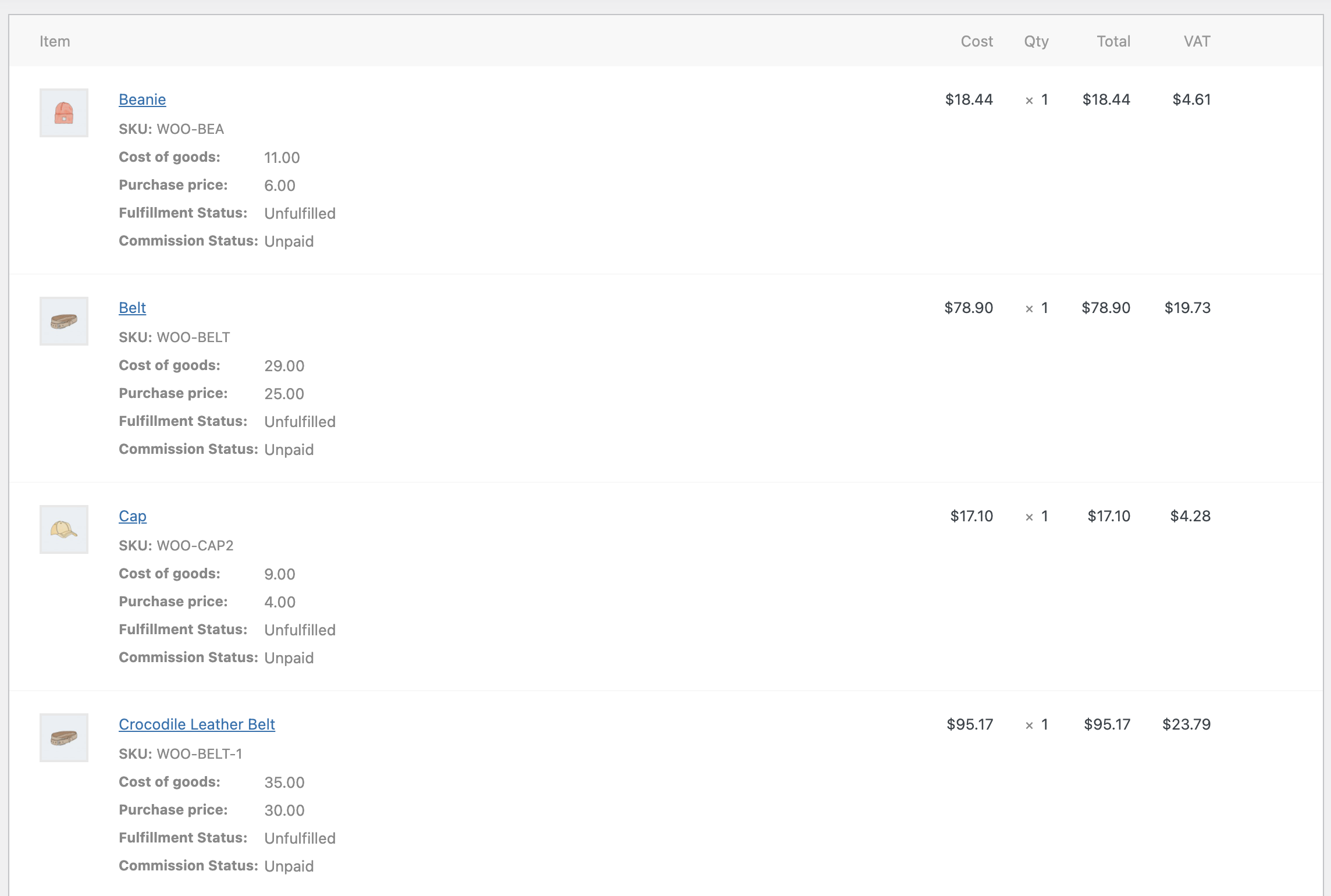
When customers purchase products, Cost & Reports can add cost of goods and purchase price to each order line. This helps preserve historical cost data so profit reports remain accurate even if product costs change later.
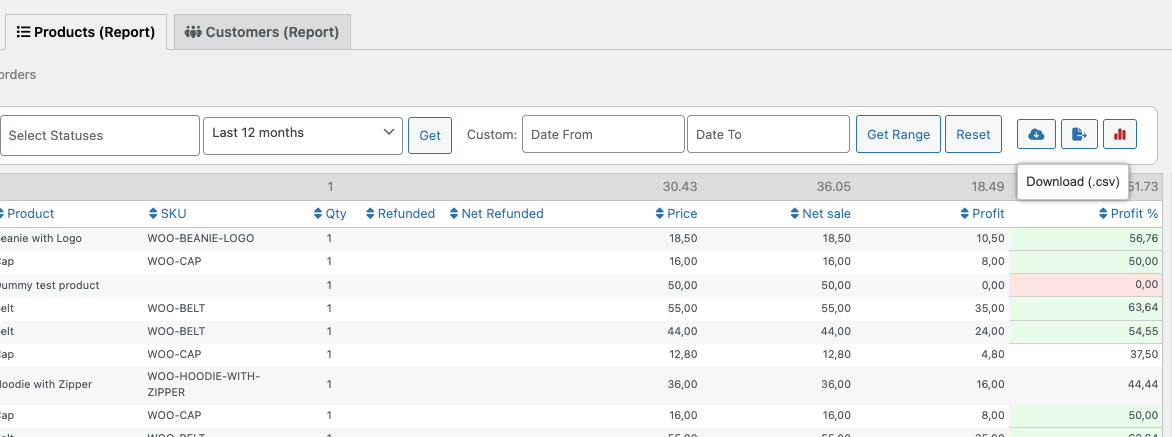
Cost & Reports provides two export options for your store data.
The CSV export includes complete report data with relevant fields that may not be visible in the on-screen table. Use it for accounting, custom reporting, or importing into other systems.


The XLSX export includes the currently visible report table, including filters, search terms, date ranges, and sorted columns. It is useful for quick insights or sharing filtered reports in spreadsheet tools.

If you already use a cost of goods field for your products, you can connect it in the plugin settings. Cost & Reports can also create its own cost of goods field by default and use it in product, order, and report calculations.
Native WooCommerce Cost of Goods support is also available and can be enabled in the settings.
Cost & Reports helps you manage costs, understand margins, export financial data, and make better pricing decisions from inside WooCommerce.
Informations sur l'extension
Vérifications qualité
Compatible avec
Compatibilité
Pays
Langues
Thanks, always happy to help and thanks for great input.
We are deeply sorry that you are feeling this way and have had this experience. Your suggestion to remove products from an order and re-add them with the current purchase price and cost of goods was a nice one. We agreed to work on it despite the fact that our developer had Covid19, resulting in a version that was not perfect. So, once again, my apologies, but the subsequent ones worked perfectly. There were no errors in the calculations.







