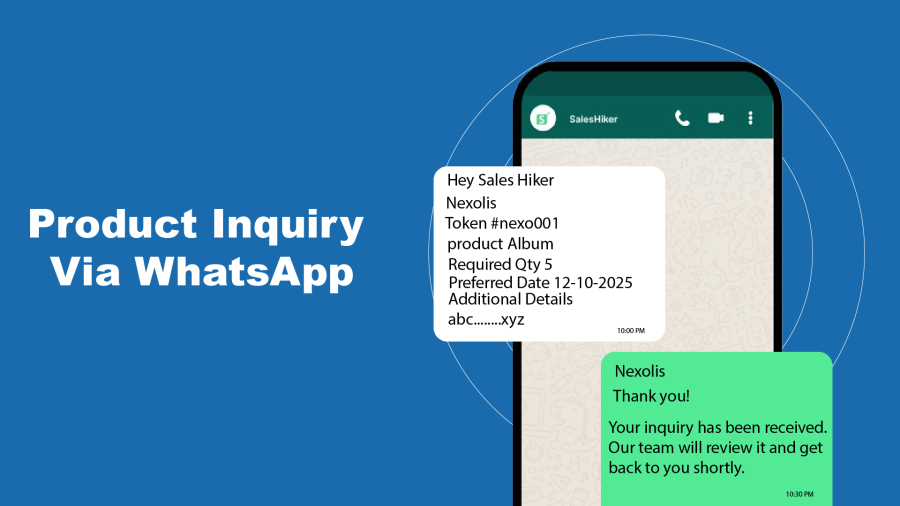
WhatsApp Product Inquiry for WooCommerce
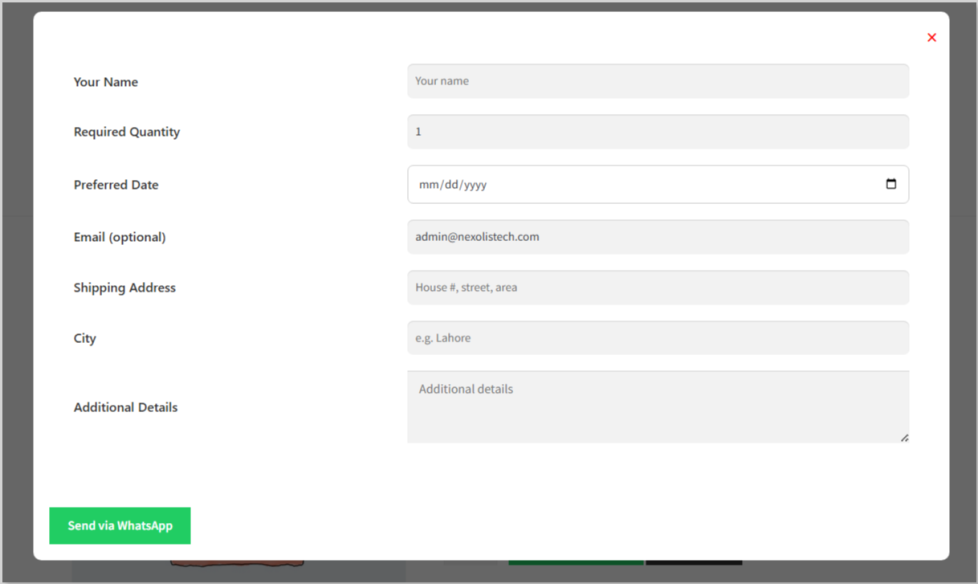
Allow customers to send product inquiries directly through WhatsApp without leaving your store. Collect important details like customer name, quantity, preferred date, email, shipping address, and additional notes before starting the conversation.
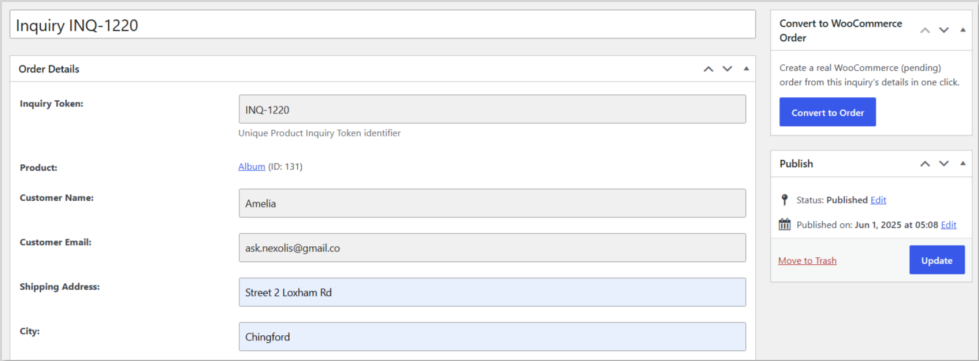
Convert to WooCommerce Order
Convert any customer inquiry into a real WooCommerce order with a single click.
Instead of creating the order manually, simply open the inquiry and press Convert to Order.
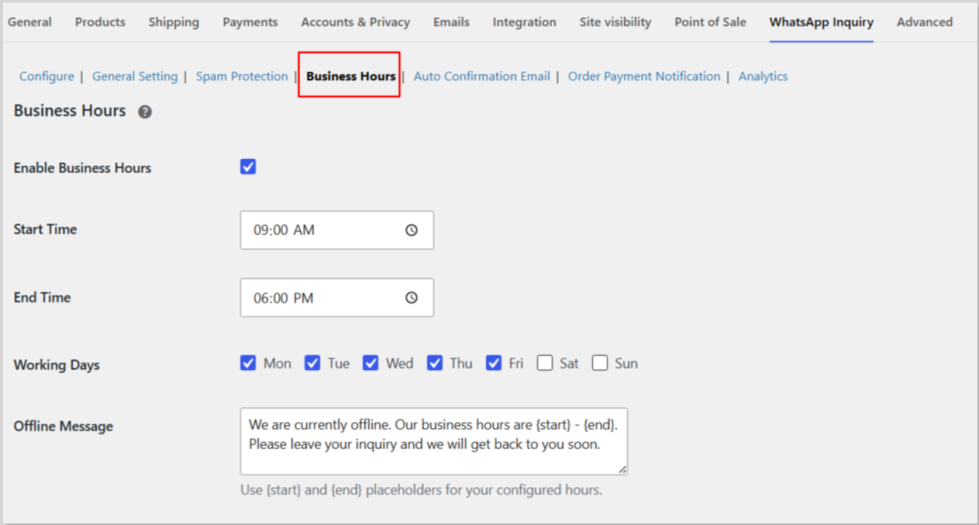
Business Hours Control
Control when customers can submit inquiries.
Configure:
- Working days
- Opening hours
- Closing hours
- Custom offline message
Outside business hours, customers see your custom offline notification instead of the inquiry form.
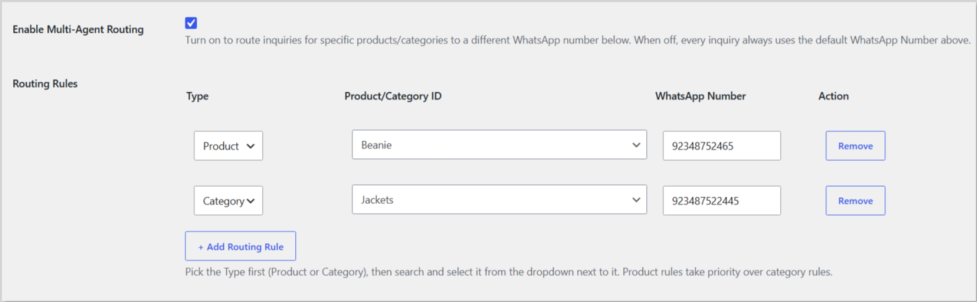
Multi-Agent WhatsApp Routing
Automatically route WhatsApp customer inquiries to the right sales representative or department. Set up smart routing rules based on individual products or product categories to ensure every customer reaches the most relevant team member.
- Stores with multiple sales representatives
- Businesses with different departments
- Faster response times and better customer support
Key Features:
- Route chats by individual products
- Route chats by product categories
- Send inquiries to the right WhatsApp number automatically
- Improve team efficiency and customer experience
Spam Protection
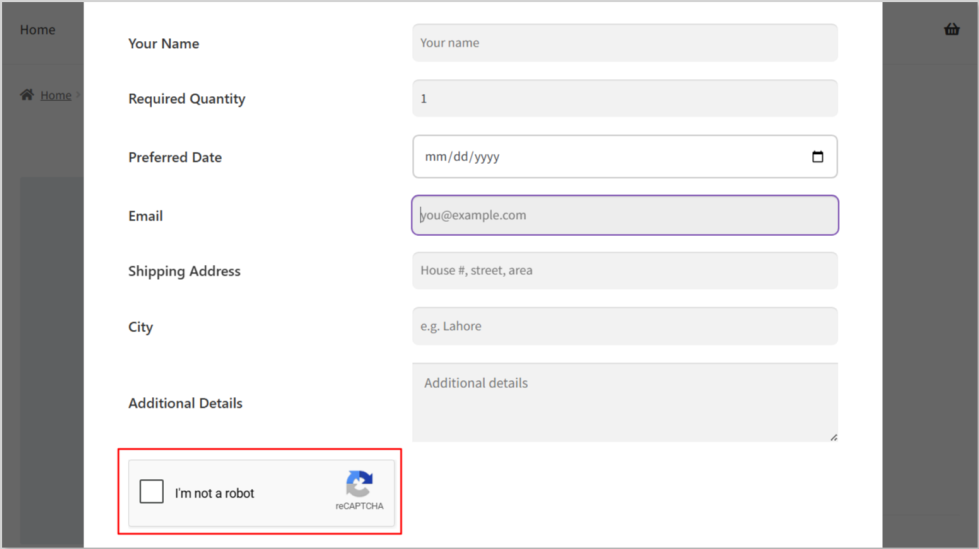
Keep your inquiry form safe from spam and fake submissions. Our Spam Protection features help ensure that only genuine customers can send inquiries.
- Hidden Honeypot Protection
- Google reCAPTCHA Integration
Benefits:
- Block spam and bot submissions
- Accept inquiries from real customers only
- Improve form security and save time
Analytics Dashboard
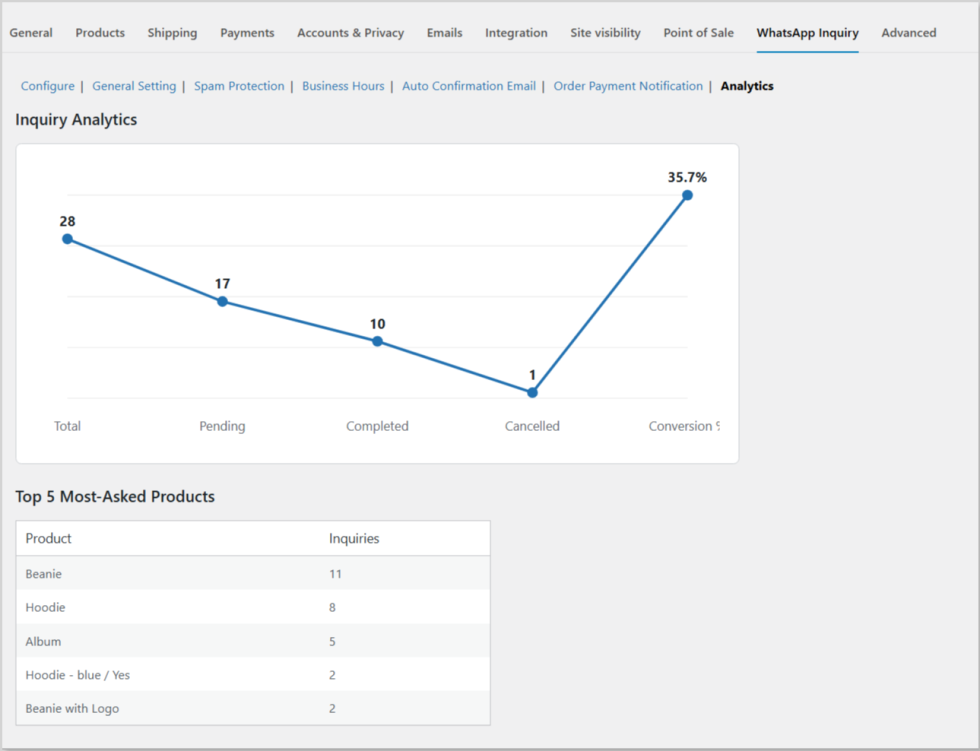
Track inquiry performance directly from the analytics within the Whatsapp inquiry setting dashboard.
View important metrics including:
- Total Inquiries
- Pending Inquiries
- Completed Inquiries
- Converted Orders
- Conversion Rate
- Top Inquired Products
Gain valuable insights into customer interest and sales opportunities.
Product/Category Selection
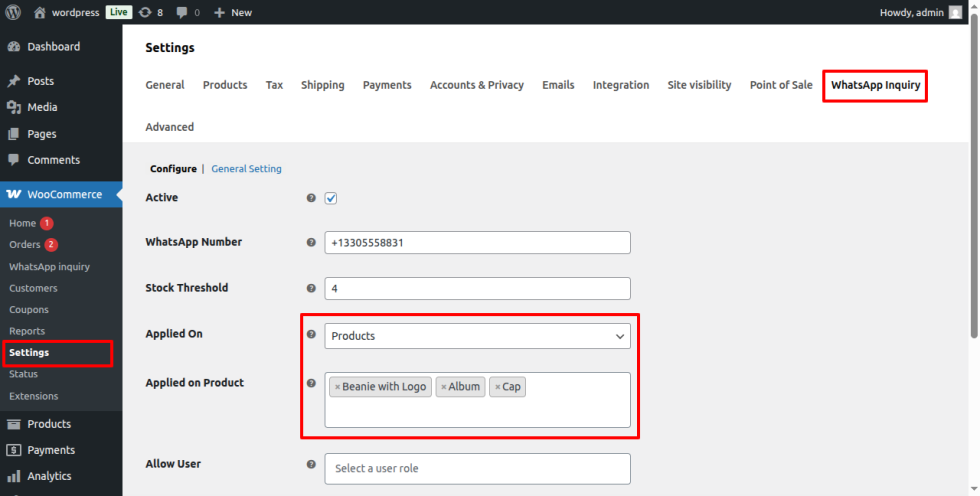
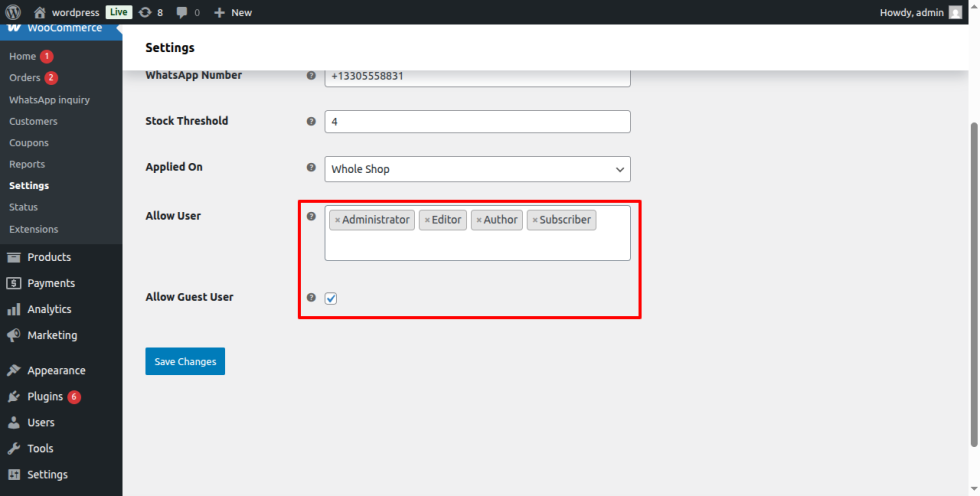
You can easily Choose Whole shop, specific product(s) and categories within the rule configuration on which you want to enable the WhatsApp inquiry.
Role-based Visibility
You can allow specific user roles (e.g., Wholesaler, Customer, Shop Manager) to send WhatsApp inquiries.
View Inquiry Details in WooCommerce
All submitted inquiry details are displayed under the WhatsApp Inquiry tab in the WooCommerce admin area. 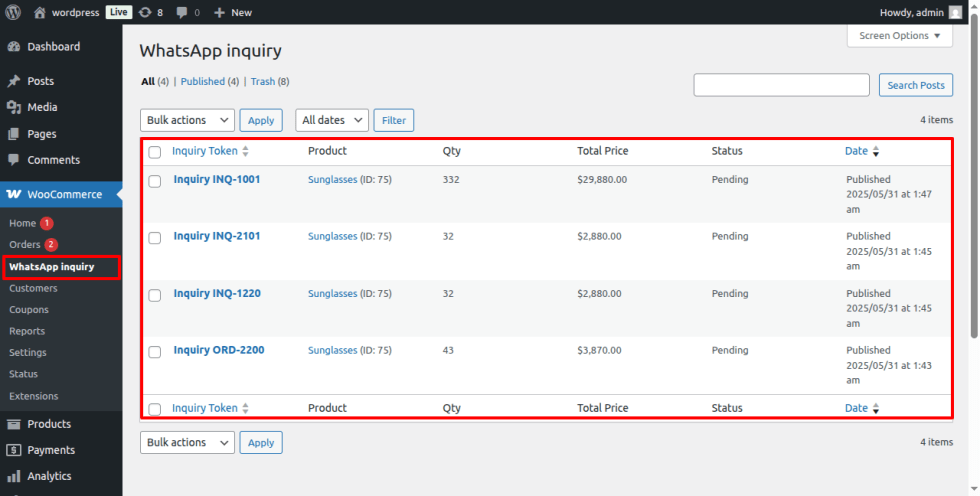 <div « >
General Settings
Easily customize the inquiry button and form to match your store’s branding. Personalize the button position, text, colors, form field labels, and submit button style to create a professional and user-friendly inquiry experience. These flexible customization options help maintain brand consistency, improve customer engagement, and encourage more inquiries from potential buyers.
Use Cases