
Product Inquiry via WhatsApp is a WooCommerce plugin that allows customers to easily send inquiries about specific products directly via WhatsApp. Store owners can configure inquiry settings, target products or categories, and set conditions based on stock status and user roles.
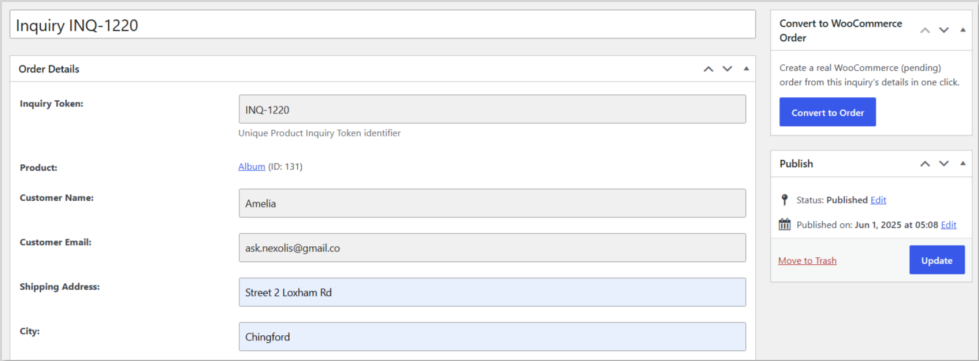
The Convert Inquiry to Order feature allows store admins to instantly convert any product inquiry into a real WooCommerce order. Instead of creating orders manually, simply open an inquiry and click Convert to Order.
The plugin automatically creates a pending payment WooCommerce order using the customer’s submitted information.
When an inquiry is converted, the plugin automatically transfers:
- Customer Name
- Email Address
- Quantity
- Shipping Address
- Order Status (Pending payment)
Installation
↑ Back to topTo start using a product from WooCommerce.com, you can use the “Add to store” functionality on the order confirmation page or the My subscriptions section in your account.
- Navigate to My subscriptions.
- Find the Add to store button next to the product you’re planning to install.
- Follow the instructions on the screen, and the product will be automatically added to your store.
Alternative options and more information at:
Managing WooCommerce.com subscriptions.
Settings Configuration
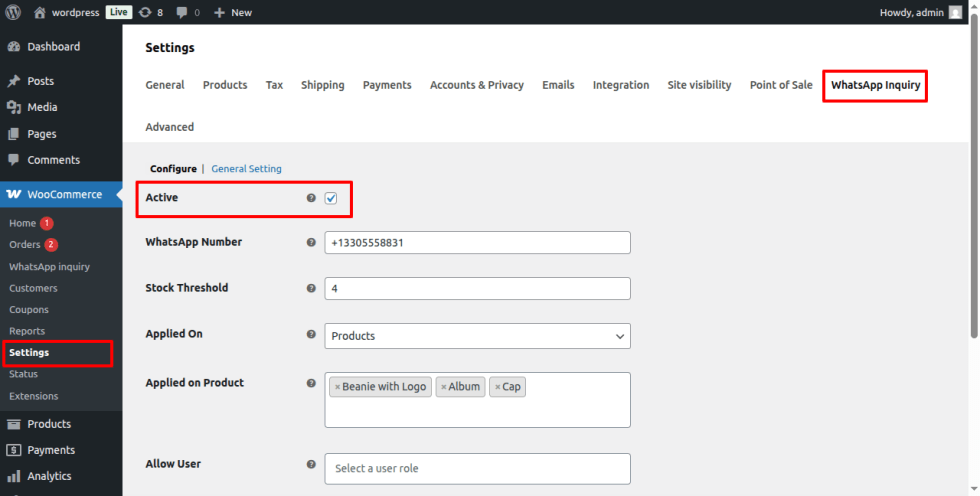
↑ Back to topActivate Setting
Enable or disable the WhatsApp product inquiry functionality.
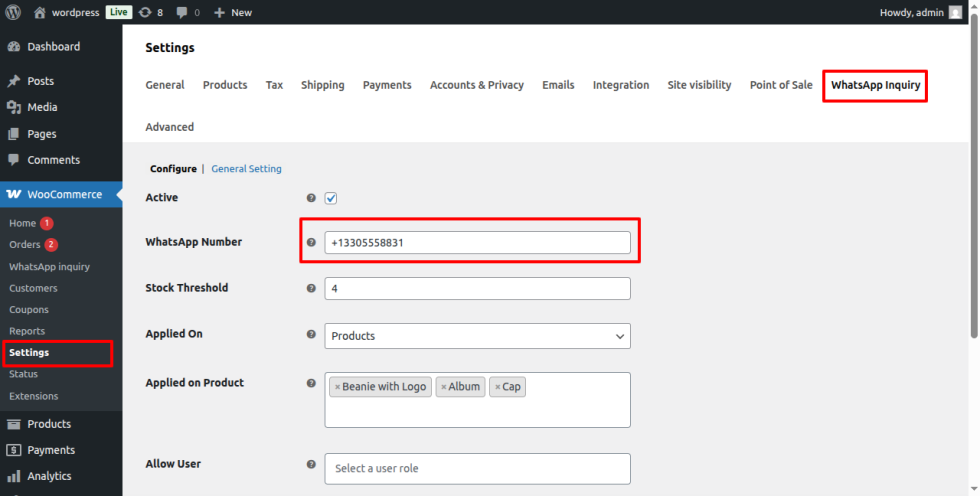
WhatsApp Number
Enter your WhatsApp number where customer inquiries will be sent.
Format: CountryCode + Number (e.g., +1 330-555-8831).
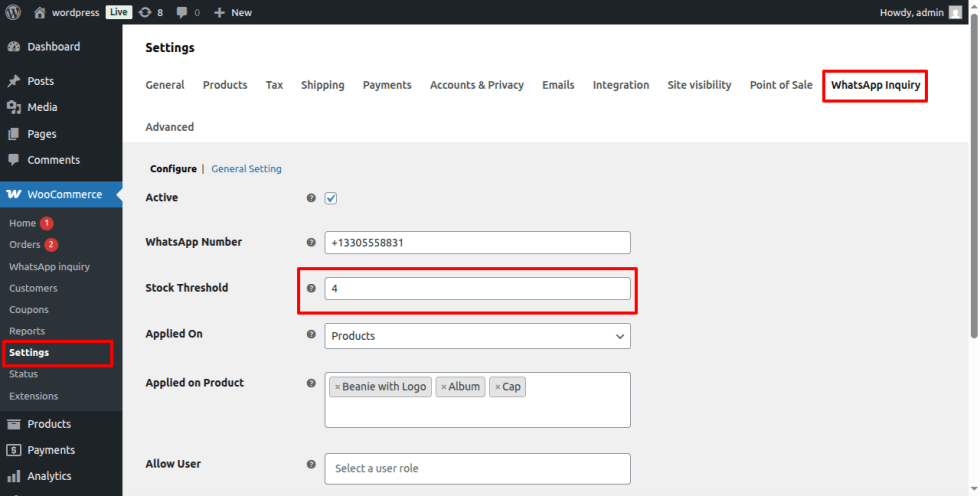
Stock Threshold
Set a stock quantity if a product’s stock falls below this number, the inquiry button will be automatically show up on the selected product or categories.
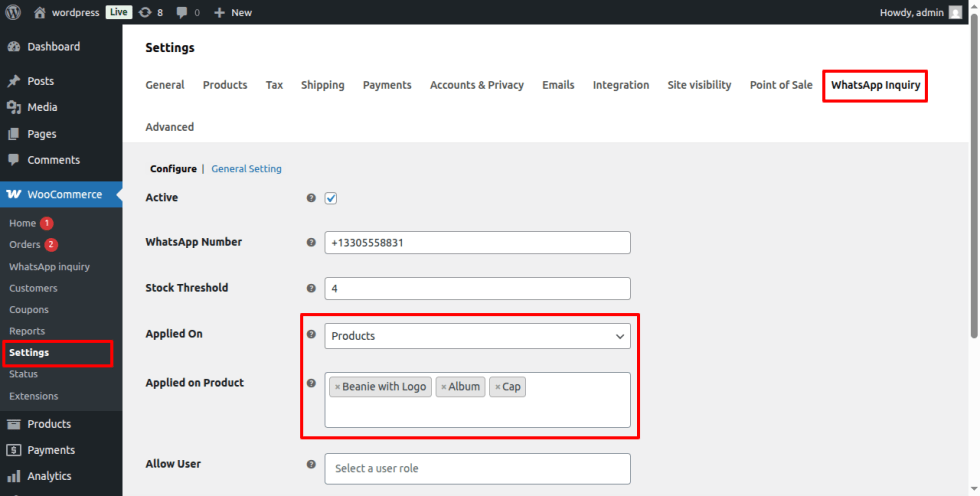
Target Products / Categories
Choose whether the inquiry button appears for specific products or categories.
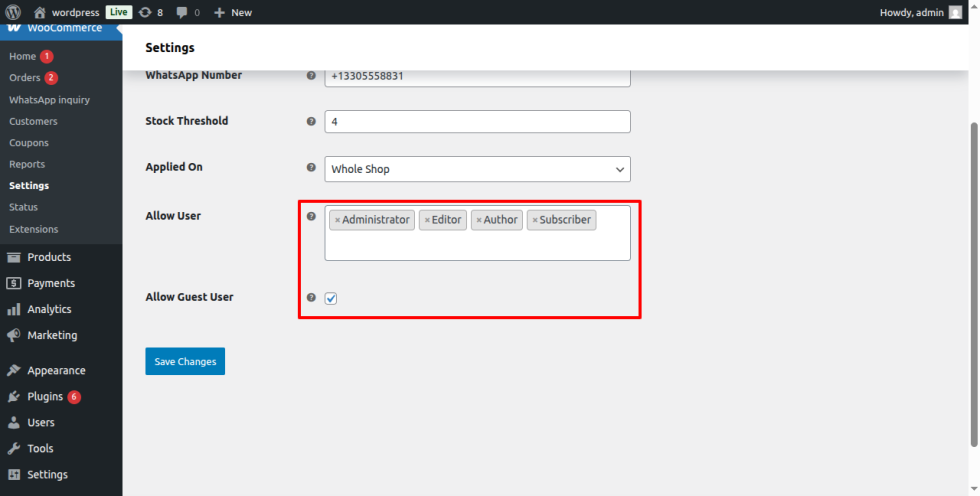
Allowed Specific User Role And Guest user
- Leave empty if you want to display the button for all the user roles .
- You can select specific user roles on which you want to display the WhatsApp inquiry button.
- You can display WhatsApp inquiry button to the guest users as well.
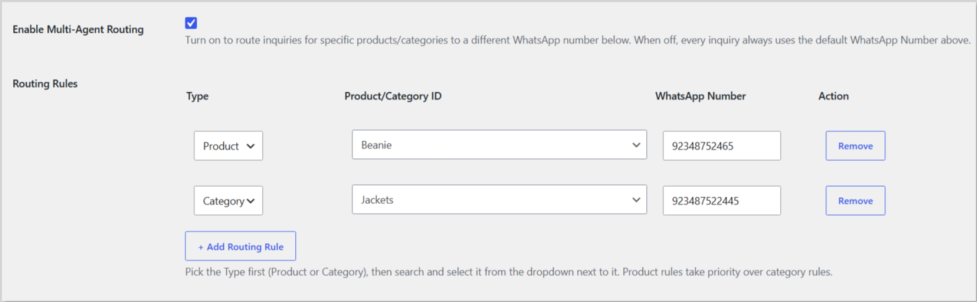
Smart Multi-Agent Routing
↑ Back to topRoute product inquiries to different WhatsApp numbers automatically.
Instead of using a single WhatsApp number for every inquiry, you can add multiple WhatsApp number and assign to different sales agents based on products or categories.
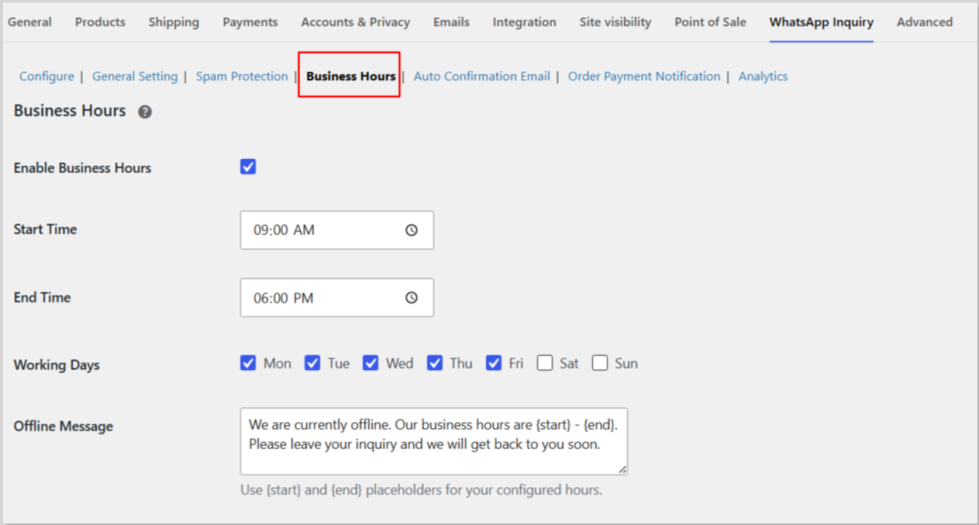
Business Hours
↑ Back to topControl when customers can submit inquiries. During business hours, customers can access the inquiry form normally. Outside working hours, a custom offline message is displayed instead.
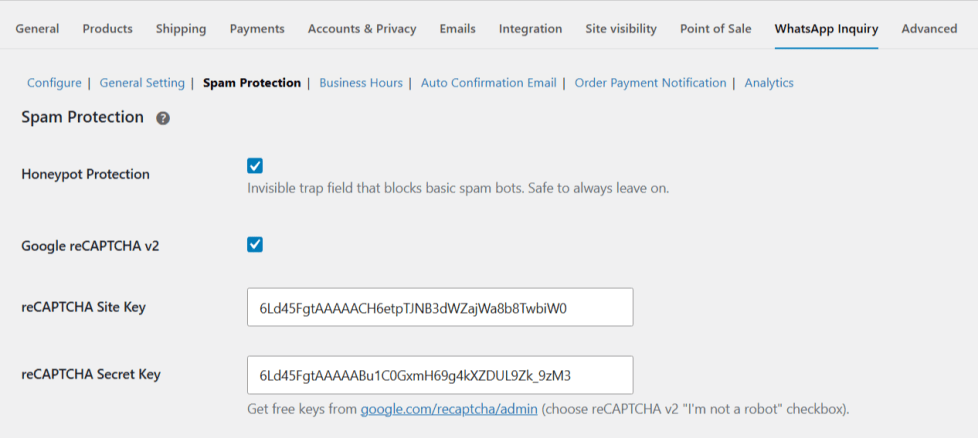
Spam Protection
↑ Back to topReduce spam inquiries using built-in security tools such as:
- Google reCAPTCHA
- Honeypot Field
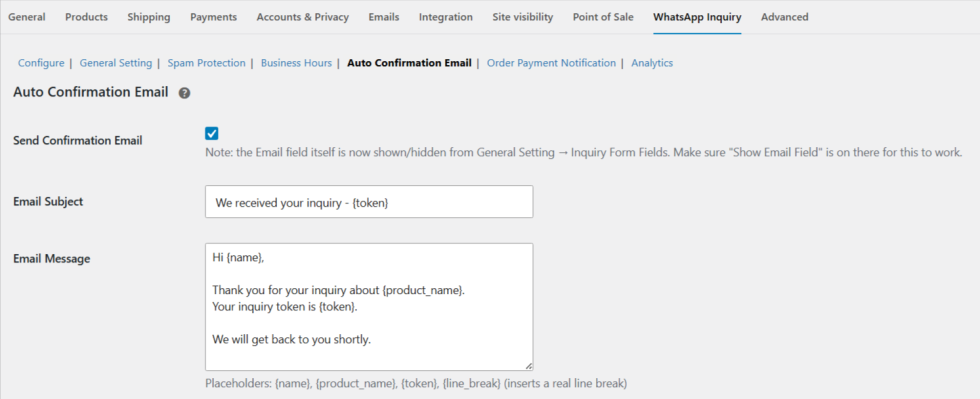
Automatic Customer Confirmation Email
↑ Back to topAutomatically send a confirmation email after an inquiry is submitted. Customers immediately know that their inquiry has been received successfully.
Automatic Payment Link
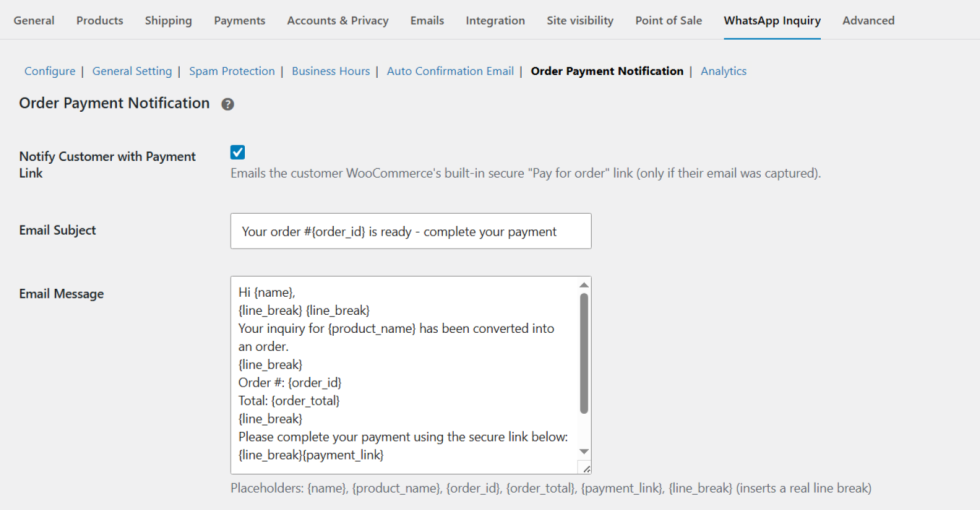
↑ Back to topAfter converting an inquiry into a WooCommerce order, the plugin can automatically notify the customer by email with a secure WooCommerce payment link.
Customers can simply open the email and complete payment online.
Smart WhatsApp Message
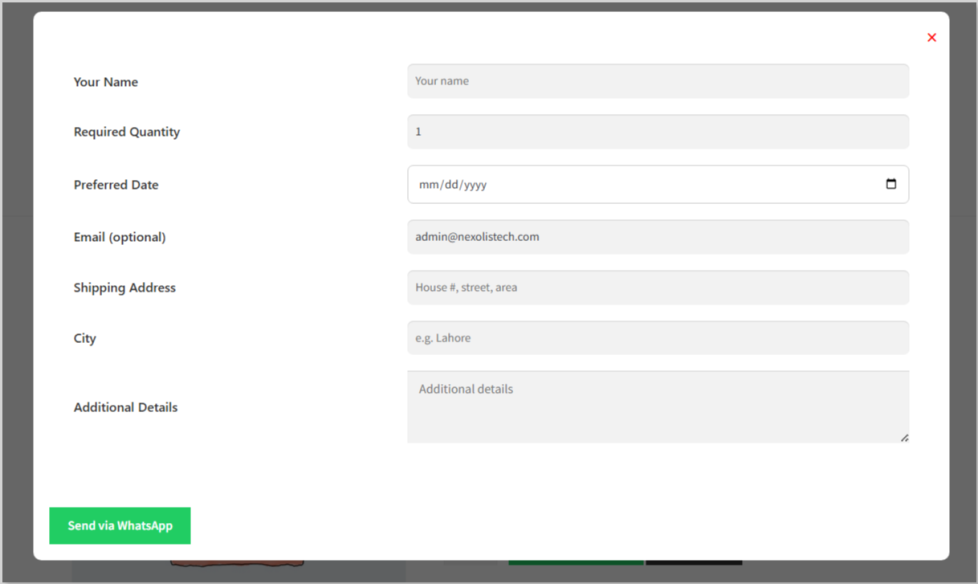
↑ Back to topThe plugin automatically generates a structured WhatsApp message using the submitted customer information. the message includes the selected prodcut name and its correct price.
- The message can include:
- Additional Notes
- Inquiry Token
- Product Name
- Quantity
- Total Price
- Customer Name
- Shipping Address
On submission:
↑ Back to topWhatsApp message is sent to the admin with:
- Product name
- Required quantity
- Total price
- shipping address
- Additional message
- A unique token is generated and inquiry data is saved in the database.
- admin easy inquiry convert to order
General Settings
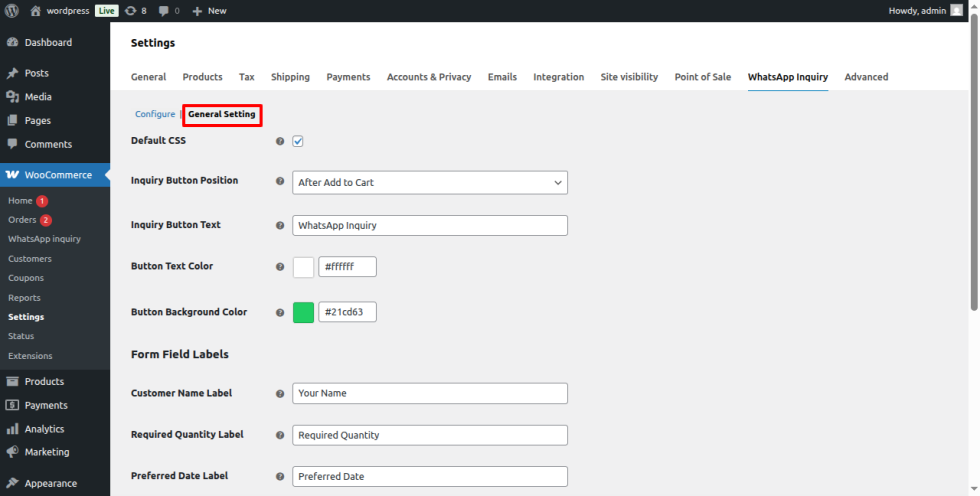
↑ Back to topGeneral Settings allow you to customize the WhatsApp inquiry button and popup form to match your store’s branding. Configure the button position, text, colors, form fields, labels, and submit button styling to create a seamless and user-friendly inquiry experience.
Use Cases
↑ Back to top- Low Stock Products – Prompt customers to inquire when stock is limited.
- Wholesale Inquiries – Allow bulk buyers to request quotes directly.
- Custom Orders – Handle special requests and convert approved inquiries into WooCommerce orders.
- Made-to-Order Products – Collect customer requirements before creating an order.
- High-Value Products – Encourage customers to contact you directly before purchasing expensive items.
- Pre-Orders – Allow customers to confirm availability for upcoming or out-of-stock products.
- Multi-Agent Sales Teams – Automatically route inquiries to the appropriate sales representative.
- Business Hours Support – Accept inquiries during working hours and display an offline message outside business hours.
- Secure Payment Requests – Send customers a WooCommerce payment link after converting an inquiry into an order.
- Shipping Confirmation – Let customers choose their preferred shipping method before completing payment.

