


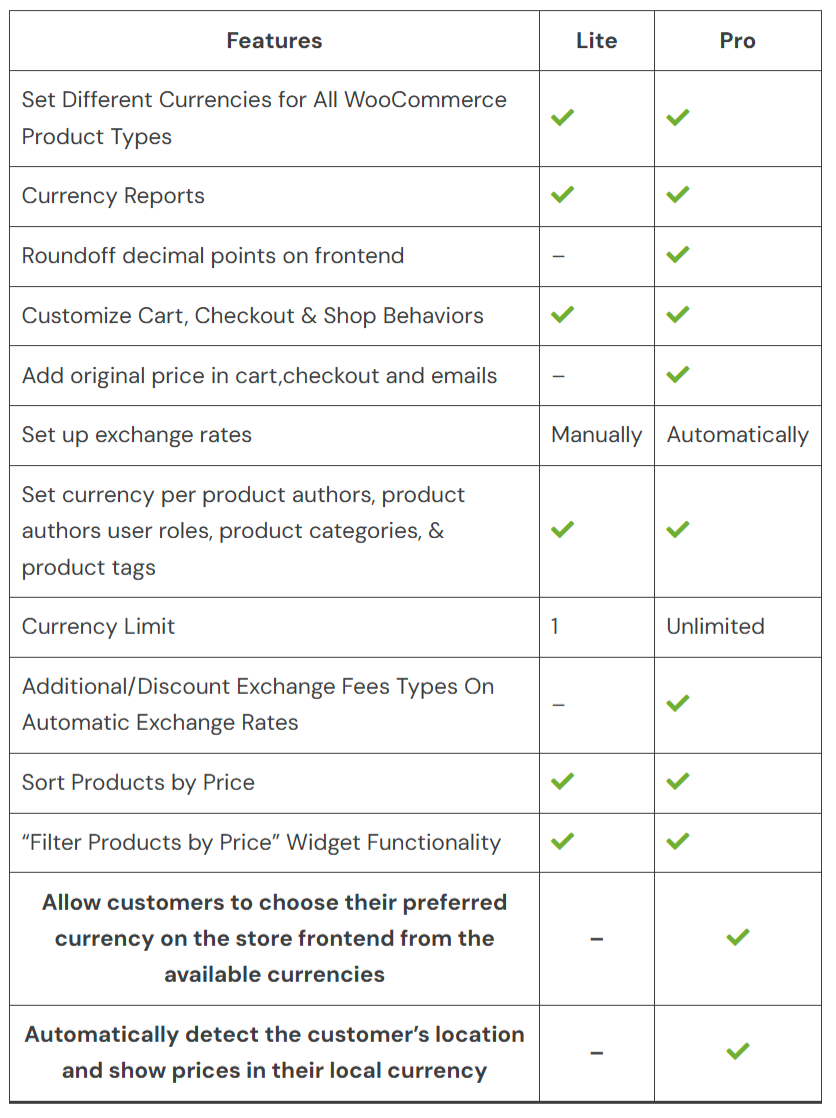
Confronto prodotti
L'abbonamento include
Supporto
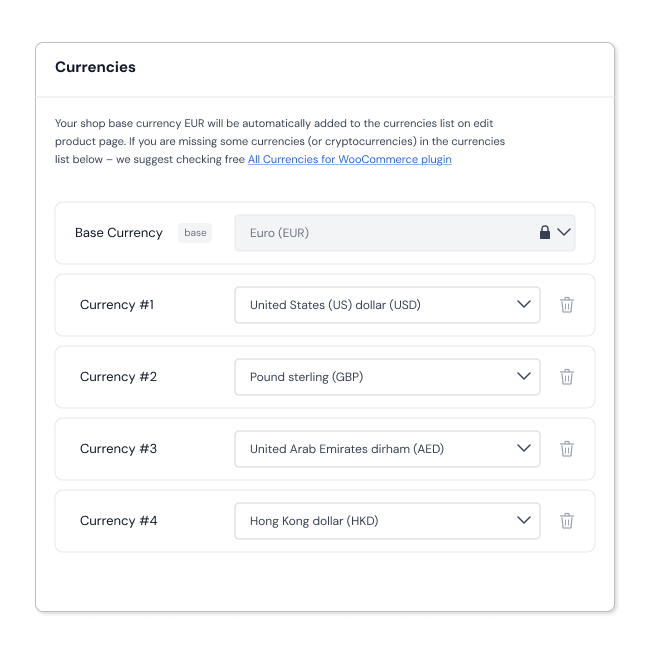
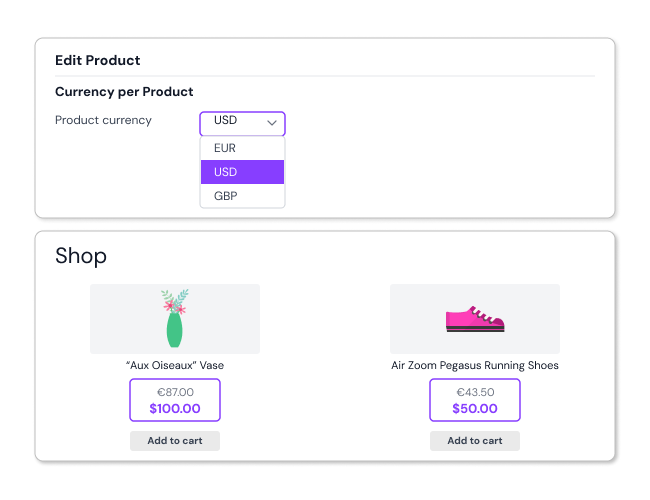
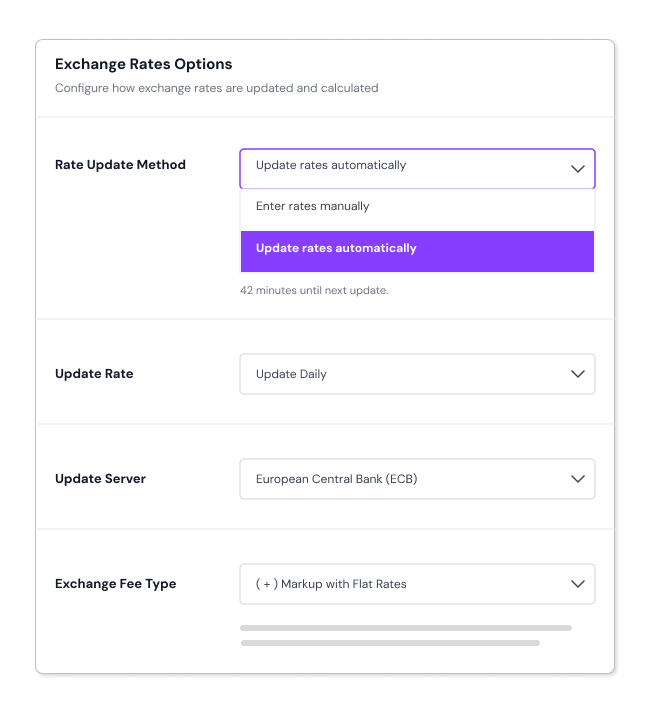
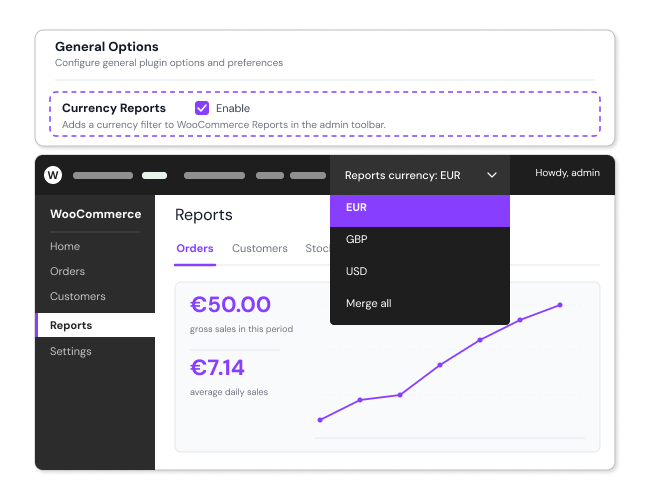

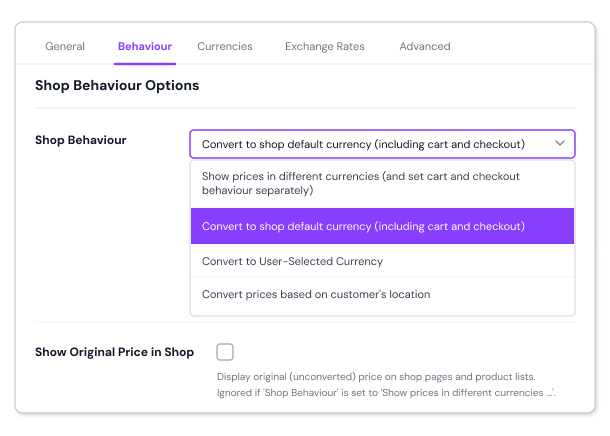
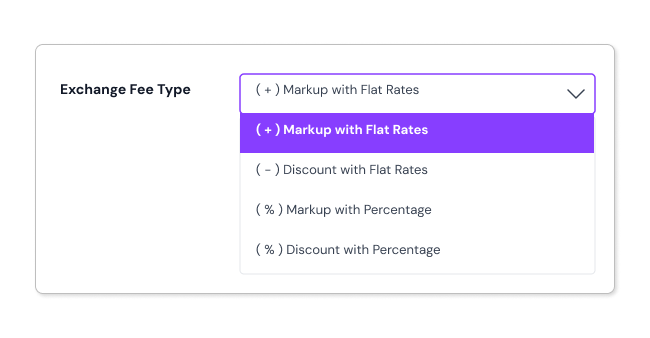
Easily customize how currencies appear on both the front-end and back-end using shortcodes
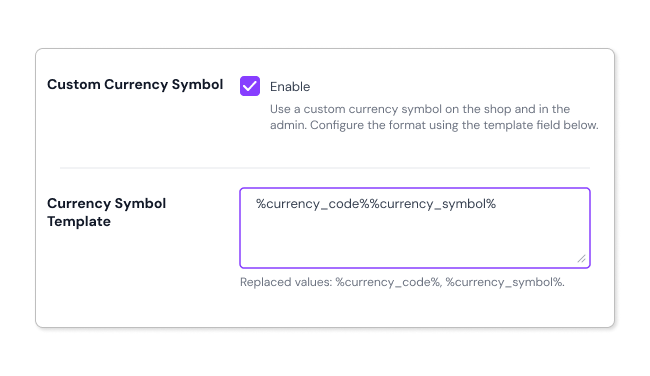
Currency Per Product for WooCommerce plugin lets you switch the prices of currencies according to your local and global customers’ country. You can easily set up automatic exchange rates or show a custom currency symbol to reduce your work. Converted prices can be shown on Shop, Cart, and Checkout Page to keep your customer thoroughly informed.
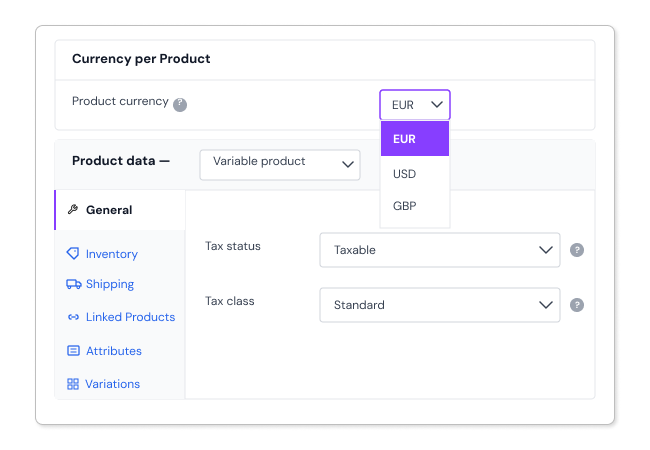
Yes. You can assign different currencies to individual products and even to each variation of a product.
Yes. You can control how prices appear on the WooCommerce Shop, Cart, and Checkout pages, including displaying them in different currencies based on your settings.
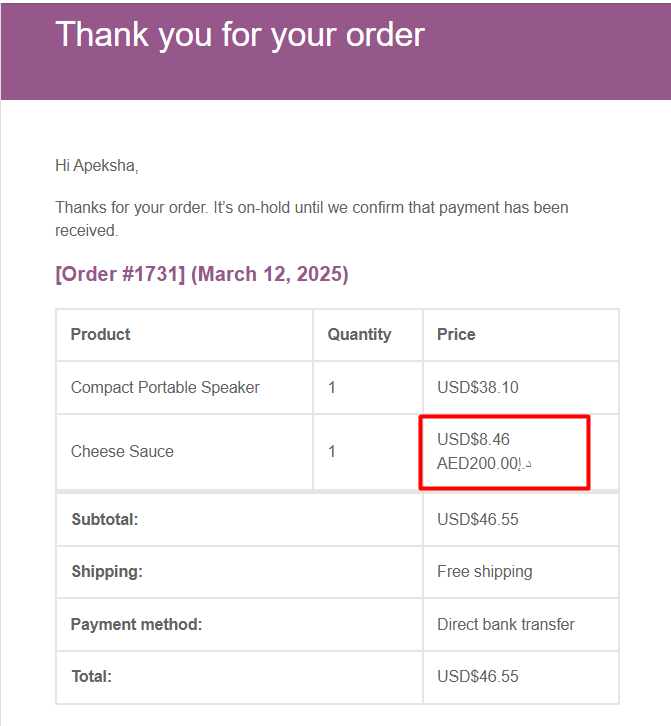
Yes. You can choose to display the original price alongside the converted price on Shop, Cart, Checkout pages, and in order emails. This works when the relevant settings for original price display are enabled.
Yes. The plugin rounds converted prices to the nearest whole number on the frontend (e.g., $18.88 becomes $18.90).
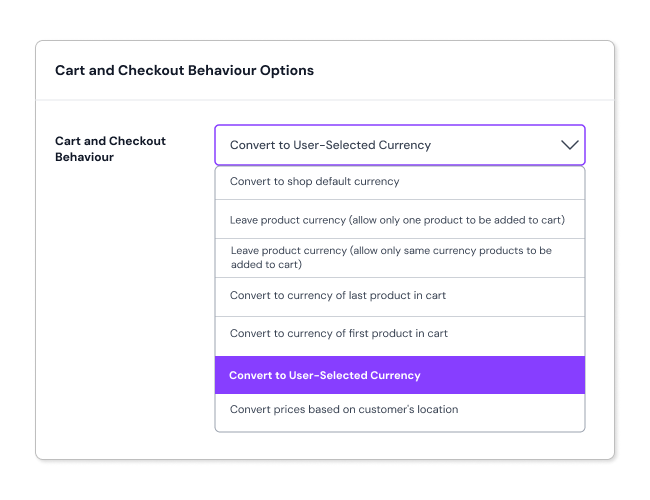
You can control how currency is applied at WooCommerce Checkout using the Cart and Checkout behaviour settings. Depending on your configuration, customers can be charged in your store’s base currency or in the user-selected currency.
Yes. You can configure the Cart and Checkout to charge customers in your store’s base currency, even if WooCommerce product prices are displayed in a different currency on the Shop page.
Yes. You can add the Currency Switcher (CPP) widget to any widget area on your WooCommerce store (sidebar, footer, or header), allowing customers to manually select their preferred currency. This can also be used at the Checkout page.
Yes. The plugin supports geolocation-based currency display. It automatically detects a customer’s location via their IP address and displays prices in the appropriate local currency.
Yes. The Plugin allows you to configure currency behaviour based on user roles, product categories, product tags, and even specific payment gateways, giving you complete control over how currencies are displayed and applied.
Yes. The plugin supports automatic daily exchange rate updates, so you don’t need to manually update rates. You can also set rates manually if preferred. The plugin also allows you to configure which exchange rate sources servers are used.
Yes. Both sorting and filtering by converted prices are supported on the WooCommerce Shop page. Customers can sort products from high to low or low to high based on their local currency prices. The Price Filter widget also works with converted prices.
Please fill out this pre-sales form.
Categorie
Informazioni sull'estensione
Controlli di qualità
Paesi







