

Confronto prodotti
L'abbonamento include
Supporto
High upfront costs are one of the biggest reasons customers abandon their carts, especially on higher-priced products. The Deposit and Partial Payment Plan plugin solves this by letting your WooCommerce store accept a deposit at checkout and collect the remaining balance through structured installment plans.
With rule-based payment schedules, automatic installment charging through supported Stripe and PayPal gateways, and 8 customizable frontend layouts, the plugin gives you full control over how partial payments are offered, displayed, and collected. Customers get the flexibility to pay over time, and you get predictable cash flow without manual follow-up.
The Deposit and Partial Payment Plugin for WooCommerce lets your customers pay a deposit now and the rest later in installments. Shoppers can get their products without paying the full price upfront, which makes bigger purchases easier and helps you close more sales.
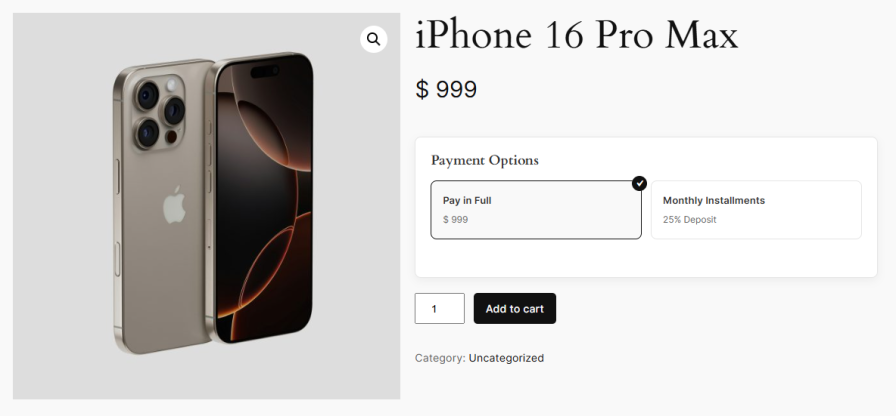
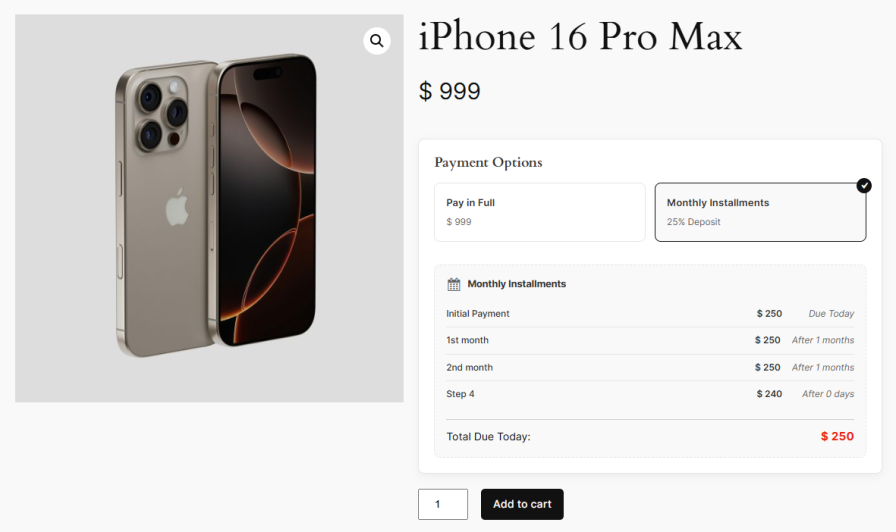
Pick one or more payment plans that apply to every product by default. If no specific rule is set for a product, the default plan kicks in automatically, so you never have to worry about a product missing a payment option. This makes the deposit plugin for WooCommerce quick to set up across your entire store, even if you sell hundreds of products.
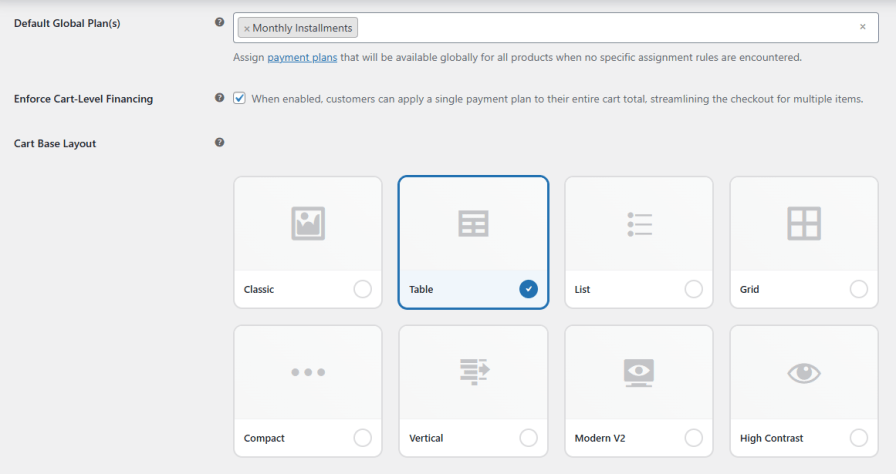
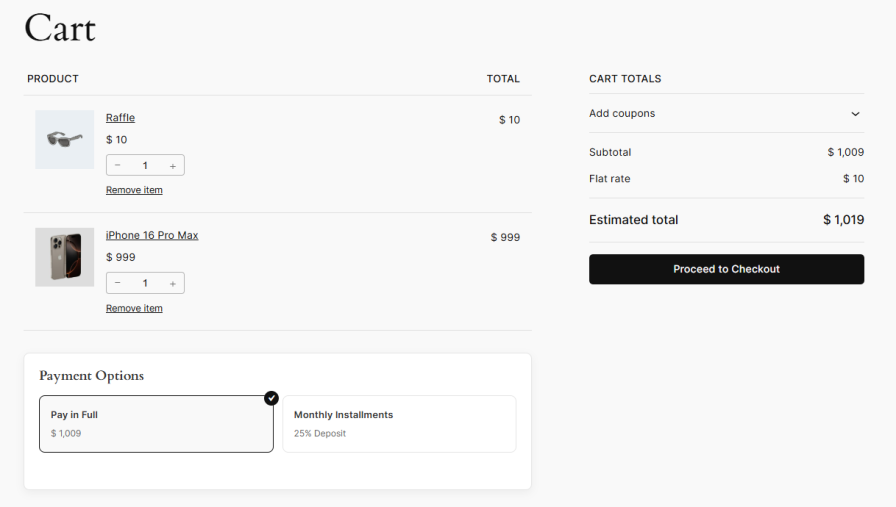
Turn on cart-level financing to let customers use a single payment plan for their full order instead of choosing one per product. Checkout stays simple, and shoppers get one clear installment schedule for everything in their cart.
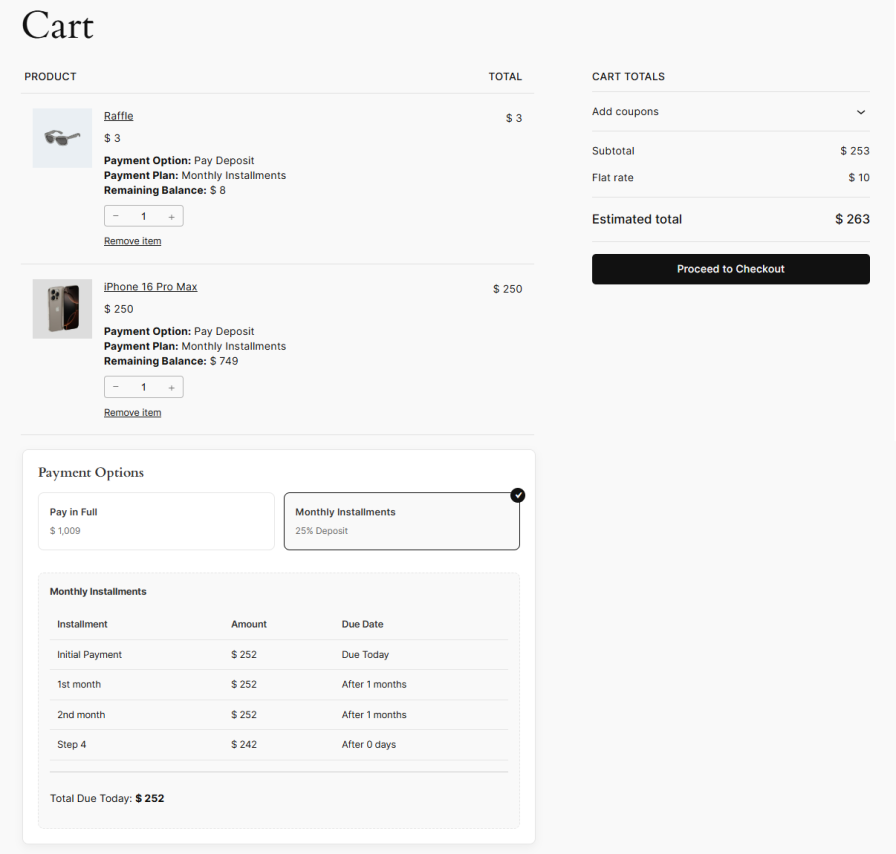
Build rules to decide which payment plans show up and where. Target rules by product, category, tag, brand, user role, or specific customers. You can also set a priority for each rule so more specific ones run first. The deposit and partial payment plugin for WooCommerce gives you full control over who sees which plan.
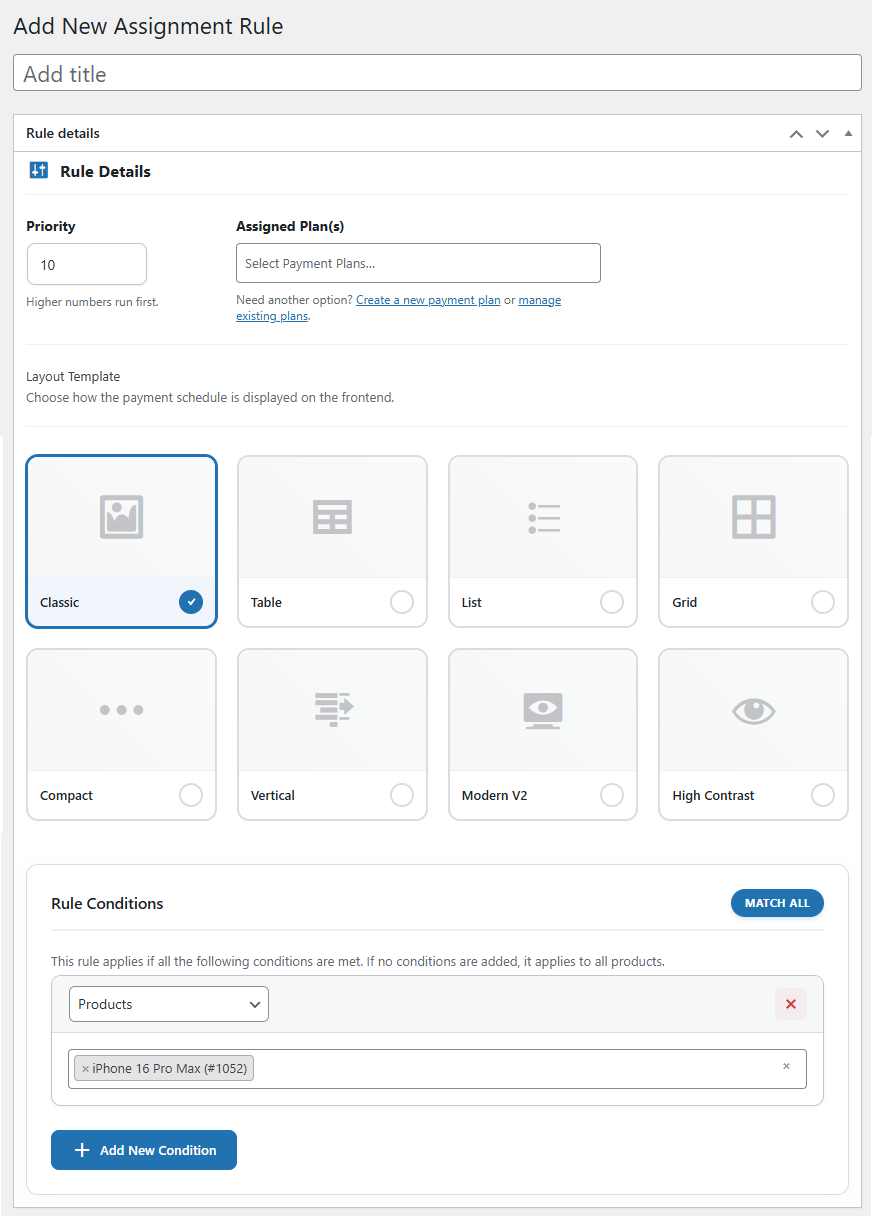
Use the payment plan schedule builder to create payment plans the way you want. Add as many payment steps as you need, set each one as a fixed amount or a percentage of the order, and choose how many days, weeks, or months apart they should be charged. A progress bar shows how much of the order is covered as you build, so the plan always adds up to 100%.
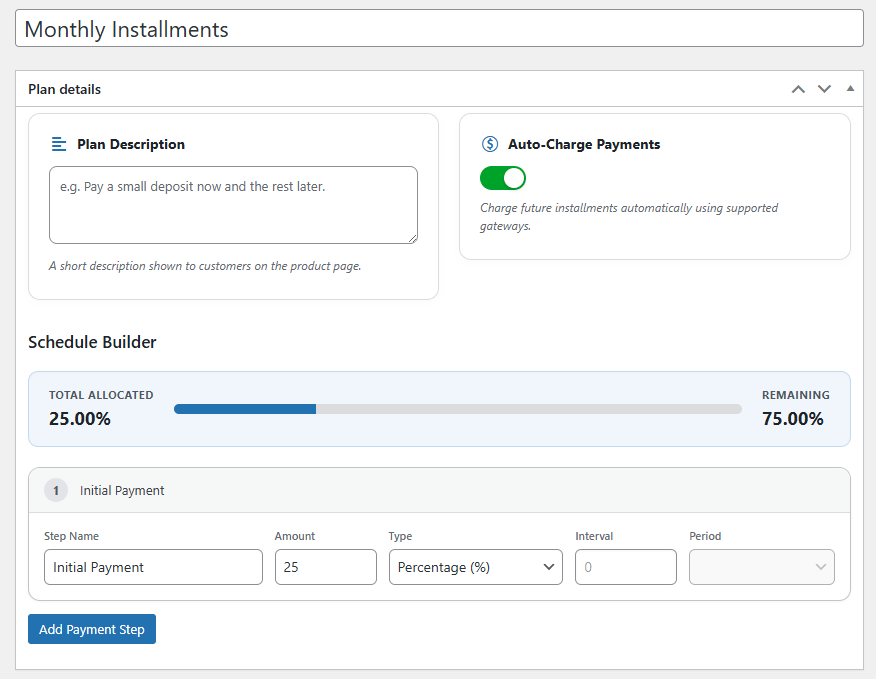
Turn on auto-charge to collect future installments from the customer’s saved payment method without any manual work. The partial payment plugin for WooCommerce supports automatic charging through Payment Plugins for Stripe WooCommerce and Payment Plugins for PayPal WooCommerce. You can also set how many times a failed payment should be retried before it is marked as failed.
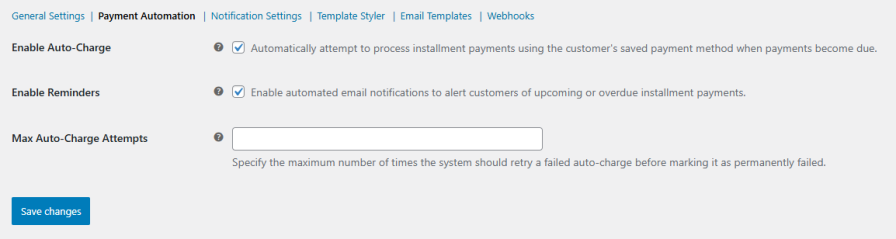
Keep customers in the loop with automatic email reminders. The plugin can send emails when a plan is created, when a payment goes through, when one fails, and when an installment is due. Fewer missed payments, less back-and-forth.
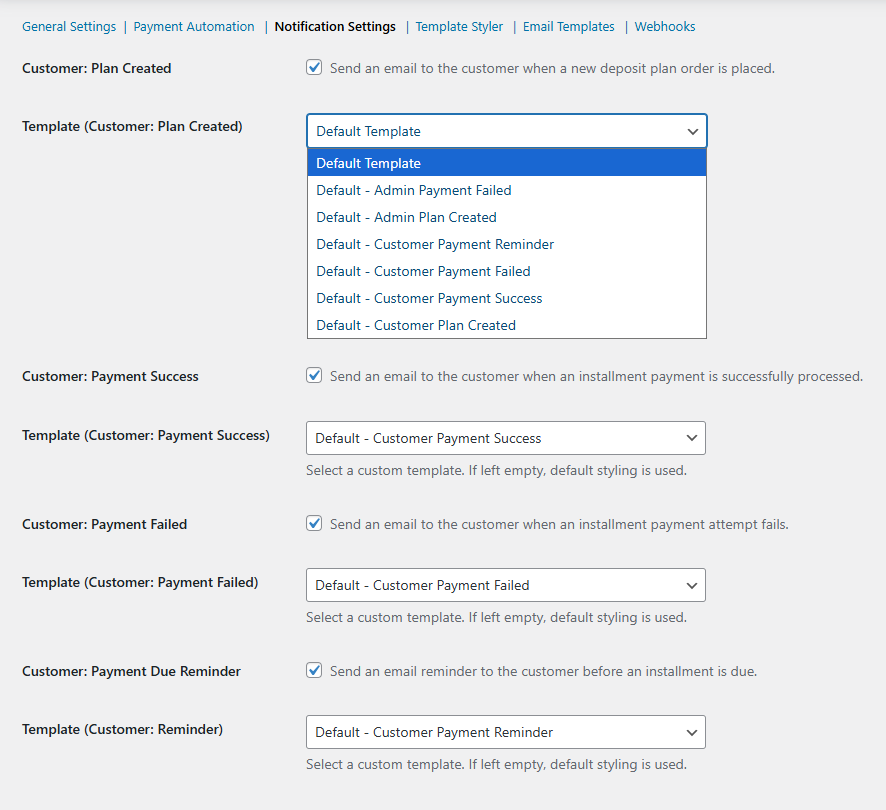
Set up emails for customers and admins as you need them. Customers get notified when their plan is created, when a payment succeeds, when one fails, or when a reminder is due. Admins can get alerts for new plans and failed payments. You can add multiple admin emails, pick a template for each one, and send test emails to make sure everything works.
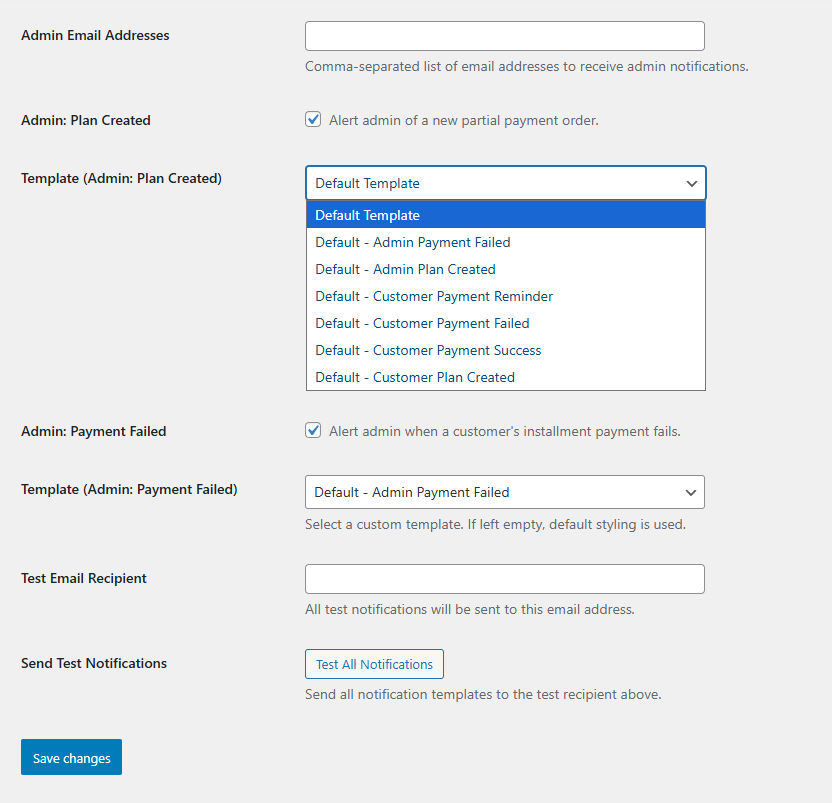
Edit the subject and body of every email and add details like customer name, order ID, installment amount, due date, and a direct pay link using simple placeholders such as {customer_name}, {order_id}, and {installment_amount}. Default templates are included for every event, so you can use them as-is or change them to match your brand.
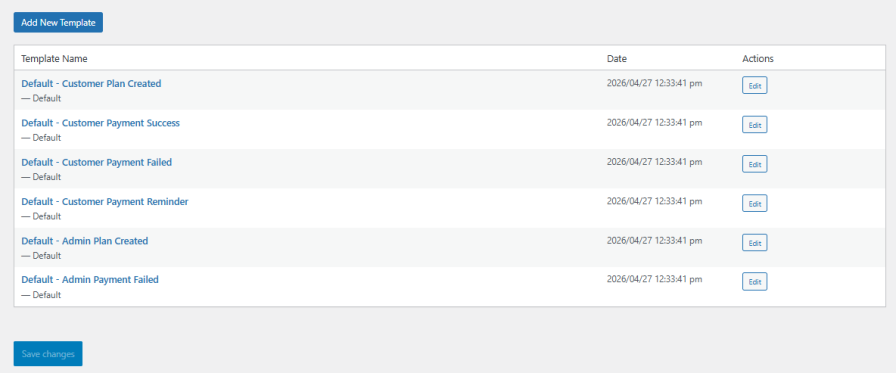
Choose how payment options look on your product, cart, and checkout pages. The deposit and partial payment plugin for WooCommerce comes with 8 ready-made layouts: Classic, Table, List, Grid, Compact, Vertical, Modern V2, and High Contrast. You can preview each layout on the backend before saving the changes.
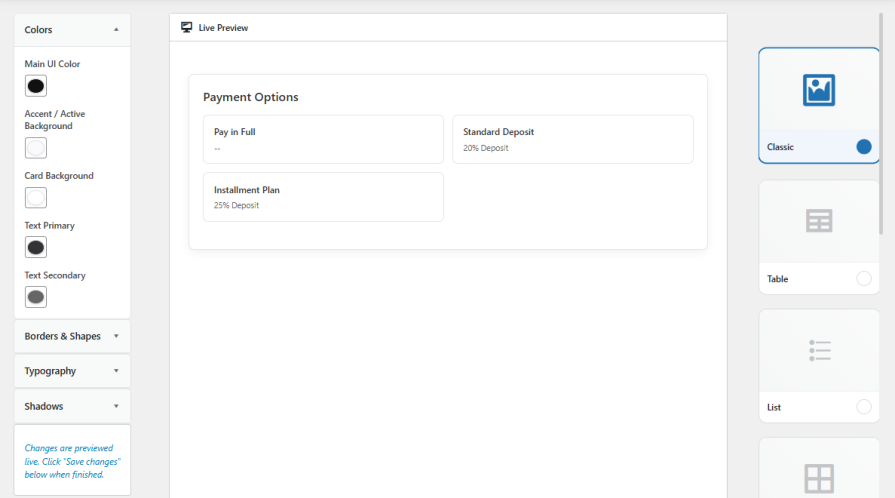
Use the Template Styler to change colors, fonts, borders, shapes, and shadows on the payment options display. Pick your main color, accent color, card background, and text colors, then preview the changes in real time so the payment selector blends right in with the rest of your store.
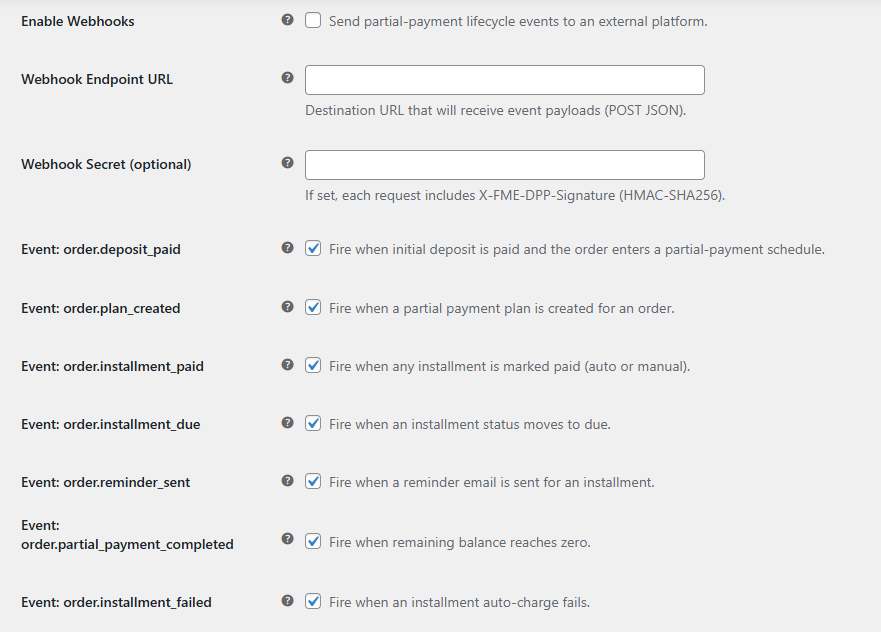
Send real-time payment events to other apps and tools using webhooks. Add a webhook URL and an optional secret, and the partial payment plugin for WooCommerce will send JSON data for events like deposit paid, plan created, installment paid, installment due, reminder sent, plan completed, and installment failed. HMAC-SHA256 signing keeps every request secure.
Yes. The Deposit and Partial Payment Plugin for WooCommerce lets customers pay a deposit at checkout and settle the remaining balance through installments. You can configure how much the deposit is and how the rest is split across future payments.
Yes. You can build rule-based payment plans and assign them by product, category, tag, brand, user role, or specific customers. Each rule has its own priority, so more specific rules run before broader ones, giving you full control over which plan applies where.
Both options are supported. You can turn on auto-charge to collect future installments automatically using the customer's saved payment method, or let customers pay each installment manually from their account page. Auto-charge works with Payment Plugins for Stripe WooCommerce and Payment Plugins for PayPal WooCommerce.
You can set a maximum number of retry attempts for failed auto-charge payments. The plugin will keep trying up to that limit before marking the payment as failed. Customers and admins can both receive email alerts when a payment fails, so you can follow up quickly.
Yes. The plugin includes 8 ready-made layouts (Classic, Table, List, Grid, Compact, Vertical, Modern V2, and High Contrast) and a Template Styler where you can adjust colors, fonts, borders, shapes, and shadows. You can preview every change live before saving, so the payment selector matches the rest of your store.
Controlli di qualità
Paesi






