

Installazioni attive
400+
L'abbonamento include
Supporto
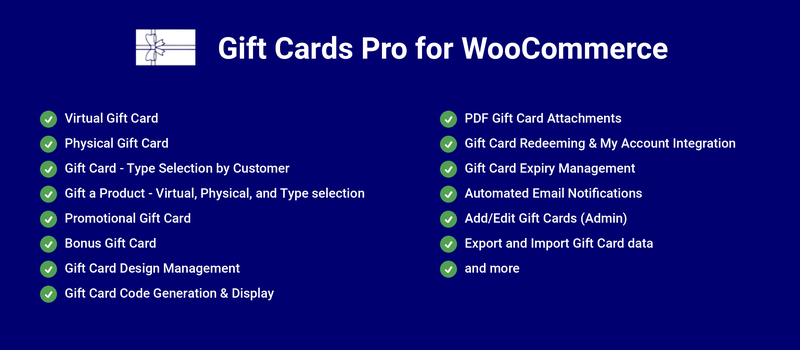
Gift Cards Pro for WooCommerce allows you to offer gift cards to your customers using the following prominent features,
Gifting made easy
Customers appreciate the option to send gifts to their friends and relatives easily and quickly.
Get insights on future sales
Unused gift cards offer insights into future potential sales.
Increases your brand image
When a new user receives a gift card, they may become aware of your store for the first time. It increases your brand’s reach and customer base.
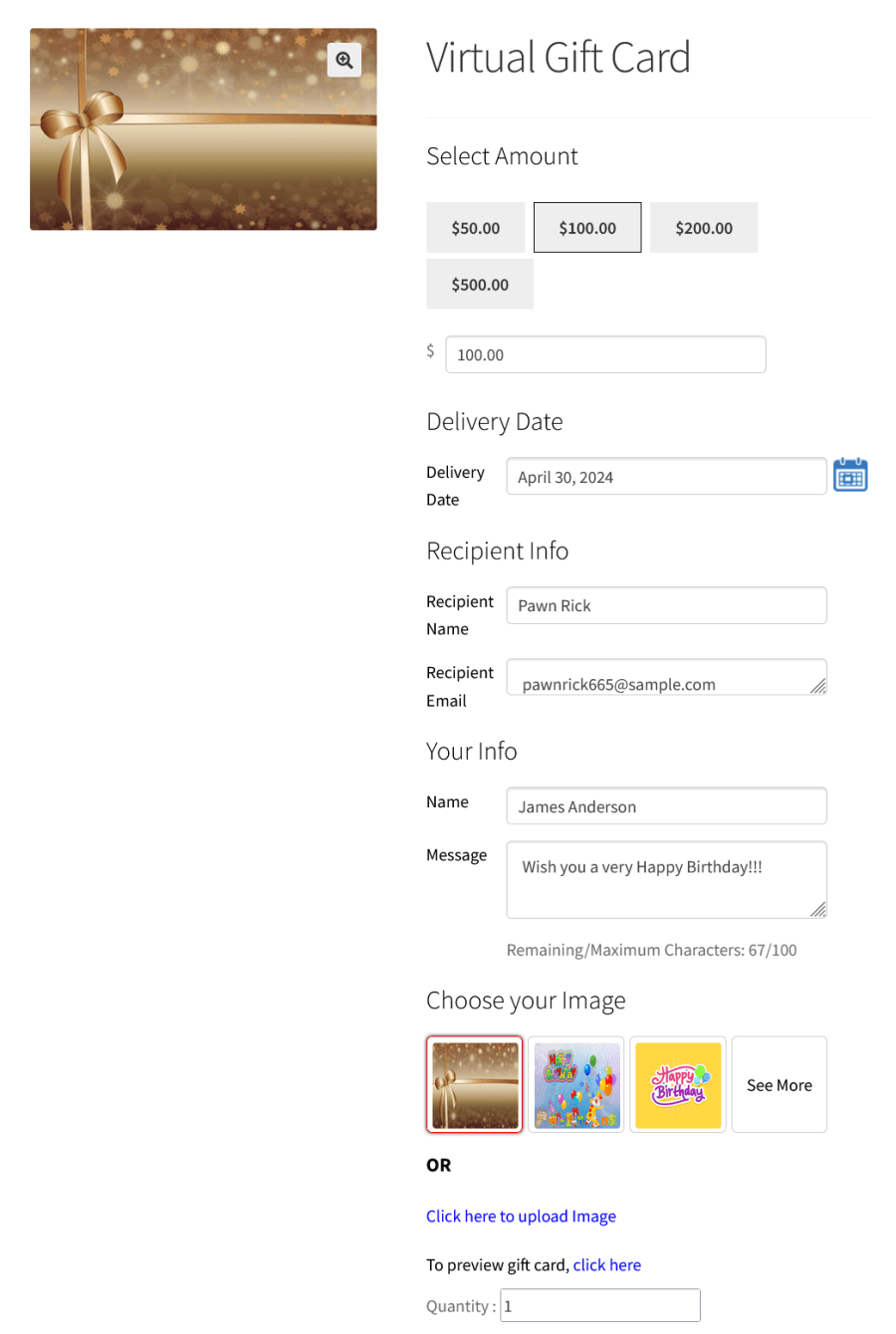
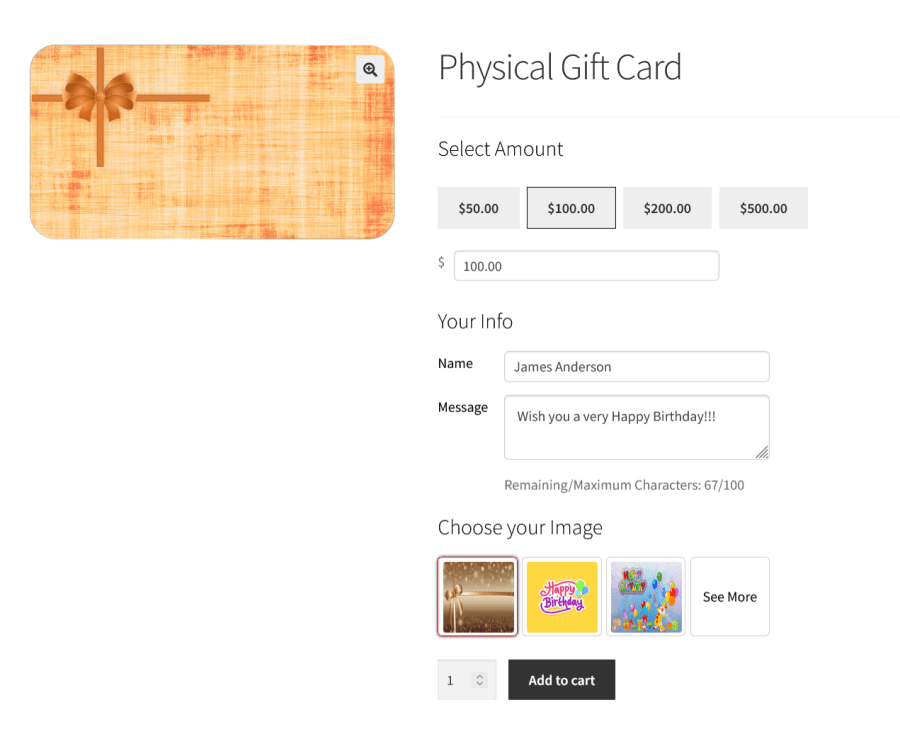
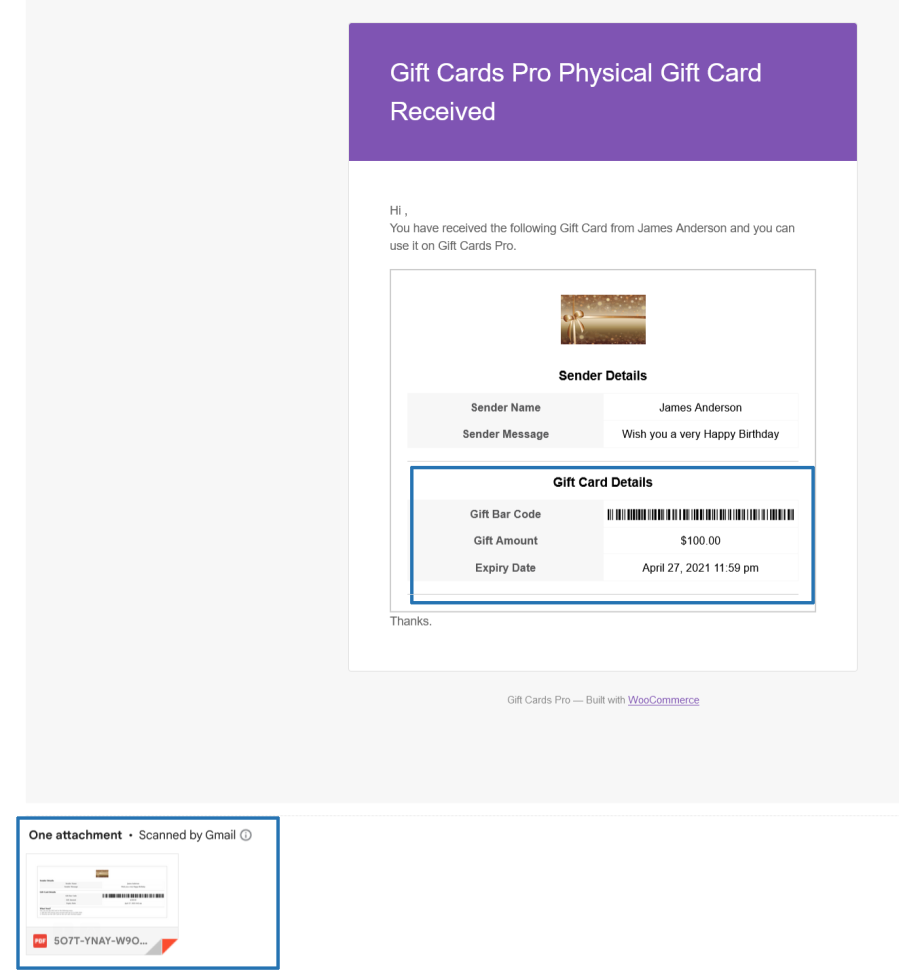
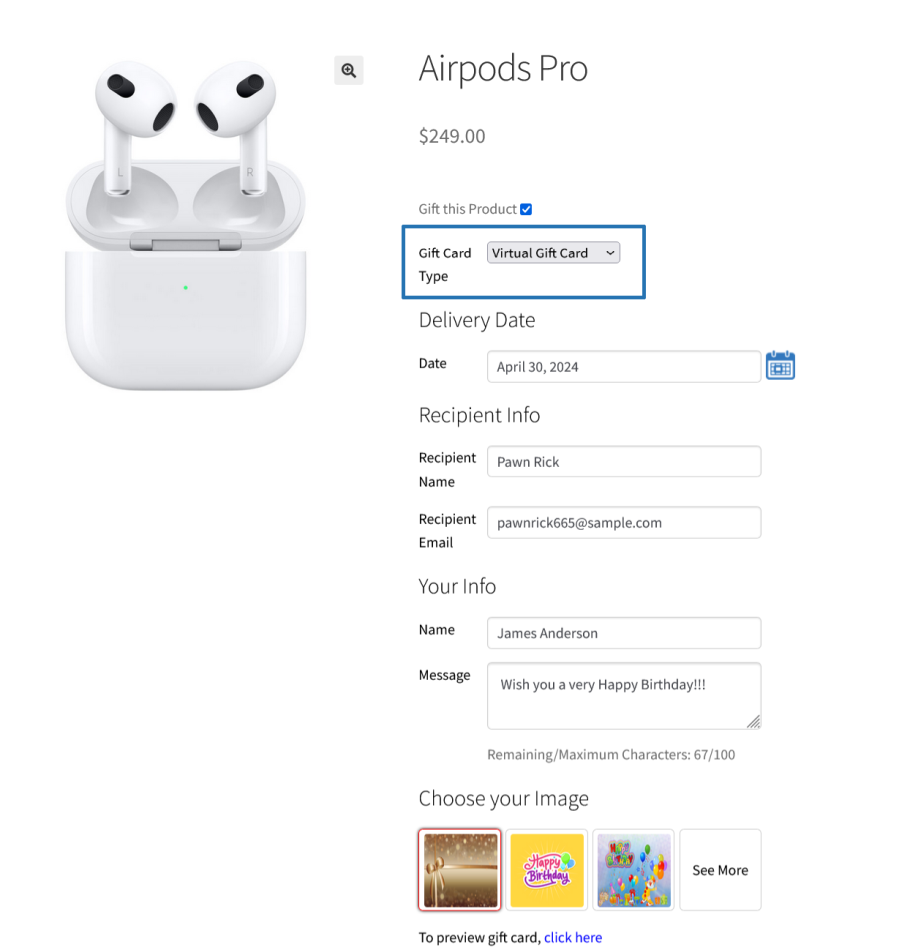
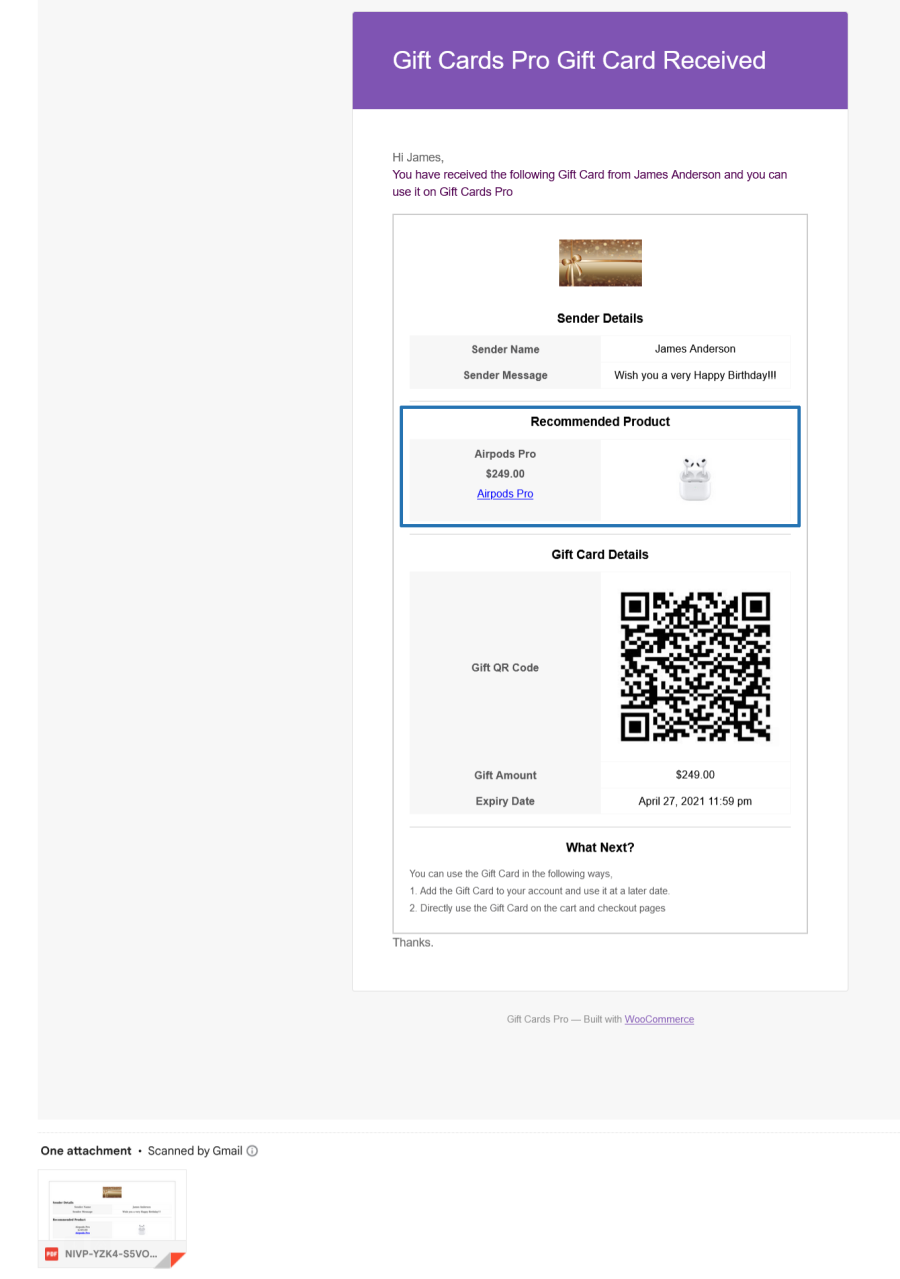
Customers can choose the Gift Card type during their purchase. Based on the type selected, they need to proceed with the respective steps to complete the purchase.

You can generate the Gift Cards and shared it to the customers for site’s promotional purpose. For Promotional Gift Cards, the following sections will be used,
In the Gift Card Generation Type, you need to select the type[Add to the site and Email to the Users or Add to the site] for the Gift Card generation.
In the User Selector, you need to select the respective customers to whom you want to share the Gift Cards for Promotional purpose.
In the Gift Card Value, you need to enter the respective Gift Card value.
Click the Generate Gift Cards Button.
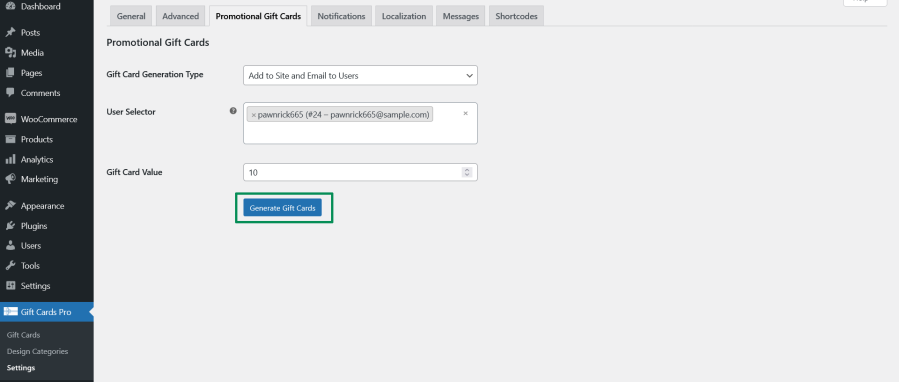
Once clicked, the Gift Cards will be generated based on the selection.
Gift Cards can be used in two ways,
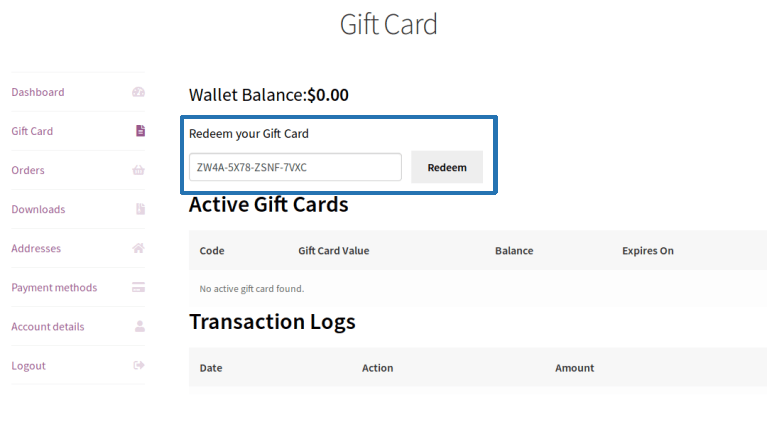
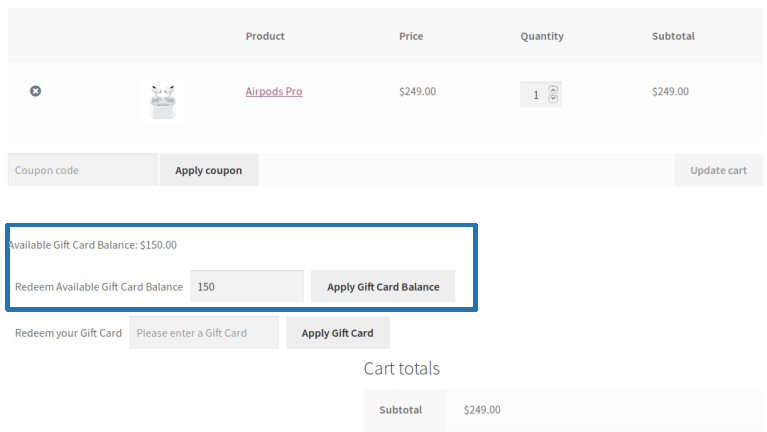
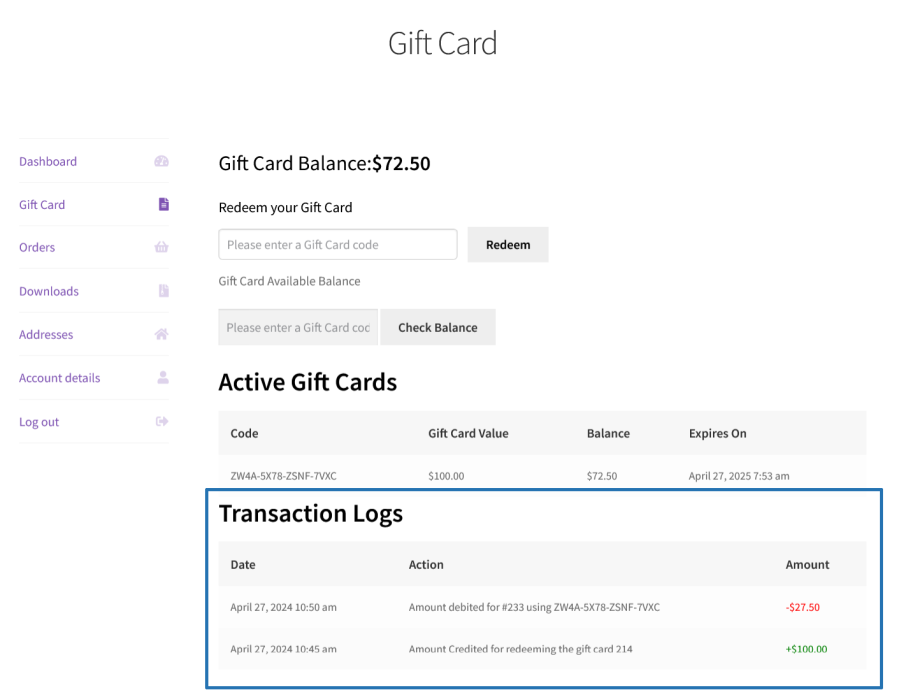
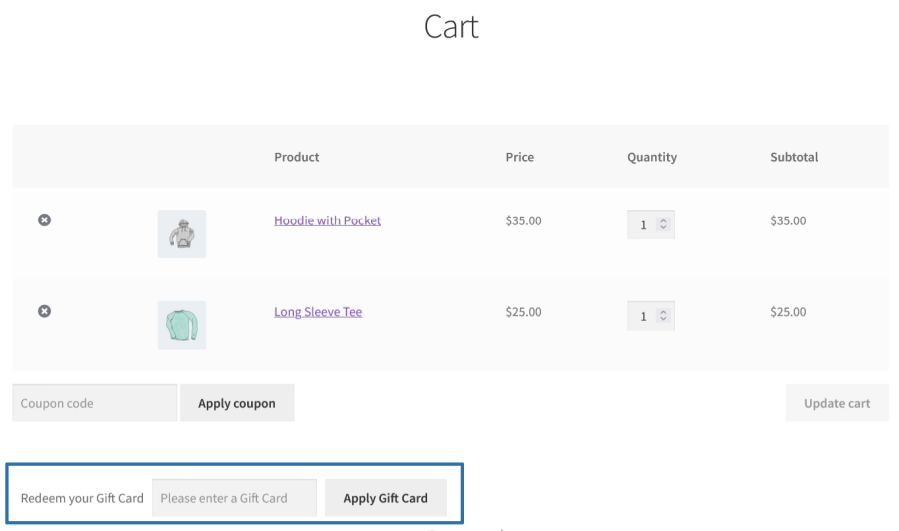
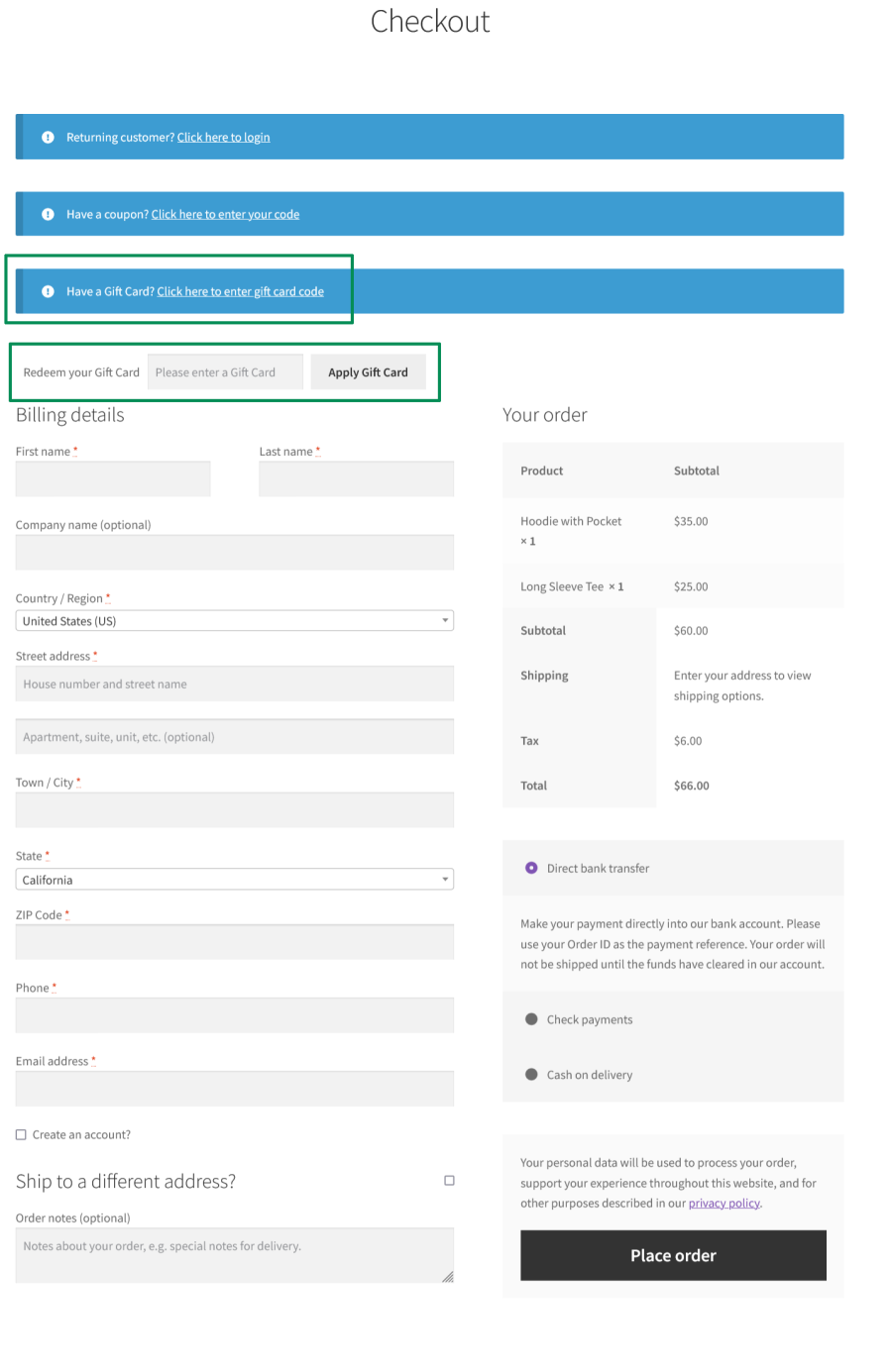
Gift Card redeeming can restrict using the below options,
Generated Gift Cards will be Exported.
Gift Cards Pro for WooCommerce helps users purchase and send virtual gift cards, physical gift cards, product gift cards, and more.
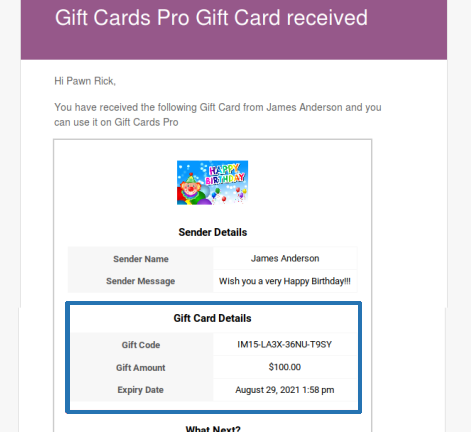
Send digital gift cards directly to a recipient’s inbox. The buyer fills in the recipient’s name, email address, and a personal message at the time of purchase. The recipient receives a beautifully designed gift card info attached email notification.
Sell gift cards that are physically shipped to the recipient. Collect complete delivery information from the buyer during the purchase process to ship the generated gift cards to buyer/recipient.
Give buyers the flexibility to choose how they want to send a gift card digitally or physically directly on the product page. This removes the need to create separate products for each delivery method and keeps the catalogue clean.
Allow customers to gift existing WooCommerce product to a friend or family member. A “Gift a Product” option is placed on the product page, and when clicked, the buyer can send the product’s value as a gift card amount to the recipient.
Send a product’s value as Gift voucher via email. The recipient receives a notification with a link to redeem the voucher, along with a personal message from the sender.
Send a product’s value as Gift voucher via physical delivery. Collects the recipient’s complete shipping details during purchase.
Allow the buyer to choose whether to send a product’s value as Gift voucher via digitally or physically at the time of purchase.
Create and distribute promotional gift cards to customers directly from the admin panel. Ideal for loyalty rewards, referral programs, seasonal campaigns, and store credit distribution — without requiring any purchase.
Automatically reward customers with an additional gift card when they purchase a gift card product. Define tiered bonus rules based on minimum and maximum purchase amount ranges to incentivize higher-value gift card purchases.
Create visually rich gift card experiences with categorized image design libraries. Assign specific design sets to individual gift card products, or allow customers to upload their own personalized image at the time of purchase.
Define exactly how customers select or enter the value of a gift card. Choose from fully fixed amounts, admin-defined preset options, fully open custom entry, or a combination of presets with a custom option with optional minimum and maximum boundaries.
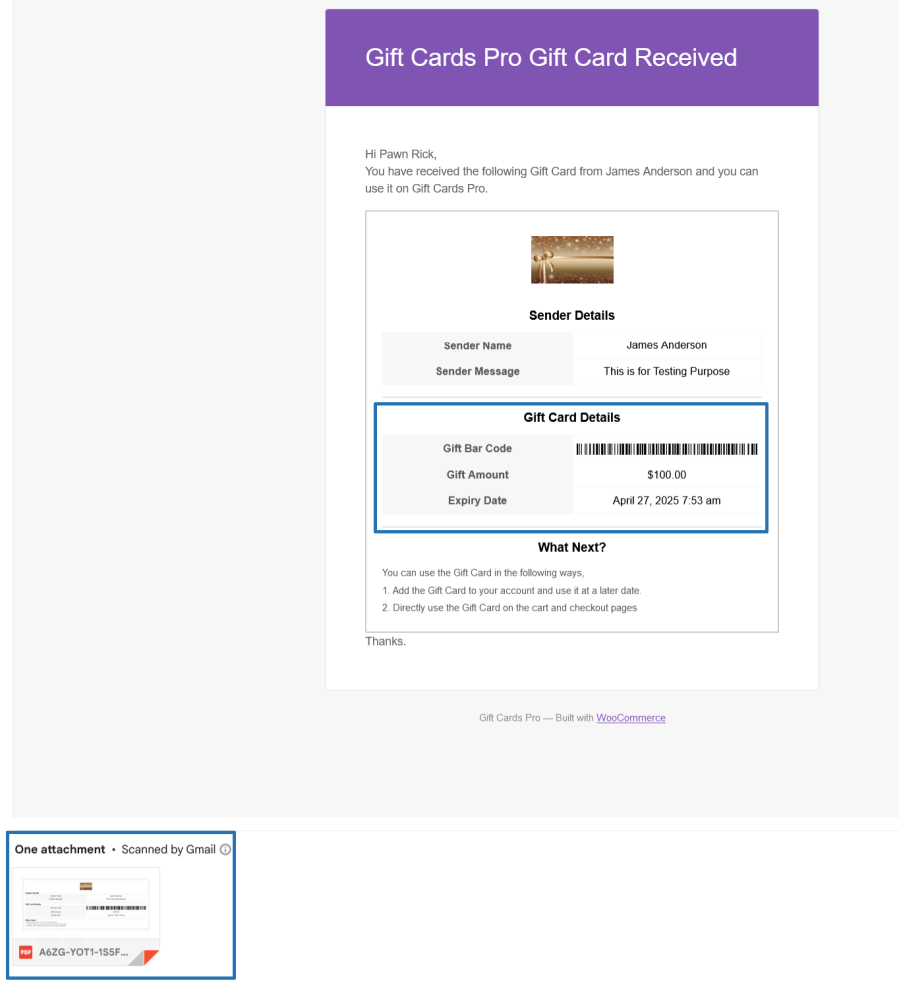
Control how the gift card code is visually presented inside email notifications and PDF attachments. Choose the format that best suits your store’s redemption workflow and in-store scanning needs.
Automatically generate and attach a professionally formatted PDF gift card to recipient email notifications. Fully customizable to reflect your brand, with separate PDF templates built for each gift card type.
Customers can apply gift cards at cart or checkout using a dedicated redemption field, or via the standard WooCommerce coupon field. Remaining balance carries over automatically for use on future orders. Full control over when and how redemption is permitted.
Give customers a dedicated section inside their WooCommerce My Account area to manage all their gift card activity check balances, view active cards, browse transaction history, and redeem new codes all in one place.
A full suite of configurable email notifications keeps buyers, recipients, and store admins informed at every stage of the gift card lifecycle. Each notification has its own enable/disable toggle, customizable subject line, message body, and shortcode support.
Create and manage gift cards directly from the WordPress admin panel independent of any customer purchase or WooCommerce order. Admins have full control to issue new gift cards, update existing ones, manage statuses, trigger email notifications manually, and redeem cards on behalf of customers.
Keep your gift card program compliant and operationally clean with configurable expiry settings. Set a global expiry window or assign fixed expiry dates at the product level.
Back up, migrate, and manage your entire gift card database with dedicated CSV export and import tools. Filter exactly what to export, and import gift cards in bulk from any compatible CSV source.
Minimum PHP version: 5.6
Categorie
Informazioni sull'estensione
Controlli di qualità
Compatibilità
Paesi
Lingue











