

Installazioni attive
10K+
Confronto prodotti
L'abbonamento include
Supporto
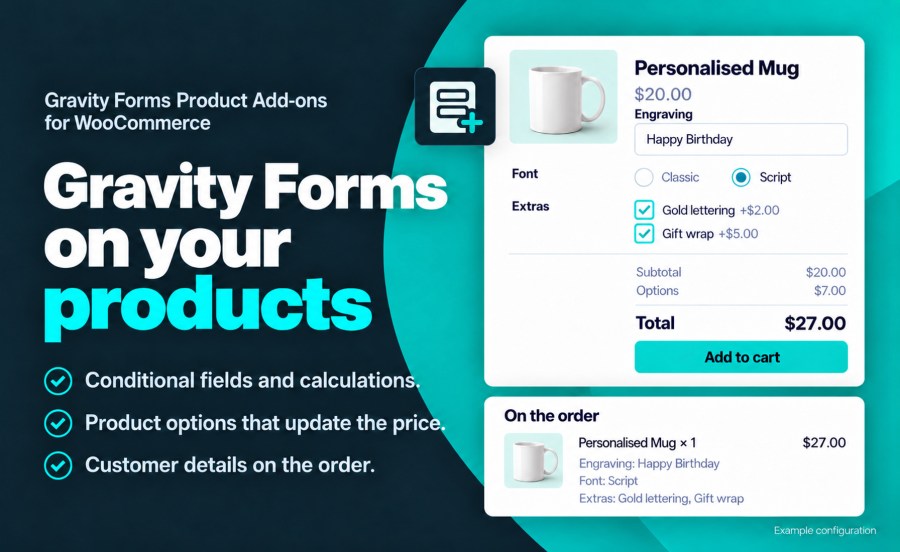
Gravity Forms Product Add-ons is a WooCommerce product configurator built on Gravity Forms. Attach a form to any WooCommerce product and the form becomes part of the product page: customers complete it, pricing updates in real time, and the details stay with the cart item, the order, the order emails and a linked Gravity Forms entry.
It suits any product that needs information from the customer before checkout: engraving and personalization, made-to-order and configure-to-order products, custom-priced products, deposits and donations.
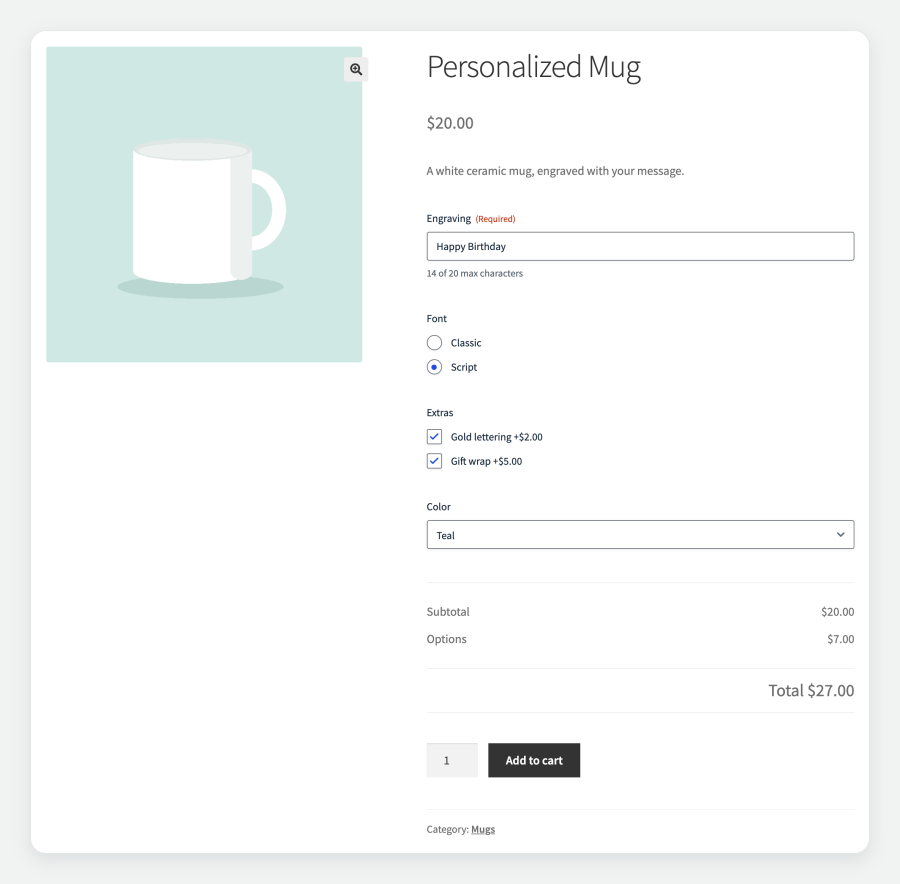
When customers select options that affect cost, the product price updates dynamically on the page. Use Gravity Forms pricing fields — products, options, quantities, and shipping — and the extension calculates the total in real time. Customers see exactly what they are paying for before they add anything to the cart.
You have full control over how pricing appears. Display the base price with a label like “Starting at $50”, hide the default WooCommerce price entirely for products the form prices in full, or customize the subtotal, options, and grand total labels individually.
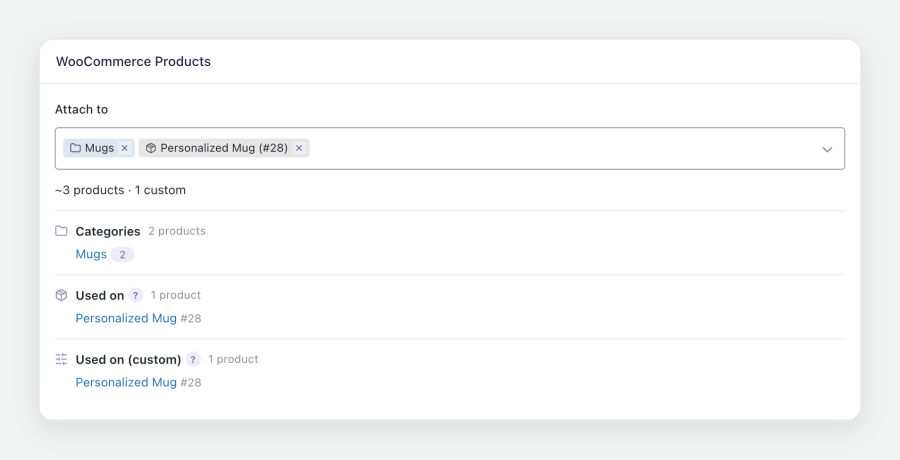
Assign a form to product categories and tags, and every product in them uses it. WooCommerce settings live on the form, so a change made there applies to every product using it, while any product can override individual sections with its own settings. The Products list shows the form assigned to each product and filters by form.
Gravity Forms Product Add-ons integrates with every stage of the WooCommerce purchase flow:
Map Gravity Forms fields to the cart item’s weight, length, width and height so shipping rates and labels reflect the configured product. Map a field to quantity to set the cart quantity from the form, or to reduce inventory by the field’s value when the order is placed.
Each product’s form is published through the WooCommerce Store API, and items can be added to the cart with their form values. Submissions are validated and priced exactly as they are on the product page, which supports headless storefronts and AI shopping agents.
When a product’s price depends on its form, override the price in its structured data with a flat price or a price range, either added to the product price or replacing it, so search engines show accurate pricing.
Filters and actions cover cart item data, order item meta, pricing, field visibility, notifications and cart editing, and Gravity Forms logging records each step for debugging. The documentation lists the most common hooks.
Requirement: This extension requires Gravity Forms 2.9 or later (any license level). Gravity Forms is sold separately.
Yes. Gravity Forms Product Add-ons requires Gravity Forms 2.9 or later, at any license level. Gravity Forms is sold separately.
The cart price is the WooCommerce product price plus the total of the form's Product and Option fields. A $20 mug with $7 of options is added to the cart at $27. Set the Regular Price to $0 when the form sets the whole price.
Yes. Assign a form to product categories and tags from the form's WooCommerce settings, and every product in them uses it. Settings made on the form apply to every product that uses it, and any product can override them section by section. See the documentation for both setups.
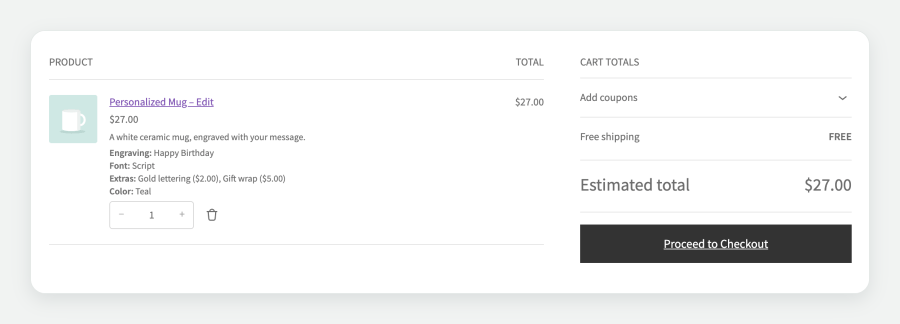
Yes. With cart editing enabled, an Edit link on the cart item reopens the product with the customer's selections filled in, and saving updates the item in the cart.
Yes. Form details show one per line in the Cart, Mini-Cart and Checkout blocks, and in the classic cart and checkout.
On the cart item, at checkout, on the order, in the customer's account, in order emails and in a Gravity Forms entry linked to the order. You choose whether the item shows every field, a selected set of fields, or a custom summary built from merge tags.
Yes. Map form fields to the cart item's weight, length, width, height and quantity, and shipping rates and labels use those values.
Gravity Forms Product Add-ons works with simple and variable products, WooCommerce Subscriptions, WooCommerce Bookings, Dynamic Pricing, Bulk Variation Forms, Quick View Pro, High-Performance Order Storage, and Gravity Perks such as Populate Anything, Conditional Pricing, Limit Choices and Nested Forms.
Questions before you buy go through the pre-sales form. After purchase, open a ticket from your WooCommerce.com account. Support tickets are answered by the Gravity Forms Product Add-ons developer.
Informazioni sull'estensione
Controlli di qualità
Compatibilità
Paesi
Requisiti






