Icona del prodotto

Multi Inventory Management per WooCommerce

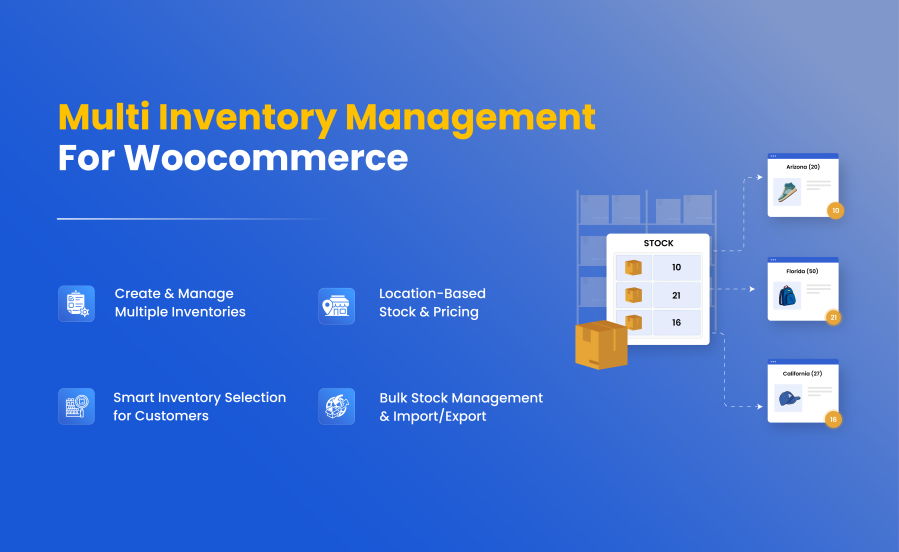
Add multiple inventories per product based on location, warehouse, stores, inventory types and more. A powerful purpose-built multi-inventory management system.
Scegli un'opzione di fatturazione
$129
Risparmia 20%
$258 $206.40

L'abbonamento include

  • Aggiornamenti e miglioramenti del prodotto
  • Servizio clienti
  • Garanzia di rimborso entro 30 giorni


Highlights

  • Create multiple inventories:
    Depending on your business requirements, you can add multiple inventories based on locations, stores, warehouses, suppliers, and any other inventory type.
  • Add stock for each inventory by product:
    After creating the inventory types, you can enable the multi-inventory option for each product where applicable and add stock quantities.
  • Import/Export inventories’ stock:
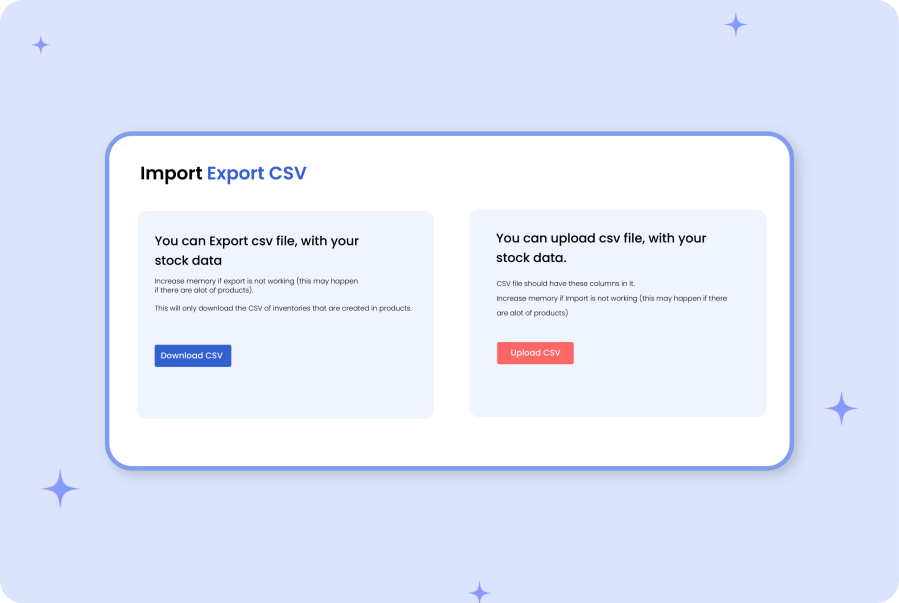
    Instead of adding stock for each product, you can choose to bulk import stock quantities for different inventories using a CSV file.
  • Smart inventory management grid:
    Efficiently view and update stock of the entire catalog from a single listing page. Utilize the Advanced filters to find the relevant products within the grid quickly.
  • Allow customers to select inventory:
    Display inventories on the product detail page, menu options, or in a popup. Allow your customers to select the relevant inventory/location to place orders.
  • Admin backend mode:
    You can activate backend mode to conceal inventories from customers. Only the store admin will be able view and assign relevant inventory to each order.
  • Inventory specific pricing:
    When adding multiple inventories for your product, you can choose to keep the existing product price or set a different price for each inventory.
  • Filter products by location:
    If you have added location-based inventories, customers can select their preferred store location to filter products that are available in the selected location.
  • Automatically detect user location:
    Show the nearest inventory based on the customer’s location. They can either proceed with the suggested inventory location or select a different one to shop from.
  • Manage payment methods visibility:
    You can attach payment methods to each inventory type in order to optimize their visibility based on inventories/locations.

WooCommerce Multi Inventory Management extension by Addify enables you to effectively create and manage inventories across different locations, warehouses, and stores. You can add multiple stocks for each product based on type, location, and suppliers.

Use the standard price or add different prices for each inventory and let customers select the relevant inventory/location while adding the product to their cart. You can import and export inventories using a CSV file to bulk update your product stock.

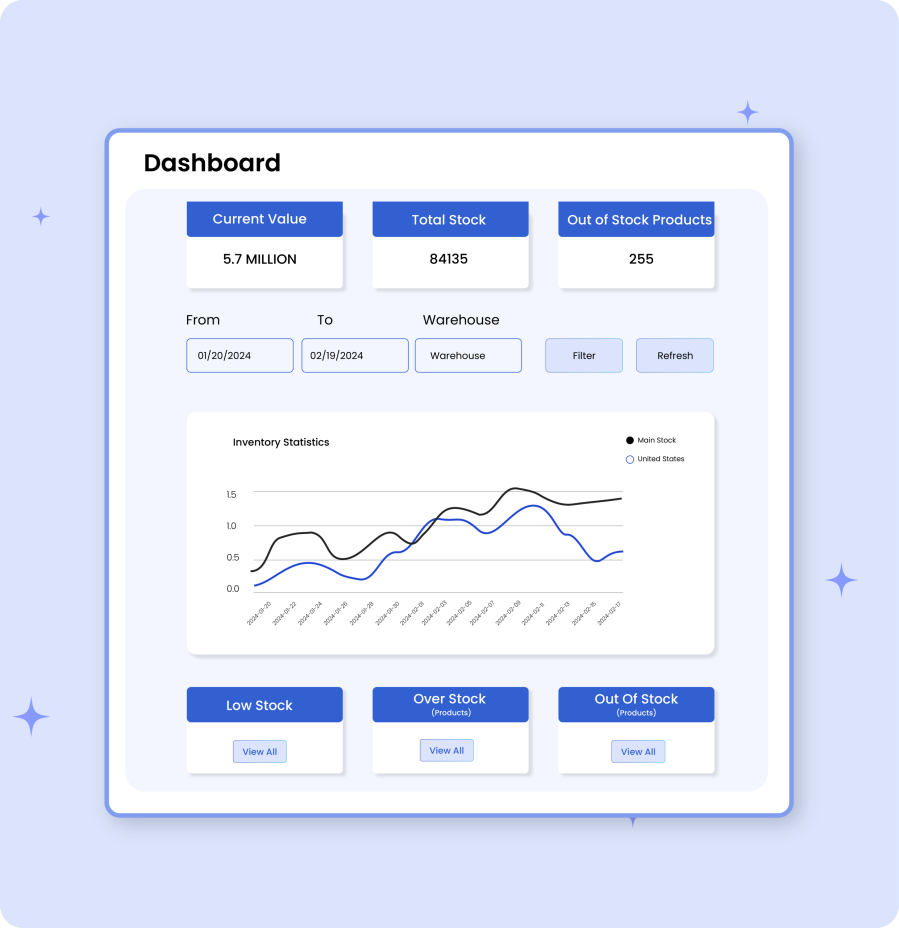
The extension comes with a smart stock listing page that allows you to view stock and edit product stock from a single page. Dashboard offers a clear executive picture of the current stock status, stock change history, and a list of out-of-stock, low stock, and overstock products.

The store managers can enable the admin mode to hide locations from customers and let only admin users allocate orders to relevant inventories. The following are the detailed features of this extension.
Looking for a simple stock management tool for a single inventory? Try our WooCommerce Stock Manager – offering a smart table to quickly manage the stock of the entire catalog from one place.

Features of Inventory Management:

  • Add multiple stock inventories based on vendor, location, or types, and customize
    • Warehouse/inventory description
    • Parent location
    • Contact & store manager details
    • Shipping and payment method
    • Shipping zones
  • Ability set up multi inventory for selected products only
  • Add inventory price, SKU, start, and end dates from the product level
  • Option to show inventories in a dropdown for customer selection
  • Automatically detect the customer location to show stock of nearest store
  • Manage catalog visibility based on locations
  • Backend mode – only admin can choose the inventory from admin order detail page
  • Assign specific shipping zones, methods, and payment gateways to inventories
  • Smart stock management table to quickly
    • View current stock status
    • Edit stock quantity and prices
    • Manage stock options
    • View stock change history
  • Intuitive dashboard to show current stock value, quantity, and more
  • Ability to import export inventories using a CSV file
  • Customize inventory display settings on shop and product page


Advanced Detailed Features

Add multiple inventory locations for WooCommerce product management

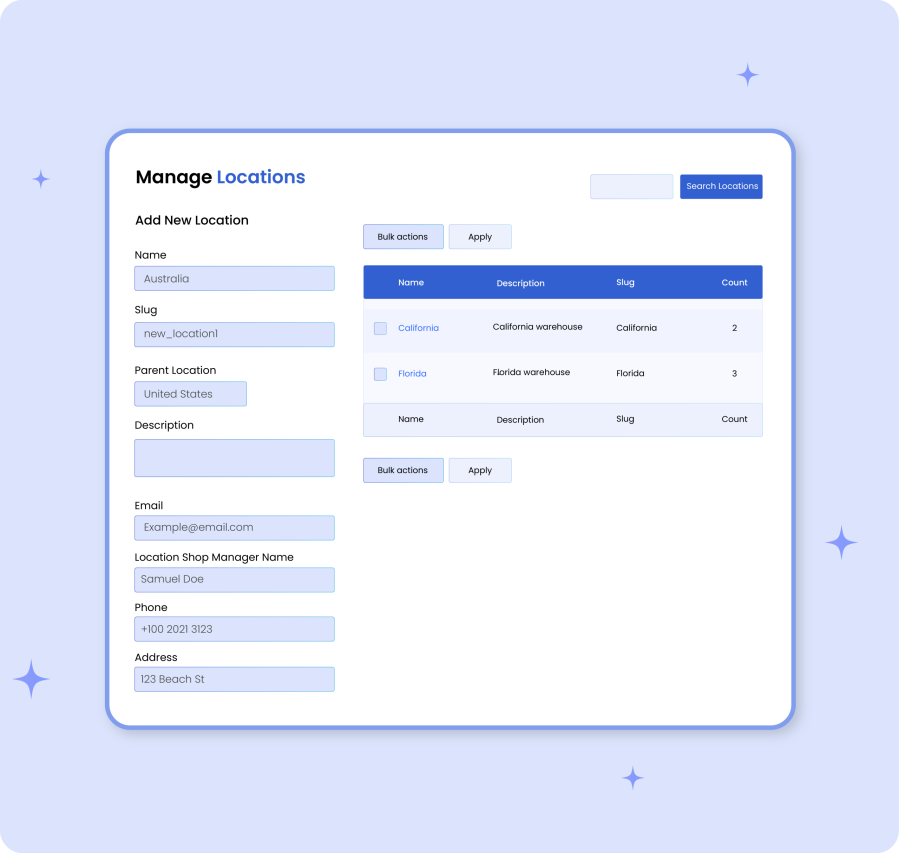
Add Multiple Inventory Locations:

You can create multiple inventories based on location, warehouse, stores, or types. While creating a new inventory, you can customize the following options :

  • Add location name and slug
  • Select the parent location if any
  • Add location description
  • Enter store manager name and email
  • Add store address, phone number
  • Enter latitude & longitude for each location
  • Choose to accept orders in specific time only
  • Restrict payment, shipping methods and zones

Adding Inventory From Product Level:

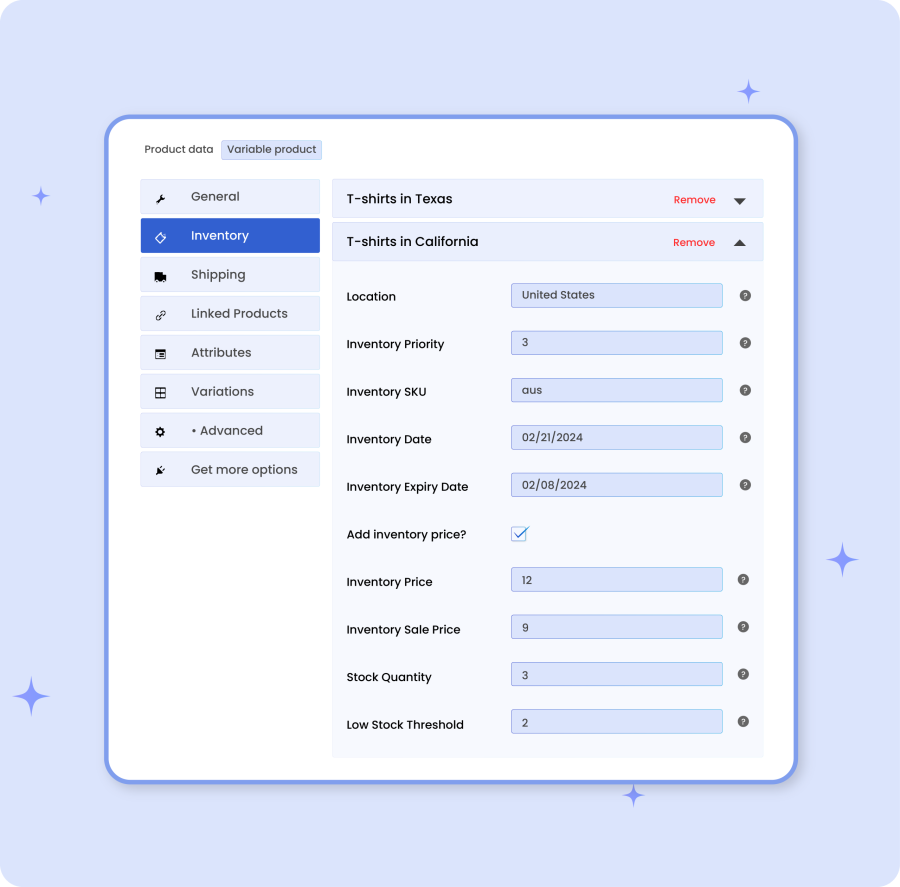
You can enable multi-inventory on the product detail page and add inventories for different locations. Your existing product inventory will become the main inventory. You can add additional inventories along with the following details:

  • Specify inventory location
  • Customize inventory priority and SKU
  • Provide inventory start and end dates
  • Add a different price for inventory
  • Add stock quantity and low stock threshold
Adding inventory from product level in WooCommerce inventory management
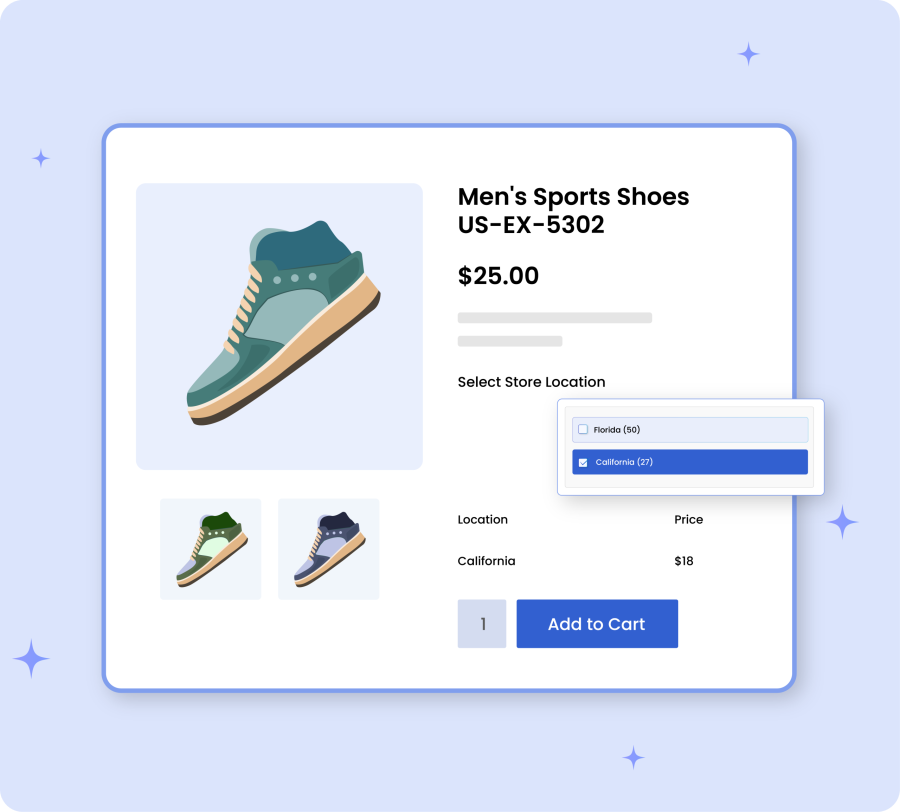
Customers can choose the relevant inventory based on location or availability in WooCommerce

Inventory Allocation By Customer

Shop managers can allow customers to select their preferred inventory location based on their needs. Simply help customers to choose from available stock options while managing the entire inventory with ease.

Inventory Allocation By Customer

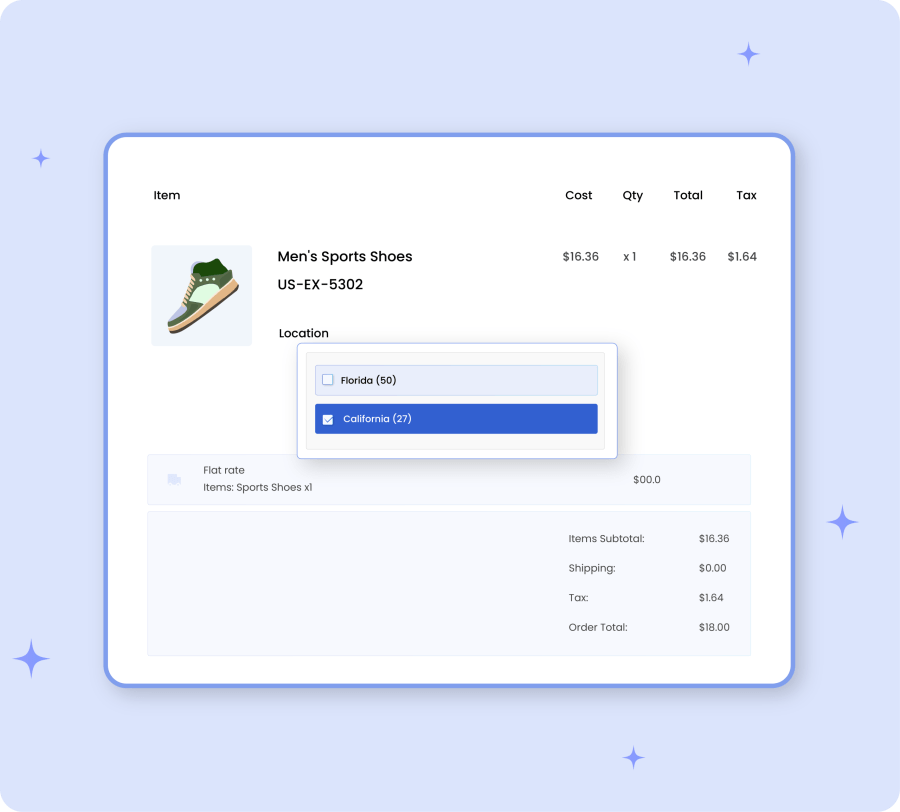
By enabling the backend mode, customers won’t be able to select an inventory location when placing an order. Instead, shop managers can allocate appropriate inventory directly from the order detail page.

Admin can allocate appropriate inventory to products based on stock availability and location
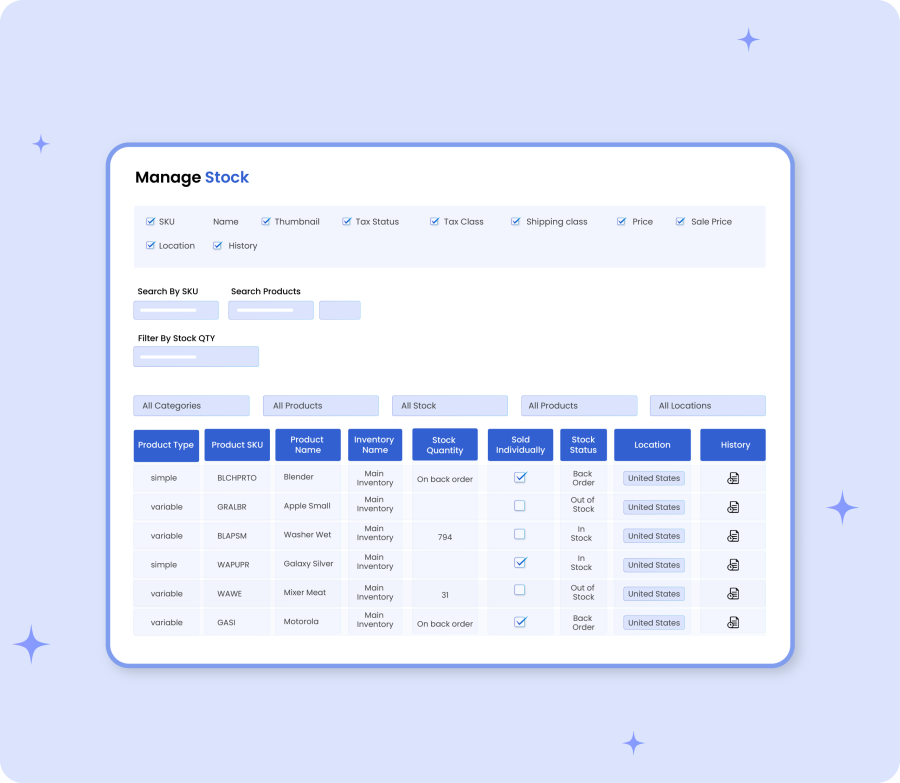
Bulk stock management using list view in WooCommerce inventory system

Bulk Stock Management Using List View:

Manage your product stock using a bulk stock listing page. Instead of visiting each product page, you can view and edit stock of different products from the same page. The advance filters help you to navigate and easily find the relevant products.

Dashboard:

Multi Inventory Management extension comes with a smart dashboard to communicate important information about your product inventories. You can view the total stock quantity, stock value, out of stock, low stock products, and more.

The dashboard provides a graph to let you filter stock by location and see the stock trends over a specific period of time.

Multi Inventory Management extension dashboard
Import and export location-based stock management for WooCommerce inventory system

Import Export:

You can import and export location-based stock of individual products using a pre-defined CSV file. Instead of adding stock from each product page, you can import them using a CSV file.

Customization Options

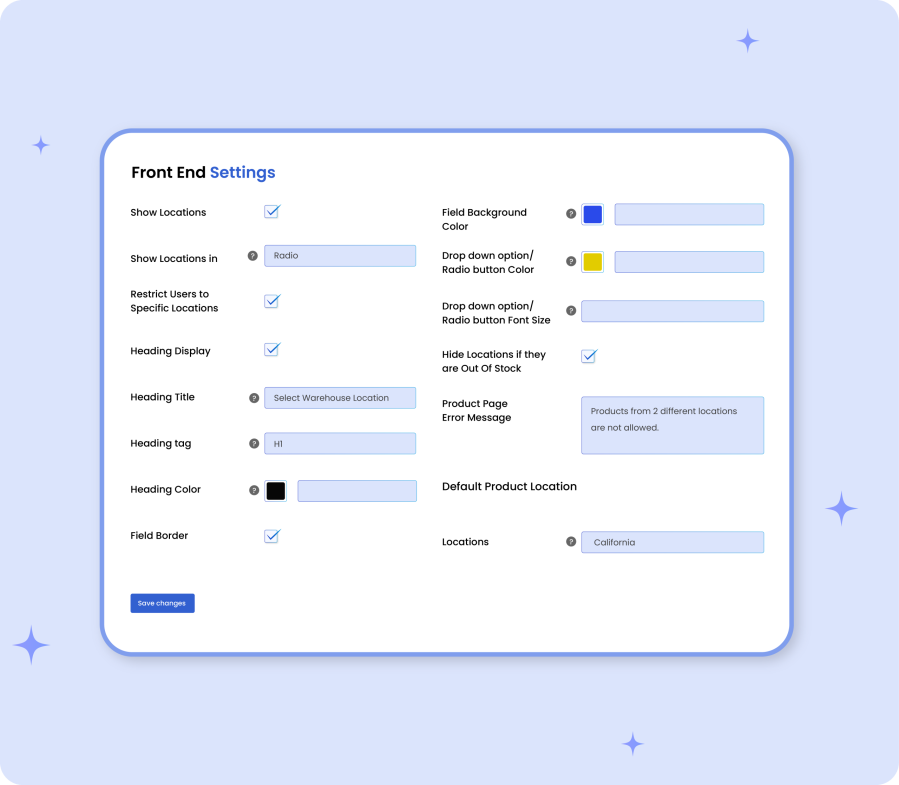
Using the extension settings tab, you can customize the following options:

General Settings:

  • Show or hide inventories on product page in dropdown or as radio buttons
  • Restrict only specific locations to be displayed on frontend
  • Customize inventories selection heading and styling options
  • Set location for your default product inventory
  • Enable backend mode to hide inventory locations from customers
Multi Inventory customization options settings screen for configuring inventory locations and rules in WooCommerce
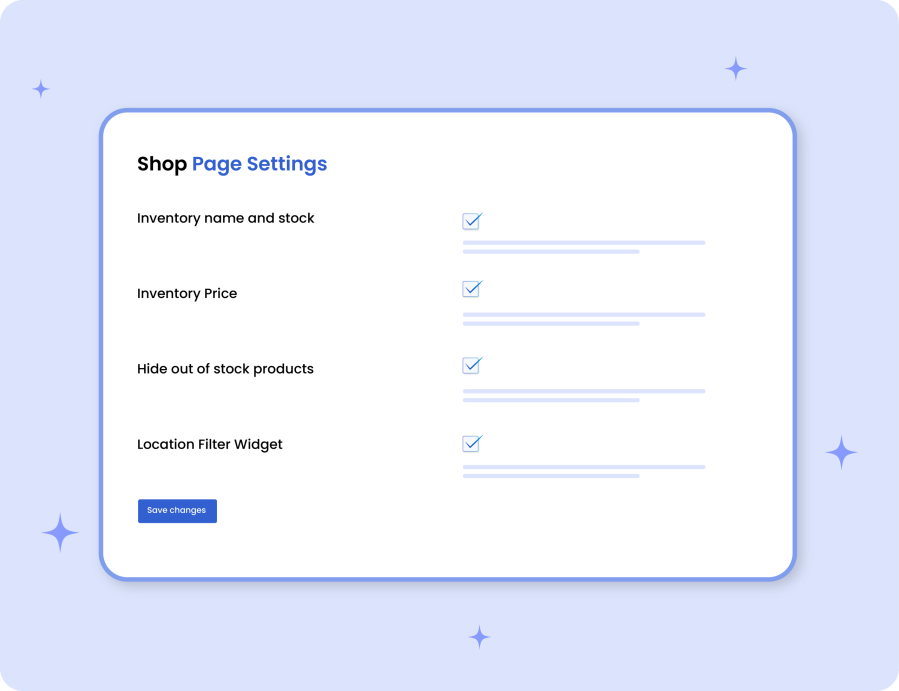
Multi Inventory Management shop page showing product availability across different inventory locations

Shop Page:

  • Show inventories name, location, and price on shop page
  • Hide out-of-stock products from shop page
  • Show inventories as a filter on shop page

Payment and Shipping Restrictions:

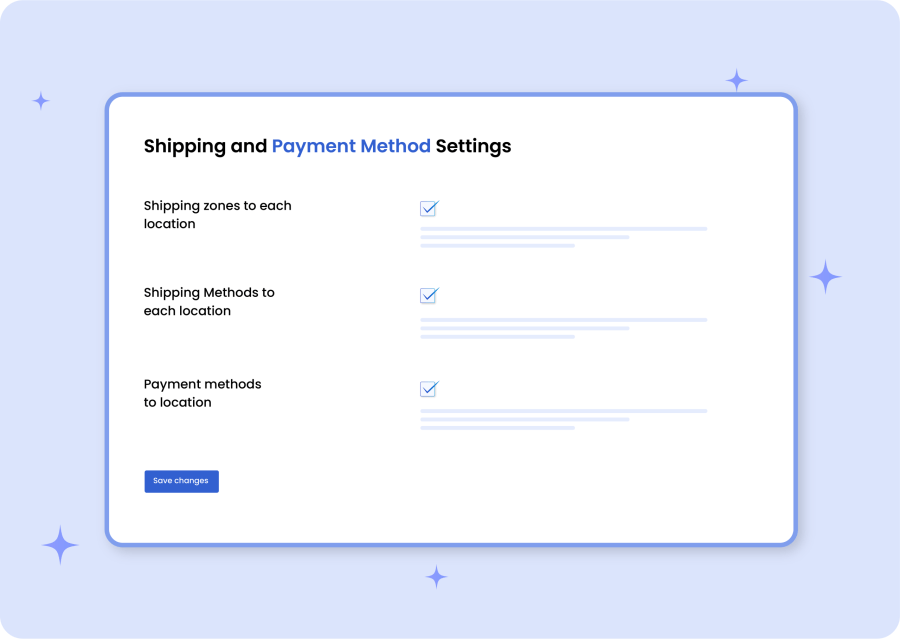
You can restrict shipping zones, shipping methods, and payment methods to specific inventory locations. Once the restriction is enabled from settings, you should be able to apply the restriction while creating a new location or editing an existing one.

Payment and shipping restrictions settings based on inventory locations in WooCommerce multi-inventory system
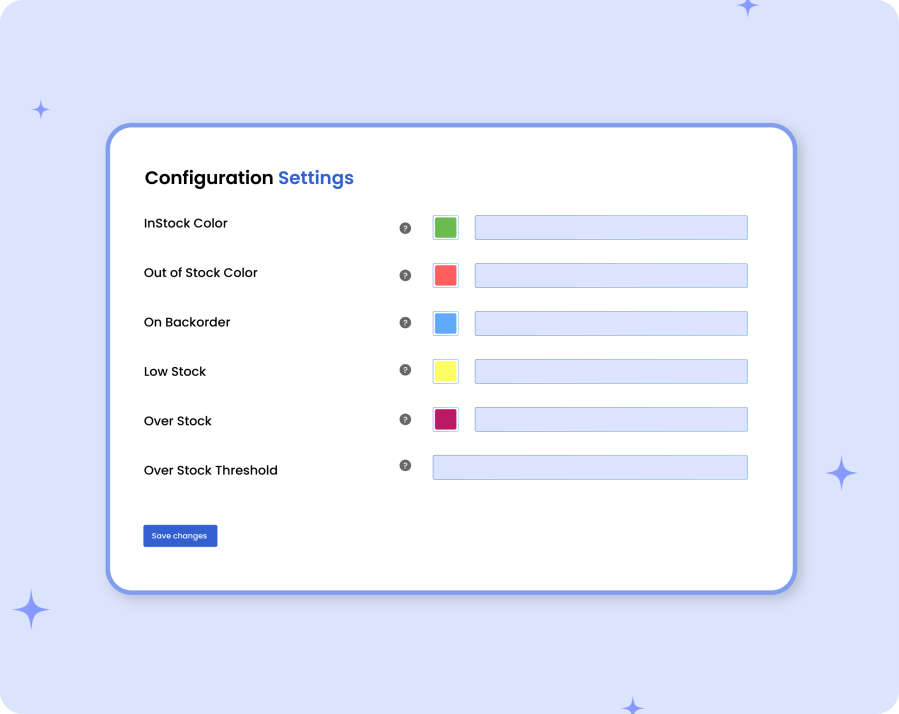
Manage stock configurations for multi-inventory WooCommerce system with settings for stock control and allocation

Manage Stock Configurations:

Add a low and over stock threshold and customize the color scheme for in-stock, out of stock, overstock, and low stock products displayed in the bulk stock listing page.


Recensioni dei clienti

Valutazione media 4.0
8 recensioni
5 stelle, 75% delle recensioni
4 stelle, 0% delle recensioni
3 stelle, 0% delle recensioni
2 stelle, 0% delle recensioni
1 stella, 25% delle recensioni
8 recensioni
  • Bewolk
    Valutato 1 su 5
    Funzionalità
    May 1, 2026
    Funzionalità
    The plug in killed my site, speed dropped massively. tried removing all plug ins and only using woo commerce and multi inventory with store front.. Load times went to 35 seconds + per page and just stalls out had potential, disappointing that it does not function as advertised thought.
  • atlasgear
    Valutato 5 su 5
    Supporto
    Feb 25, 2026
    Supporto
    Very good customer support
  • Muhammad Baig
    Valutato 5 su 5
    Supporto
    Oct 28, 2025
    Supporto
    excellent customer support
  • Michael Johnson
    Valutato 5 su 5
    Supporto
    Sep 2, 2025
    Supporto
    Good plugin with best support. Thank you.
  • awesometapes
    Valutato 1 su 5
    Facilità d'uso
    Mar 17, 2025
    Facilità d'uso
    Crashed my site repeatedly and support provides no help beyond the basics. update: still crashes my site and this site doesn't show negative reviews to potential customers so it is misleading all around.

Informazioni sull'estensione

  • Versione PHP richiesta: 7.4
  • Testato con WordPress: 6.9.4
  • Testato con WooCommerce: 10.7.0
  • Richiede almeno WordPress: 6.5
  • Richiede almeno WooCommerce: 4.0

Compatibilità

  • Cart & checkout blocks
  • High performance order storage (HPOS)

Paesi

  • Mondiale

Related Products

Prezzo $109 Annualmente
Valutato 4.6 su 5 stelle
Prezzo $79 Annualmente
Valutato 3.4 su 5 stelle
Prezzo $279 Annualmente
Valutato 3.2 su 5 stelle
Prezzo $59 Annualmente
Valutato 3.1 su 5 stelle
Prezzo $109 Annualmente
Valutato 2.7 su 5 stelle
Prezzo $49 Annualmente
Valutato 4.1 su 5 stelle
Prezzo $109 Annualmente
Valutato 2 su 5 stelle
Prezzo $109 Annualmente
Valutato 2.3 su 5 stelle
Prezzo $109 Annualmente
Valutato 2.6 su 5 stelle
Uso dei tuoi dati personali
Noi e i nostri partner trattiamo i tuoi dati personali (come dati di navigazione, indirizzi IP, informazioni sui cookie e altri identificatori univoci) sulla base del tuo consenso e/o del nostro legittimo interesse per ottimizzare il nostro sito web, le attività di marketing e la tua esperienza utente.