

L'abbonamento include
Supporto
Offer your customers a smooth, messenger-like chat experience right on your store with order chat. Customers can quickly start a conversation from the order details page or the thank you page to ask questions, share updates, or get help with their orders.
Merchants can easily control chat access based on order status, ensuring only relevant customers engage. Customers can attach files to messages, receive real-time notifications, and see chat status for resolving issues effectively.
Packed with multiple ways to tailor the chat experience, order chat for woocommerce not only enhances customer support but also builds trust, reduces cart abandonment, and turns every order into an opportunity for improving engagement and increasing sales.
The order chat for woocommerce extension lets you have real-time, order-based communication by integrating a chat interface into order details and thank you pages. It allows merchants to control chat access based on order status, products, or categories, while customers can send messages and attachments for quick issue resolution. The module includes configurable options such as auto-replies, message limits, seen status, and notifications (email and sound), along with UI customization for layout and styling, providing a structured and efficient communication system within WooCommerce.
WooCommerce order chat extension allows merchants to offer customers a message-like chat experience. Customers can easily send and receive messages about their orders in real-time, which solves customers’ queries in a fast, simple, and convenient way.
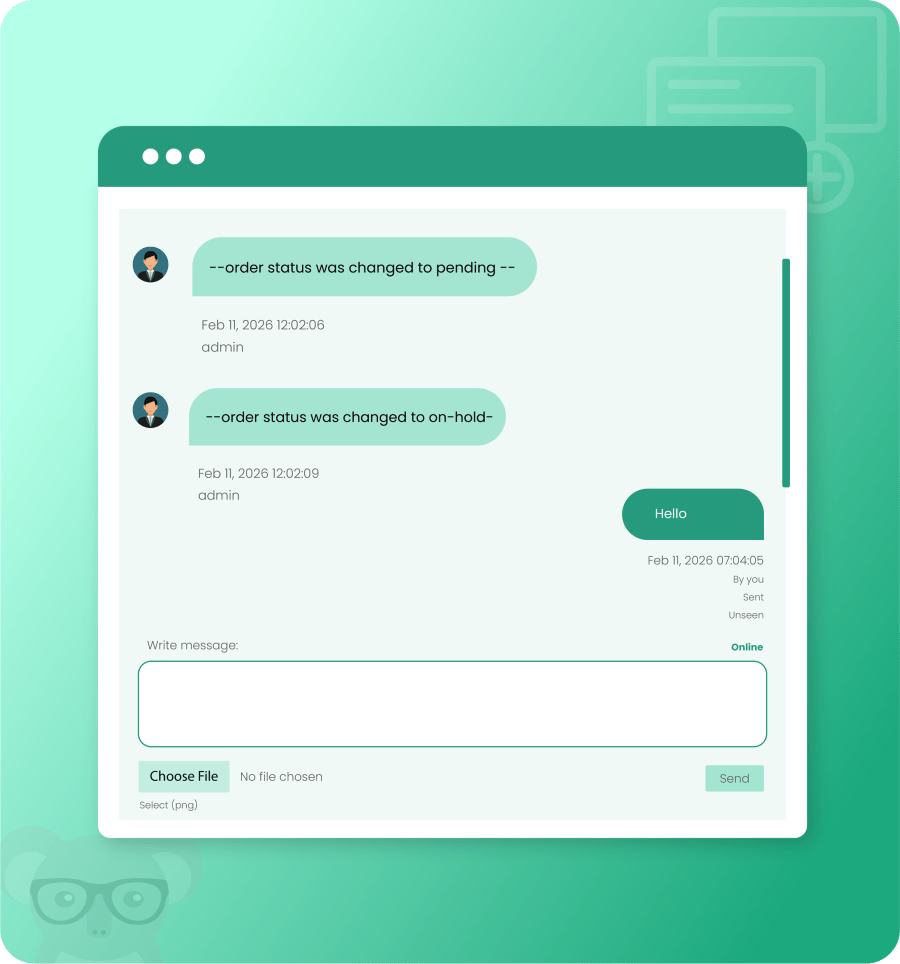
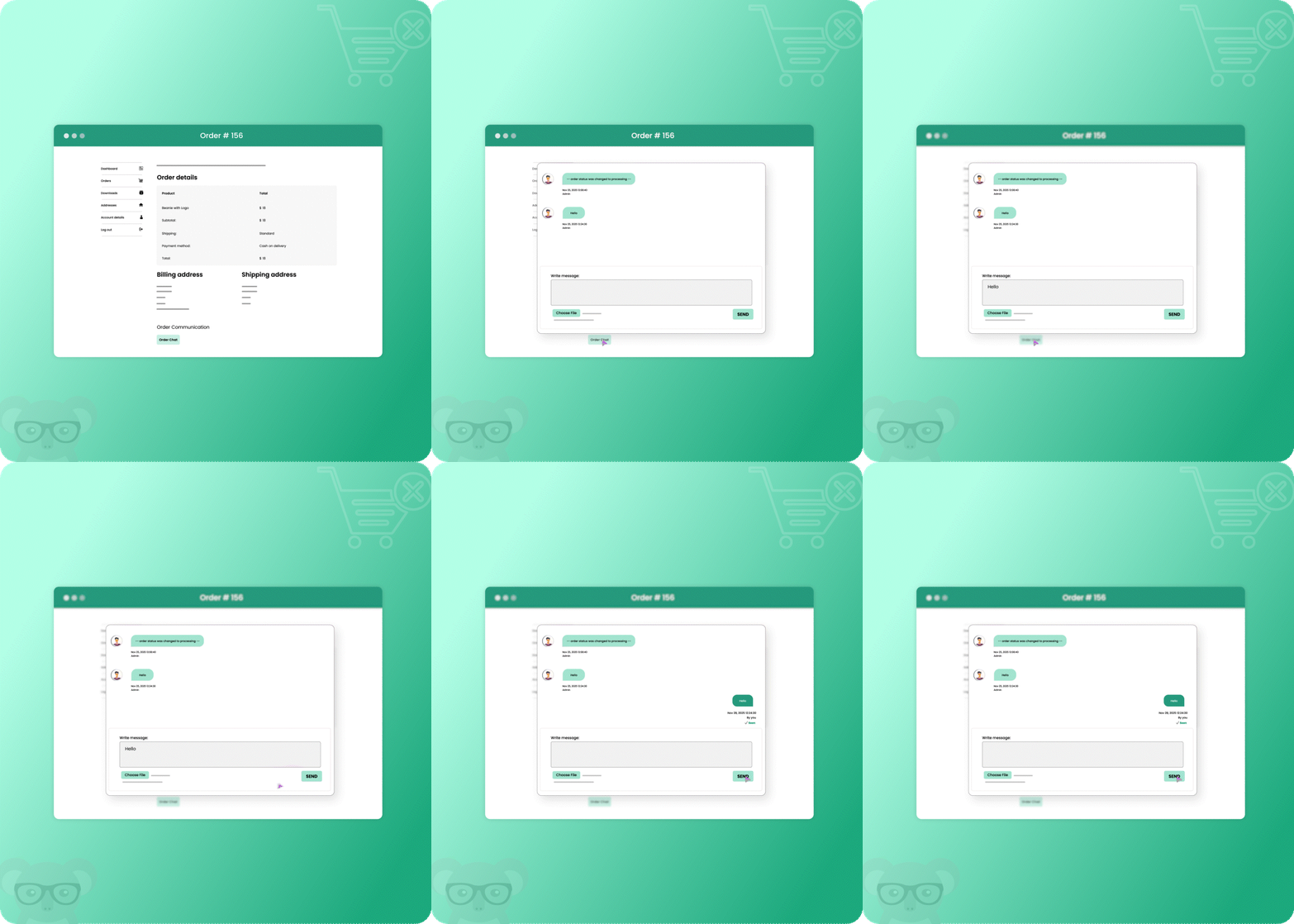
With order chat, merchants can easily let customers start a chat from the order details and thank you pages. It motivates customers to start a conversation about their order anytime after purchase, providing a seamless way to ask questions and get support directly.
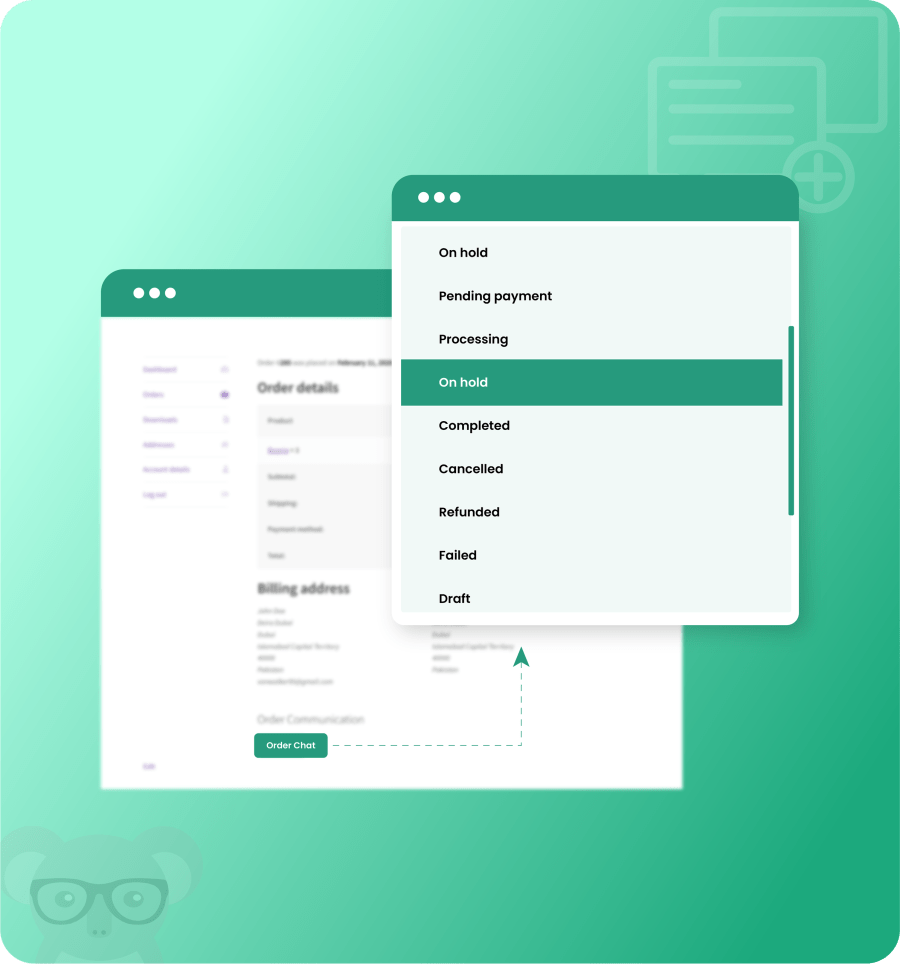
Merchants can restrict chat so that only customers with specific order statuses (pending, payment, processing, on-hold, completed, cancelled, refunded, failed, and draft) can initiate a conversation. This ensures that chat is available only when it’s relevant. By controlling access based on order status, the merchants can message, support more efficiently, and provide focused, timely assistance.
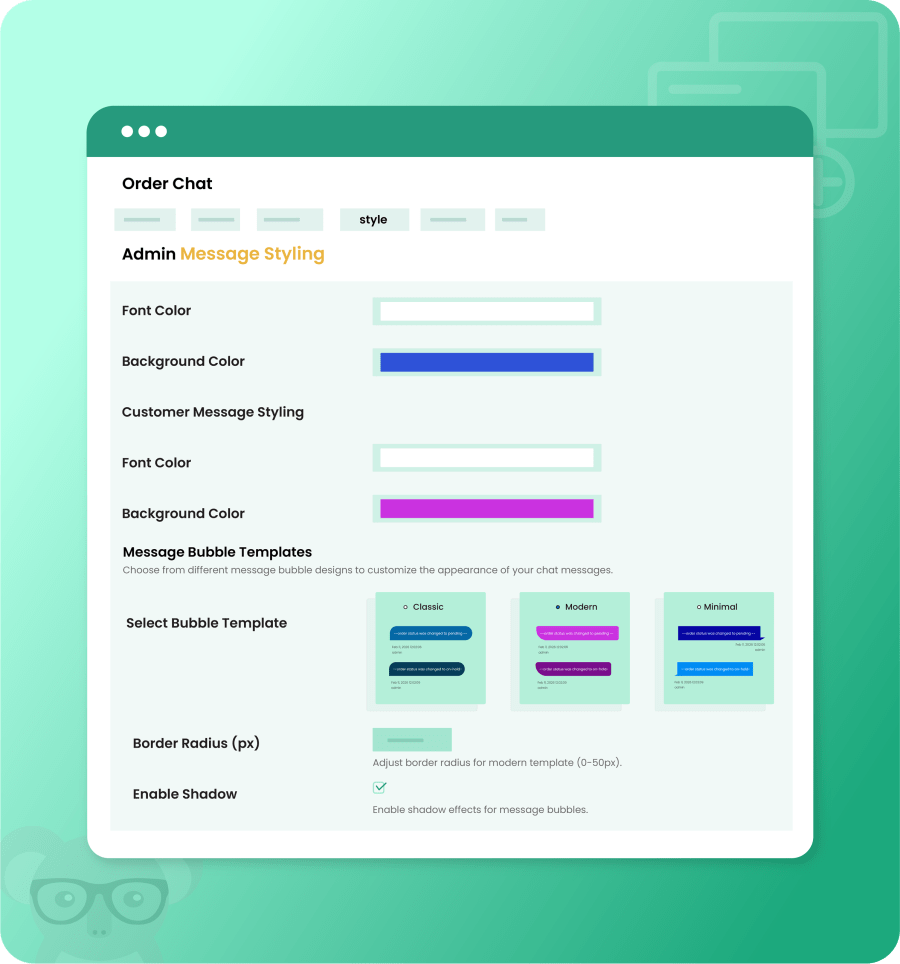
Merchants can customize the chat interface appearance, including message colors, backgrounds, bubble styles, border radius, shadow effects, and layout. Predefined message bubble templates and styling options allow the chat to align with the store’s branding and theme, ensuring a consistent and professional user experience.
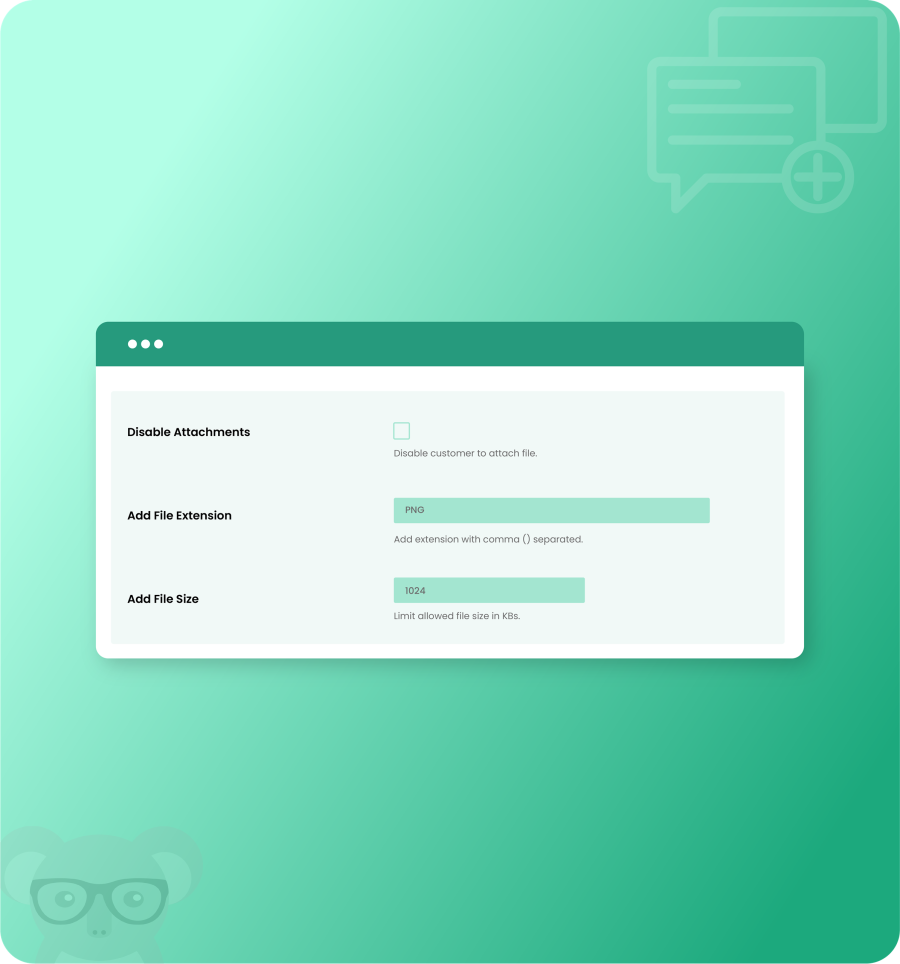
Customers can attach files to their chat messages when communicating with the store. Merchants can turn attachment availability on or off, define allowed file types (png, jpg, pdf), and set file size limits. By allowing customers to share relevant documents and images related to their order, customers’ issues are resolved quickly and effectively.
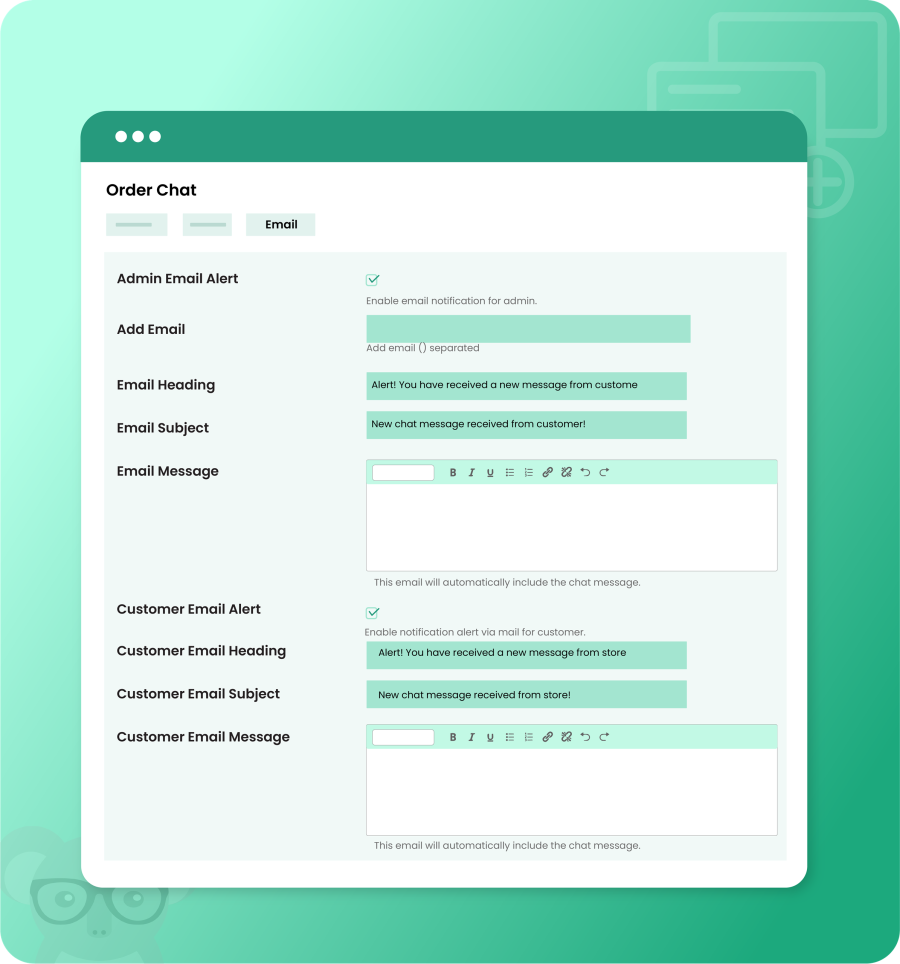
Using order chat for woocommerce allows merchants to configure and send a custom email notification to both customers and merchants when new chat messages are received. Merchants can customize the email subject, heading, and message content, while the chat message is automatically included in the notification.
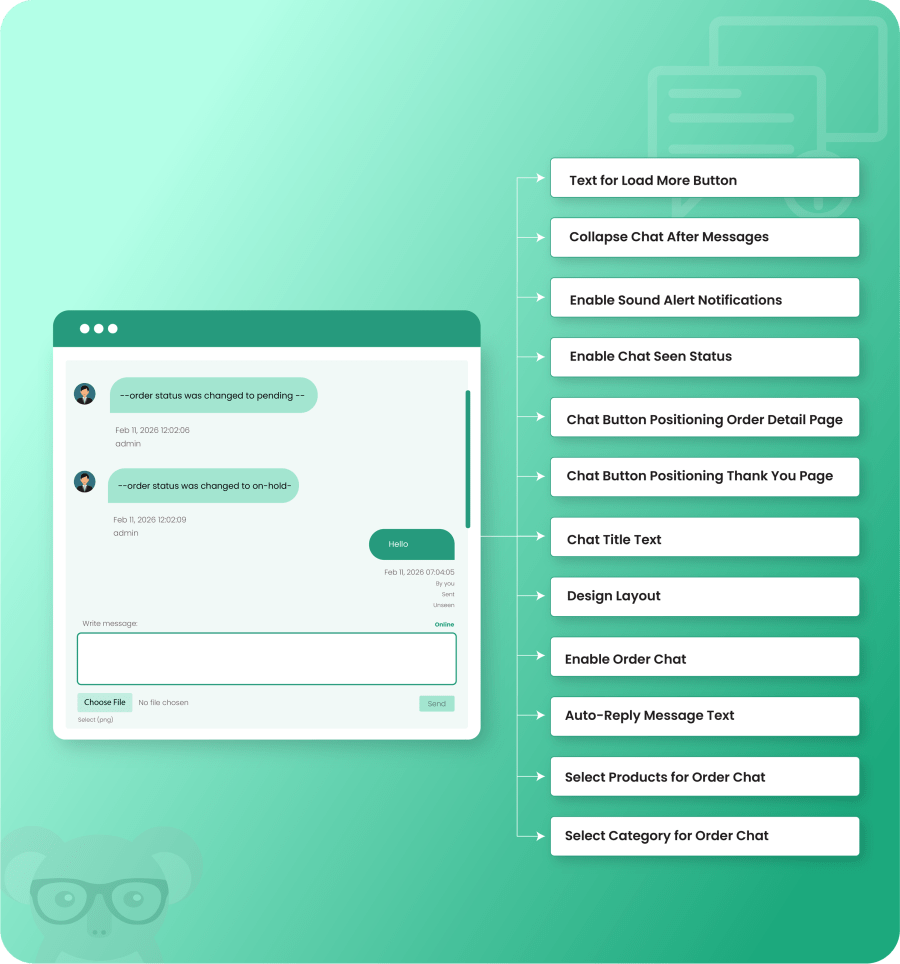
Multiple options are provided for chat configuration to customize the chat experience, including chat layout, message styling, notification settings, attachment controls, and chat behavior, allowing merchants to tailor the chat functionality to their store’s requirements.
Categorie
Informazioni sull'estensione
Controlli di qualità
Paesi
Lingue










