
Confronto prodotti
L'abbonamento include
Supporto
Product badges and labels for WooCommerce enable you to create custom badges and display them directly on your product images. Design badges in three formats: Text, Image, and Countdown. You can also use dynamic pricing tags to automatically show live discount values without any manual updates.
Display rules let you target badges by product, category, product type, stock status, price, sale status, tag, and more. Every badge includes a real-time live preview so you can fine-tune the design before it goes live on your store.
Product Badges and Labels for WooCommerce lets you create unlimited badges and assign them to any product or group of products using display rules. Build a badge once and reuse it across as many rules as needed, keeping your badge library organized and easy to manage.
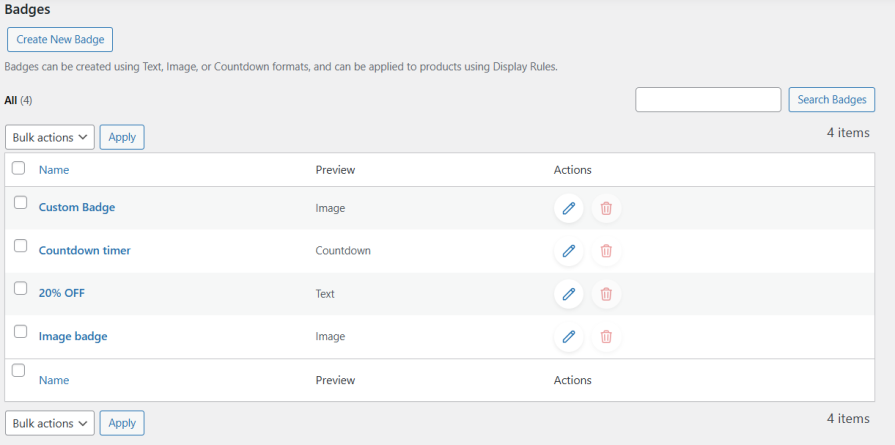
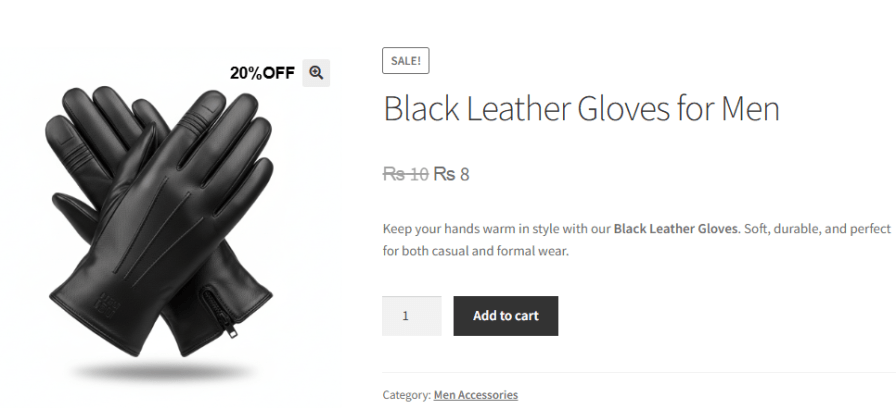
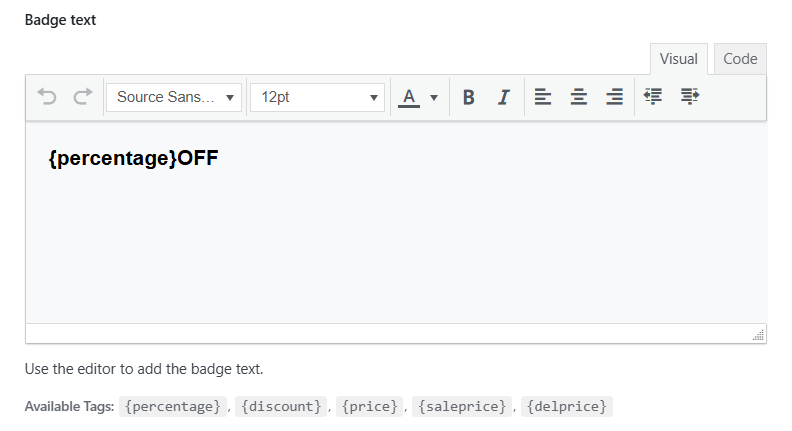
Design text-based badges using a built-in rich text editor with font, size, color, bold, italic, and alignment controls. Use dynamic pricing tags such as {percentage}, {discount}, {price}, {saleprice}, and {delprice} to automatically pull live product data into your badge.
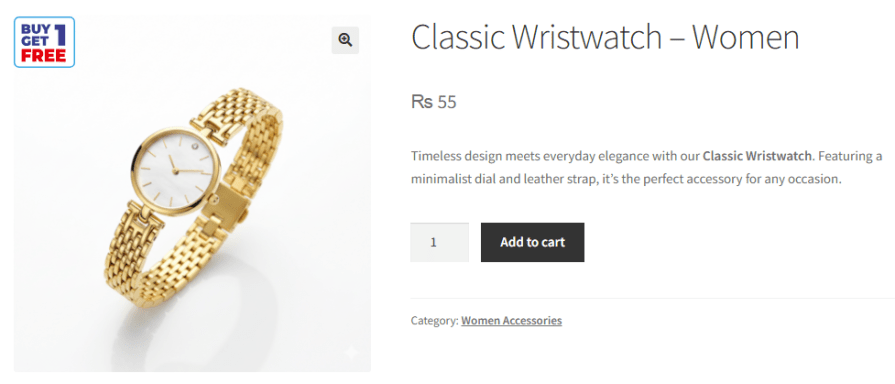
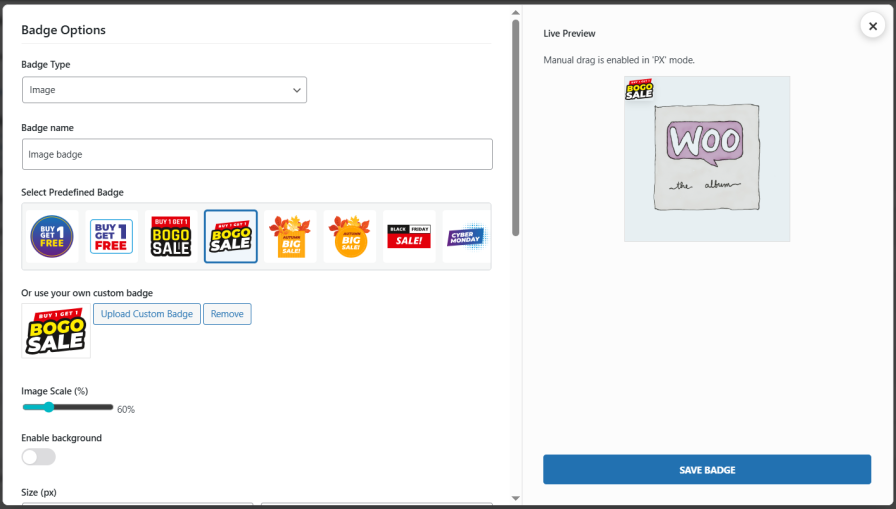
The WooCommerce product badge allows you to select from a built-in library of predefined badges or upload your own custom badge image. Adjust the image scale using a percentage slider and preview the result instantly in the live preview panel.
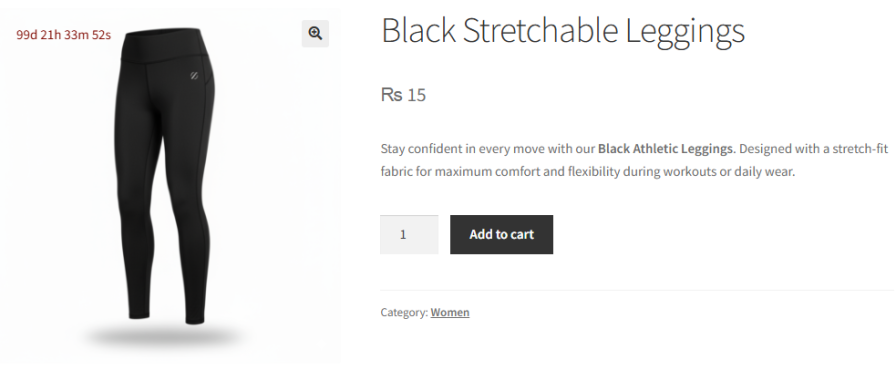
Display a live countdown timer badge that displays days, hours, minutes, and seconds directly on the product image. Set a target end date and time, pick a custom text color, and choose to hide the timer automatically when it expires.
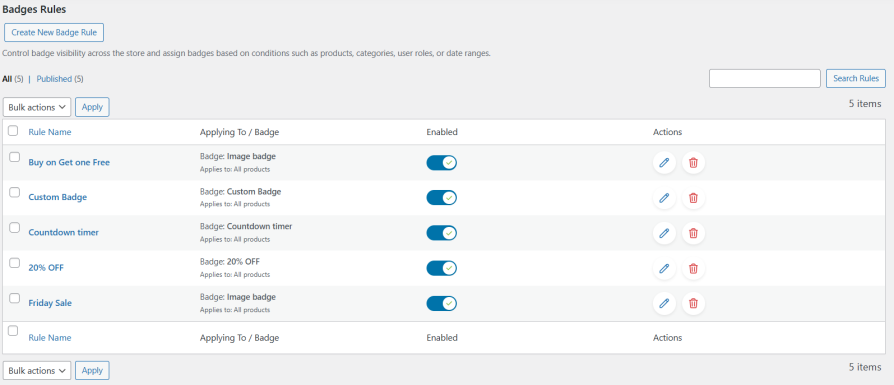
Create multiple display rules and assign a different badge to each one. Rules support a wide range of conditions, including on all products, on sale, specific products, category, price, sale price, and more.
Text badges support dynamic pricing tokens that automatically pull live product data and display it directly on the badge. Use tags like {percentage}, {discount}, {saleprice}, and more to show real-time pricing information without ever editing a badge manually.
Product Badges and Label for WooCommerce provides you with a built-in library of professionally designed badge images ready to apply in a single click. From BOGO to Buy 1 Get 1 Free and more, the library covers the most popular promotional formats. You can also upload your own custom badge image.
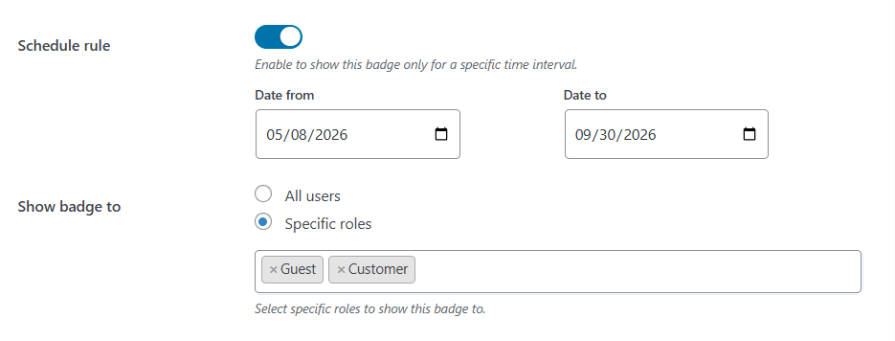
Schedule any badge to run within a specific date range and let it appear and disappear automatically. Combine this with role-based visibility to show exclusive promotions only to the customers who should see them, whether that is members, wholesalers, or any other user group.
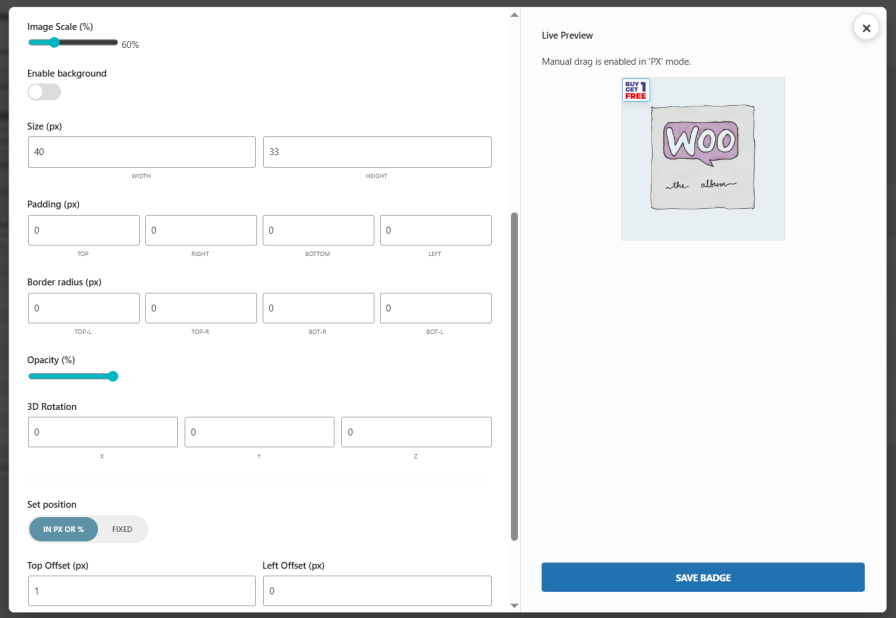
Product badges and labels for WooCommerce let you personalize your sale badge. You can customize the size, padding, border radius, opacity, and more. Simply drag the badge to your desired position in the live preview panel and see every change reflected in real time.
Yes. Each display rule includes a Schedule Rule option. Set a start and end date, and the badge will appear and disappear automatically on those dates.
Yes. Dynamic tags like {percentage} and {discount} pull live pricing data at the time of page load, so the badge always displays the correct value without any manual updates.
Yes. On the Image Badge type, click Upload Custom Badge to add any image from your media library and adjust its display size using the Image Scale slider.
Yes. The General settings tab includes two independent options to hide badges on single product pages and on mobile devices.
Categorie
Informazioni sull'estensione
Controlli di qualità
Paesi







