
L'abbonamento include
Supporto
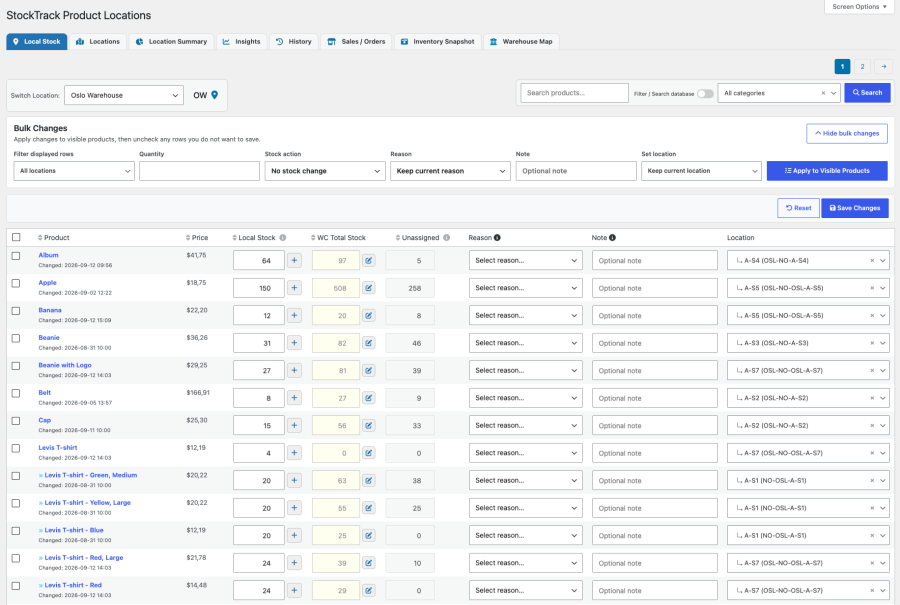
StockTrack turns WooCommerce stock into practical, location-based inventory management. Assign products to warehouses, rooms, shelves, and bins. See what is unassigned, receive stock directly into the right location, and keep a clear history of every inventory movement.
WooCommerce remains your source of truth. StockTrack gives your team the warehouse visibility WooCommerce is missing.
You do not need a separate inventory platform or duplicate stock system to get control of your warehouse. StockTrack works inside WooCommerce and is ideal for stores that have outgrown a single stock number, but do not need the cost and complexity of a full WMS.
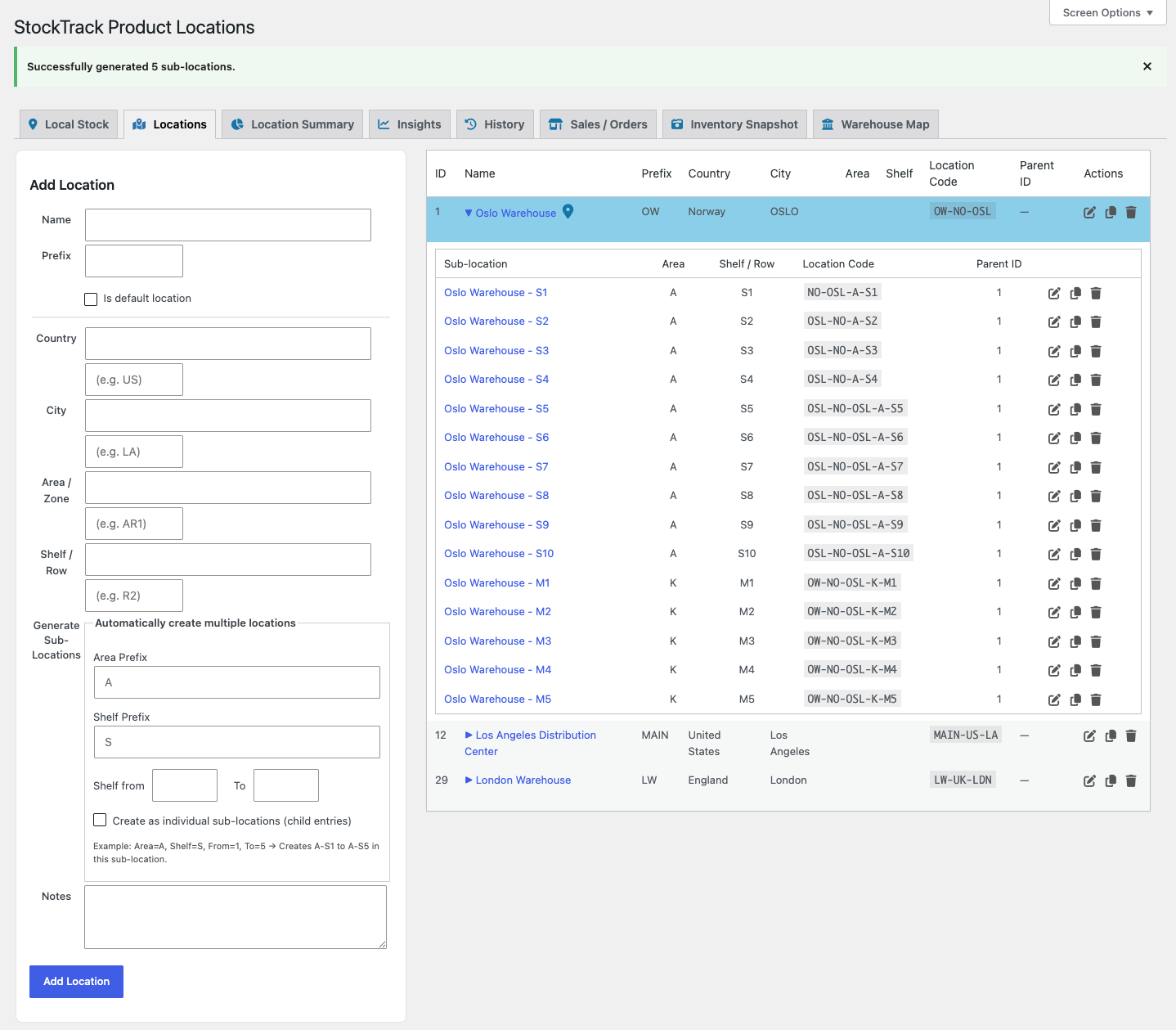
StockTrack helps stores move beyond spreadsheets, manual notes, and staff memory by creating a clear warehouse structure inside WooCommerce.
Create structured product locations that match how your warehouse actually works.
Each product can be assigned to one or more locations, making it easier for staff to find products, check available stock, and understand where inventory belongs.
StockTrack extends WooCommerce’s native inventory system instead of replacing it.
WooCommerce continues to manage the main stock quantity, while StockTrack adds local stock values and warehouse location details on top.
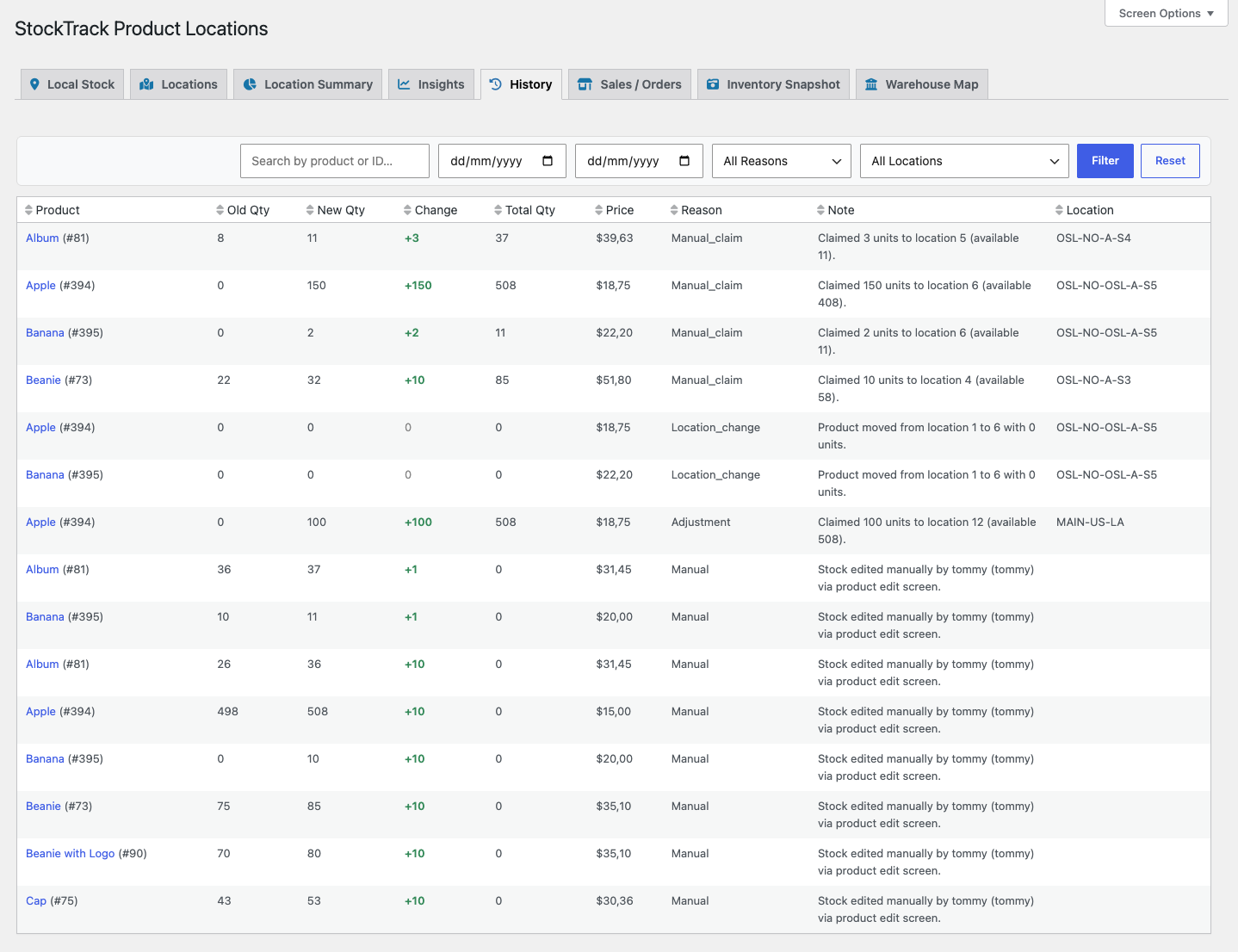
StockTrack gives you a clear history of inventory changes, making it easier to investigate discrepancies and understand what happened.
Stock history can include:
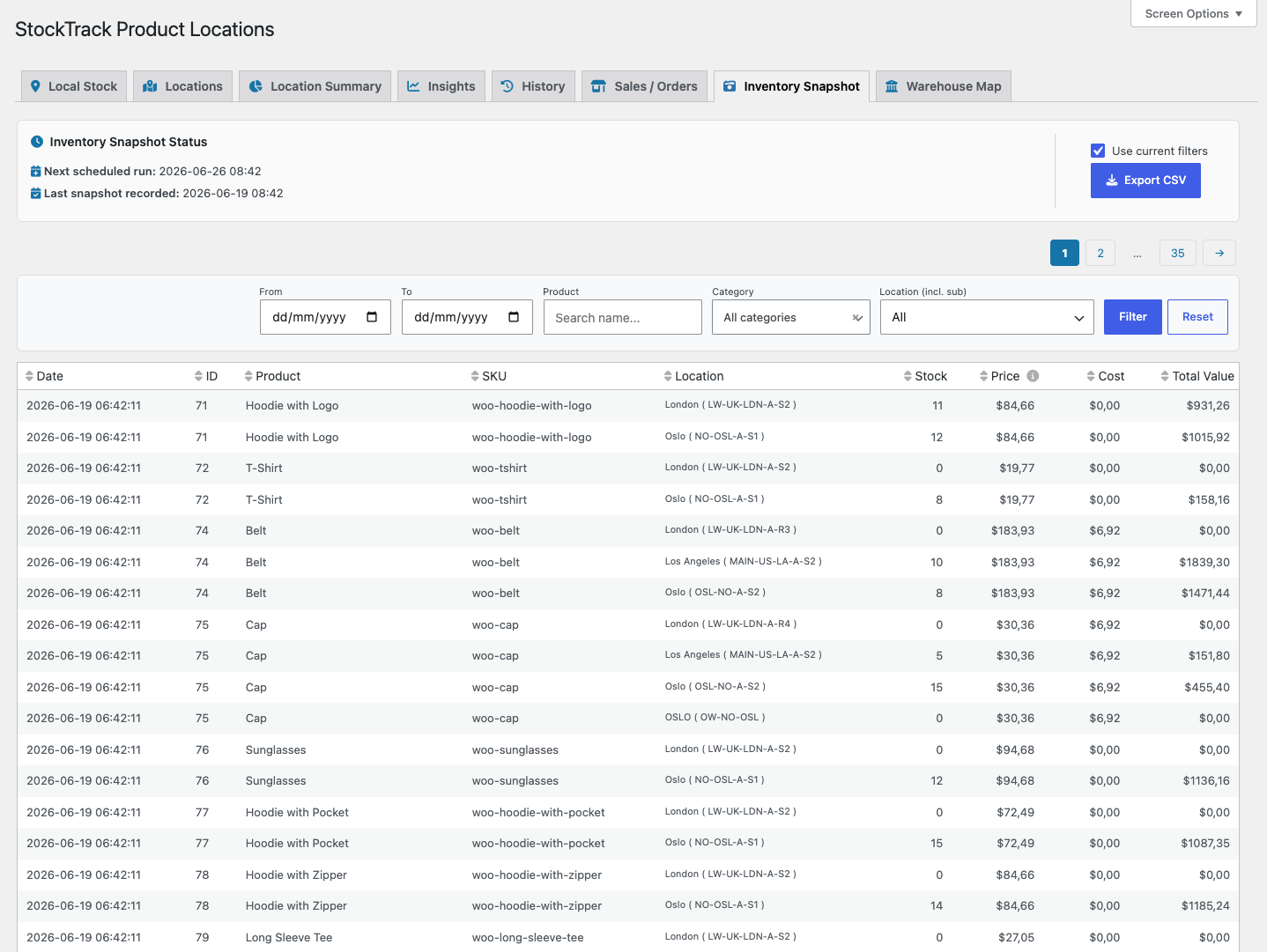
Need to know what your inventory looked like last week, last month, or at month-end?
StockTrack can capture inventory snapshots manually or on a schedule, helping store owners review stock levels and inventory value over time.
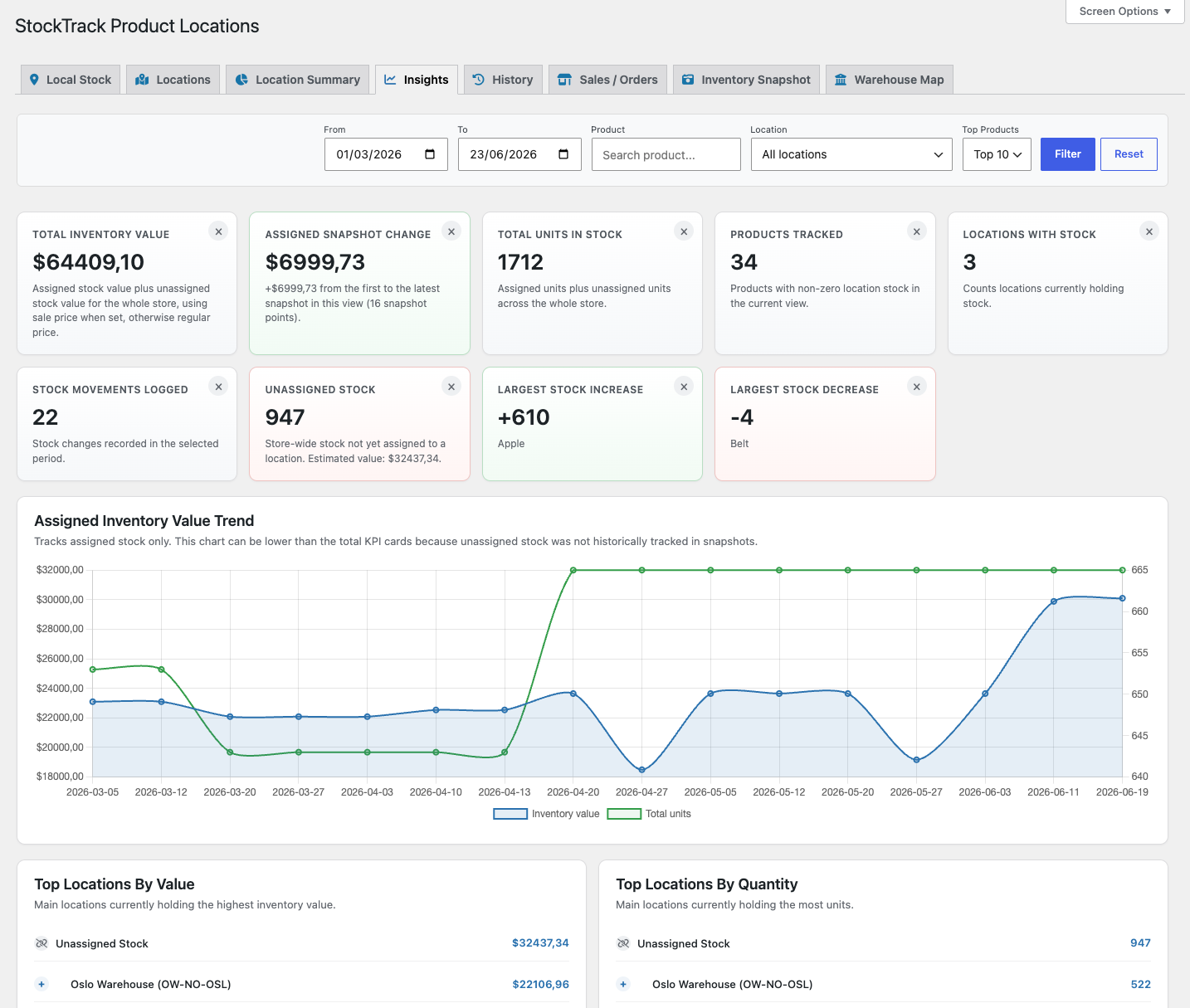
StockTrack Insights helps you understand inventory behavior over time, not just current stock placement.
Use Insights to review:
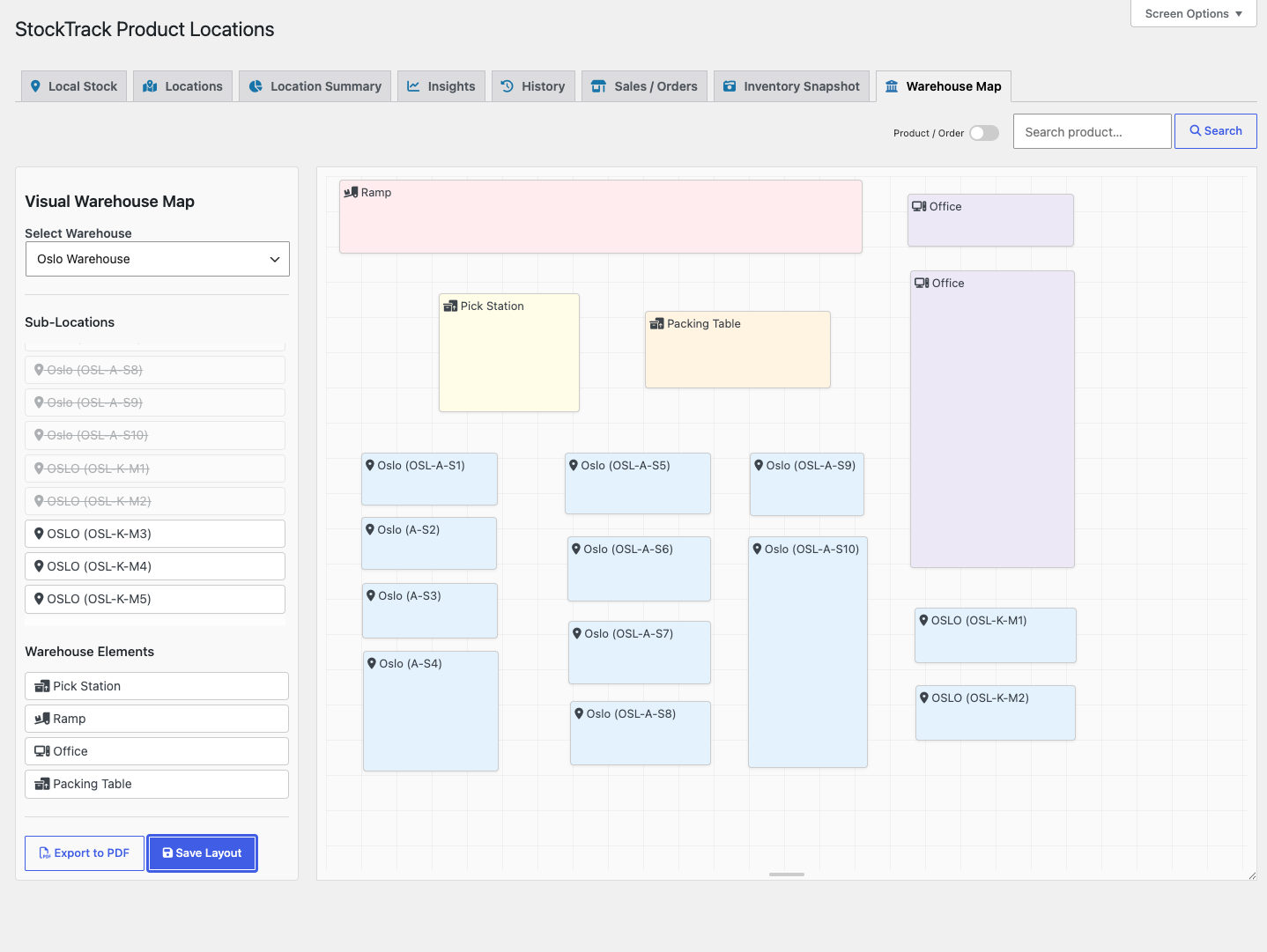
Sometimes a visual overview is faster than a list.
With Warehouse Maps, staff can search for products or orders and instantly see where the relevant stock is located.
When fulfilling an order, staff can choose which warehouse or location should supply the items.
StockTrack then withdraws stock from the selected location, logs the movement, and keeps WooCommerce totals aligned.
StockTrack is ideal for stores that need more warehouse control without adopting a full enterprise WMS.
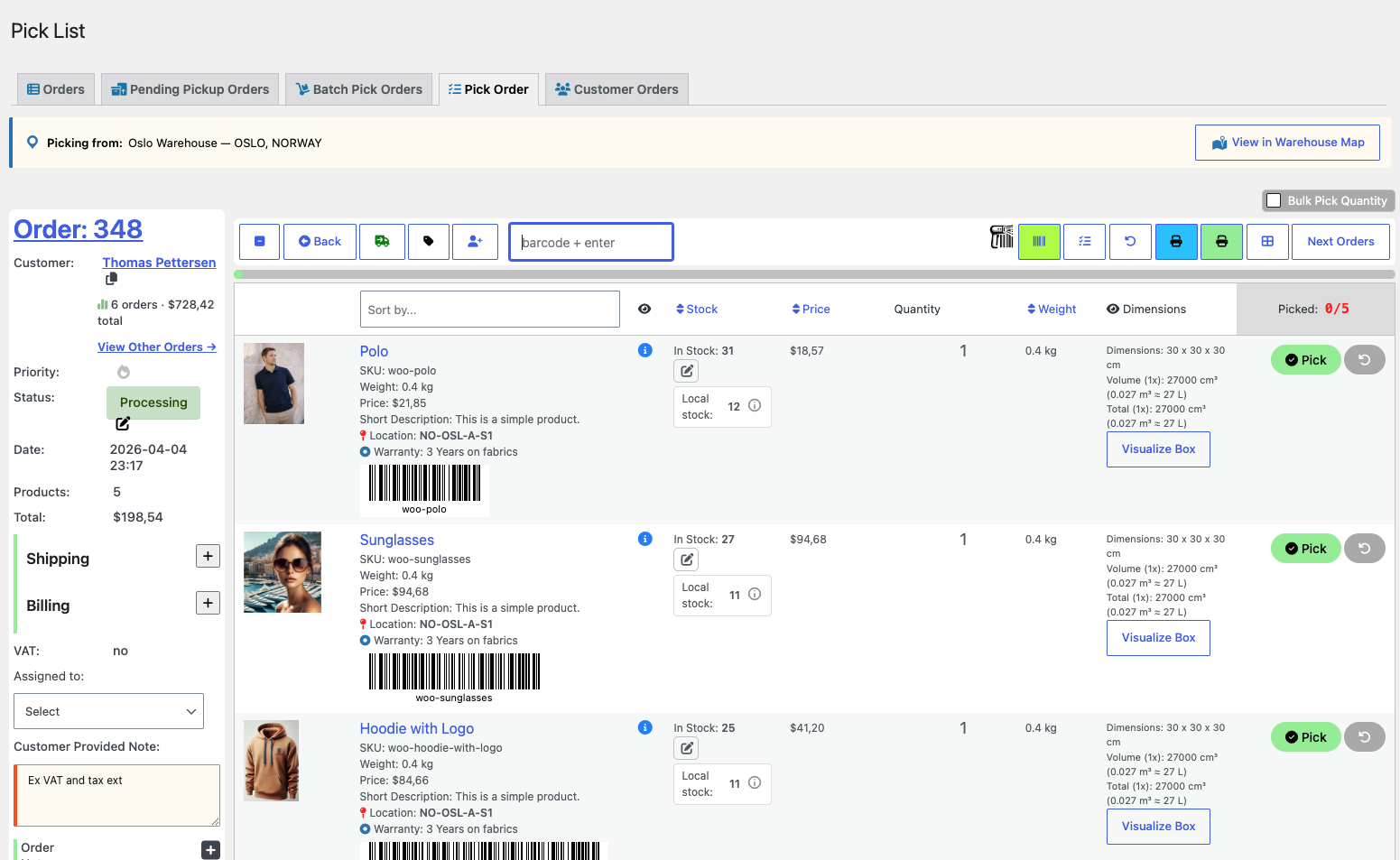
StockTrack focuses on where inventory is stored.
Pick List for WooCommerce focuses on how orders are picked and fulfilled.
Together, they create a stronger warehouse workflow for WooCommerce stores that need both location visibility and faster order fulfillment.
Whether you manage hundreds or thousands of products, StockTrack gives your team the warehouse visibility needed to work faster and with greater confidence — all while keeping WooCommerce as your single source of truth.
No. StockTrack extends WooCommerce’s native inventory system.
WooCommerce continues to manage the total stock quantity for each product.
StockTrack simply adds warehouse locations and stock movement tracking on top of it.
Local stock values are automatically summed and synced to WooCommerce’s native stock field, ensuring your storefront and reports always show the correct total.
Yes.
StockTrack allows you to create multiple warehouses and organize them into structured locations such as:
Each product can be stored in one or more locations across different warehouses.
Yes.
StockTrack lets you search for a product and instantly see all locations where it is stored.
If you use the Warehouse Map, the locations will be highlighted visually so your team can quickly find them.
Yes.
Every stock adjustment is logged automatically, including:
This creates a full inventory audit trail, making it easy to investigate stock discrepancies.
Yes.
StockTrack includes inventory snapshots, which record stock quantity, cost, and total inventory value at a specific point in time.
This allows you to answer questions like:
Snapshots can also be exported to CSV.
Yes.
When fulfilling an order in WooCommerce you can select which warehouse or location should supply the items.
StockTrack will automatically withdraw stock from the selected location and record the movement in the history log.
Yes.
StockTrack fully supports variable products and variations.
Each variation can have its own location-based stock assignments and stock history.
Categorie
Informazioni sull'estensione
Controlli di qualità
Paesi







