

Installazioni attive
1K+
L'abbonamento include
Supporto
Configure redirection rules to improve the customer flow and ultimately increase conversions in your webshop. With the Add to Cart Redirect plugin, you can easily redirect customers to different URLs on various levels, in order of priority:
With the Add to Cart Redirect plugin you can configure redirects on different levels. Redirect URLs can be configured at the following levels, in order of priority:
1) Product variation
2) Product
3) Category (new)
4) Global
5) Default behavior
All configurable redirects have built-in search functionality for any type of posts on your site (for example, products, pages, posts, including custom post types that are public). It is also possible to configure a fully custom URL.
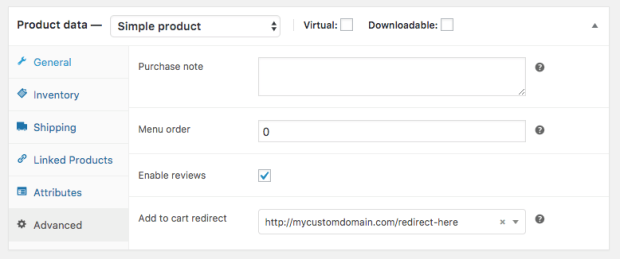
Simple product Add to Cart Redirect setting
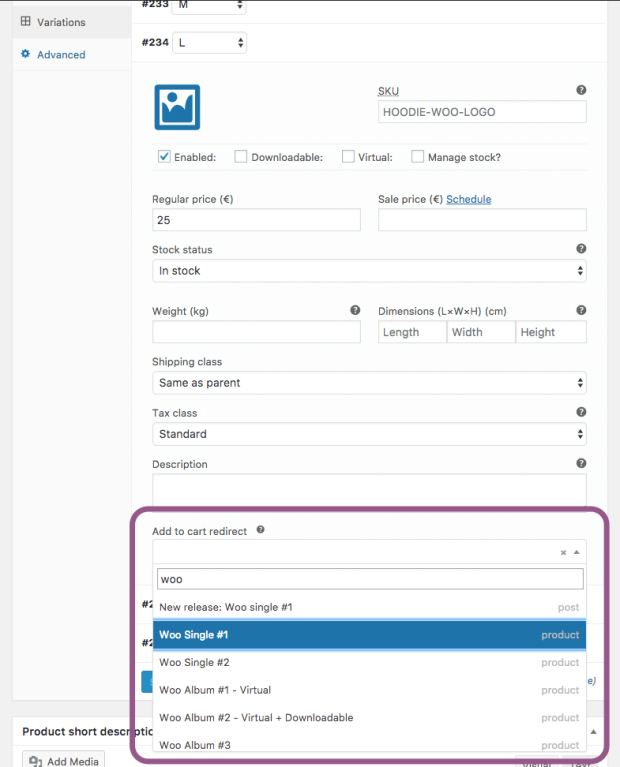
Variable Add to Cart Redirect setting
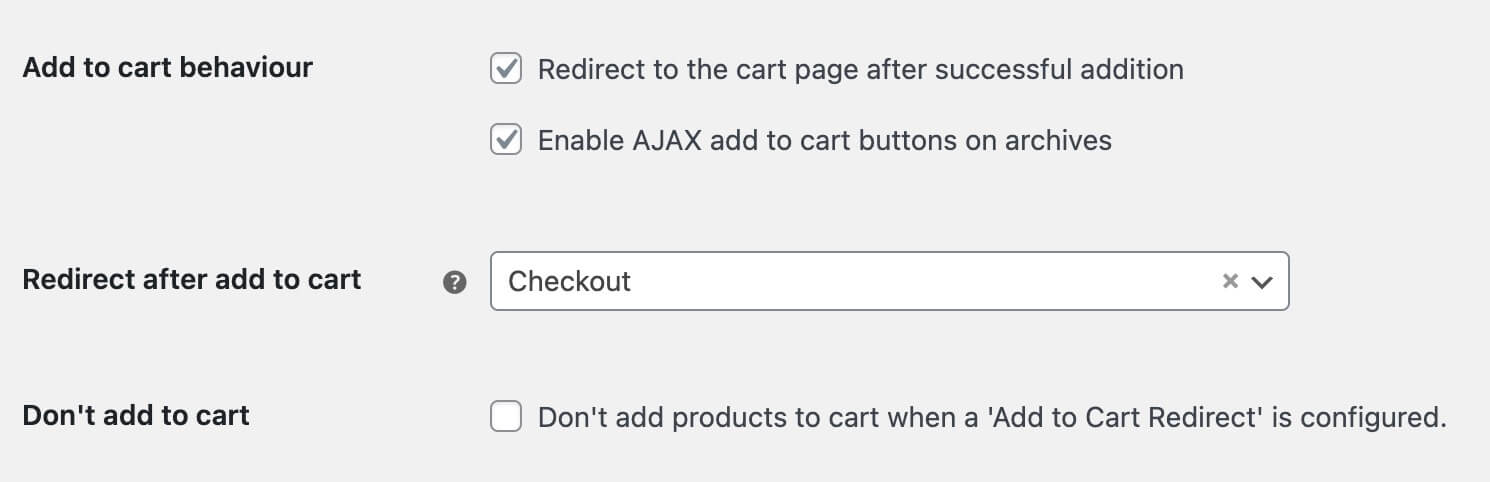
Instead of refreshing the page and showing a notice that “Product X has been added to the cart”, you can configure the Add to Cart Redirect plugin to send the customer immediately to the checkout, skipping the additional page reloads and moving to the cart and only then the checkout.
Configure the Add to Cart Redirect plugin to skip additional cart page and send the customer immediately to the checkout after adding a product to the cart. Preventing the page refreshing and showing a notice that “Product X has been added to the cart”.
Maybe you’re having a really cool promotion where you’re giving away a free product, say a basketball, if someone purchases a pair of basketball shoes. Through some nifty redirects you can configure the plugin to automatically add the basketball product to the cart.
If you use it in combination with the WooCommerce URL Coupons extension, you can even automatically apply coupons after adding a product to the cart.
Send the customer to the terms and conditions page immediately after they’ve added a product to the cart, if the product has special terms and conditions. This way, you can ensure that they read the terms before continuing with their shopping.
Note: this extension requires WooCommerce 3.0+ in order to function.
Informazioni sull'estensione
Controlli di qualità
Compatibilità
Paesi
Requisiti








