Installazioni attive
8K+
Confronto prodotti
L'abbonamento include
Supporto
Premia i clienti per gli acquisti e altre azioni con punti che possono essere accumulati per ottenere sconti. Imposta facilmente quanti punti i clienti dovrebbero ottenere per ogni dollaro speso e quanti punti possono essere accumulati per un importo di sconto specifico. I punti possono essere assegnati per prodotto, categoria o livello globale e puoi anche controllare lo sconto massimo disponibile quando si riscattano i punti.
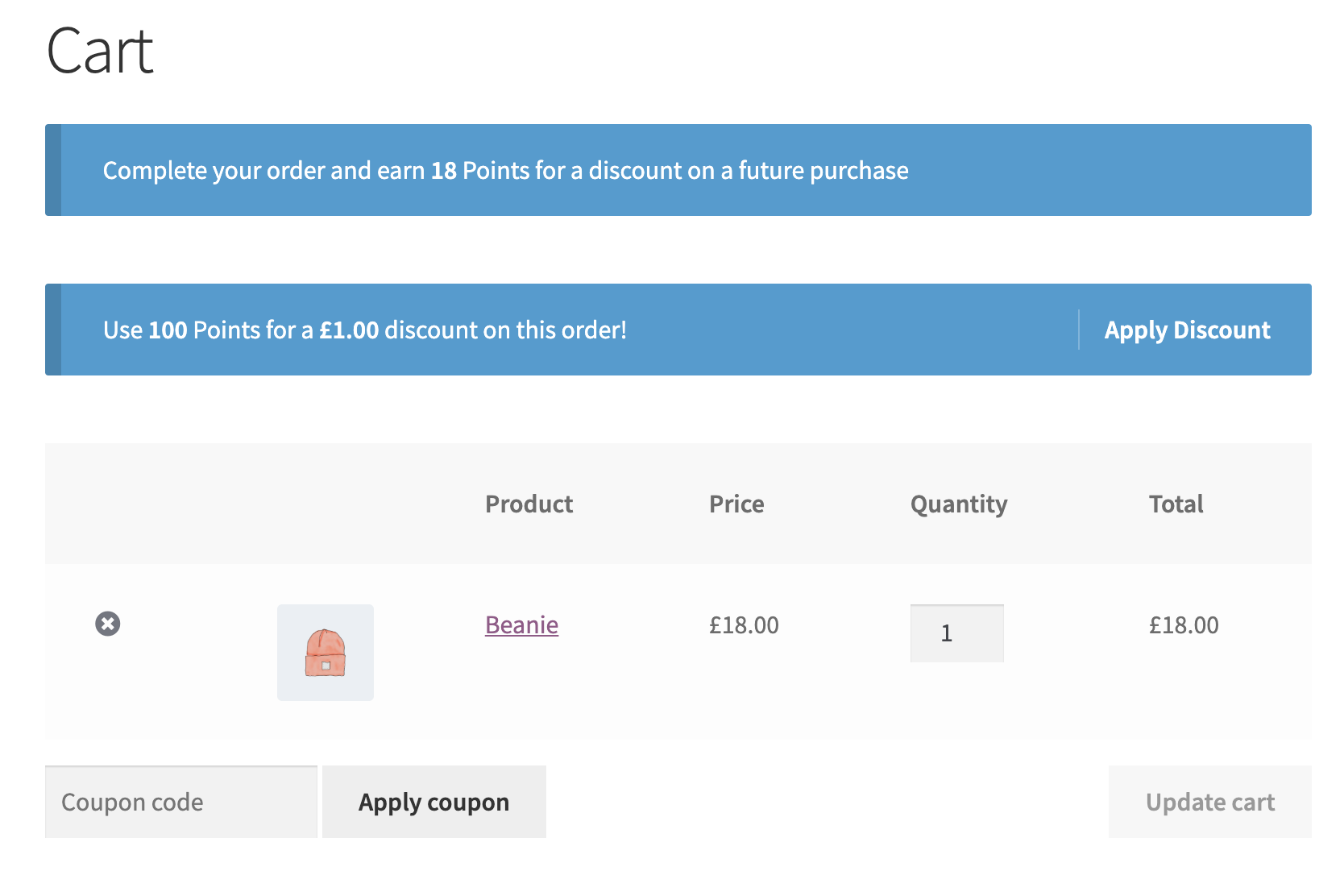
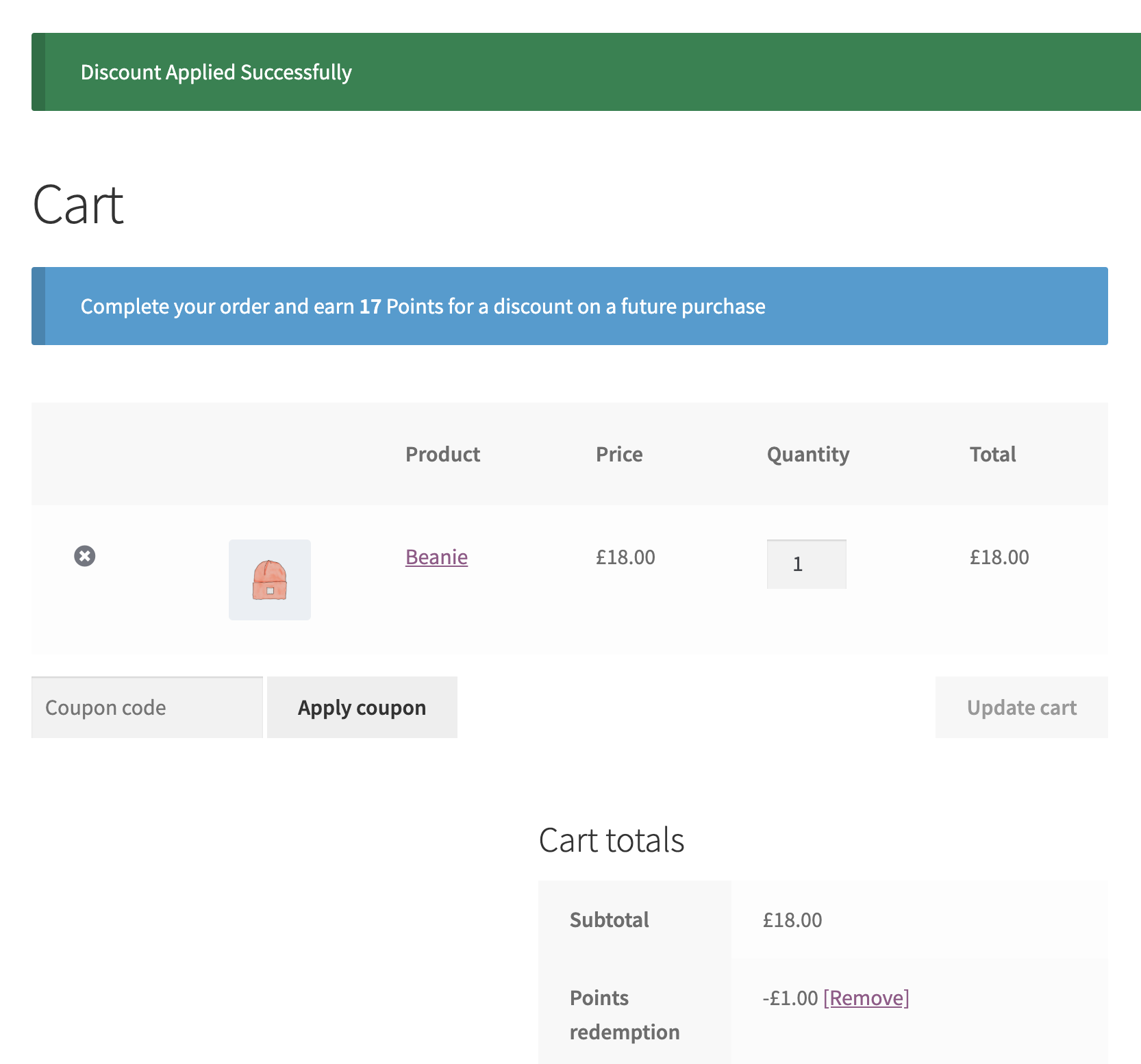
I punti vengono ottenuti per gli acquisti in base al tasso di conversione impostato. Ad esempio, i clienti potrebbero guadagnare 1 punto per ogni dollaro speso. Questo tasso di conversione può essere superato a livello di categoria o di prodotto, in modo da poter incoraggiare i clienti ad acquistare prodotti specifici. I punti ottenuti vengono visualizzati sulla pagina del prodotto e sulla pagina del carrello/pagamento.
I clienti possono utilizzare i punti per sconti in base al tasso di conversione impostato. Per esempio, 100 punti potrebbero valere uno sconto di $ 1. Puoi impostare uno sconto massimo a livello di carrello, categoria di prodotto o prodotto che limiterà lo sconto disponibile.
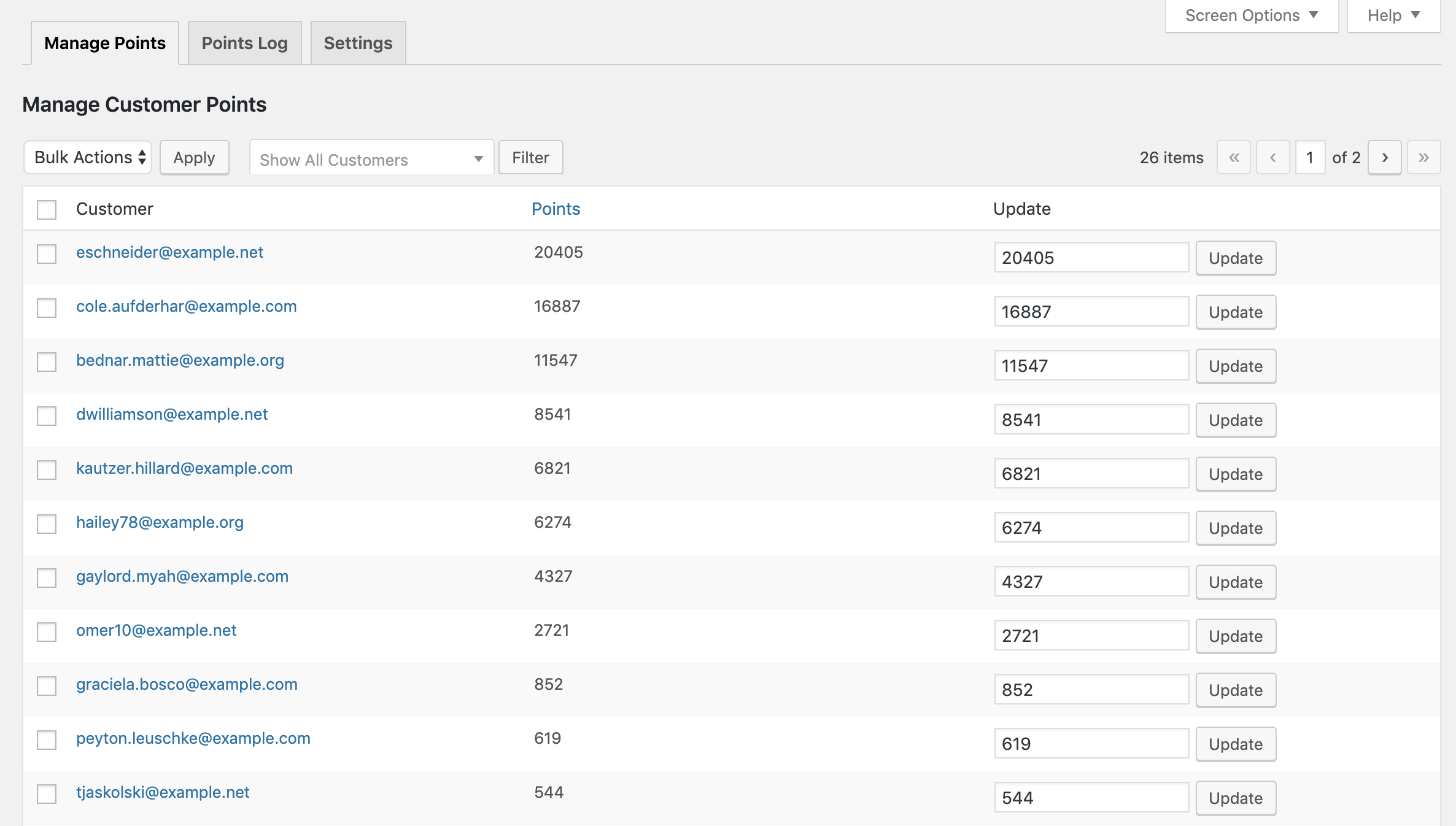
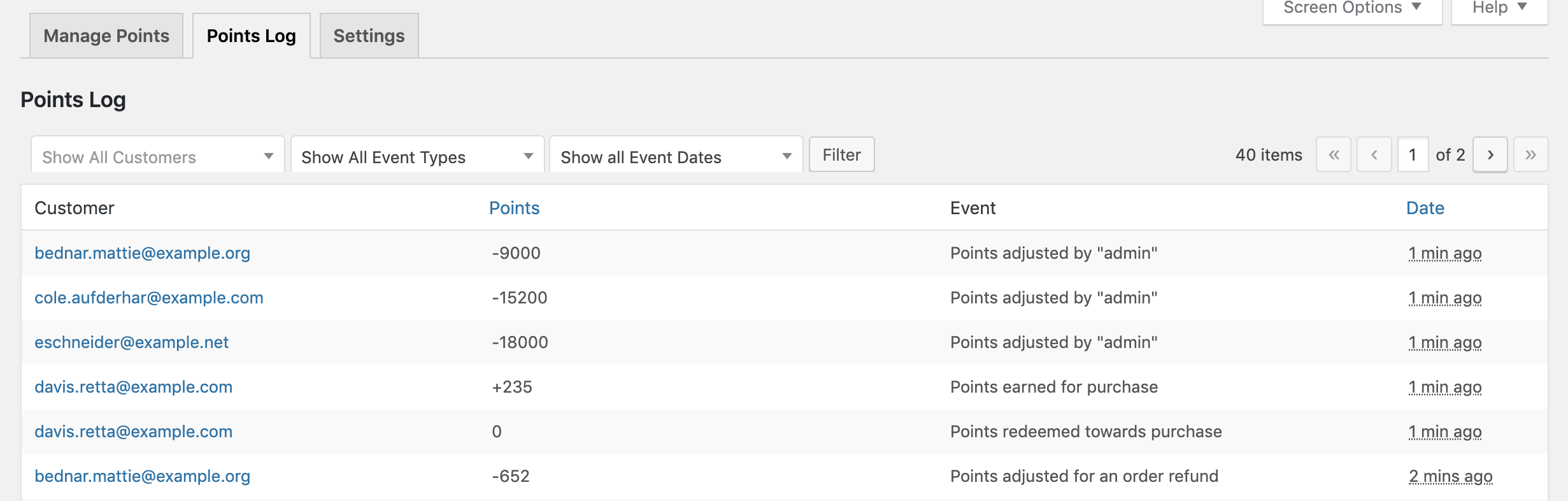
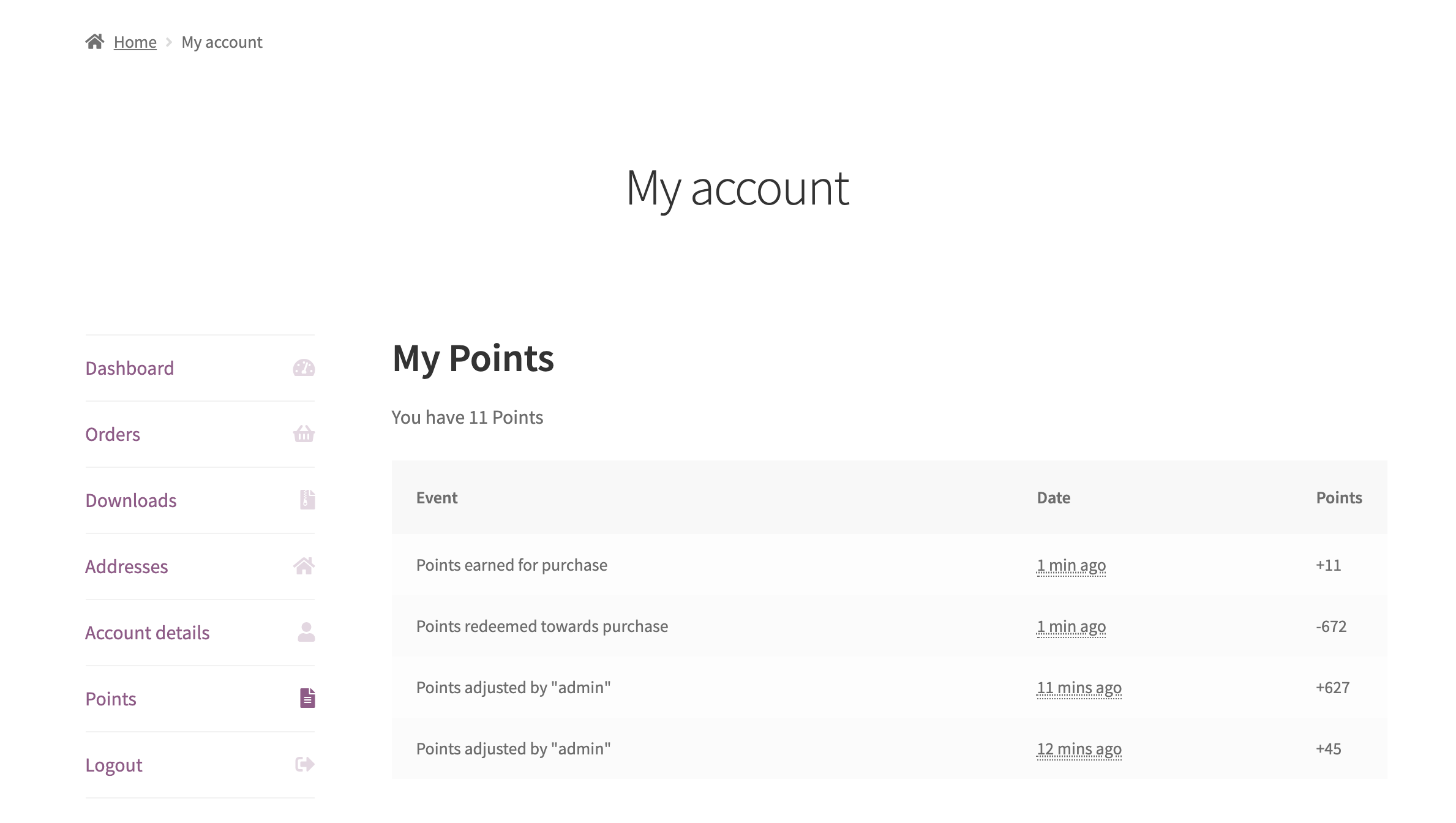
Aggiorna rapidamente il saldo dei punti per un cliente nella pagina Gestisci. Eventuali modifiche al saldo punti di un cliente vengono quindi registrate e visualizzate nella pagina Il mio account del cliente.
Personalizza facilmente i messaggi visualizzati nella pagina del prodotto e nella pagina del carrello/pagamento. Puoi anche modificare come vengono chiamati i punti, in modo che i clienti possano ottenere invece “monete” o “gettoni”.

WooCommerce Points and Rewards is a loyalty and rewards extension for WooCommerce. It lets you award customers points for purchases and other actions, then let them redeem those points for discounts at checkout. You set how many points customers earn for each dollar spent and how many points are needed for a specific discount, so you can build a straightforward loyalty program directly inside your store. It is designed to give shoppers a reason to come back and buy again.
Customers earn points on purchases based on the conversion rate you set, for example 1 point for every dollar spent. They can then redeem points for a discount based on a separate rate you control, for example 100 points for a $1 discount. Points earned are shown on the product page and on the cart and checkout pages, and the discount applies at checkout much like a standard coupon. You can set the earning and redemption rates independently to match your store's margins.
Yes. Alongside purchases, WooCommerce Points and Rewards can award points when a customer signs up for an account or writes a product review. This gives you tools to reward engagement, not only spending, which can help you turn first-time visitors into registered, returning customers.
Yes. Points can be set at the global, category, or individual product level, and product or category settings can override the global conversion rate. For example, you can award double points on a specific category to encourage customers to buy those items. You can also control the maximum discount available when redeeming points at the cart, category, or product level.
It is designed to help. By giving customers points they can redeem on a future order, a rewards program gives shoppers a reason to return rather than buy once and leave. Rewarding loyal customers is a well-established retention tactic, and you can pair it with other approaches described in this guide to customer retention strategies for ecommerce and this guide to increasing customer loyalty online. As with any marketing tool, results depend on how you design and promote your program.
Yes. With partial redemption enabled, customers can enter how many of their available points they want to apply during cart or checkout, rather than being required to spend their whole balance. You can also set a minimum points threshold before redemption is allowed and a maximum discount that points can cover on an order.
Yes. You can rename points to fit your brand, so customers earn "Coins" or "Tokens" instead of points if you prefer. You can also customize the messages shown on the product page, cart, checkout, and order received page, including how many points a purchase will earn and the discount a customer's points are worth.
Yes. You can set a period after which points expire once they have been granted to a customer. Expiring points can encourage shoppers to redeem their balance and return to your store within a set window. Leave this option blank if you prefer points that do not expire.
Yes. You can apply points earned to all previous orders, so customers start with a balance and can begin redeeming discounts right away instead of starting from zero. This can give your program momentum from day one.
Yes. You can quickly update any customer's points balance from the Manage Points screen, which is useful for goodwill gestures or corrections. Every change is recorded in a points log, and the customer can view their points history on their My Account page, keeping the program transparent for both you and your shoppers.
There are a few requirements to be aware of. Coupons must be enabled in WooCommerce, because points are redeemed as a discount. Points are also tied to customer accounts, so shoppers need an account to earn and redeem points, and guest checkout does not earn points. Keep this in mind if your store currently relies heavily on guest checkout.
Yes. When used with WooCommerce Subscriptions, customers automatically earn points on every subscription renewal, which can help reward long-term subscribers. Note that points are not applied as a discount on automatic renewal payments, though they can be used on a manual renewal. If recurring revenue is central to your store, rewarding renewals is a simple way to encourage customers to stay.
It is a good fit for stores that want a straightforward, official points-based loyalty program built directly into WooCommerce, with control over how points are earned by product or category and how they are redeemed for discounts. It suits merchants focused on encouraging repeat purchases and rewarding account signups and reviews, without needing a separate third-party loyalty platform.
If your main goal is automated marketing rather than a points program, AutomateWoo may be a better starting point, since it handles abandoned cart emails, follow-ups, win-back campaigns, and other automated workflows. The two can also work together: AutomateWoo integrates with WooCommerce Points and Rewards so you can reward specific customer actions and build more complex reward scenarios. Choose Points and Rewards when you specifically want customers to earn and redeem points; add AutomateWoo when you want to automate the messaging around it.
Not with the extension on its own, as it does not include a built-in export option. If you need to export points and rewards data to a CSV file, the Exporter for WooCommerce Points and Rewards add-on adds that functionality.
Categorie
Informazioni sull'estensione
Controlli di qualità
Compatibilità
Paesi
Requisiti