

Active installs
100+
Subscription includes
Support
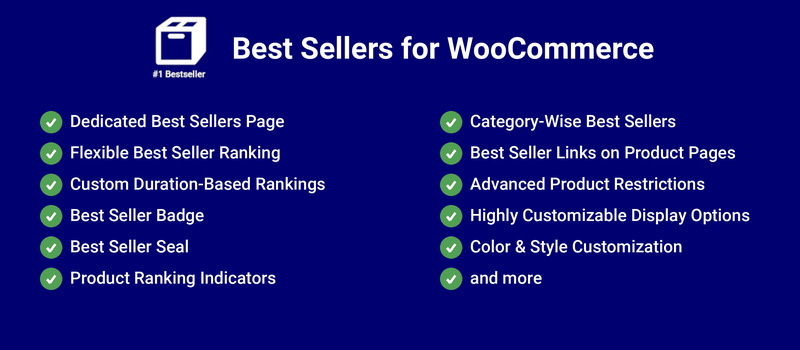
Sell more of the items your customers love most: display all your best selling products on a separate page, and add rankings to single product pages to show shoppers the product’s rank along with a link to the top sellers in that category.
All your products will be sorted based on their sales count or sales value. The products will also be assigned a rank, which is displayed on the Best Sellers page.
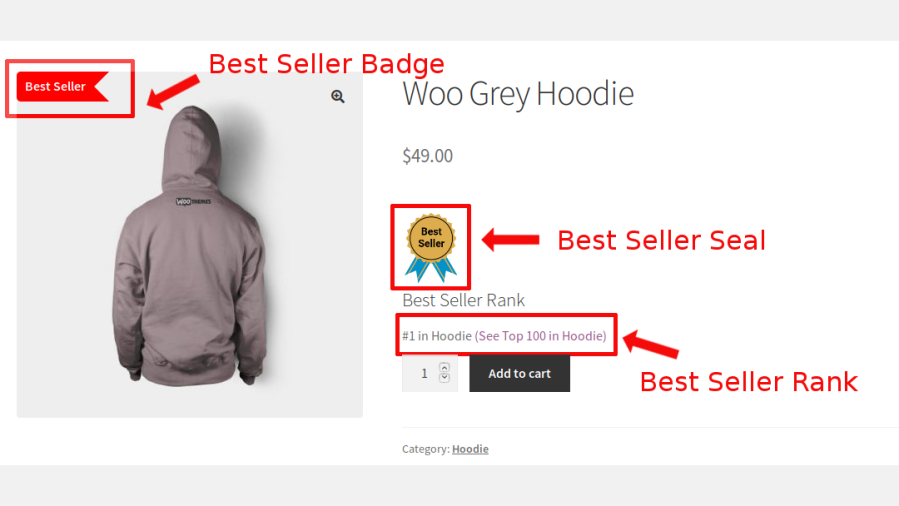
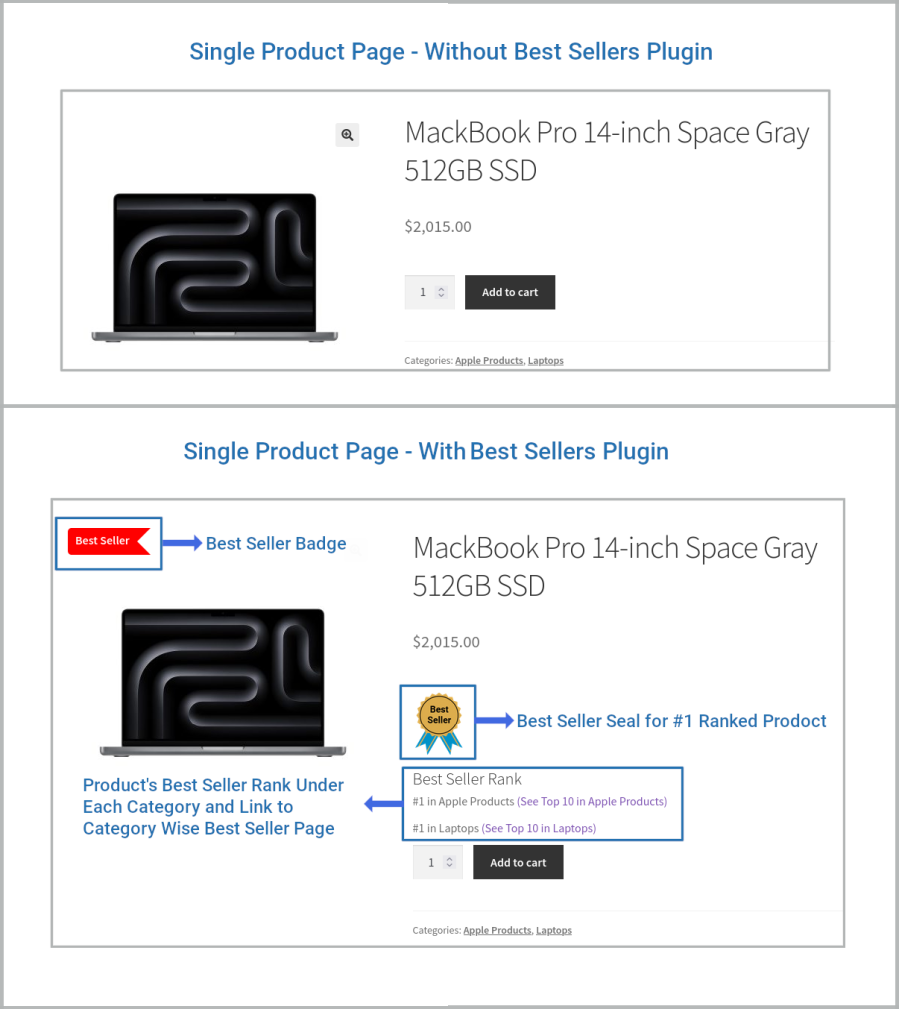
When the shopper visits the single product page of the top-ranked Best Seller, they’ll see the Best Seller badge, the Best Seller seal, the product’s rank, and a link to the top products in that category:
On the pages of Best Sellers ranked #2 or greater, shoppers will see the product’s rank and the link to other top products in that category:
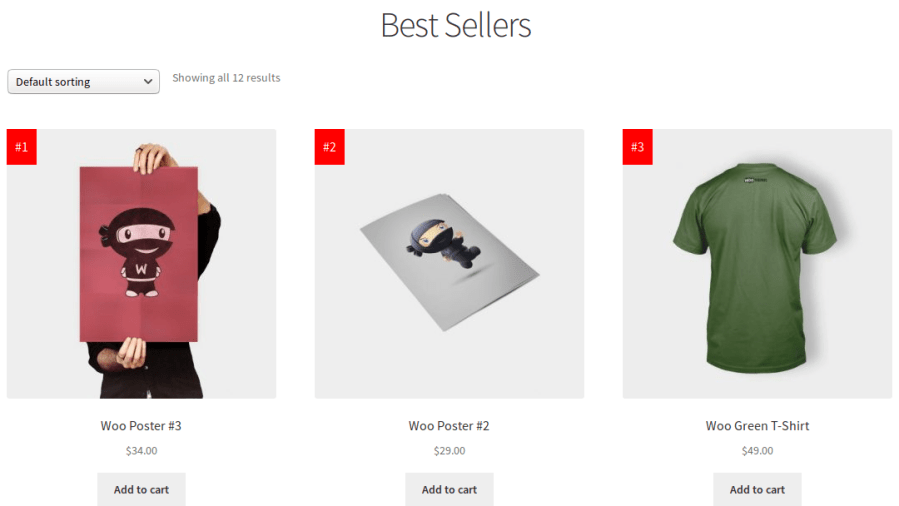
Display all your best-selling products on a dedicated Best Sellers page that automatically showcases your store’s top-performing products. Customers can easily discover your most popular items from a single location. The page updates dynamically based on your configured ranking criteria.
Rank products using Products Sold Count, Products Sold Count During Custom Duration, Products Revenue, or Products Revenue During Custom Duration. Choose the ranking method that best reflects your business goals. This gives merchants complete control over how best sellers are determined.
Calculate best sellers over a custom time period such as the last 7 days, 30 days, or any configurable duration. This allows you to highlight trending products instead of lifetime best sellers. Perfect for seasonal campaigns and fast-changing product catalogs.
Automatically display a customizable Best Seller Badge on qualifying products throughout your store. Highlight popular products to attract customer attention and increase purchase confidence. Badge visibility can be configured using flexible display settings.
Show an attractive Best Seller Seal on product images to visually distinguish your most popular products. Multiple seal styles help match different store designs and branding requirements. This makes best-selling products stand out instantly.
Display the Best Seller Rank directly on product pages, allowing customers to see a product’s popularity ranking. Rank indicators create social proof and encourage purchasing decisions. Colors and appearance can be customized to match your store.
Generate category-specific best seller pages to display the most popular products within each product category. Customers can easily discover top-selling products relevant to their interests. Category pages update automatically as rankings change.
Display category-based Best Seller page links directly on product pages. Customers can quickly browse other popular products from the same category without leaving their shopping journey. This encourages deeper product discovery and improves navigation.
Exclude specific products, categories, or product types from best seller calculations and displays. Configure exactly which products participate in ranking generation. This provides complete control over the products shown to customers.
Control where and how Best Seller Badges, Seals, and Rank Indicators appear across your WooCommerce store. Configure visibility for shop pages, category pages, product pages, and other supported locations. Tailor the display to match your merchandising strategy.
Customize the badge background, badge text, rank indicator background, and rank indicator text colors directly from the plugin settings. Match every visual element to your store’s branding without editing code. Built-in customization options simplify design management.
Extension information
Quality Checks
Compatibility
Countries







