

Active installs
300+
Product comparison
Subscription includes
Support
Buy Again for WooCommerce allows your customers to quickly re-purchase the products they’ve bought from your shop in the past.
In the native WooCommerce workflow, a customer who wants to re-purchase the products which they’ve bought earlier from your shop has a few options:
The issue in using the existing options is that they are not very convenient. Also, the “Order-Again” button only allows the user to re-purchase the entire order, not individual products.
Buy Again for WooCommerce offers 2 convenient ways for the customer to re-purchase.
With Buy Again for WoCommerce, the plugin displays a “Buy Again” section in your customer’s My Account Page. This section displays all the products that have been bought by your customers previously.
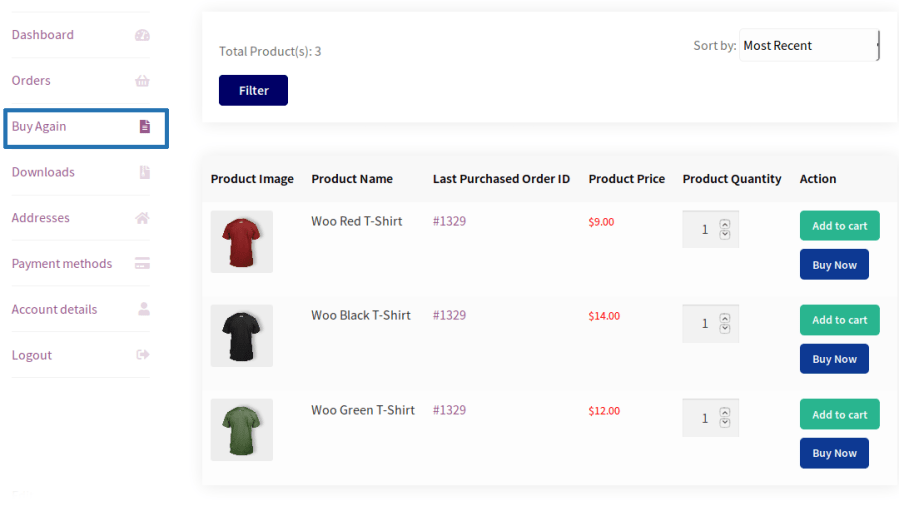
Your customer can add multiple products to the cart by using the “Add to Cart” button or purchase a particular product by using the “Buy Now” button.
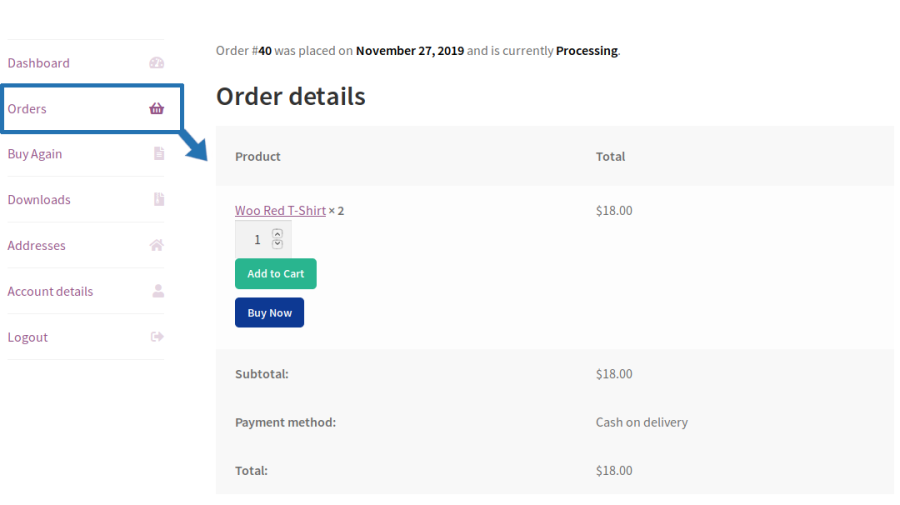
Apart from a separate “Buy Again” section in the My Account page, your customers can also purchase products from the order details section using the “Add to Cart” and “Buy Now” buttons which are provided by Buy Again for WooCommerce.
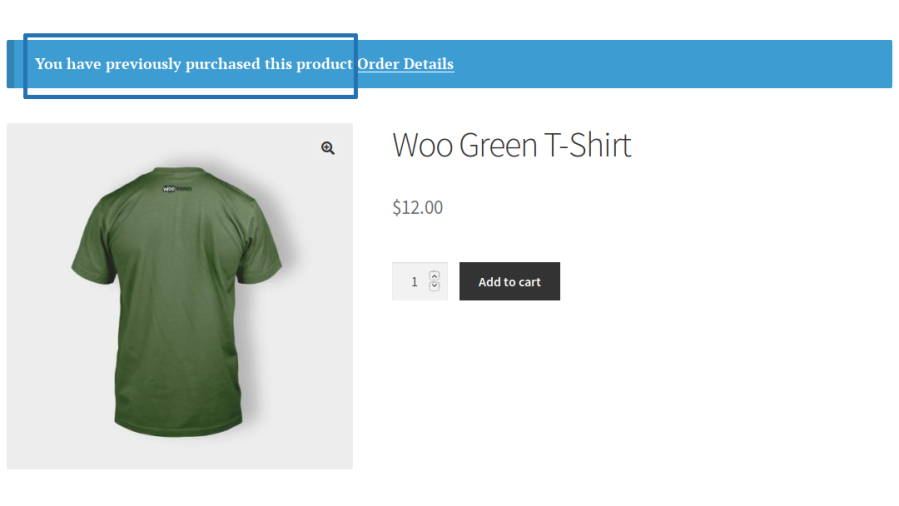
You can also display a notice in the Single Product page along with the link to the order if the product has already been purchased by your customer.
1. It saves a lot of time for your customers.
2. Customers don’t have search for products which they had purchased earlier/purchase frequently.
3. You can get an insight on the products which has been purchased from the “Buy Again” section in the My Account Page and using the Add to Cart and Buy Now Buttons available for each product in the Order details section.
Display previously purchased products in a dedicated Buy Again section on My Account page, making repeat purchases quick and convenient.
Display purchased products in a dedicated Buy Again page and use a shortcode to display the Buy Again products anywhere on your site.
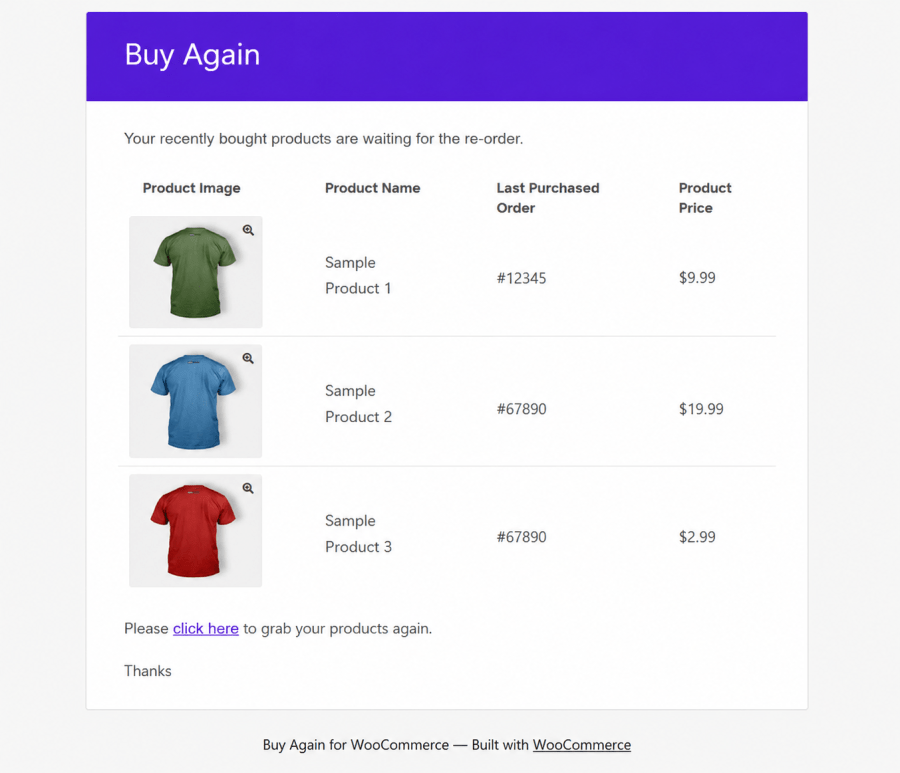
Automatically send Buy Again email reminders to customers and guests based on their previous purchases.
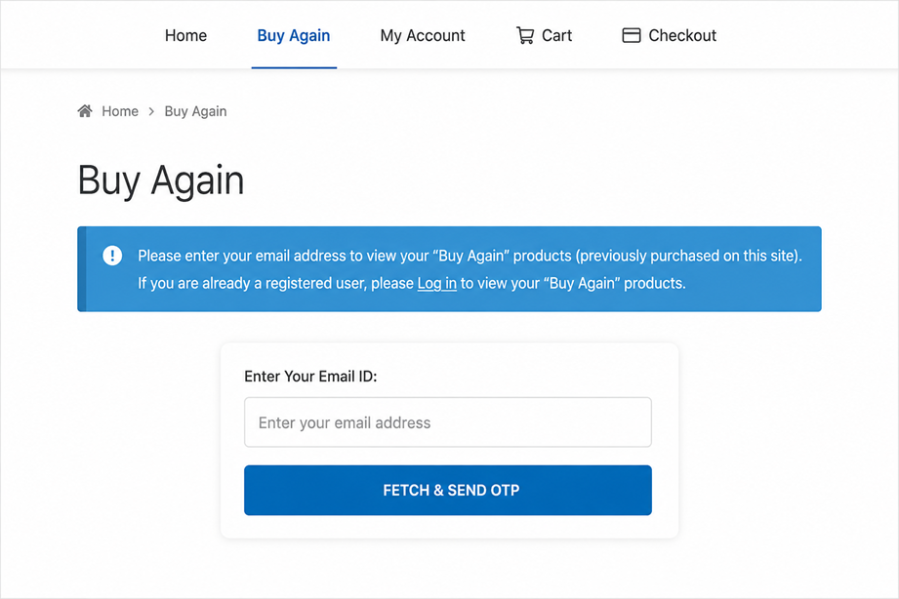
Allow guest users to access their previously purchased products securely using email OTP verification.
Enable customers to reorder products instantly using Add to Cart and Buy Now buttons available in the Buy Again Table and Order Details page.
Remember previously purchased quantities and allow customers to reorder with the same quantity in a single click.
Allow customers to filter Buy Again products by product name, category, and purchase date.
Track Buy Again activity, email reminders, and customer engagement through dedicated admin reports including Top Buy Again Products and Reminder Email Performance reports along with detailed email logs.
Let customers and guests subscribe or unsubscribe from Buy Again email reminders directly from the Buy Again Table or via a dedicated Email Preferences page using the [bya_email_preferences] shortcode.
Let customers select multiple products in the Buy Again table and Add to Cart, Buy Now, or Add to Favourite all of them at once with a single click.
Show the Buy Again table in the new Modern Display, a card-style layout with improved spacing, product images, and mobile view. You can switch back to the Classic Display at any time to keep the original table look.
Site Admin can change the order of the columns in the Buy Again table using a simple drag and drop option in the settings.
1. Separate section for buy again products on My Account page to display the products purchased by the users in the past.
2. Separate page to display the Buy Again products.
3. Display Add to Cart and Buy Now buttons for products on Buy Again section and Order Details section.
4. Shortcode to display the Buy Again Table.
5. Product previously purchased notice displayed on product pages.
6. Hide out-of-stock products from the Buy Again Table.
7. Allow guest users to access their “Buy Again” products(Previously purchased products on site) by verifying their email address via OTP.
8. Automatically send “Buy Again” email reminders to users based on their last purchase
9. Send automated “Buy Again” email reminders to guest users to encourage repeat purchases.
10. Email log for site admin, with filters for Buy Again Reminder, Buy Again Test Email, and Guest Buy Again OTP email types.
11. Test Buy Again email option for site admin.
12. Option to display Buy Again products in cart page.
13. Option to display Buy Again Tag for products previously purchased by users on shop & product page.
14. An option for the admin to display the order count in the Buy Again table.
15. An option for the admin to display the product description in the Buy Again Table.
16. Filter options available to search the product based on product name, category & date.
17. Option to display the Product Stock count in Buy Again Table.
18. Enable quantity memory for “Buy Again” products, allowing users to quickly reorder with their previously selected quantities.
19. Display Buy Again button in Orders page on My Account page.
20. Added a separate Email Preferences page with the [bya_email_preferences] shortcode, allowing guests and registered customers to subscribe or unsubscribe from Buy Again reminder emails.
21. Added reminder email subscription management (Subscribe/Unsubscribe) directly to the Buy Again Table.
22. Allow customers to mark and manage their favourite products directly from the Buy Again table for quick and easy access.
23. Add flexible Filter By options, including stock status, purchase history, and favourite products, to help customers quickly find the products they need.
24. Added Buy Again in Widgets.
25. Display last placed Order number of the product in Buy Again table.
26. Admin backend report section to track and manage “Buy Again” activity, including Top Buy Again Products and Reminder Email Performance reports.
27. Display a Buy Again button on the Thank You page.
28. Buy Again supports WooCommerce Blocks (Gutenberg Cart Block).
29. Restrict specific products from appearing in Buy Again.
30. Restrict Buy Again for specific users or user roles.
31. Bulk actions in the Buy Again table to Add to Cart, Buy Now, or Add to Favourite multiple products in one step.
32. Option to choose the Buy Again table style: Modern Display (card-style layout) or Classic Display (original tab
33. Drag-and-drop option for the admin to reorder the Buy Again table columns.
34. Messages and Localization settings available to customize frontend text.
35. Compatible with the Loco Translate plugin to translate and customize plugin text.
Extension information
Quality Checks
Compatibility
Countries






