

Active installs
100+
Product comparison
Subscription includes
Support
When customers can’t cancel an order themselves, they turn to support tickets, emails, and chargebacks, which cost you time and hurt trust. Customer Order Cancellation for WooCommerce adds a cancel button to the My Account page, so shoppers can cancel an order and request a refund in a few clicks. Guest customers can cancel too, straight from the Thank You page or their order emails.
You decide who can cancel and when. Show the button only for selected order statuses, user roles, products, or categories, hide it for certain payment methods, set a minimum order amount, and remove it once a time limit has passed. Collect a reason with every request, let customers attach photos or videos, and approve or decline each request from one dashboard, or cancel orders automatically.
For stores that sell to EU customers, the built-in EU right of withdrawal option adds a dedicated withdrawal button and page for orders from selected countries, with a withdrawal period of at least 14 days.
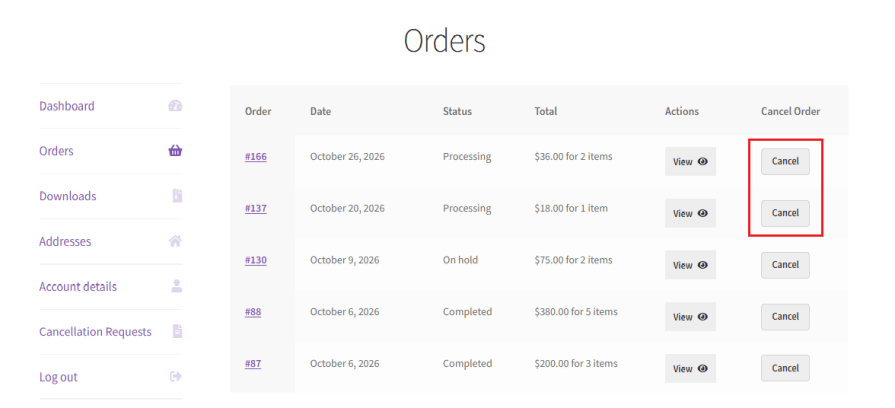
Customers can cancel an order from the My Account page without contacting your support team. Guest customers can also cancel from the Thank You page and their order emails, with no login required. Fewer support requests for you, and a smoother experience for your shoppers.
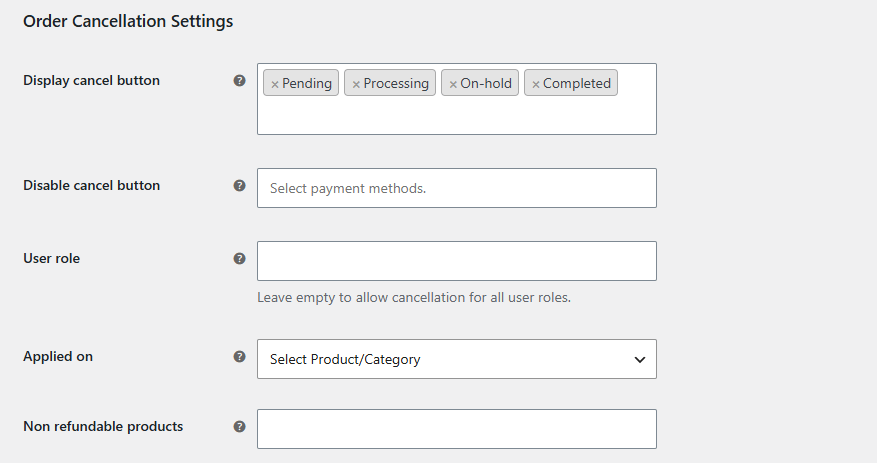
Show the cancel button only for the order statuses you choose, such as Pending payment or Processing. Restrict cancellations to specific user roles, limit them to selected products or categories, and hide the button for payment methods you don’t want cancelled. Set a minimum order amount so small orders can’t be cancelled.
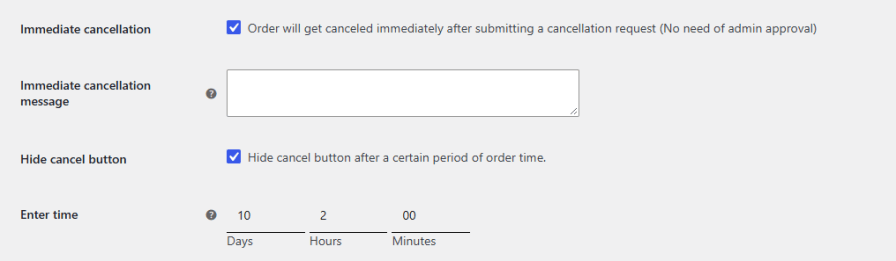
Stop cancellations once an order is ready to ship. Hide the cancel button after a set number of days, hours, or minutes from when the order was placed, so customers can only cancel during the window you allow.
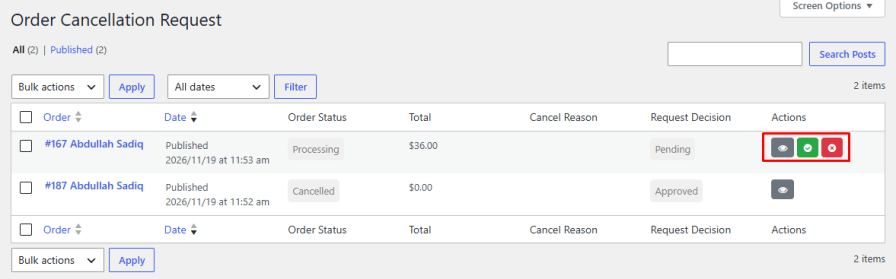
Review every cancellation request from a dedicated dashboard and approve or decline each one. If you’d rather not review each request, enable immediate cancellation to cancel orders as soon as customers submit them, and show a custom message to confirm it. Customers can also withdraw a pending request if they change their mind.
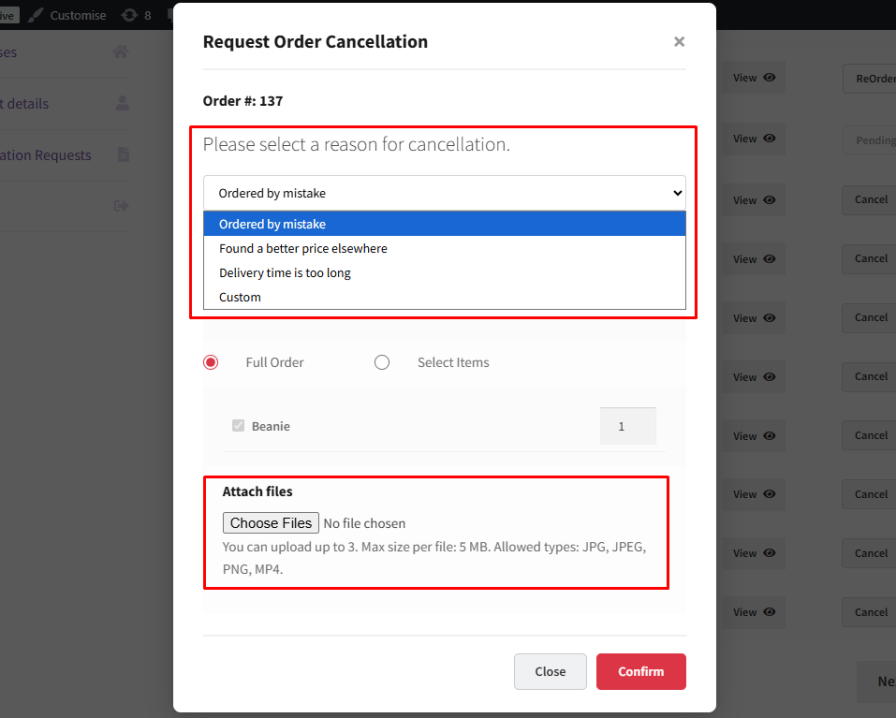
Find out why orders are being cancelled. Add your own list of reasons for customers to pick from, and let them attach images or videos as proof, for example, of a damaged or wrong item. Choose which file types are allowed, set a maximum file size and number of files, and make uploads required if needed.
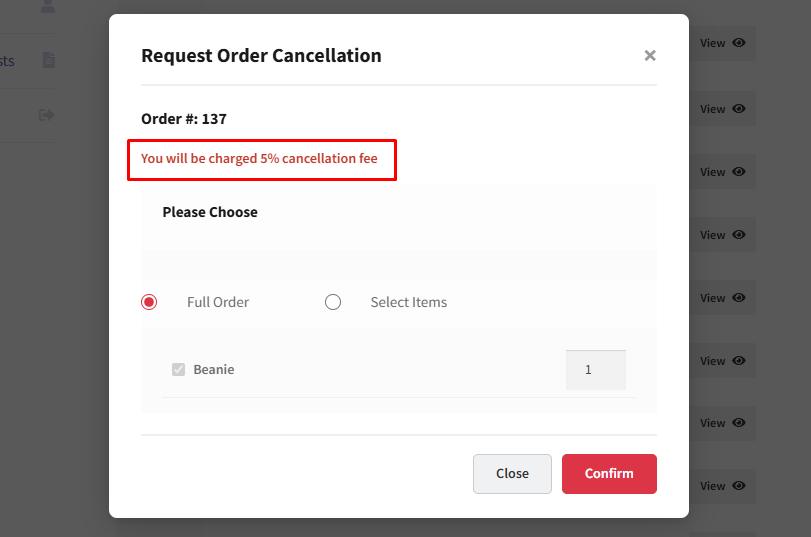
Cover processing and handling costs on cancelled orders. Charge a cancellation fee as a percentage of the order total, deduct an additional fee, and choose between full and partial refunds. Mark products as non-refundable and show a label on the shop page so customers know before they buy.
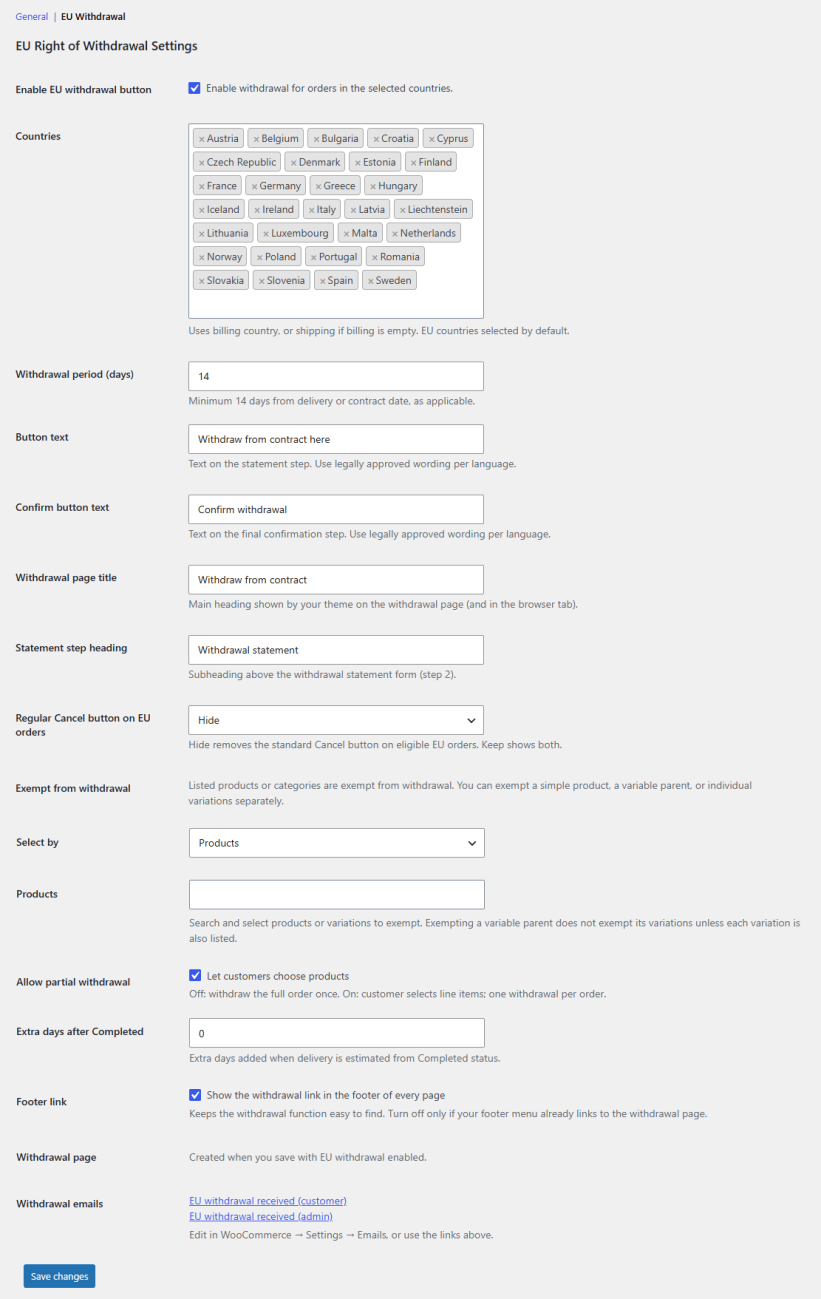
Give customers in the EU a clear, dedicated way to withdraw from a purchase. Enable a withdrawal button for orders from selected countries, set a withdrawal period of at least 14 days, and customize the button text and page headings with legally approved wording. Exempt specific products, variations, or categories; let customers withdraw selected items from an order, and show a withdrawal link in your site footer. The plugin creates the withdrawal page for you and sends confirmation emails to the customer and admin.
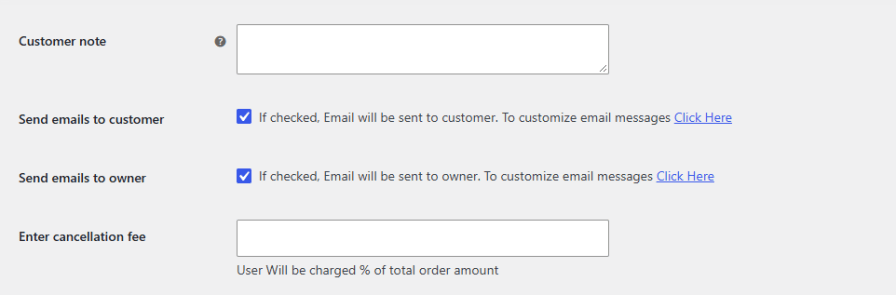
Send emails to customers and the store owner when a cancellation request is submitted. Customize the email messages to match your store, and add a note that customers see in the cancellation pop-up.
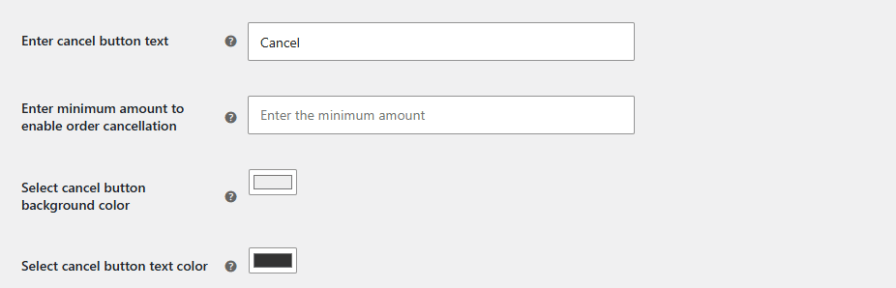
Make the cancel button look like it belongs on your site. Change the button text to suit your store’s tone, for example, “Cancel Order” or “Request Cancellation”, and pick background and text colors that match your theme and brand.
From the My Account page. Guest customers can also cancel from the Thank You page and order emails without logging in.
Yes. Set a time limit in days, hours, or minutes, and the cancel button disappears once it has passed.
Yes. Charge a cancellation fee as a percentage of the order total, and choose full or partial refunds.
No. Enable immediate cancellation to cancel orders automatically, or approve and decline requests yourself from the dashboard.
Yes. Enable file uploads and choose the allowed file types, file size, and number of files.
Yes. Add a withdrawal button for selected countries, with a withdrawal period of at least 14 days and a dedicated withdrawal page.
Extension information
Quality Checks
Countries







