Active installs
2K+
Subscription includes
Support
| Import and export WooCommerce products, orders, coupons, subscriptions, customers, reviews, users/customers, product tags, categories, and more | Supports CSV and XML import export |
| Quick and advanced import export methods | Import or export from local storage, a remote URL, or FTP/SFTP |
| Advanced filters for data exports by product type, category, order status, coupon type, customer email, date range, and more | Supports different WooCommerce product types, including simple, variable, grouped, external, subscription, and custom |
| Bulk update store data during import using simple math rules, for example increasing all prices by 10% | Schedule automated imports and exports with support for multiple FTP/SFTP profiles |
| Auto-generate missing product descriptions with ChatGPT | Retain original WordPress user passwords |
| Import and export custom fields, hidden metadata, and third-party plugin data | Full import/export history and debug logs |
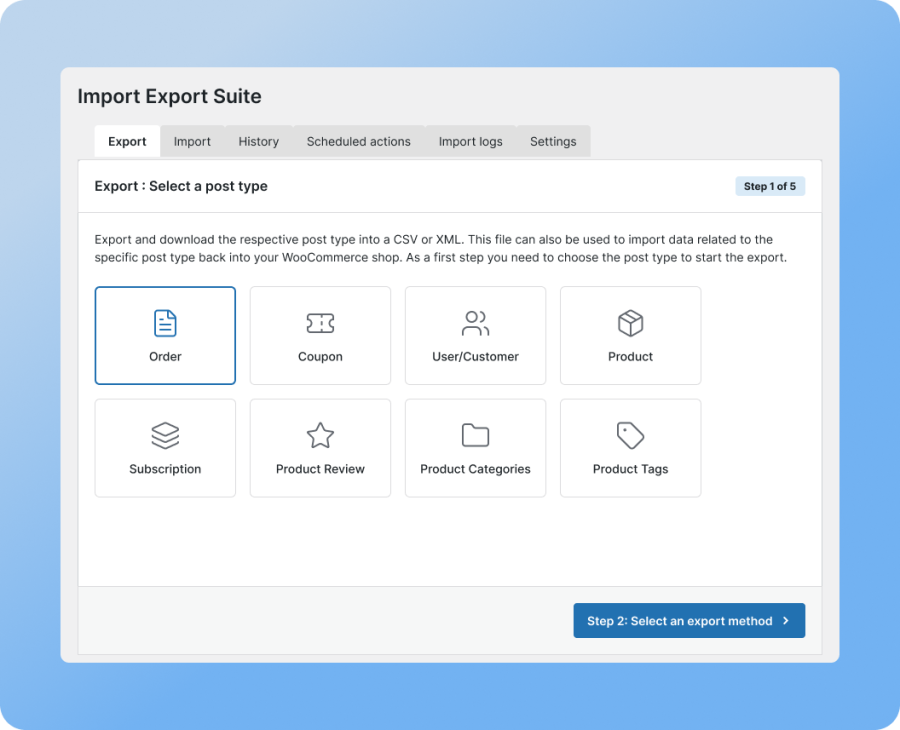
Import and export all your WooCommerce data without juggling multiple plugins. The WooCommerce Import Export Suite handles orders, coupons, users and customers, products, subscriptions, product reviews, categories, and tags from a single plugin. Whether you’re migrating a store, syncing with another platform, or doing a routine backup, it has you covered.
Import and export your WooCommerce data using CSV or XML files. Import data from a custom CSV or XML file and use the column mapping feature to match its fields to the corresponding WooCommerce fields, so you’re not stuck reformatting your file to match a rigid template before you can import it.
This WooCommerce Import Export Suite plugin also supports importing Shopify CSV files for products. Upload your Shopify product export as-is, and the plugin detects it automatically on the mapping step, merges variant rows into WooCommerce variable products, and maps titles, SKUs, prices, weight, inventory, attributes, images, and metafields with no manual mapping needed.
You can also choose how Shopify’s option attributes are imported: as custom attributes on each product (the default), or as global attributes you can reuse for filtering across your store.
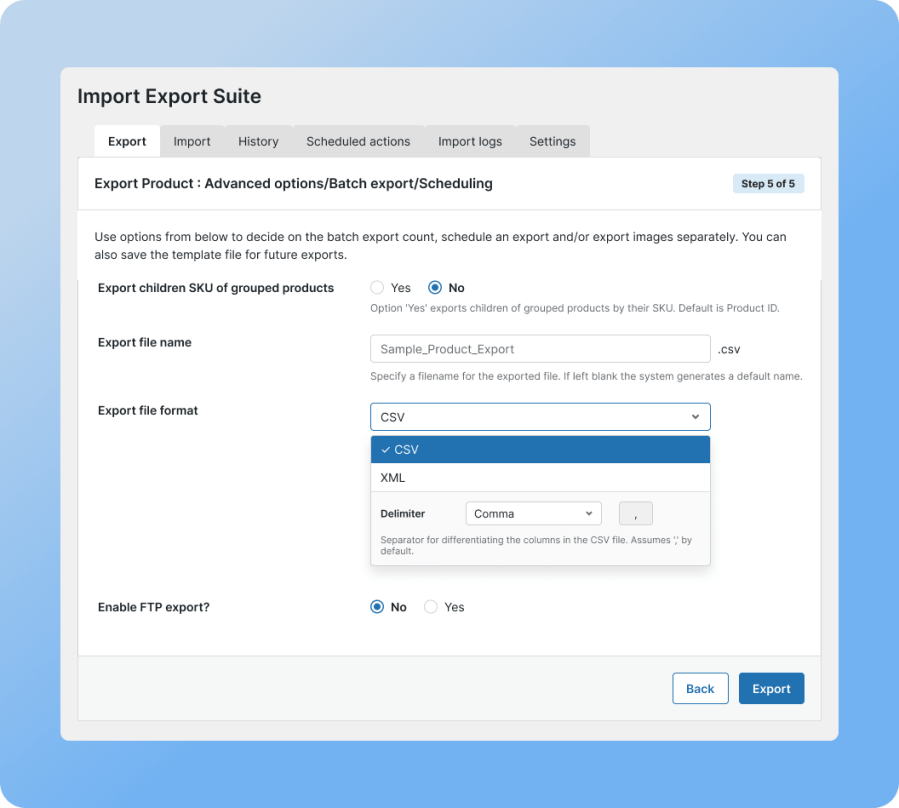
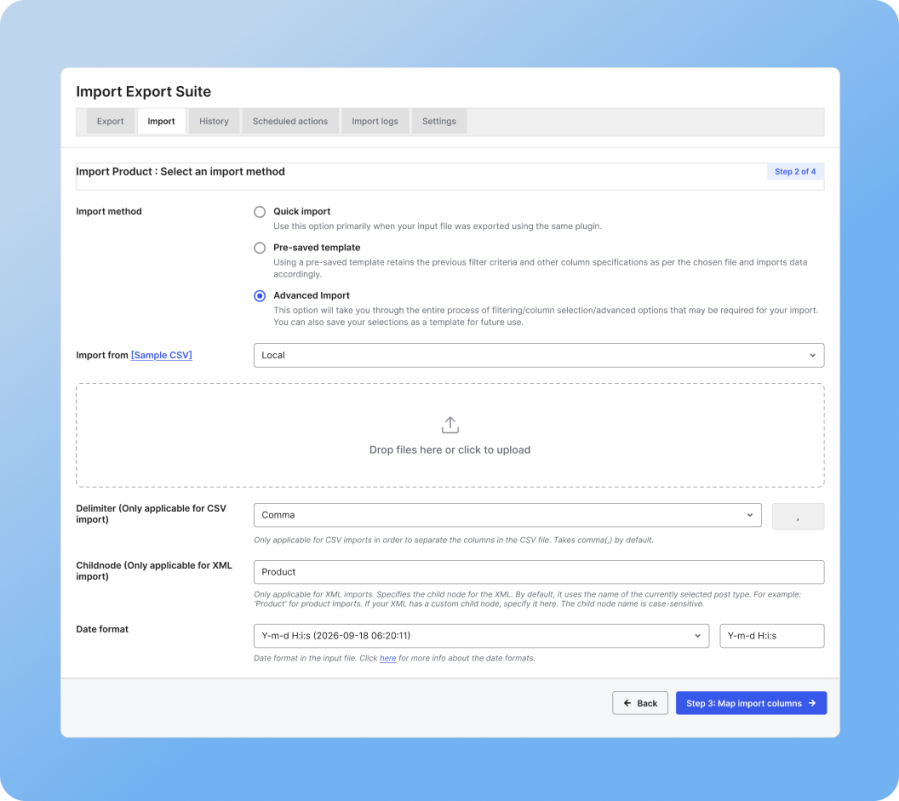
This WooCommerce Import Export Suite plugin offers multiple methods for importing and exporting data. Quick export/import grabs basic fields instantly, pre-saved templates reuse past filters and mappings, and advanced export/import walks you through filtering, column selection, and advanced options, with the choice to save it all as a template.
Export exactly what you need with advanced export filters. With this plugin, you can filter by product type, category, date range, stock status, order status, coupon type, and customer email, and combine filters to narrow things down further. This matters most when you only need specific data from your store.

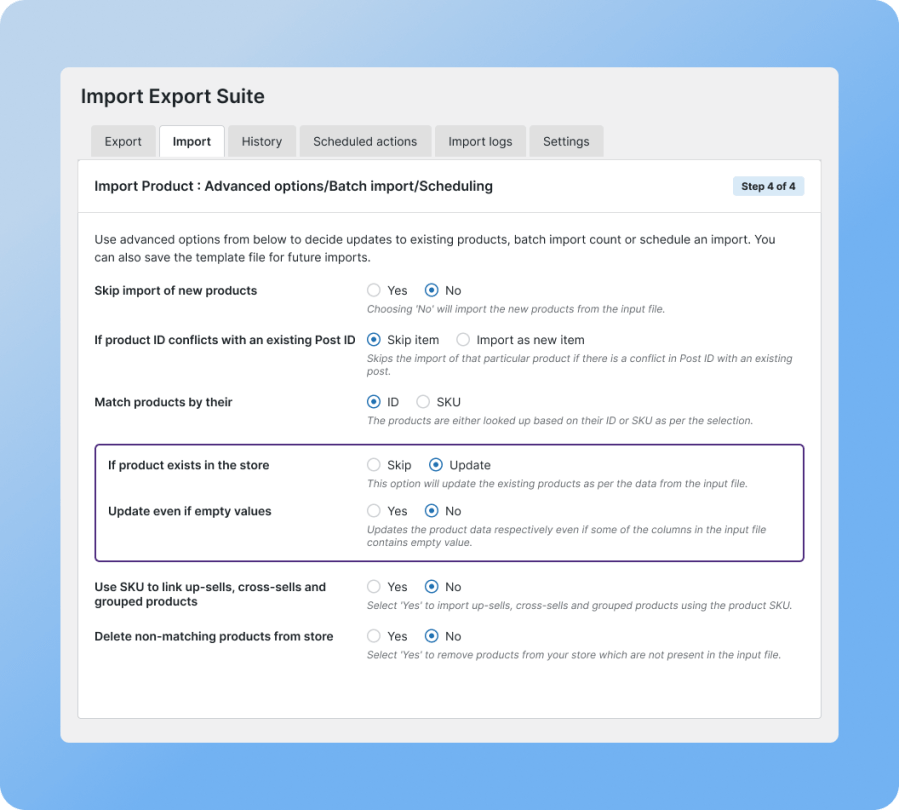
Update thousands of WooCommerce products or orders using import jobs to bulk edit or update existing store data instead of touching records one at a time. Choose whether to update or skip existing products, match them by ID or SKU, and decide whether empty values in your file should overwrite existing data or leave it alone.
You can also link up-sells, cross-sells, and grouped products by SKU, and optionally remove products from your store that no longer appear in the input file, keeping your catalog and your source file in sync.
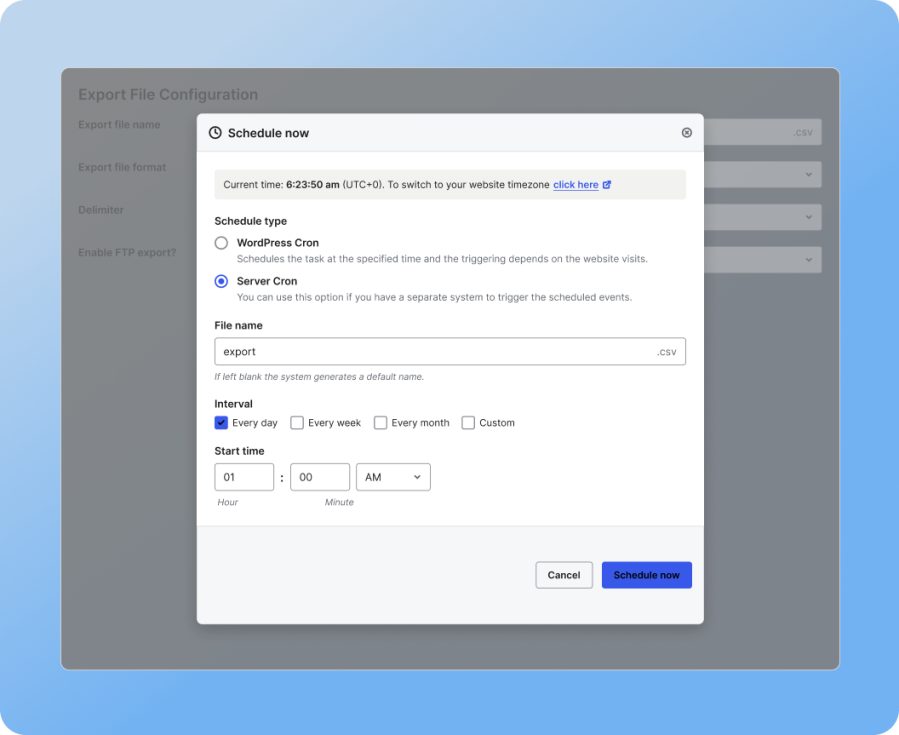
Set up recurring import and export jobs that run on their own, on a schedule, using FTP or SFTP. The plugin supports multiple FTP/SFTP profiles, so you can route different jobs to different destinations, useful if you’re syncing with more than one system or feeding data to different endpoints on different schedules.
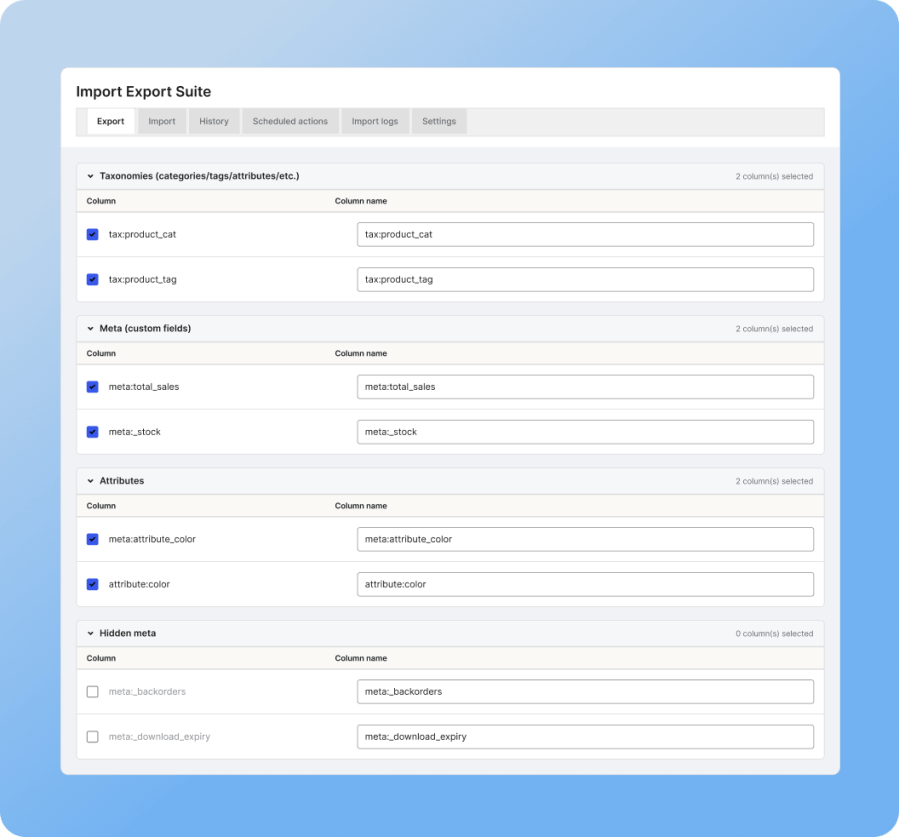
Import and export product images, categories, tags, and custom metadata alongside your core product data. This includes meta fields generated by third-party plugins like Yoast SEO, ACF, and more, so migrating or updating a store doesn’t mean losing SEO data or custom field values.
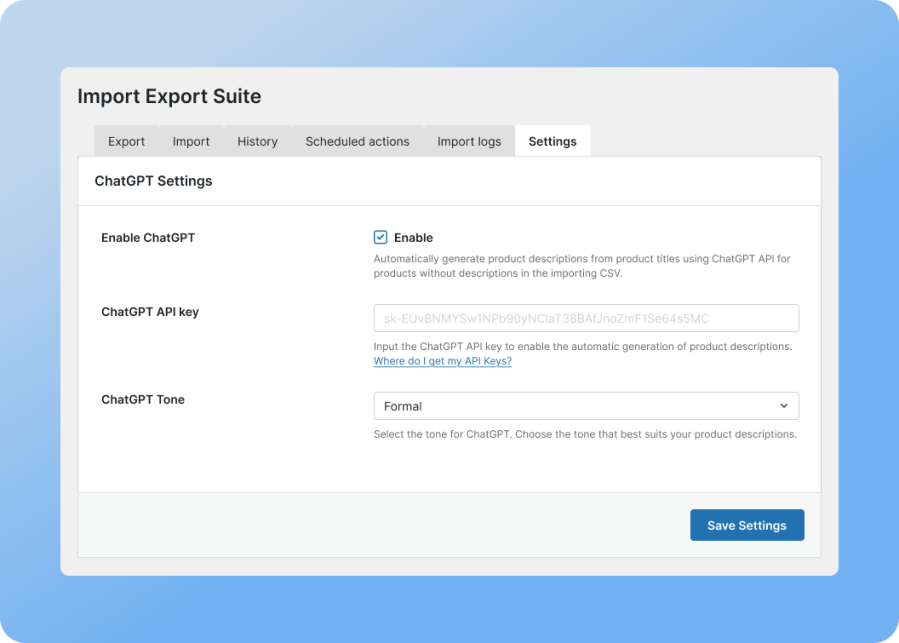
If your import file is missing product descriptions, the plugin can fill the gap for you. Connect your ChatGPT API key, choose a tone, and let it generate a description from the product title for any product that doesn’t already have one in the CSV. It saves hours of manual copywriting on large catalogs, and you can always edit anything it generates afterward.

Every import and export run gets logged automatically, so you always know what happened and when. The history table shows the action type, post type, start time, and status, and lets you re-run a past import, view detailed logs, or download the log file for troubleshooting. If an import fails partway through, you can see exactly which row caused the problem instead of guessing.
Note: This WordPress import export plugin also lets you import or export membership data created by the WooCommerce Memberships plugin. For more information, refer to this documentation.
There is no hard limit imposed by the plugin. However, performance depends on your hosting environment. For large stores, use scheduled imports/exports and FTP uploads to ensure a smooth process.
Yes, the plugin supports importing products with custom taxonomies and attributes. During the import process, you can map your CSV columns to these custom fields to ensure they're correctly assigned to your products.
Yes, you can import subscription products, orders, users, and their details. Ensure your CSV includes all necessary subscription-related fields and map them appropriately during the import process.
If an error occurs, the plugin logs it in the debug log without affecting existing data. The import/export process will skip faulty records and continue with the rest. You can review the logs and fix any issues before retrying.
The plugin can identify existing records based on unique identifiers (such as product SKU or order ID) and will update them rather than creating duplicates, if configured to do so. You can also choose to skip or overwrite duplicates based on your needs.
Yes, you can import product images from external URLs. Include the image URLs in your CSV file under the 'Images' column, and the plugin will fetch and assign them to the respective products during import.
Yes, the plugin offers scheduling features that allow you to set up recurring imports or exports at specified intervals, facilitating tasks like daily inventory updates.
The plugin is designed to handle large datasets efficiently. However, for optimal performance, it's recommended to increase server resources, such as memory limit and execution time. Additionally, utilizing the scheduling feature can help manage large imports by breaking them into smaller batches.
Yes, the plugin supports importing orders with custom statuses and fields. Ensure your CSV includes these custom fields and map them appropriately during the import process.
Extension information
Quality Checks
Countries
Languages
Requirements