Active installs
100+
Product comparison
Subscription includes
Support
Payment Plan Suite allows you to sell more products by offering different payment plans.
Reduces cart abandonment
Customers often abandon their purchases because of budget constraints. Offer them easy ways to purchase expensive products and reduce the chances of cart abandonment.
Attract new users
Existing users who benefit from purchasing products through payment plans are sure to refer new users to your site.
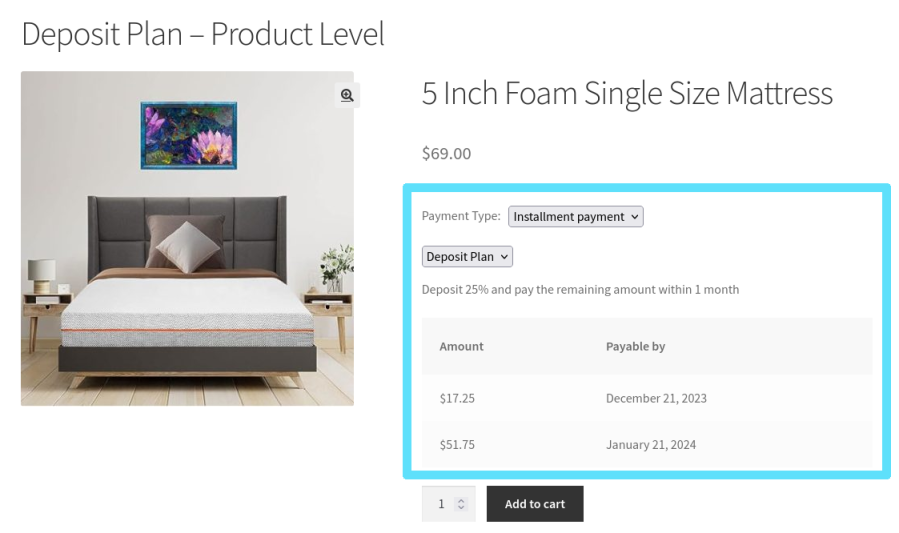
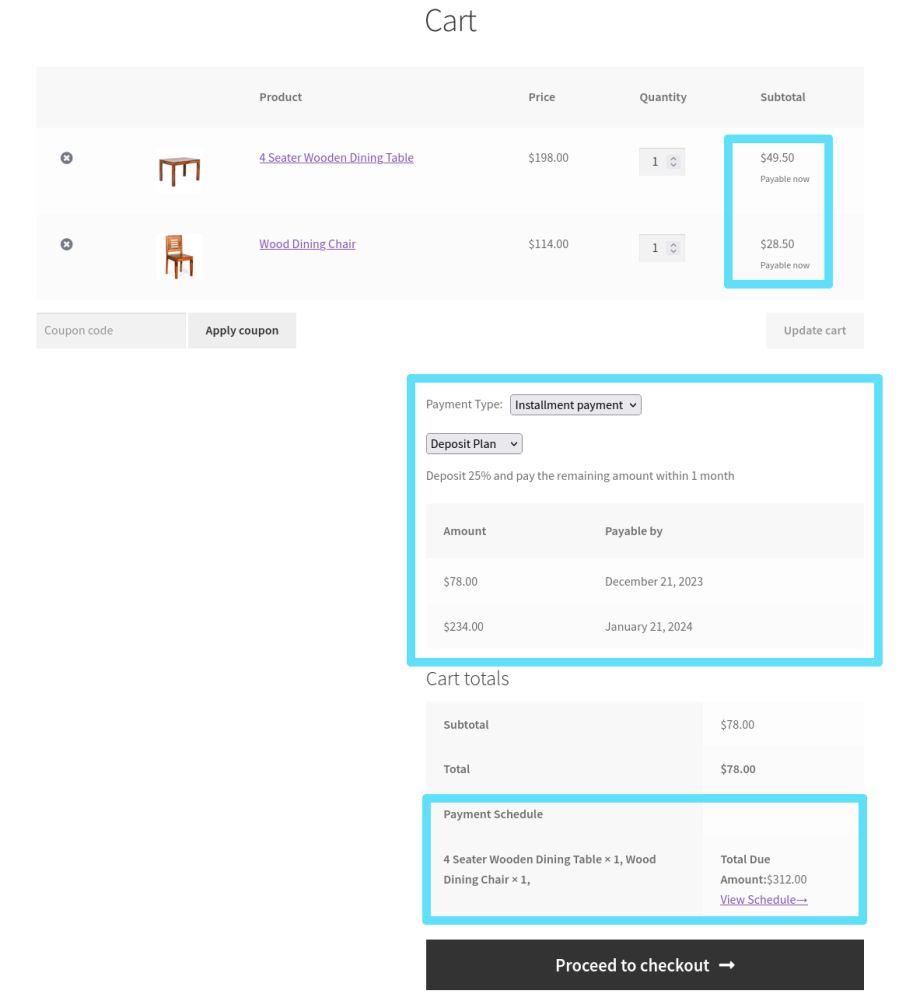
If you sell made-to-order products in your Woo store, you can charge a deposit when customers place their orders, and they can pay the balance later.
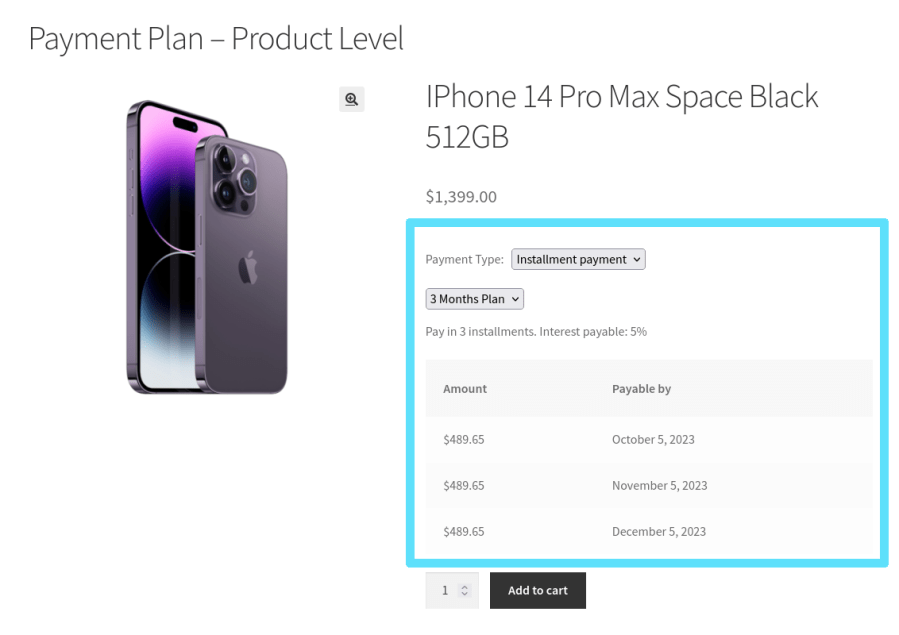
Users can pay for expensive products in multiple small installments of the product’s total price.
Users can pay for their orders by converting cart subtotals into smaller installments.
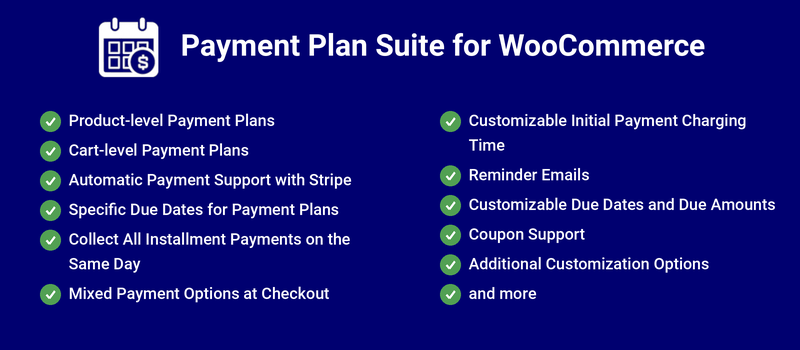
You can charge your users automatically for their installment payments using Stripe (credit/debit cards, SEPA Direct Debit and Stripe Link), PayPal Payments (PayPal wallet and Advanced Credit and Debit Card Payments), WooPayments and FunnelKit Payment Gateway for Stripe. If an automatic payment can never succeed, for example because the saved card was removed, the customer is switched to manual payment and emailed a payment link instead of being retried every day.
You can create payment plans with custom payment dates you define.
Set one end date and a payment frequency, and the installments are worked out for you, counting back from the end date. Ideal for events, courses, tours and pre-orders that must be fully paid by a fixed date. The closer a customer buys to the end date, the fewer installments they get, and the plan stops being offered once the end date is too close. An optional deposit can be charged at checkout.
Works with WooCommerce Bookings. The new Booking-Anchored plan type builds each customer’s installment schedule backward from their own booking date, so the final installment is due before the booking. A Cut-off Period lets you sell bookings that are too close to the booking date at full price only, and each booking gets its own independent schedule.
Assign payment plans to a single product or individual variation from a new Payment Plan Suite tab on the product edit screen, overriding any Product Rule that would otherwise apply. The tab also shows which plan currently applies to the product and lets you set a different plan per variation.
Site admins can create a plan purchase for an existing customer directly from the new New Plan Purchase screen, without the customer placing an order. Choose the customer, products and payment plan, and optionally override the Total Payable.
When a customer has more than one unpaid overdue installment, those installments, plus any installment newly coming due, can be billed together in a single order instead of one at a time.
Payment Plan Suite includes an option for site admins to assign the same pay date for all installment payments. For example, all your customers can pay their installments on the first of each month.
Site admins can allow users to purchase products with payment plans and immediate payments in a single transaction.
Site admins can decide when users must make initial payments.
Site admins can send payment-reminder emails automatically to users.
Site admins can modify the due dates and payment amounts of upcoming payments.
Payment Plan Suite includes an option for shoppers to use coupons with their payment plan purchases.
Site admins can bulk update existing payment plan purchases, including the ability to add or remove installments at the plan purchase level, with an option to automatically notify customers by email whenever their installment schedule is updated.
Extension information
Quality Checks
Countries