Active installs
200+
Product comparison
Subscription includes
Support
Hidden tax prices revealed only at checkout can cause cart abandonment, as unexpected costs might prompt customers to look for alternatives. WooCommerce show price with or without tax extension solves this issue by allowing you to display product prices including and excluding taxes on product, listing, cart, and checkout pages.
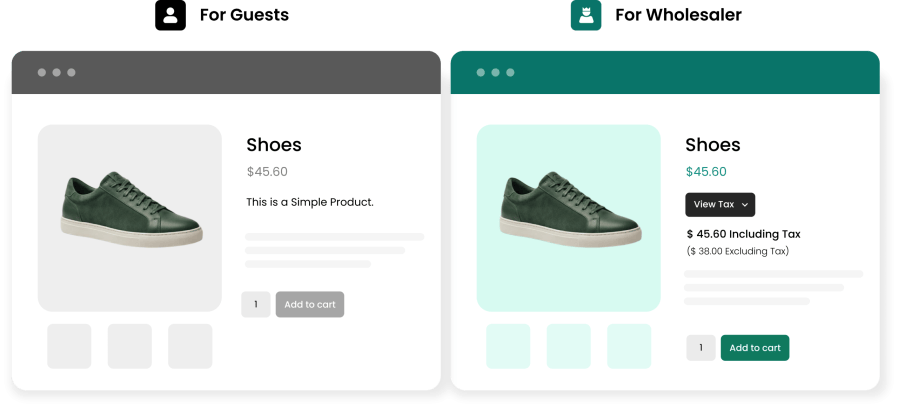
Taxed prices can be shown or hidden for specific user roles. For example, the extension lets you hide taxes from retail buyers while showing them to wholesale buyers so that they can factor in the taxed prices when making bulk purchases. This makes compliance with local tax laws easy while reducing the chances of cart abandonment and improving customer satisfaction.
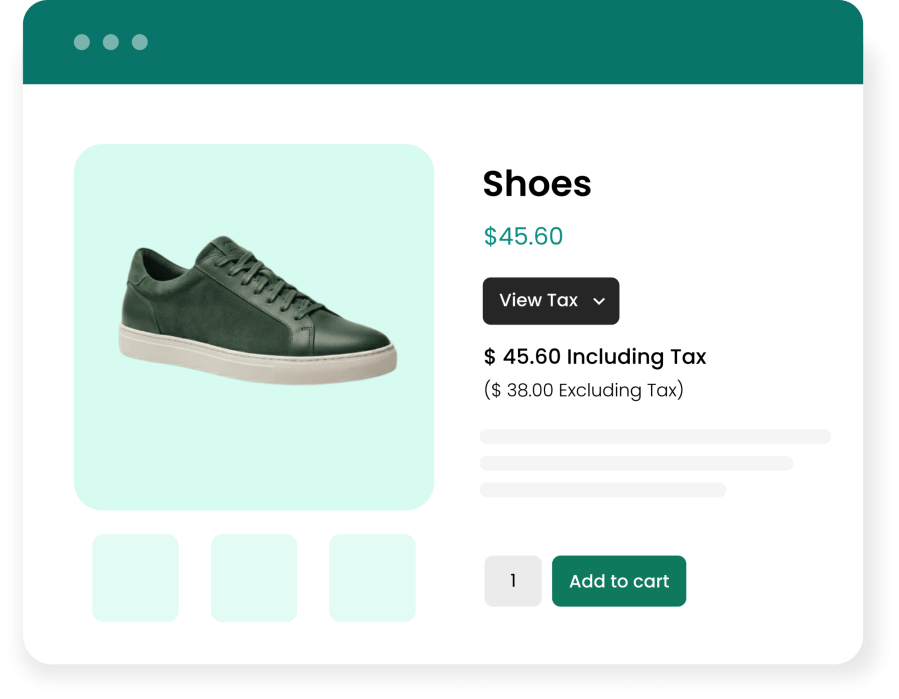
Showing prices with or without taxes can significantly impact your revenue. Some countries and American states have such laws in place where stores hiding taxed prices can face monetary penalties or criminal charges. In order to comply with the law and provide users with accurate tax information on the product & listing pages, use display prices with and without tax extension for WooCommerce.
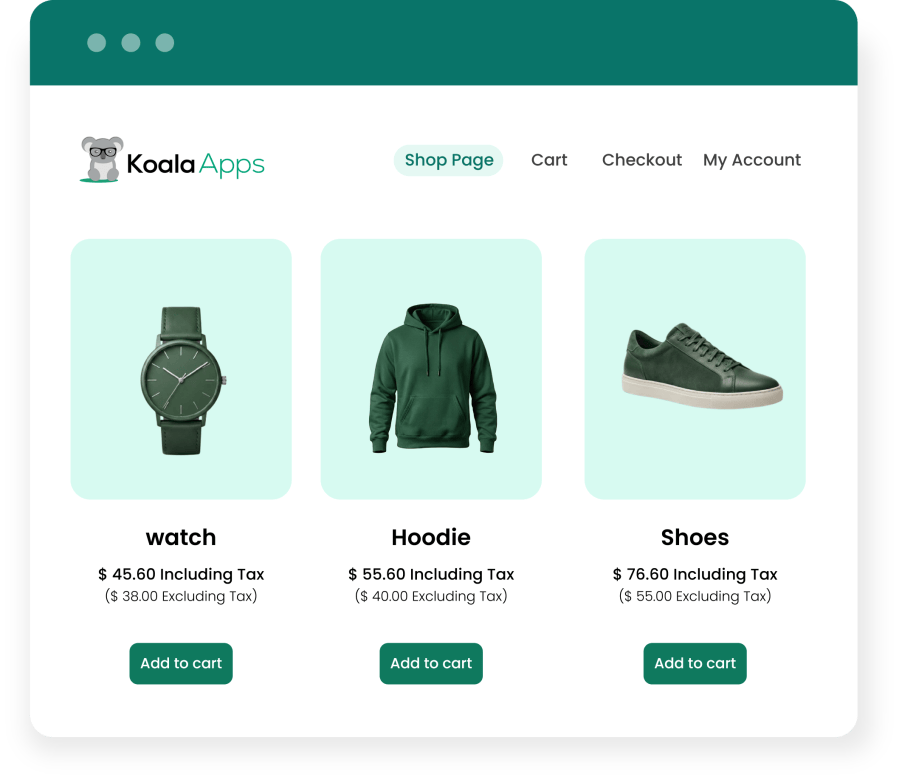
With price display including and excluding tax extension for WooCommerce, you can show or restrict taxed prices by user roles. This allows you to show tax information to relevant user roles only and hide for the rest.
With Price Display Including/Excluding Tax for WooCommerce, you can easily show taxed prices in multiple formats. Simply select the option that best fits your store and your customers.
Use this format to show the price with and without tax together, so customers get a clear picture of what they are paying.
Show prices including or excluding tax based on each user role.
Use this to show the tax applied to a price as a separate percentage.
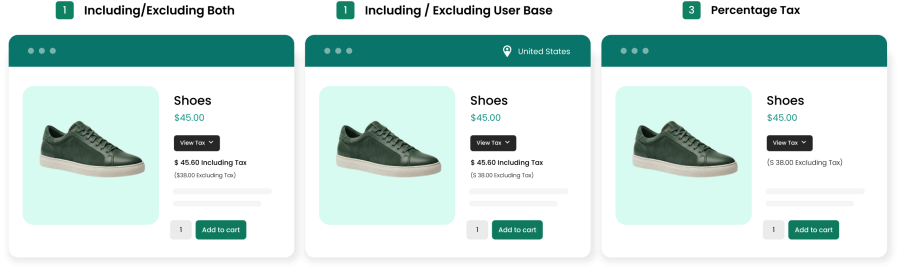
Display prices with or without tax in different formats to suit your store’s needs
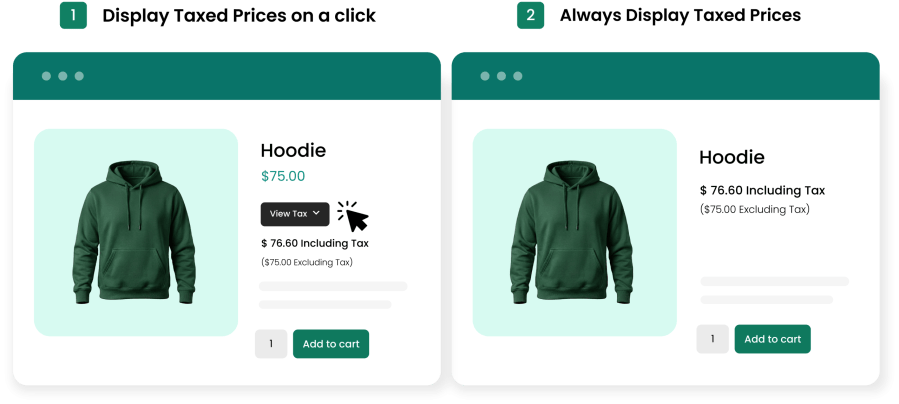
Add a “View Tax” button that shows tax prices only when customers click it. Your store design stays clean and minimal
Show tax prices at all times. Customers get full price details without clicking anything.
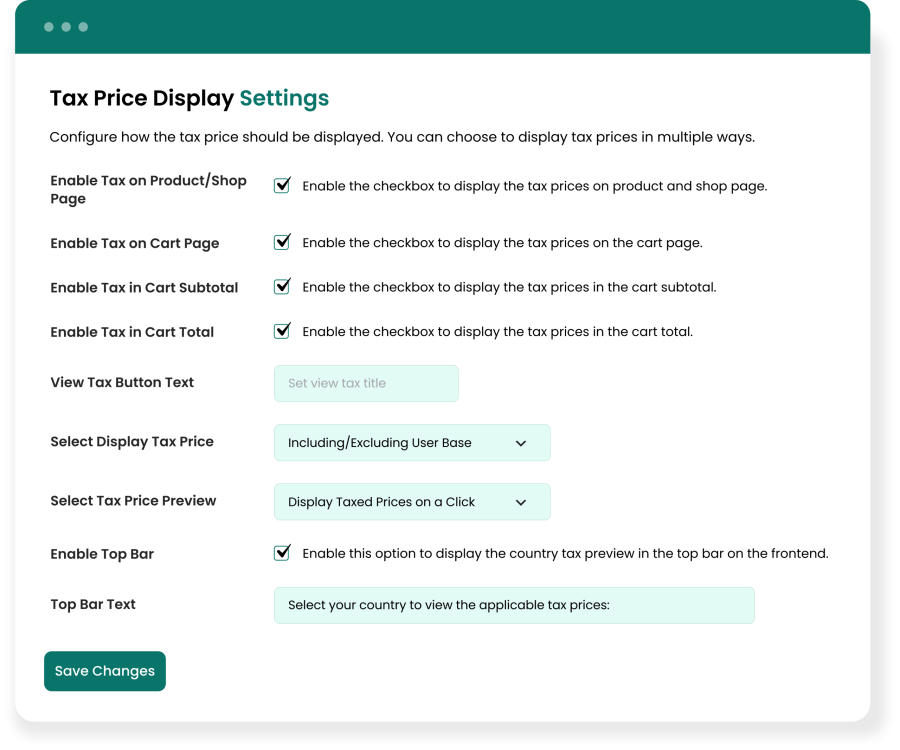
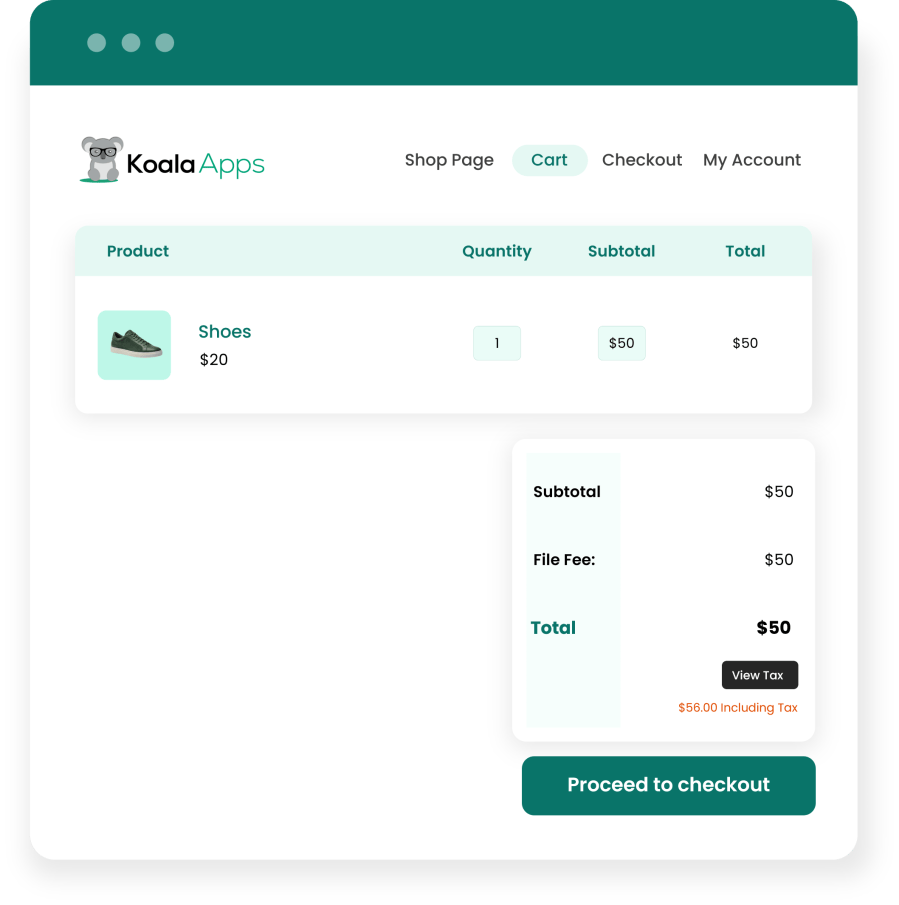
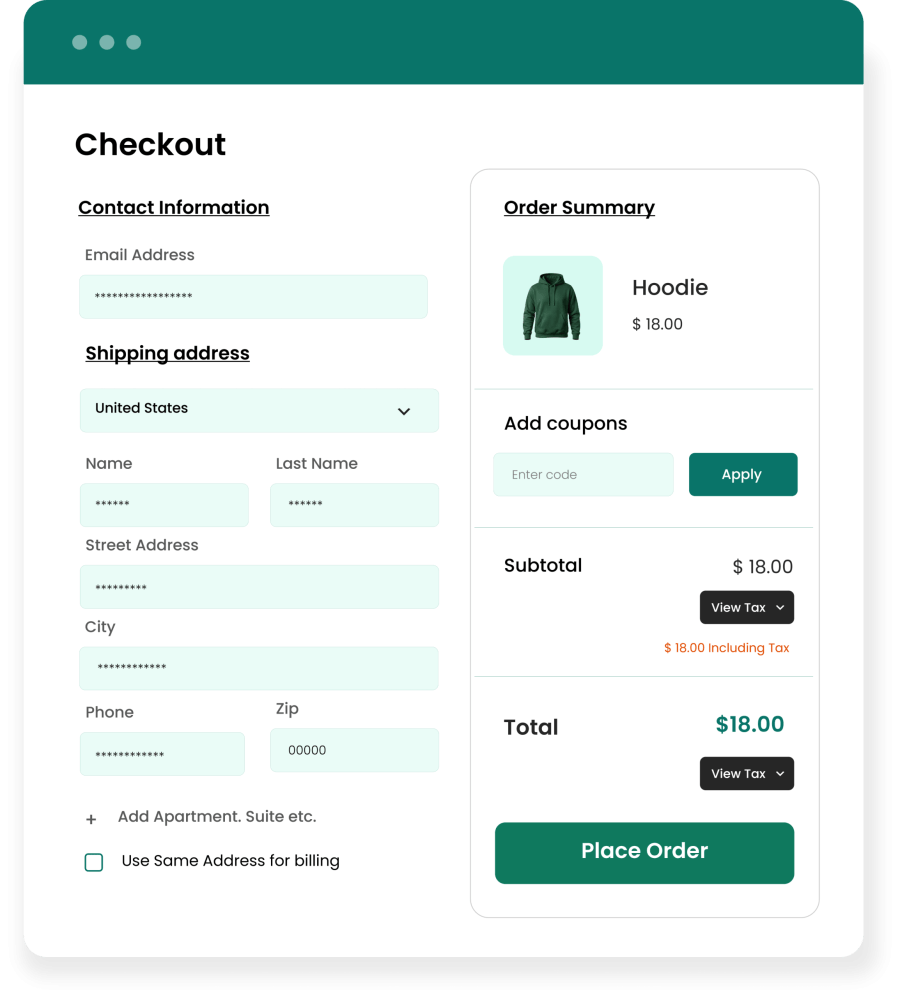
This highly customizable extension allows you to show or hide taxes on product and listing pages. You can also choose to show tax charges in the cart’s total or subtotal section and customize the “view tax” toggle link’s text.
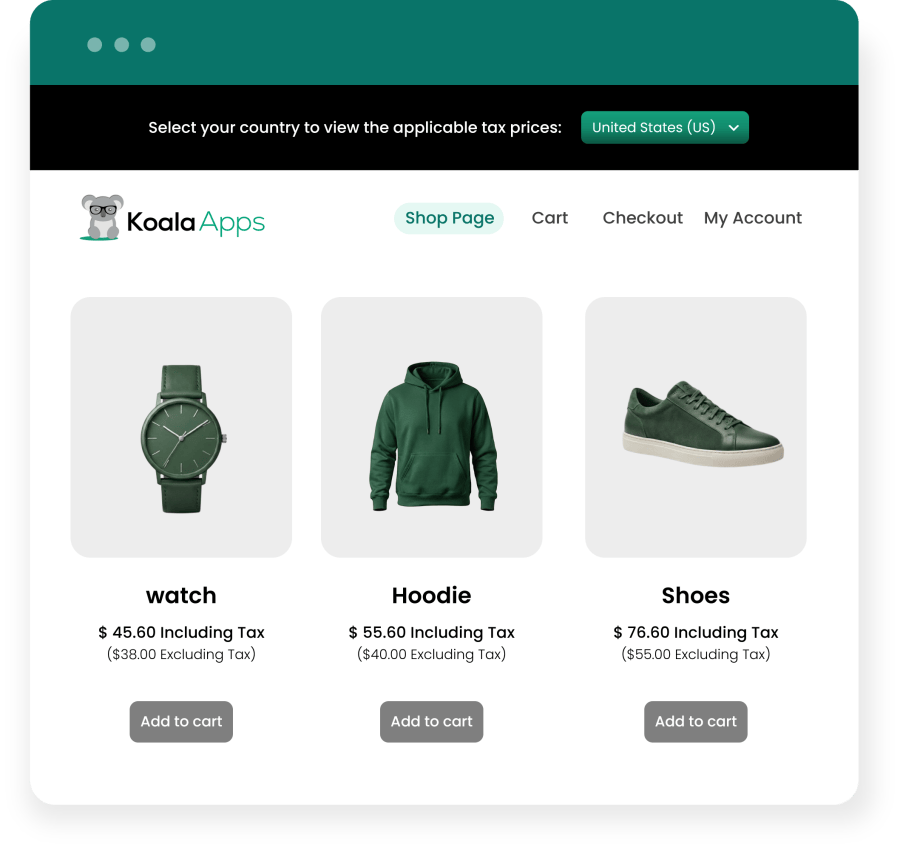
Enable the top bar and show your own text on it, such as country-based tax information. It helps every customer see the tax details that apply to them, so they know what to expect before they reach checkout. Moreover, you can customize the look of the top bar by choosing its background and text colors.
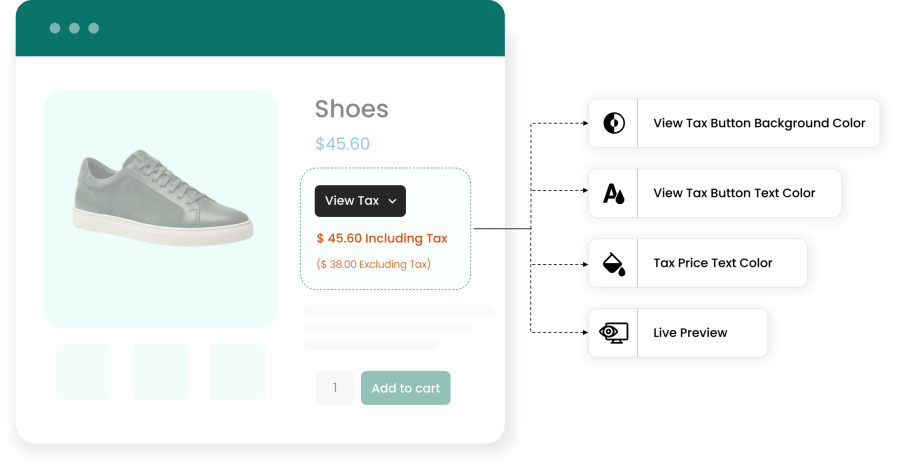
Make the “View Tax” button look like part of your store. Add your own custom text for the button, choose its background color and text color, and set the tax price text color. After making your changes, view them in a live preview before you publish them. A polished look can create a better shopping experience, which builds your customers’ trust.
Just like the listing pages, admins can control the display of tax prices for cart and checkout pages based on user roles. This means you can easily manage tax information for relevant users and control price details to avoid any misinformation about the total cost.
Categories
Extension information
Quality Checks
Countries
Languages