

Active installs
1K+
Product comparison
Subscription includes
Support
Rental Products for WooCommerce is the WooCommerce rental plugin built for physical items. Sell or rent equipment, party supplies, costumes, tools, or anything else that goes out and needs to come back, with security deposits, rental bundles, and date-based availability handled for you.
Launch, track, and grow your rental business without spreadsheets. 30-day money-back guarantee.
30-day money-back guarantee. Not the right fit? Ask for a refund within 30 days.
Everything you need in a booking and rental system for WooCommerce—from the live calendar to the inventory dashboard:
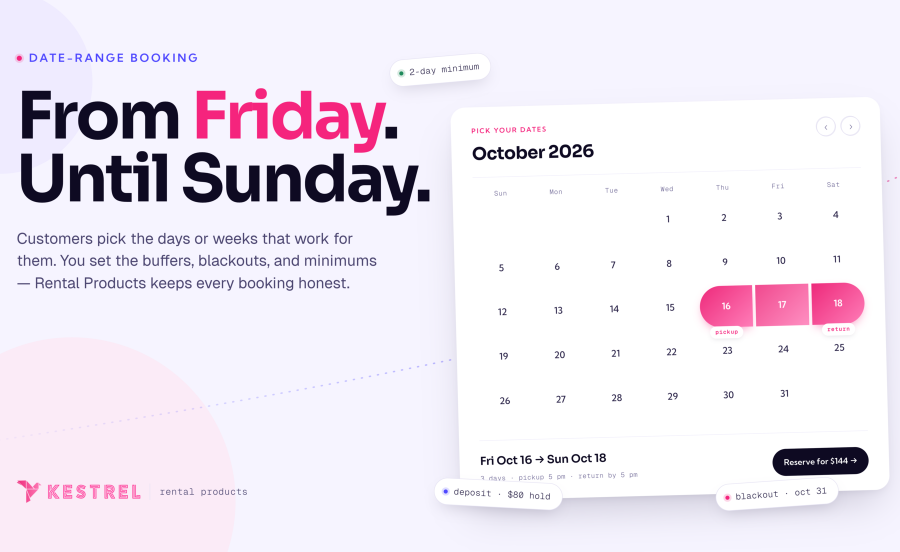
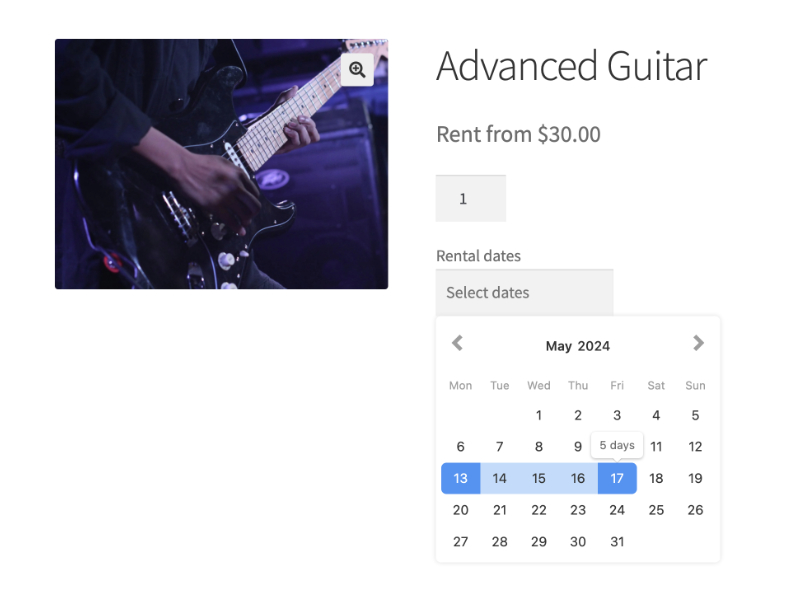
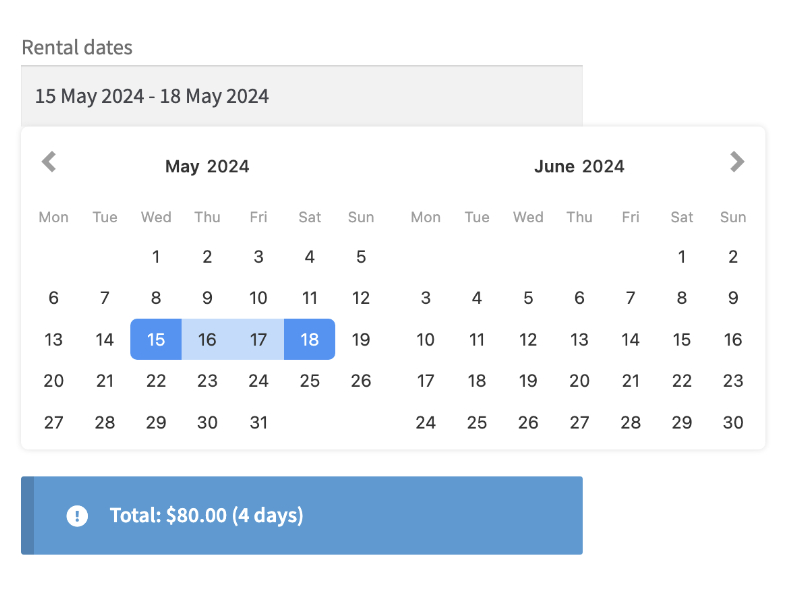
Shoppers pick start and end dates in a responsive calendar, see live pricing and availability, and add the rental to cart from any device.
After customers select their start and end dates, WooCommerce Rental Products recalculates the total in real-time (no page reload) so they can add the rental to cart immediately.
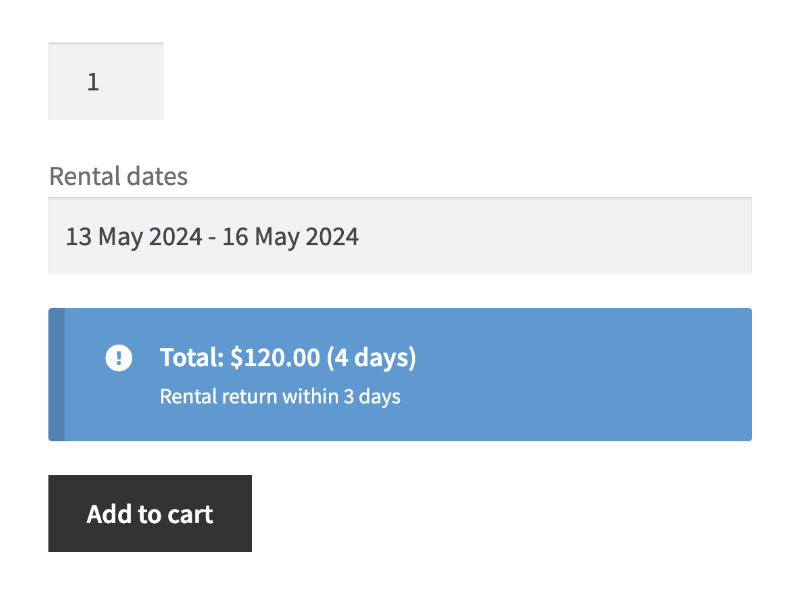
Perfect for WooCommerce stores that mail equipment or garments. Set a “return-days” grace period so customers have a predefined window to ship items back, and the system handles pricing and availability automatically.
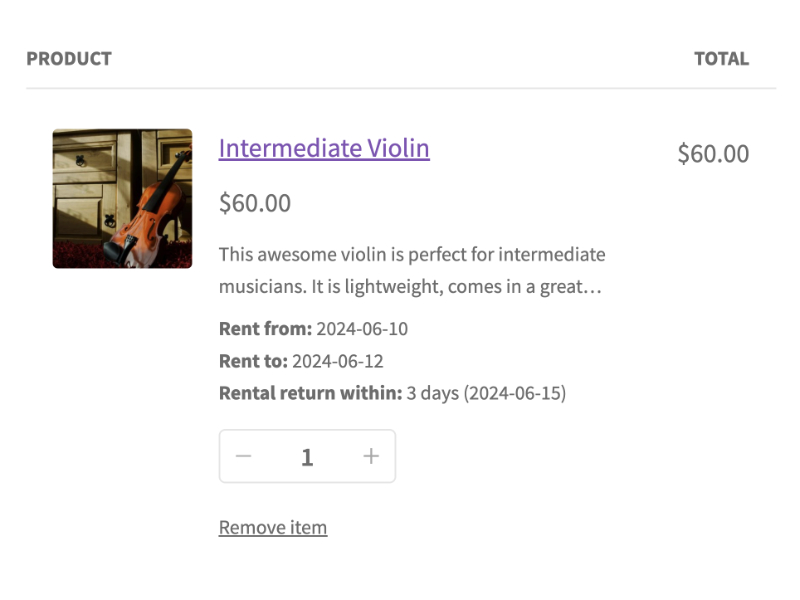
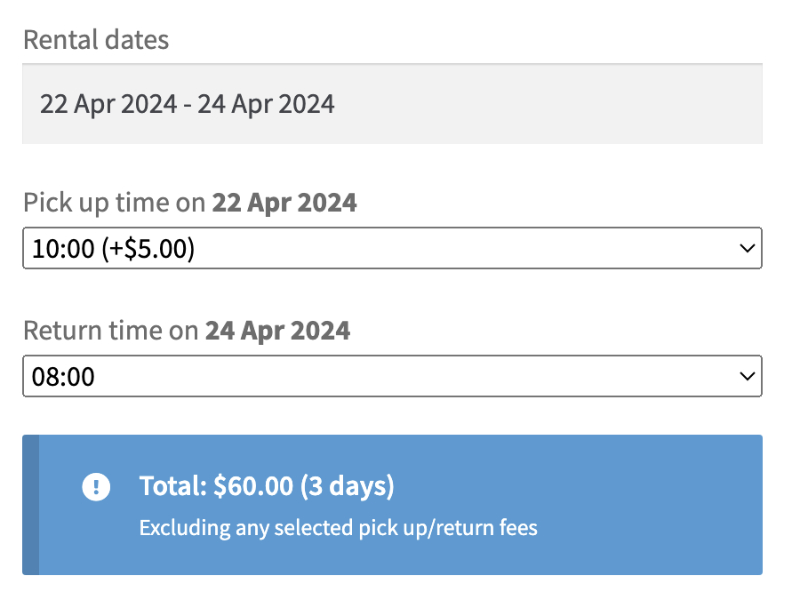
Set specific pickup/return time slots (and optional fees) for rentals collected on-site; customers pick the times before adding the product to their WooCommerce cart.
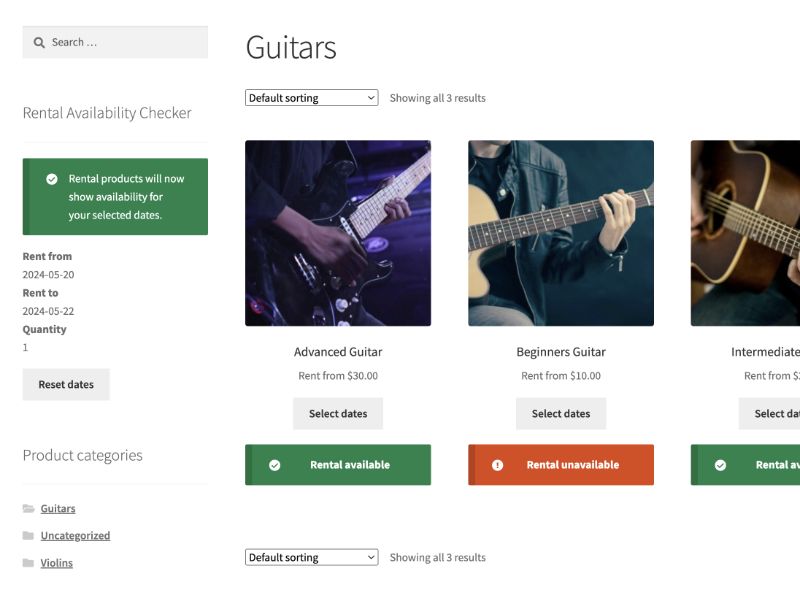
Drop our calendar block / shortcode anywhere in your WooCommerce shop so customers choose their dates and instantly filter all rental products by what’s available.
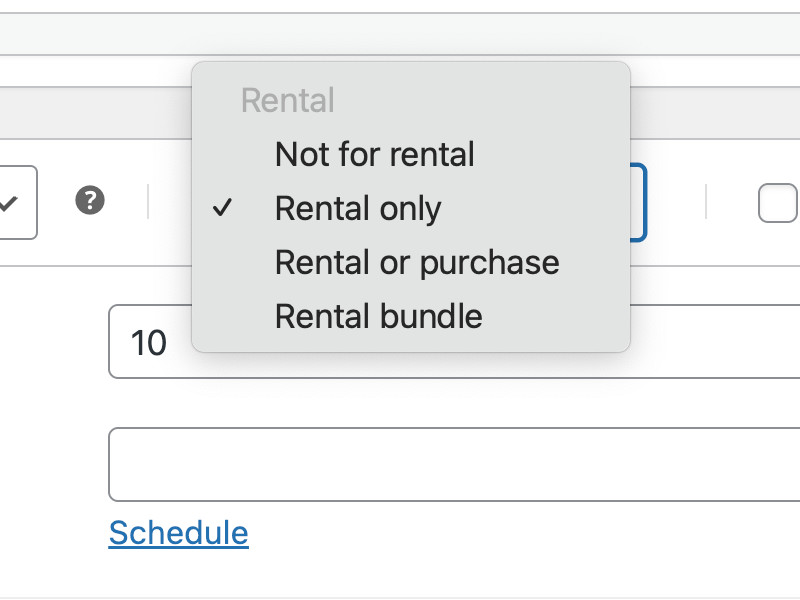
Flag an item as exclusive rental or let shoppers choose to rent or purchase the same product from one page, no duplicate listings needed. You can also bundle rentals together in a single product listing.
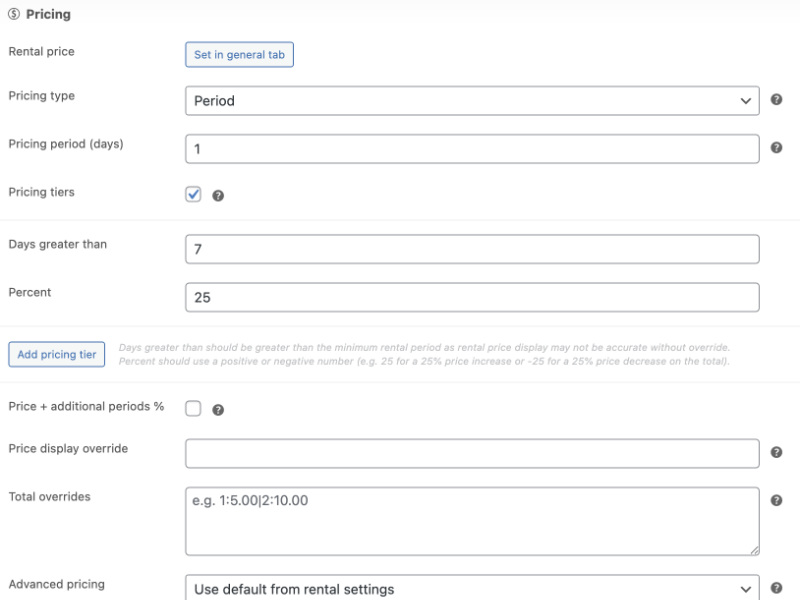
Everything you need for granular rental pricing control. Set fixed, tiered, or period-based rates; let customers choose from the rental periods you configure; add percentage surcharges for extra days; override totals or price displays.
Full rental & booking availability control inside WooCommerce. Manage rental stock, set minimum/maximum days, control the start-day-of-week, set return days after a rental ends (for cleaning or transit), and block specific dates or weekdays.

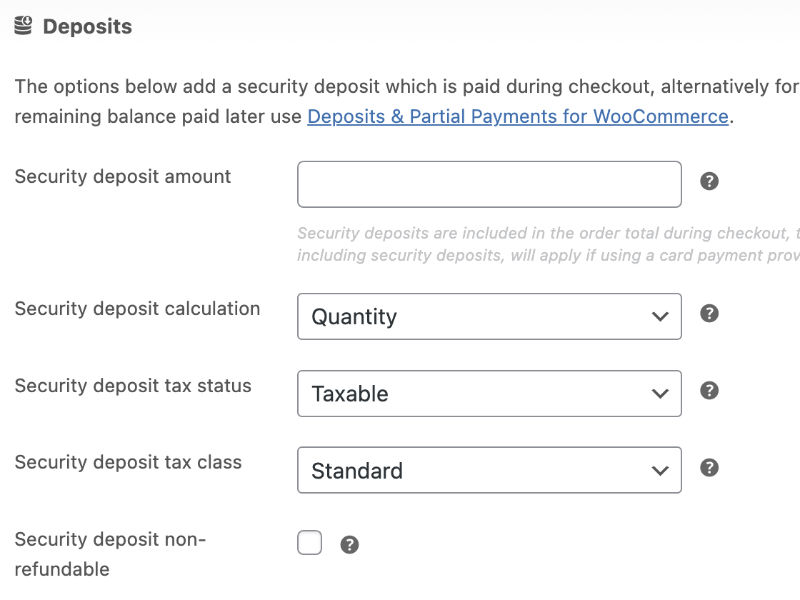
Collect a security deposit at checkout, then refund it when the rental comes back. To take only part of the payment upfront, pair it with Deposits & Partial Payments for WooCommerce.
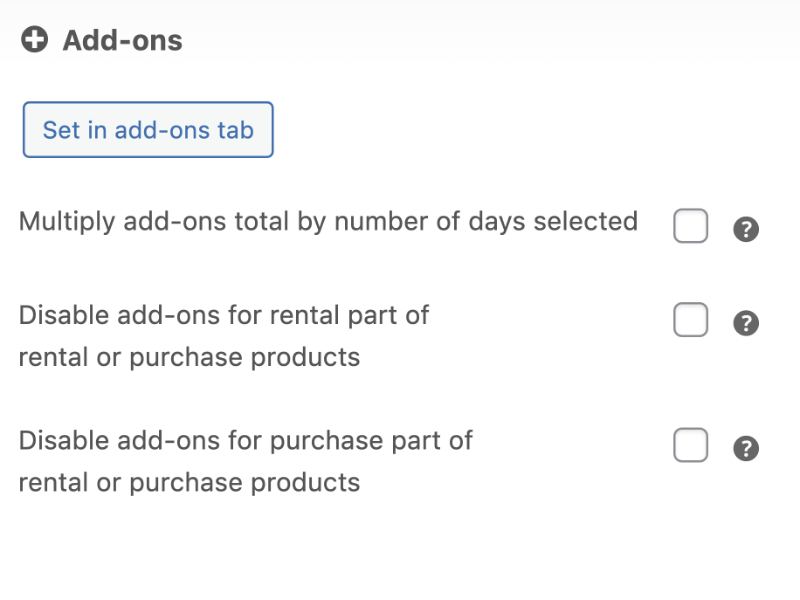
Upsell accessories, insurance, services, and more on any rental item through full compatibility with the WooCommerce Product Add-Ons extension.
Show the rental date-picker inline or behind a click, choose how many months and columns to display, and tailor the calendar’s look to match your WooCommerce theme.
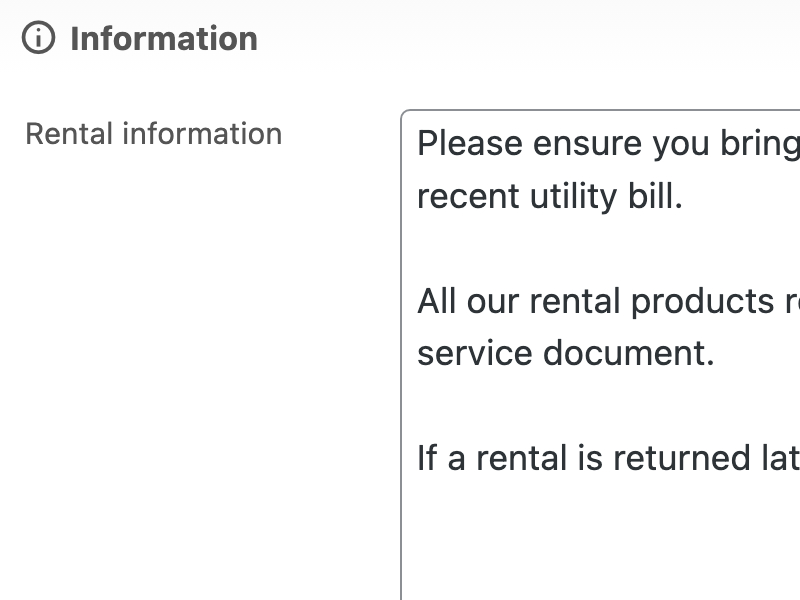
Add a dedicated tab to every WooCommerce rental product for pickup instructions, policies, or FAQs. You can also set global content that auto-applies across all listings.
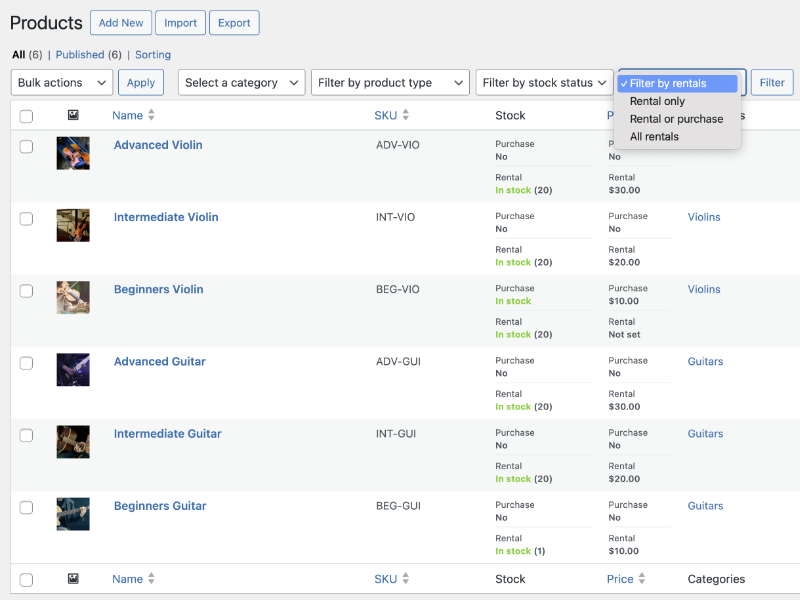
See both sale and rental prices plus live stock counts in the WooCommerce Products list, filter by “rentable” items.
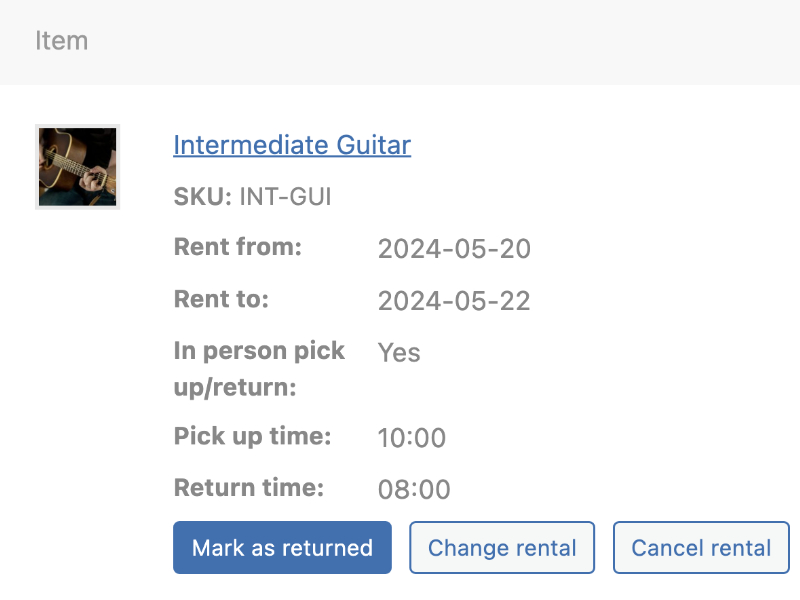
Add rentals to a WooCommerce order from a dialog on the order screen (once the order is saved) that checks availability, offers the product’s rental periods and prices the rental for you. Change a rental’s dates or quantity later with Edit rental, mark items returned, and filter your Orders list to view “rental orders” only. The order-screen dialog is on for new installs; stores upgrading from an earlier version get it once legacy mode is switched off under Rentals » Settings » Advanced.
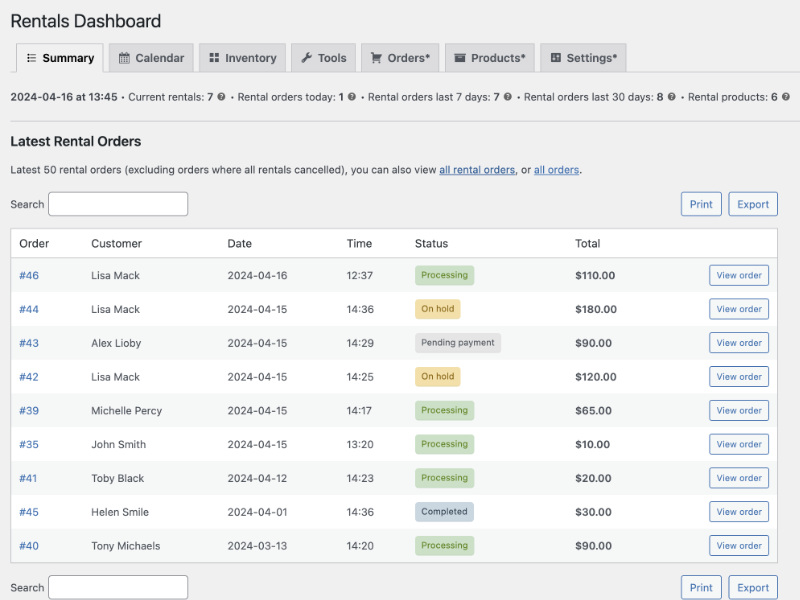
Track your latest bookings from one screen: newest orders, overdue returns, live search, plus one-click print and CSV exports.
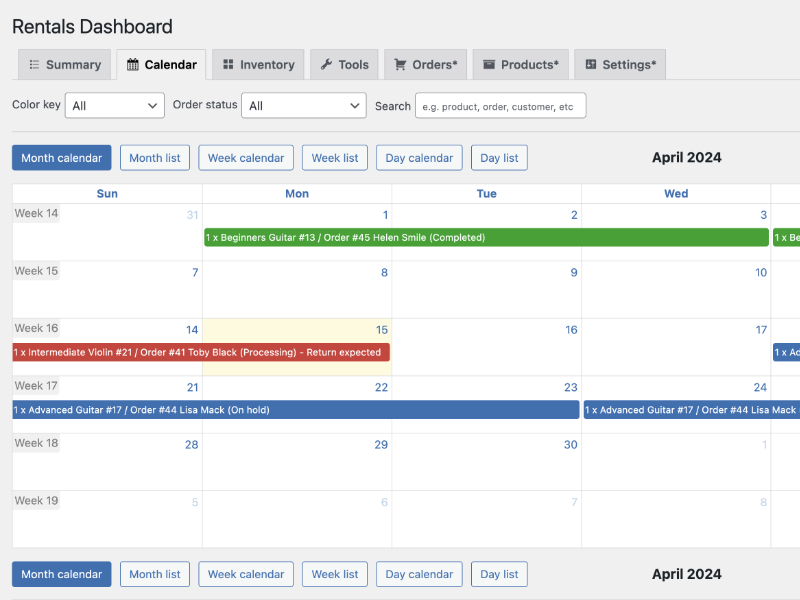
View every rental in a color-coded calendar, filter or search by product or customer, toggle between six views, and turn on a calendar feed to subscribe from your own calendar app.
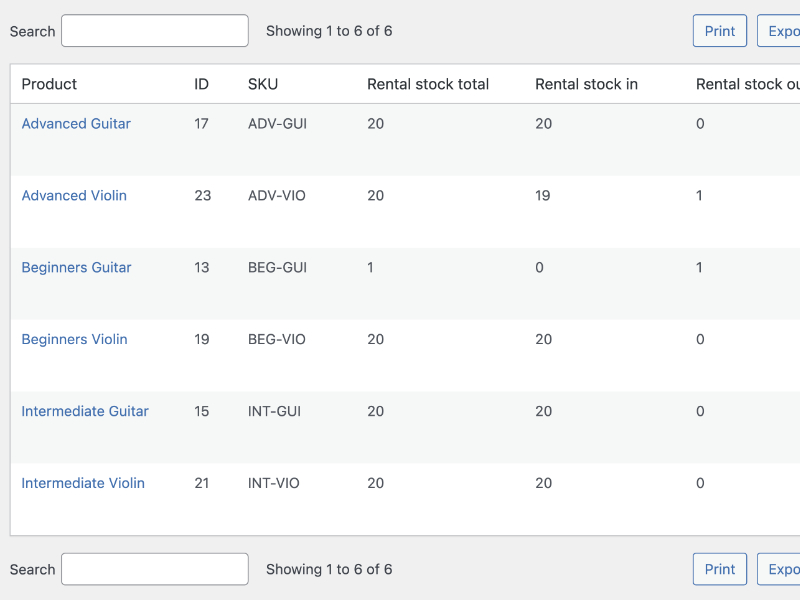
See date-based or live views of every rental product, with total stock, in/out counts, and a quick summary of orders consuming each item.
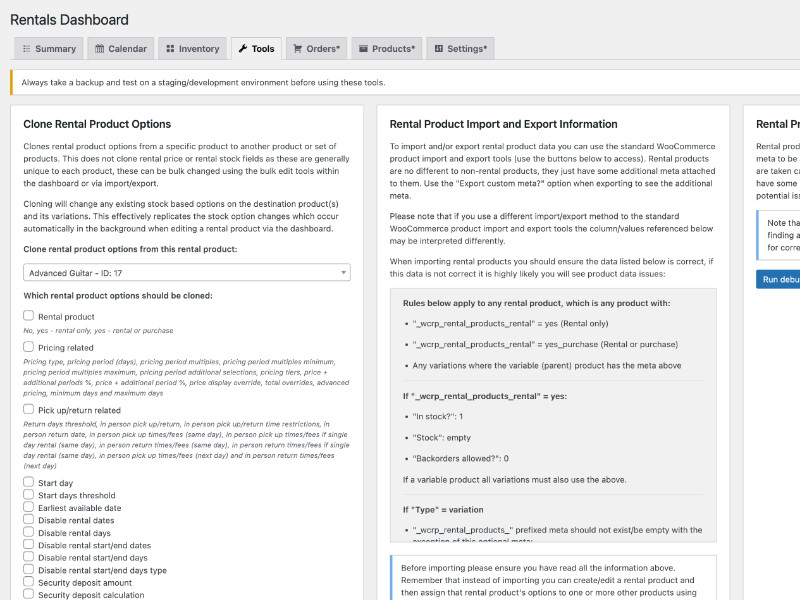
Bulk-clone rental settings between products, import or export data for fast setup, and more.
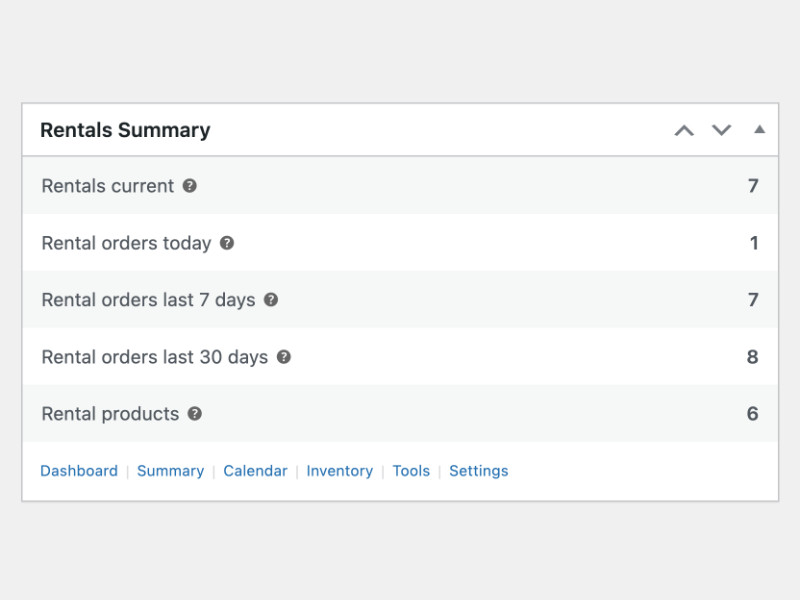
Your WordPress dashboard shows live WooCommerce rental stats, latest orders, overdue returns, and quick-access links the moment you log in.
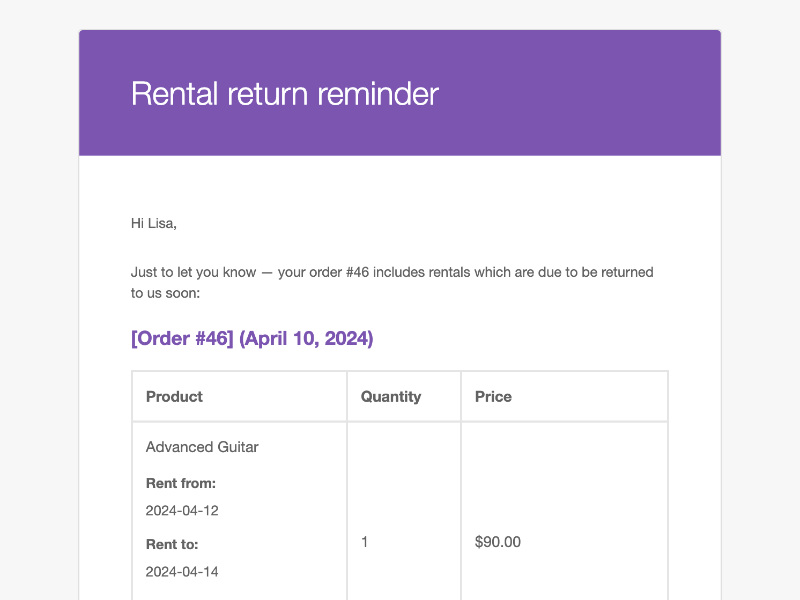
WooCommerce rental order emails include rental dates and details, and you can switch on a return-reminder email under WooCommerce > Settings > Emails to remind customers before their items are due back.
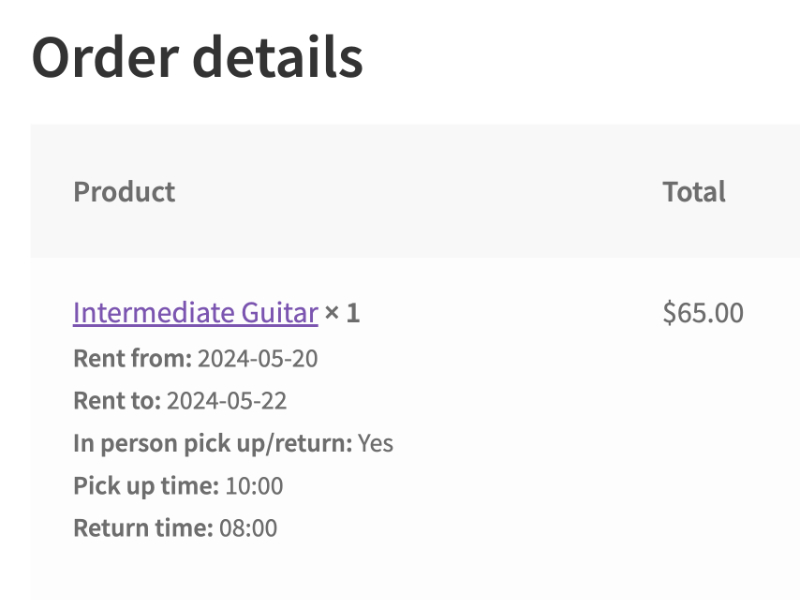
Rental dates and in-person pickup/return times, where you use them, appear in the cart, at checkout, and inside the customer’s My Account area, so shoppers know exactly what they’ve booked.
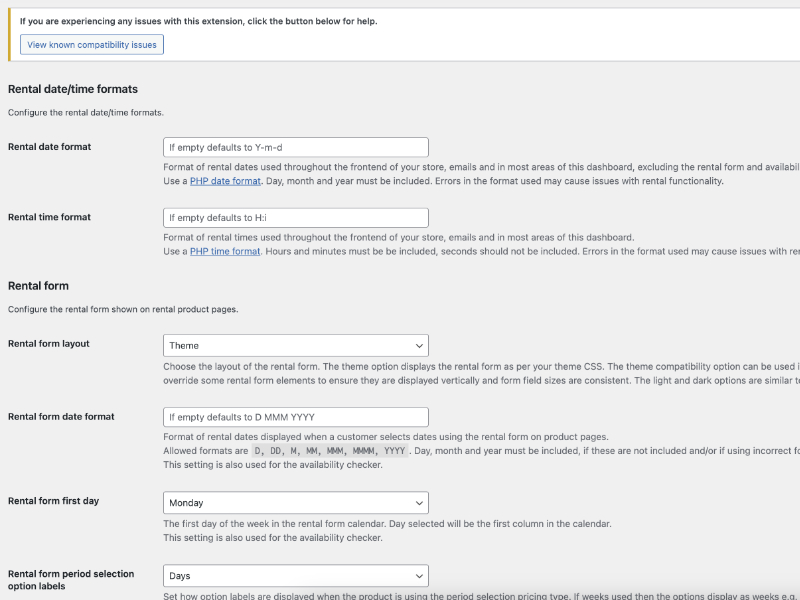
Out-of-the-box settings let you start renting immediately, while deep options for date formats, pricing rules, pickup/return windows, blockout dates, and more mean you can customize every detail whenever you’re ready.
The WooCommerce ecosystem has several booking and rental options. Here’s a quick guide to help you pick the right tool:
WooCommerce Bookings covers appointments, reservations, rentals, and classes. It is built around time slots, resources, and staff, so it suits anything where customers book your time or a space.
Rental Products for WooCommerce also handles rentals, and is built around physical stock: stock counts per item, rental bundles, security deposits, and a dashboard of what’s out and what’s due back. It books by the day, so if you need hour-by-hour scheduling, it is not the right tool today.
Rental Products if you track physical stock and returns, Bookings if you schedule time slots or resources.
| Use case | Better suited to |
|---|---|
| Appointments, consultations, classes | WooCommerce Bookings |
| Hotel rooms, vacation rentals | WooCommerce Bookings (with its Accommodation add-on) |
| Equipment rental (tools, cameras, AV gear) | Rental Products |
| Party supplies (tables, chairs, tents) | Rental Products |
| Costume or dress rental | Rental Products |
Vehicles can be listed as day-billed rental products, though the plugin has no vehicle-specific features (and no hourly scheduling). Not sure which fits? Reach out—we’re happy to help you figure it out.
Built and supported by the team at:

About five minutes. Install the plugin, go to any WooCommerce product, check the "Rental" box, set your pricing period and stock quantity. That's it. Your product now has a date picker and rental pricing.
WooCommerce Bookings is built for appointments and services (think: spa sessions, consultations, tours). It schedules time slots for things that don't leave your location.
Rental Products is built for physical items that leave and come back: equipment, costumes, vehicles, party supplies. It tracks real inventory: what's out, what's returned, what's available. If you're renting things, not scheduling services, this is the plugin for that.
Yes, automatically. Set your stock quantity (say, 5 bouncy castles), and the calendar blocks dates once all units are reserved. Customers only see what's actually available. No spreadsheets, no manual checking, no "sorry, we're actually booked" emails.
Same-day bookings, yes. Customers can pick up and return on the same date.
Hourly time slots, not yet. Currently, the minimum rental period is one day. We're gathering feedback to shape hourly functionality. If that's critical for your business, let us know what you need.
Yes. You can require a deposit at checkout that's held until the item comes back. When the rental returns in good condition, refund the deposit with a couple clicks. Works with any WooCommerce payment gateway that supports refunds.
Both, plus delivery. Use it for:
Works with WooCommerce's built-in shipping and local pickup options and most shipping provider extensions.
Everything they need, nothing confusing. The cart shows rental dates, duration, and pricing. Order confirmation emails include pickup/return dates and any rental-specific info you've added.
Customers can also view their active rentals and return dates in their My Account dashboard.
Extension information
Quality Checks
Compatibility
Countries
Languages




