

Subscription includes
Support
Running a WooCommerce store means more than taking orders. You may also need to control where customers can buy from, restrict access to selected products, manage guest downloads, strengthen administrator login security, and reduce unnecessary exposure of WordPress files.
Security for WooCommerce brings practical access controls, download protection, security monitoring, and site-hardening tools into one WooCommerce-focused dashboard.
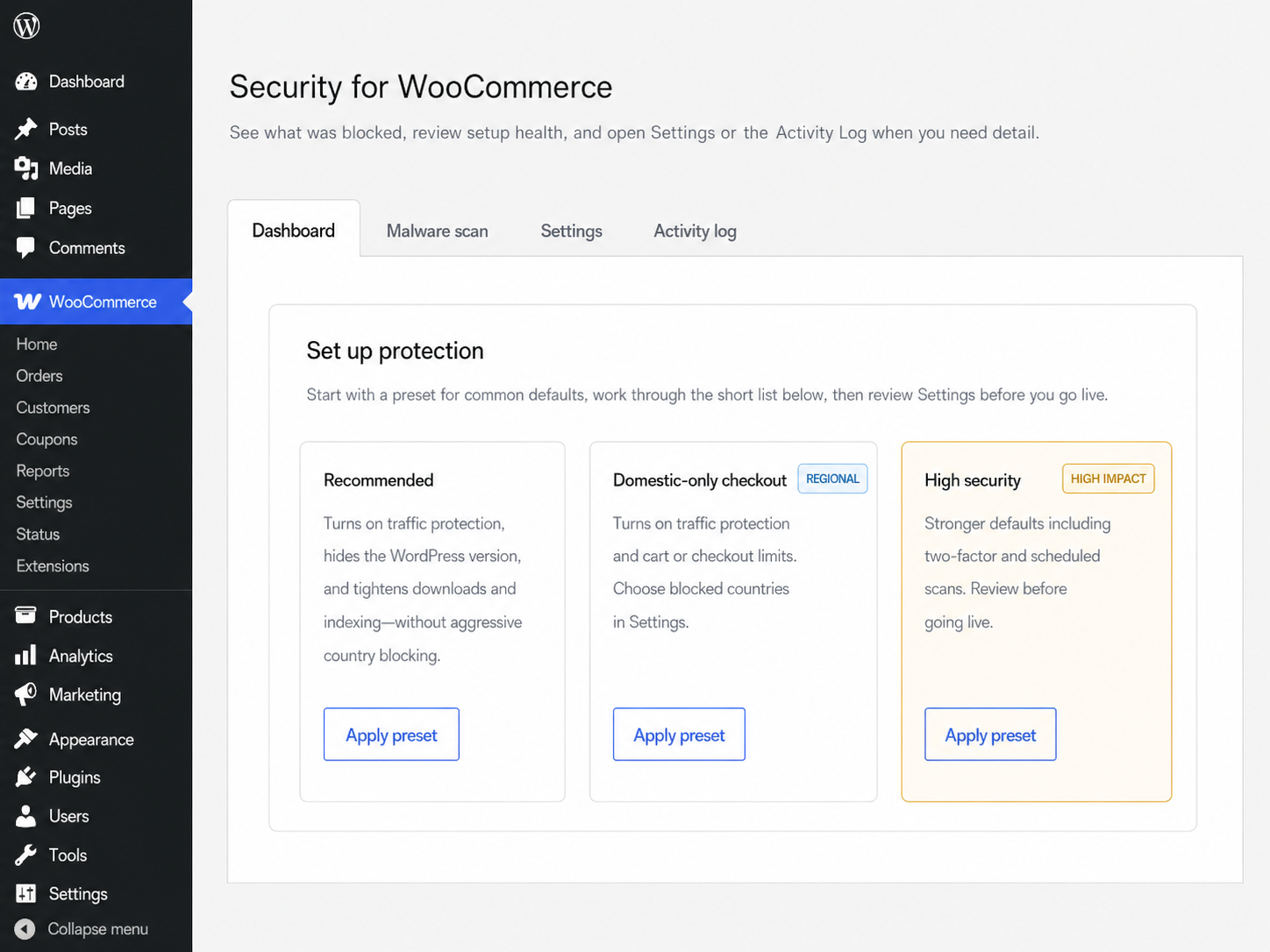
Security for WooCommerce gives merchants practical tools for controlling unwanted access, limiting regional availability, protecting selected files, and strengthening administrator login security.
Security for WooCommerce focuses on website access, regional restrictions, protected downloads, administrator login security, file monitoring, and WordPress hardening.
If your primary concern is fraudulent orders, card testing, stolen payment methods, or suspicious checkout activity, Anti-Fraud for WooCommerce by OPMC is designed specifically for order and checkout risk. Merchants can use both extensions together because they address different parts of store security.
| Need | Security for WooCommerce | Anti-Fraud for WooCommerce |
|---|---|---|
| Primary purpose | Control website access and strengthen WordPress security | Assess checkout and order risk |
| Country controls | Restrict access to the store, products, categories, cart, or checkout | Use order location as part of fraud analysis |
| IP address controls | Allow or block exact visitor IP addresses | Use IP information as part of order risk analysis |
| Block individual products | Yes | — |
| Restrict product categories by country | Yes | — |
| Guest download IP controls | Yes | — |
| Protect selected Media Library files | Yes | — |
| Suspicious file scanning | Yes | — |
| Administrator two-factor authentication | Yes | — |
| WordPress hardening | Yes | — |
| Fraud scoring and order risk analysis | — | Yes |
| Card testing protection | — | Yes |
| Suspicious order alerts | — | Yes |
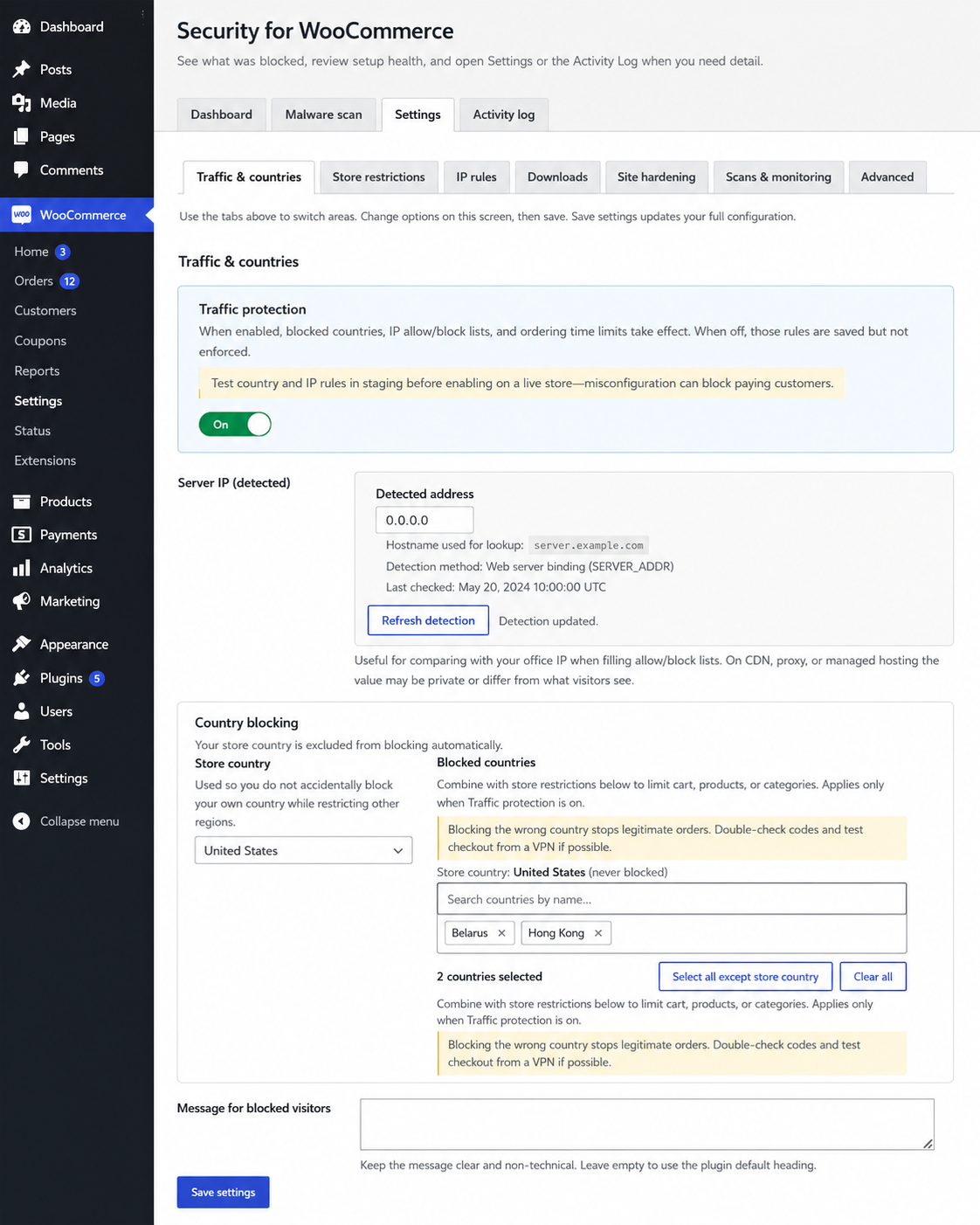
Use country and IP rules to reduce unwanted access and limit important parts of the buying journey.
Select countries whose visitors should be restricted, while keeping your configured store country available as a safeguard.
Depending on your settings, restrictions can apply across the storefront or to specific areas such as product pages, product categories, the cart, and checkout.
Prevent visitors from blocked countries from adding products to the cart or completing checkout.
This is useful when you do not sell, ship, or provide services in particular regions.

Mark an individual product as blocked when it should not be publicly available. Administrators and shop managers can still view blocked products while managing the store.
You can also prevent visitors from blocked countries from opening product pages when country-based product restrictions are enabled.

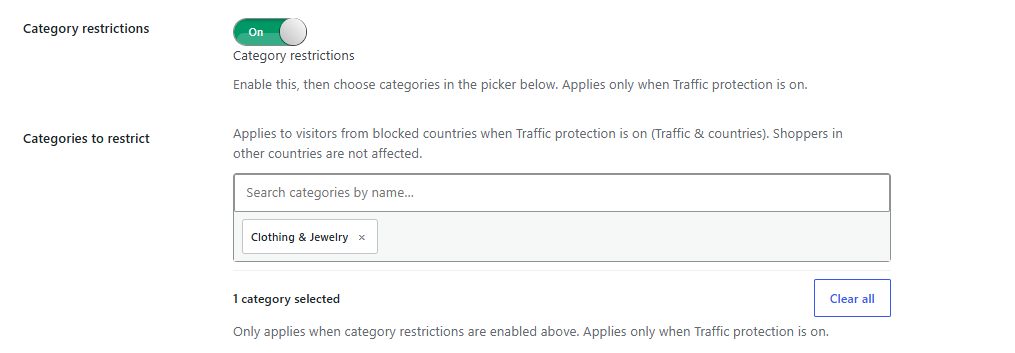
Choose WooCommerce product categories that visitors from blocked countries should not be able to browse.
This can help stores manage regional catalogs, licensing limitations, wholesale ranges, or products that are unavailable in particular locations.
Set a daily time window during which visitors from blocked countries cannot access the site. The schedule is evaluated using the visitor country timezone.
Replace the default blocked-access notice with a message that explains your store policy or tells visitors how to contact you.
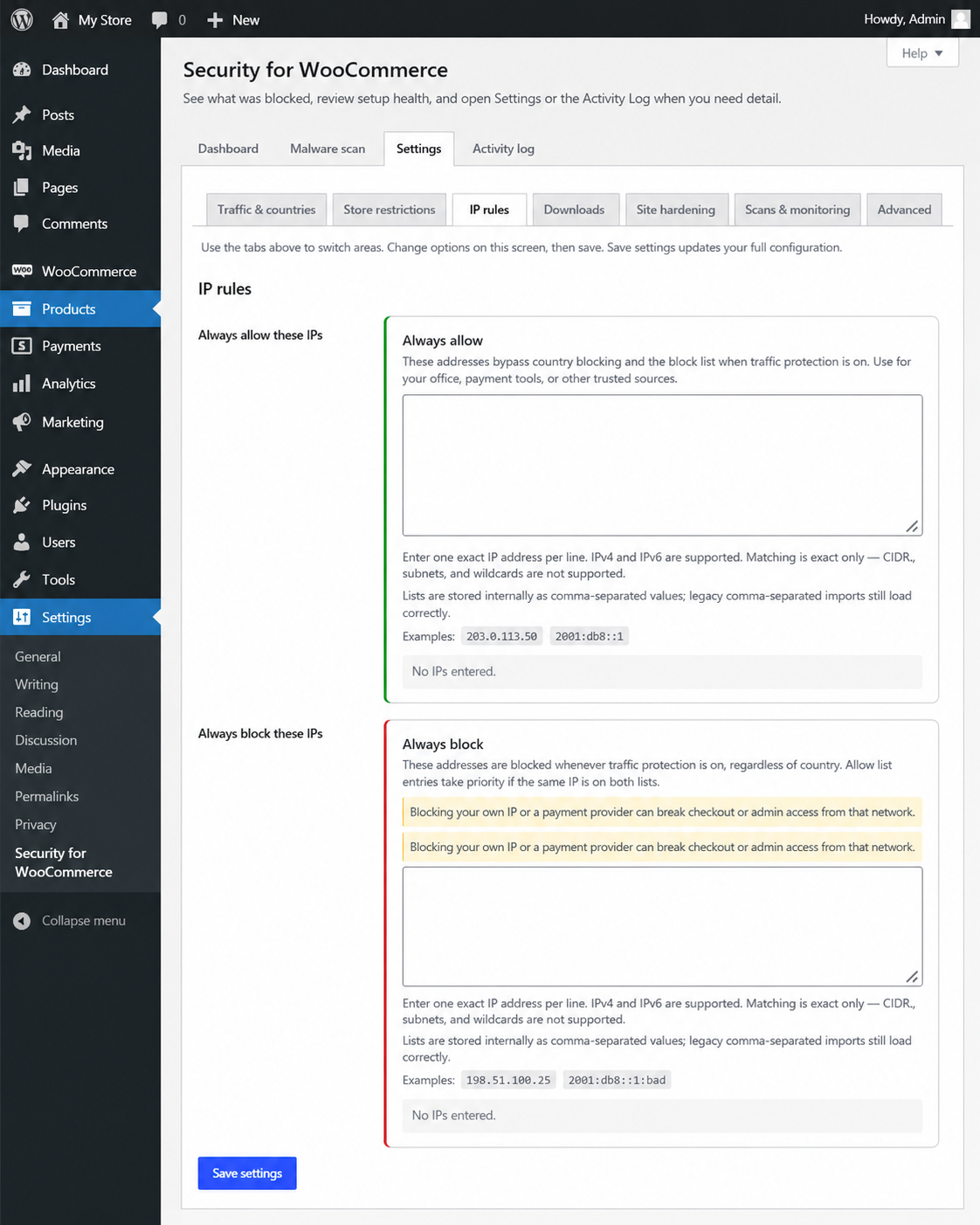
Use exact IPv4 or IPv6 addresses to make exceptions for trusted visitors or block addresses associated with unwanted access.
Add known addresses for team members, agencies, offices, or trusted partners. The allow list takes priority over the block list.
Add exact IP addresses that should not be able to access the storefront while Traffic protection is enabled.
Add access controls for WooCommerce guest download links and protect selected files from direct access.
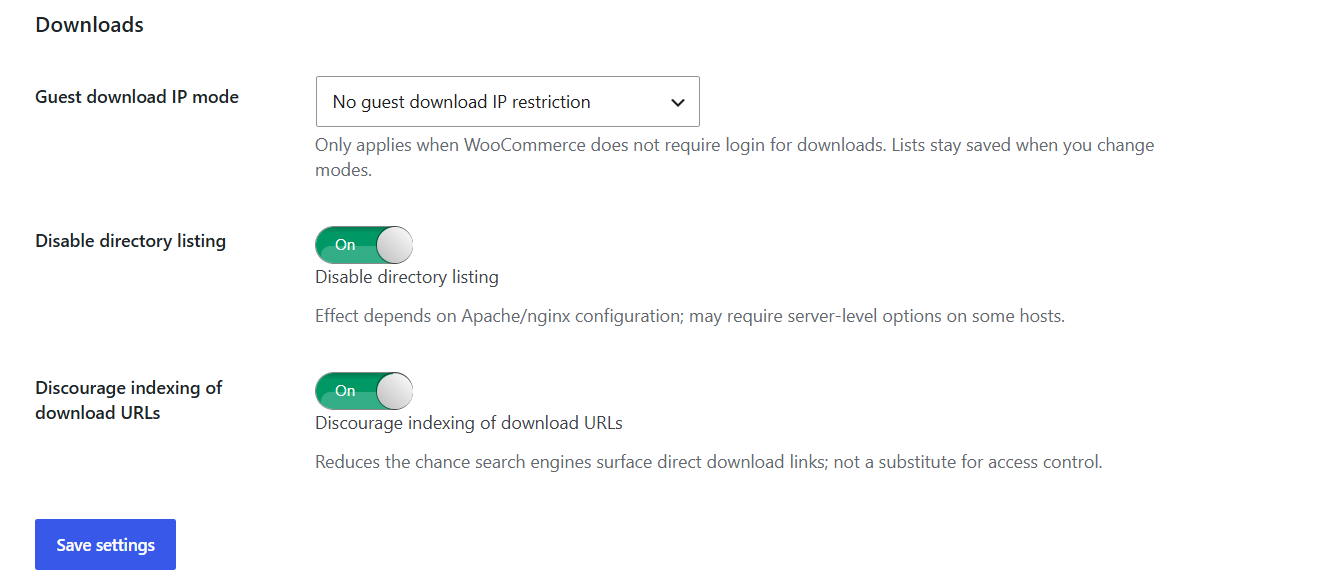
When WooCommerce does not require customers to log in before downloading, choose how guest download links should handle visitor IP addresses.
Available modes allow all guest download IPs, deny listed IPs, or allow only listed IPs. These rules apply to WooCommerce guest download links and do not replace WooCommerce customer permissions or order-based download controls.
Mark individual Media Library attachments as protected. The extension moves protected attachments into a dedicated uploads directory and adds rewrite rules intended to prevent logged-out visitors from opening supported file types directly.
Direct-access protection depends on the server honoring WordPress rewrite rules. Test protected files after enabling this feature.
Add robots.txt signals for protected attachment pages and file paths so search engines are less likely to index them. These signals discourage indexing but cannot guarantee removal from every search engine.
Add a rule that prevents bare directory indexes when no index file exists. Availability depends on the store’s server configuration.
Run signature-based scans from WordPress and review the results in the Security for WooCommerce dashboard.
Start a scan when you want to review site files for suspicious PHP patterns that may require investigation.
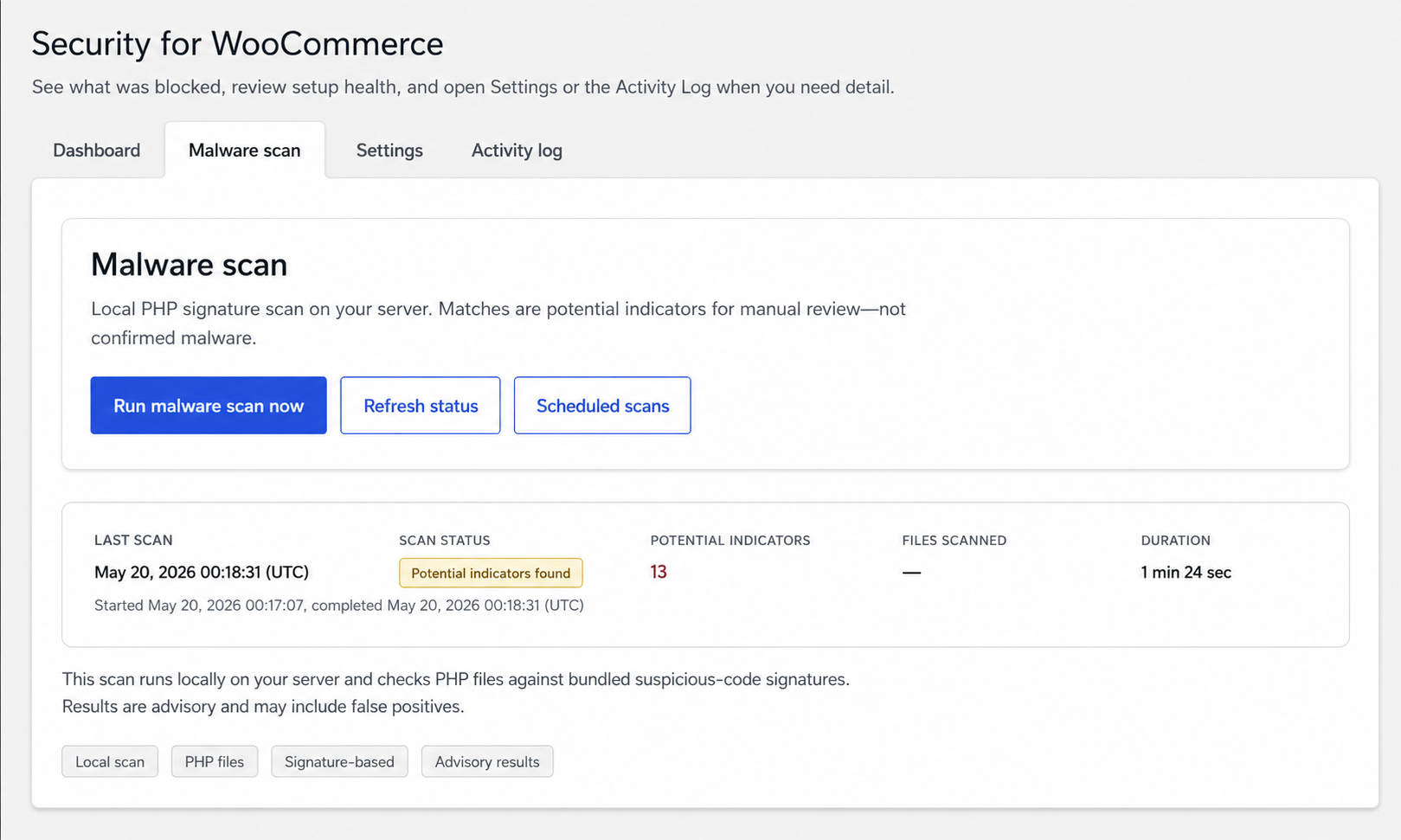
Enable background scans that run once per day through WordPress cron. Results appear in the Malware scan area for review.
Use the activity log to review recorded country restrictions, IP rule matches, product and category restrictions, guest download decisions, and other supported security events. Configure log retention based on your store’s needs.
Apply additional protections to common WordPress files and public metadata.
View a report comparing key WordPress paths with recommended permissions. When file permission hardening is enabled and settings are saved, the extension attempts to apply the recommended permissions.
Many hosting environments prevent PHP from changing file permissions, so review the report and confirm the result with your host when needed.
Remove WordPress version metadata from feeds, scripts, and styles where supported. This reduces public version exposure but is not a substitute for keeping WordPress, WooCommerce, themes, and extensions updated.
Add extra protection before or during administrator login.
Require users with administrator accounts to enter a time-based code from an authenticator app after entering their WordPress password.

Display a separate username and password gate at wp-login.php before the normal WordPress login form.
The gate credentials are separate from WordPress user accounts. Store them securely and confirm your recovery process before enabling the feature.
Restrict visitors from countries you do not serve and decide whether the restriction applies to the storefront, products, categories, cart, or checkout.
Block individual products or hide selected product categories from visitors in restricted countries.
Use exact IP rules to allow or deny access to WooCommerce guest download links when login is not required.
Move selected Media Library attachments into the protected directory and discourage direct access and search indexing.
Add administrator 2FA and an optional gate before the normal WordPress login form.
Use suspicious-code scans, activity logging, file permission reporting, directory listing controls, and version metadata removal from one dashboard.
Security for WooCommerce can support:
Security for WooCommerce combines WooCommerce-focused access rules with practical WordPress monitoring and hardening tools.

OPMC has been building and supporting WooCommerce extensions since 2014. Our team works with real ecommerce stores across integrations, automation, checkout workflows, and store security.
Security for WooCommerce is actively maintained and supported to help merchants manage practical access controls and WordPress hardening from inside WooCommerce.
Control store access by country and IP address, manage regional product availability, protect guest downloads and selected media files, monitor suspicious code indicators, and strengthen administrator login security.
Add Security for WooCommerce to your store today.
Security for WooCommerce lets you control who can access your store using country restrictions, IP allowlists and blocklists, passcode protection, and time-based access rules. Whether you want to block high-risk regions, restrict certain products, or protect private areas of your website, you have complete control over who can view and interact with your store.
Absolutely. If you sell software, digital downloads, eBooks, templates, or other downloadable products, Security for WooCommerce helps prevent unauthorized access to your download files. This provides an additional layer of protection for your digital assets beyond WooCommerce's standard download controls.
Yes. In addition to WooCommerce-specific security features, the plugin includes WordPress hardening tools such as malware scanning, directory protection, hiding your WordPress version, passcode protection for sensitive areas, and optional two-factor authentication to help reduce common security risks.
Security for WooCommerce is designed to work efficiently alongside WooCommerce and WordPress. Most stores experience little to no noticeable impact on performance while benefiting from additional layers of protection. As with any security solution, performance depends on your hosting environment and the features you enable.
No—unless you configure it to. You decide how strict your security rules should be. You can create IP allowlists, exclude trusted users, apply restrictions only to specific products or countries, and adjust settings as your business grows. This flexibility helps protect your store while minimizing disruption for genuine customers.
No. While Security for WooCommerce helps protect your website by restricting access, blocking VPNs and proxies, scanning for malware, and strengthening WordPress security, it is not designed to detect or stop card testing attacks or payment fraud.
For protection against card testing, stolen credit cards, fraudulent orders, and other payment-related threats, we recommend OPMC Anti-Fraud for WooCommerce. The two plugins complement each other and can be used together to provide comprehensive protection for both your website and your checkout process.
A firewall helps protect your website from many common attacks, but it doesn't provide WooCommerce-specific controls like country restrictions, product-level access rules, secure download protection, or visitor restrictions based on location or IP address.
Security for WooCommerce adds an additional layer of protection specifically designed for WooCommerce stores, giving you greater control over who can access your content, products, and store.
Extension information
Quality Checks
Countries
Languages







