

Instalações ativas
700+
A assinatura inclui
Suporte
Drip Integration for WooCommerce sends your store’s orders and carts to your Drip account, so Drip can track revenue and lifetime value and start the order and abandoned cart workflows you build there. Each order is sent as it is placed, paid, fulfilled, refunded or canceled, and each cart carries a link that restores it on any device. An opt-in checkbox on the checkout, the Checkout block and the registration form signs customers up and tags them, so you can start any Drip workflow from the tag.
It needs a Drip account and its API token, WordPress 6.3 or later, WooCommerce 10.0 or later and PHP 7.4 or later. Orders are always sent, and shoppers who haven’t opted in become people in Drip tagged Not opted in, so leave that tag out of your broadcasts. It doesn’t import past orders.
Drip receives each order with its total, discounts, taxes, shipping, line items and billing and shipping addresses. Orders are sent when they are placed, paid, fulfilled, refunded and canceled, once per action, so Drip shows revenue, order counts and a lifetime value that drops after a refund. Offline payments such as bank transfer are sent when the order moves to processing or completed. Requests go through a background queue, so checkout never waits on Drip, and a failed request is retried on the order’s next status change.
Choose whose carts go to Drip: all shoppers, only shoppers who opt in, or no one. A cart is sent once Drip can tell whose it is: a logged-in shopper, a guest who has typed their email at checkout, or a visitor Drip’s tracking script already recognizes. Each cart carries a link that restores it on any device, so an abandoned cart workflow you build in Drip can send the shopper straight back to their cart. Check the setting suits the privacy laws where you sell. Stores upgrading from 1.x start with cart tracking off.
After a paid order, the plugin updates the buyer’s name and address in Drip and adds a Customer tag, so you can start a workflow or build a segment from it. Lifetime value now comes from Drip’s own order activity, so new stores don’t get the plugin’s own lifetime value and purchased products fields. Stores upgraded from 1.x keep getting them until they stop the 1.x Purchase event. Developers can change the tags and custom fields with filters.
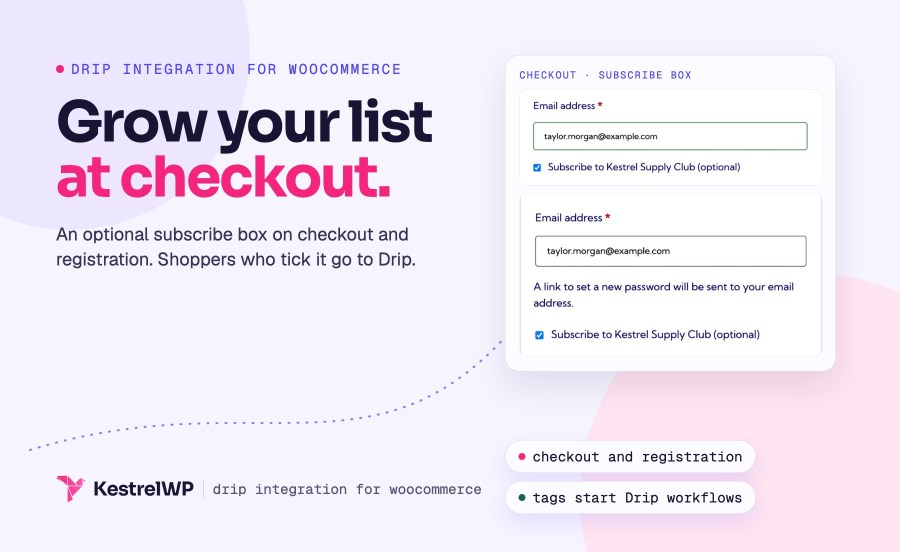
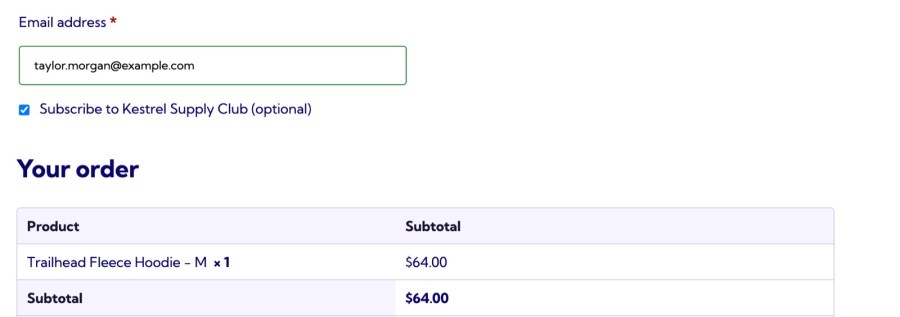
The subscribe checkbox is on by default and appears under the billing details on the classic checkout, in the WooCommerce Checkout block and on the registration form. It starts unticked, and you write the label: HTML is allowed, and {campaign_name} inserts the Email Series name. Customers who tick it are added in Drip as active subscribers with their consent recorded and the tag Opted in at checkout, or a tag you choose, so you can start a workflow from it. Pick an Email Series if you also want to add them to one. Logged-in customers who already subscribed through the box don’t see it again.
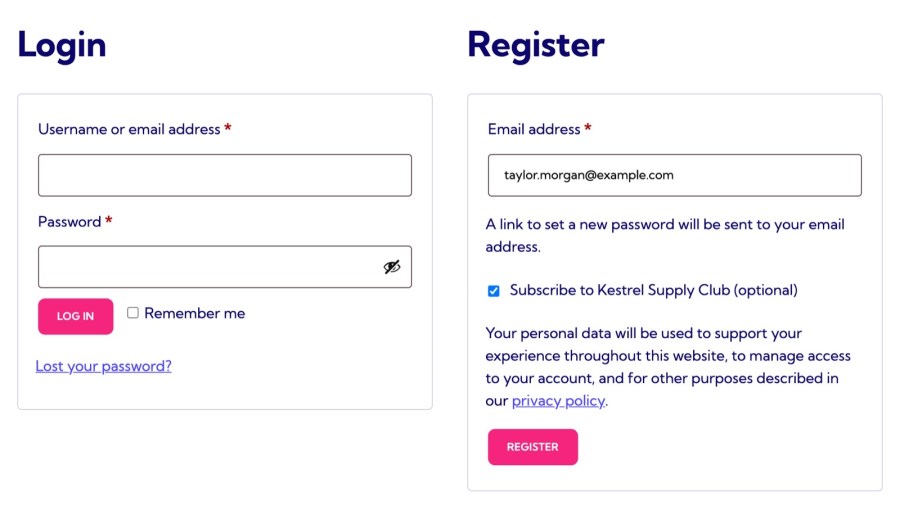
The same checkbox appears on the WooCommerce registration form, so shoppers who create an account can join your list at the same moment. If a customer who subscribed with an account later changes their billing email, the plugin updates it in Drip, so your list doesn’t fill with stale addresses.
Choose your Drip account and the plugin loads Drip’s tracking script on every storefront page. Accounts and Email Series load each time you open the settings screen, so a new one in Drip shows up when you reload it, and an invalid API token shows an error. Turn on the debug log to see Drip requests while you test, then turn it off, because it may log personal information.
Developers can change the tags added after a purchase, the subscriber custom fields, whether the checkbox starts ticked, and the subscribe request. The developer reference is on the Kestrel docs site. Customizations aren’t covered by support.
Drip Integration connects to Drip only. If you use another provider, Subscribe to Newsletter for WooCommerce connects checkout and registration sign-ups to eight others, including Mailchimp, Brevo and MailerLite, and AWeber for WooCommerce is built for AWeber. Drip isn’t one of the eight, so pick the one that matches your provider.
Full steps are in the Get started with Drip guide, and Kestrel support is there if you get stuck. Built and supported by Kestrel, a long-time WooCommerce extension developer.

Orders as e-commerce activity (placed, paid, fulfilled, refunded and canceled) with totals, line items and addresses; carts with a link that restores them; and a Customer tag and updated name and address for buyers. Shoppers who haven’t opted in become people in Drip tagged Not opted in, so keep that tag out of your broadcasts.
Yes. The subscribe checkbox appears on the classic checkout, the WooCommerce Checkout block and the registration form. It works without choosing an Email Series, and tags the customer so you can start any Drip workflow. It starts unticked, and you write the label.
Yes. Choose all shoppers, only shoppers who opt in, or off. A cart is sent once Drip can tell whose it is, with a link that restores it on any device, so an abandoned cart workflow you build in Drip can bring the shopper back.
No. It sends an order when something happens to it, such as being placed or paid. Orders created before you upgraded from 1.x don’t get order activity, so Drip’s workflows don’t fire late for old orders.
Yes. The order and cart activity can start the order and abandoned cart workflows you build in Drip, and the Customer and opt-in tags can start others. The plugin doesn’t create workflows or send emails.
Your store keeps sending the 1.x Purchase event until you stop it from the notice on the settings screen, so existing Drip workflows keep firing, and cart tracking starts off. Once you stop it, the plugin also stops writing the lifetime value and purchased products fields, because Drip works lifetime value out from order activity.
Informações da extensão
Verificações de qualidade
Países







