
Das Abonnement beinhaltet
Support
Cart Link Studio creates links that fill the cart with the products you choose, apply a coupon and send the shopper to the checkout or any page you pick. Every saved link gets a short address, a QR code and its own clicks, orders and revenue, so you know which campaign brought in the sales.
It is for store owners and marketing teams who send people to the store: newsletters, social posts, ads, printed flyers, influencers and sales calls. You build the cart once, share one link, and see what it sold.
It does not create new product bundles with their own price or stock. If you need a bundle as a product in your catalog, Product Bundles is a better fit. Cart Link Studio fills the cart with products you already sell.
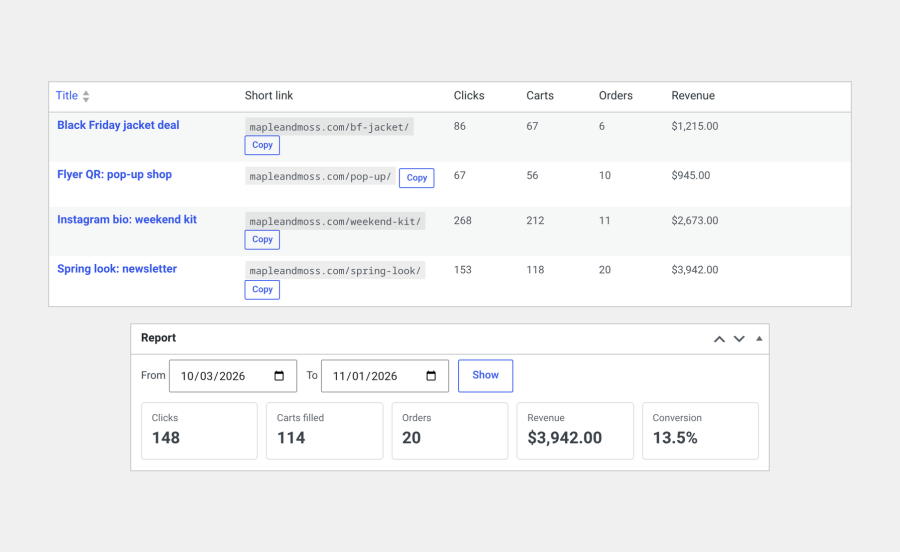
Every saved link lives under Marketing > Cart Links, next to Coupons. The table shows clicks, carts filled, orders and revenue for each one, and each link has a report for any date range. Orders count when they are paid within 30 days of a click, and refunded or cancelled orders are taken back out. Link previews from chat apps and crawlers are not counted as clicks.
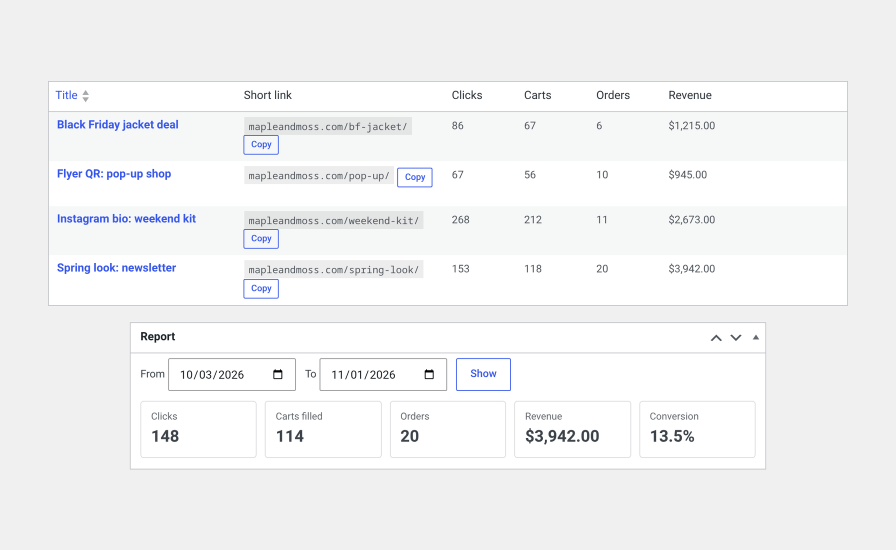
The Quick link builder sits on top of the Cart Links screen. Pick the landing page, search for products or variations, set the quantities and name the link. The name becomes the short link. Shop managers can also turn any cart into a saved link with a “Create Cart Link from this cart” button on the cart page, which customers never see.
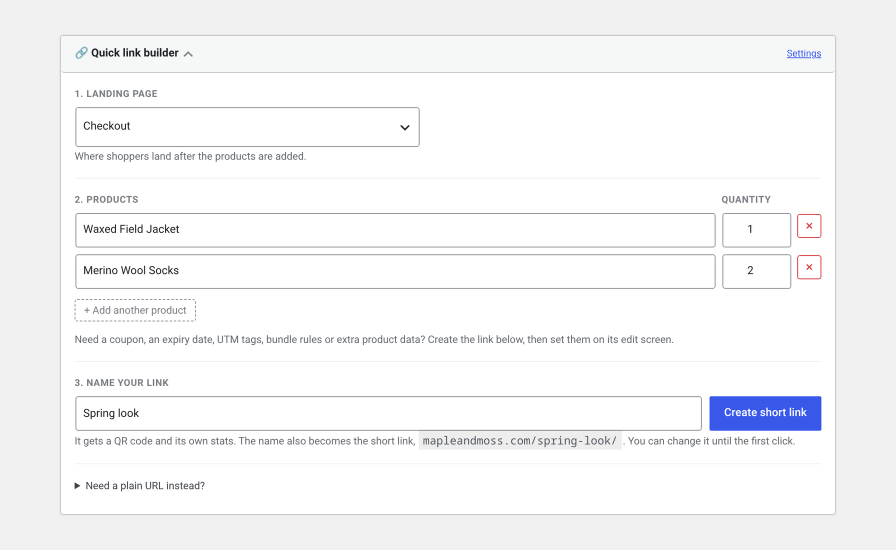
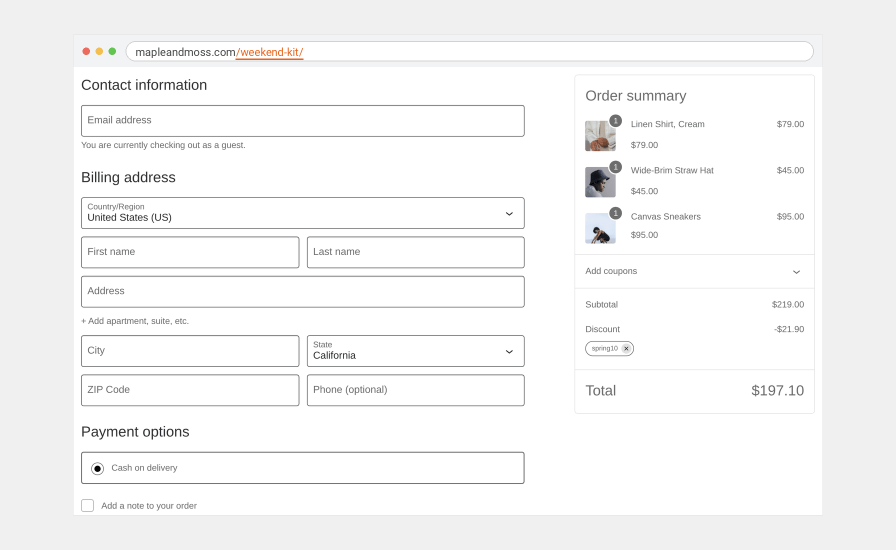
A shopper opens the link and lands on the checkout with the products already in the cart and the coupon applied. You choose whether the link empties the current cart first, what happens when a product is out of stock, and whether the products stay together as a bundle.
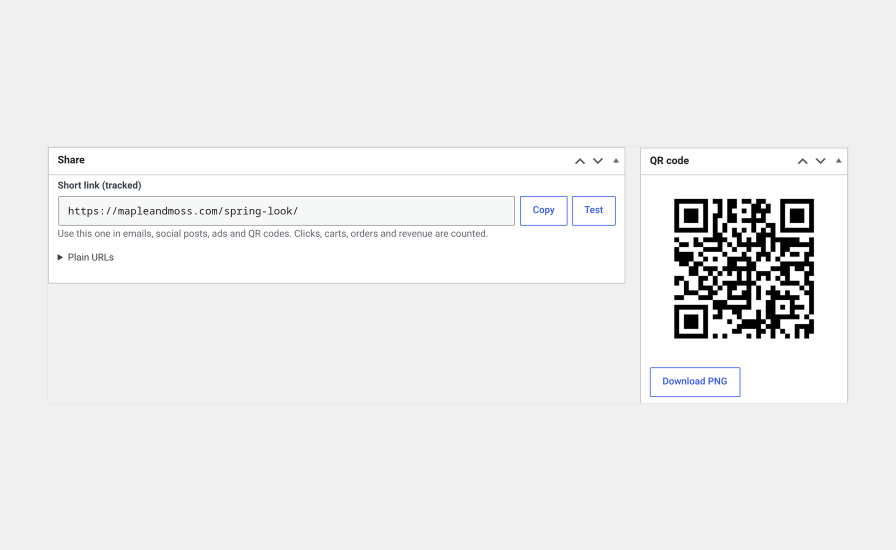
Copy the short link for emails, social posts and ads, or download the QR code as a PNG for flyers, packaging and event signs. Scans count as clicks. The QR code is made in your browser and nothing is sent to an outside service.
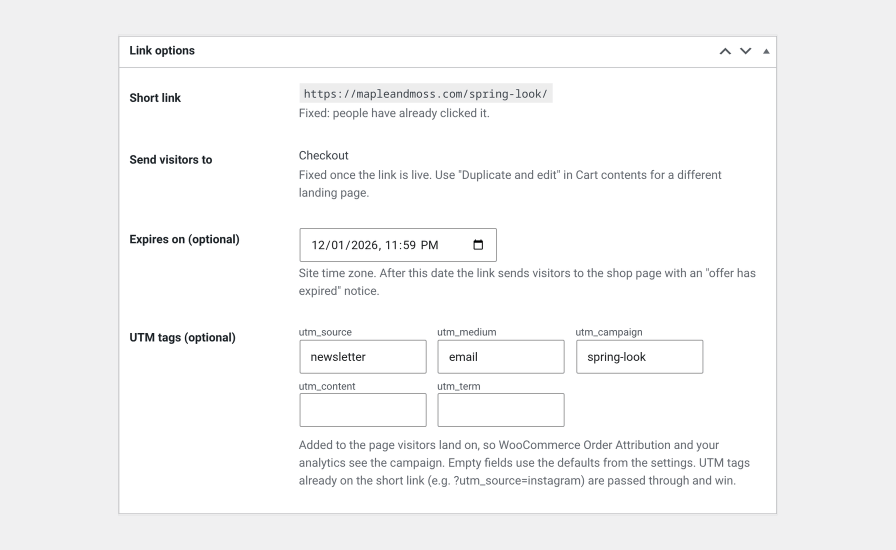
Give a link an expiry date and, after it, visitors land on the shop page with an “offer has expired” notice instead of a cart. Add UTM tags per link, or set store-wide defaults, so WooCommerce Order Attribution and your analytics show which campaign each order came from.
The extension registers its features with the WordPress Abilities API. An AI agent connected to your store through MCP, such as Claude, ChatGPT or Cursor, can build cart links, save them as Cart Links, list them with their numbers and read the report of any link. Only administrators and shop managers can use these abilities.

Cart Link Studio is made by Rodolfo Melogli, who has spent years building WooCommerce stores and writing about them at Business Bloomer. It started as a snippet that added several products to the cart from one URL. Store owners kept asking which links actually sold, so it grew short links, QR codes and a report for every link. He still answers support himself.
Under Marketing > Cart Links, next to Coupons. Use the Quick link builder at the top of the screen. The settings are under WooCommerce > Settings > Cart Link Studio.
Yes. Add as many products and variations as you need, each with its own quantity.
Yes. Pick a WooCommerce coupon on the link and it is applied after the products are added.
To the checkout, the cart, a product page or any other page on your site.
By default, yes. Turn off Current cart in the settings, or on one link, to add the products to what is already in the cart.
A click is a visit to the short link, or to a long link with the same products, quantities and coupon. Link previews and crawlers are not counted. Orders count when they are paid within 30 days of a click, and cancelled or refunded orders are taken back out.
Yes. Every saved link has a QR code you can download as a PNG. Scans count as clicks. The code is made in your browser and nothing is sent to an outside service.
Visitors land on the shop page with an "offer has expired" notice, and nothing is added to the cart.
Yes. UTM tags are added to the page visitors land on, so Order Attribution and your analytics see the campaign.
Yes. The default is WooCommerce's own checkout link format, for example yourstore.com/checkout-link/?products=123:2,456:3. You can switch to a customizable format with your own parameter, separators and landing page.
Yes. Links work with the Cart and Checkout blocks and with the classic cart and checkout.
No. The "Create Cart Link from this cart" button is for shop managers and administrators only.
Yes.
Read the documentation first, then open a ticket from your WooCommerce.com account.
Kategorien
Quality Checks
Länder