

Product comparison
Das Abonnement beinhaltet
Support
Go beyond WooCommerce’s default order statuses. This custom order status plugin lets you build your own statuses, style them to match your workflow, and automate exactly when and how orders move between them, so your team always knows where an order stands, and customers get the right information at the right time.
Design each custom status with its own color, icon, and description, set a fallback status to fall back on if a custom status is ever deleted, and trigger a webhook whenever an order reaches it. Build automation rules that move orders between statuses based on real conditions like product, category, order amount, shipping method, or customer location, with an optional time delay before the change fires. Drag and drop your statuses into the order they should follow, and your team’s next-step actions in the admin panel always follow that sequence.
Whether you’re adding a “Shipped” status, building a multi-stage fulfillment pipeline, or connecting order changes to external tools through webhooks, this order status manager for WooCommerce gives you the flexibility to design a workflow that actually matches how your store operates.
Add as many custom order statuses as your fulfillment process needs, alongside WooCommerce’s core statuses like Processing and Completed. Give each one a title, an internal description for your team’s reference, and a unique color and text color so it’s instantly recognizable across your order list. Choose whether the status displays as text only or with an icon, and pick the action icon shown for it in the order actions area.
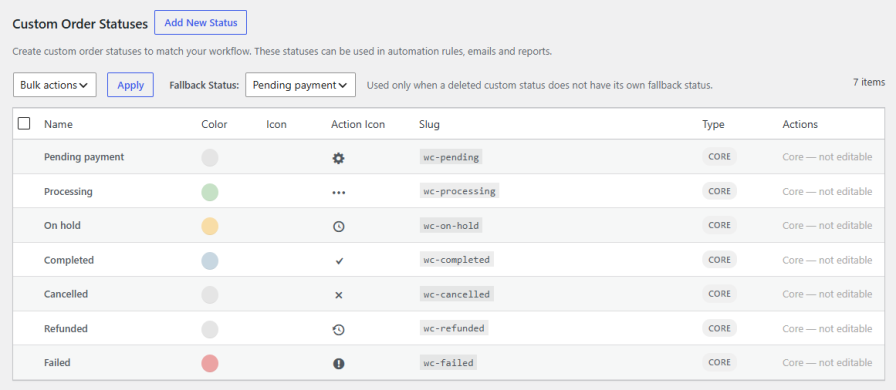
Every custom status can have its own fallback status, so if it’s ever deleted, orders sitting in that status automatically move somewhere sensible instead of being left in limbo. Set a fallback per status, or rely on a global fallback that applies whenever one isn’t configured individually.
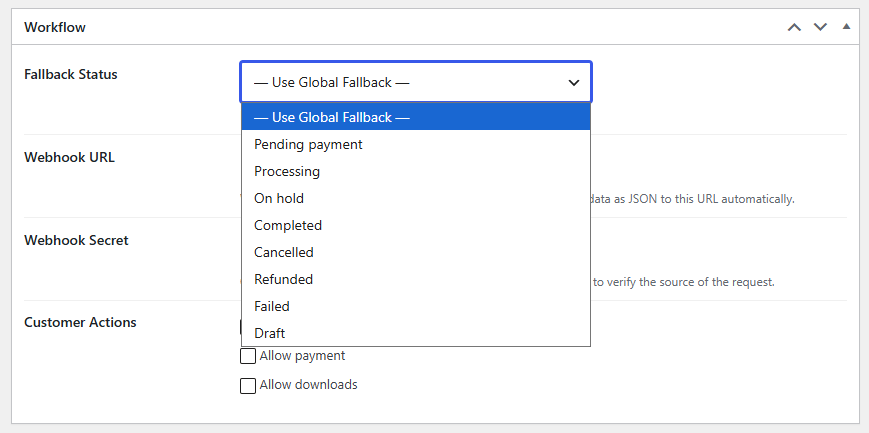
Connect your order statuses to the rest of your stack. Add a webhook URL to any custom status, and the plugin automatically sends the order data as JSON the moment an order reaches it. Include an optional webhook secret, sent in the request header, so the receiving system can verify the request actually came from your store.
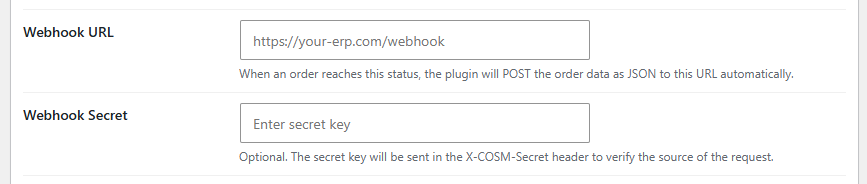
Decide exactly what a customer is allowed to do while their order sits in a given status. Enable or disable order cancellation, payment, and downloads independently for every custom status, so customers only see actions that make sense for where their order actually is.

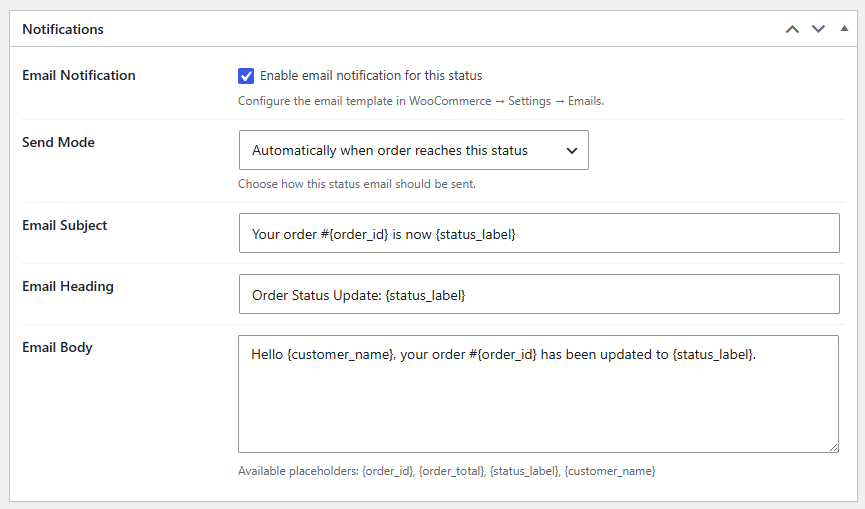
Keep customers informed with notification emails tailored to each status. Choose whether the email sends automatically when an order reaches the status, only when triggered manually by an admin, or both. Customize the subject line, heading, and body, using dynamic placeholders like order ID, order total, status label, and customer name, so every email reads like it was written for that exact moment in the order’s journey.
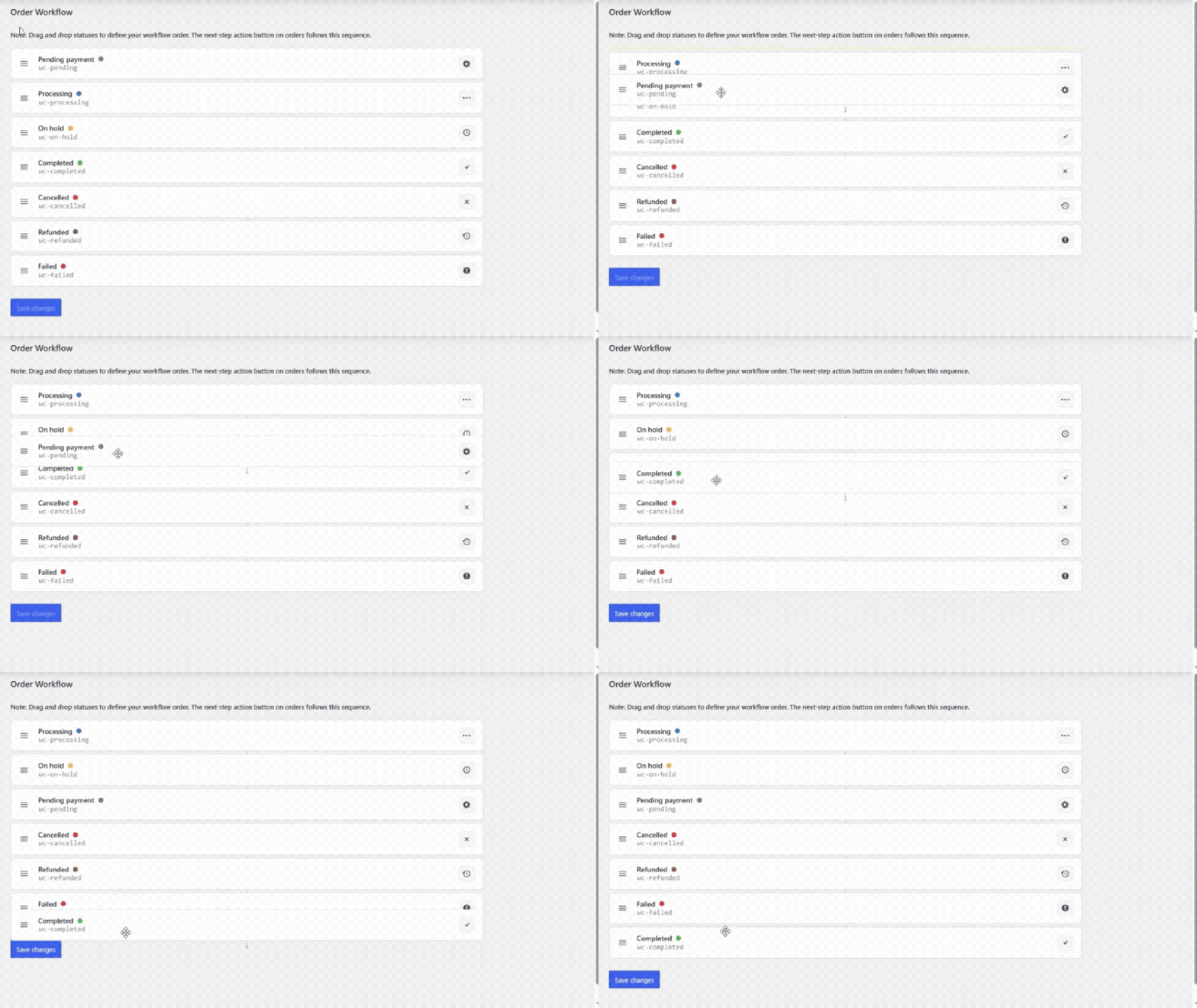
Define the sequence your orders move through using a simple drag-and-drop interface. Each status appears as a card showing its name, slug, color, and icon, so you can visually lay out your entire fulfillment flow. The next-step action button shown on orders in your admin panel follows this exact sequence, keeping your team moving orders through the correct stages every time.
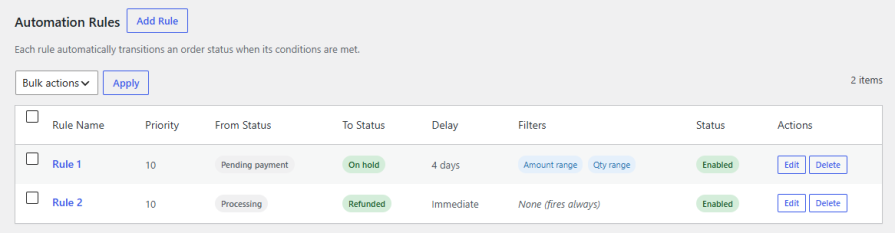
Set up rules that move orders from one status to another automatically, without any manual work. Choose the source status that triggers the rule, or apply it to any status, and set the status the order should move to. Add a time delay if you don’t want the change to happen instantly; the rule will fire on a schedule instead of the moment conditions are met.
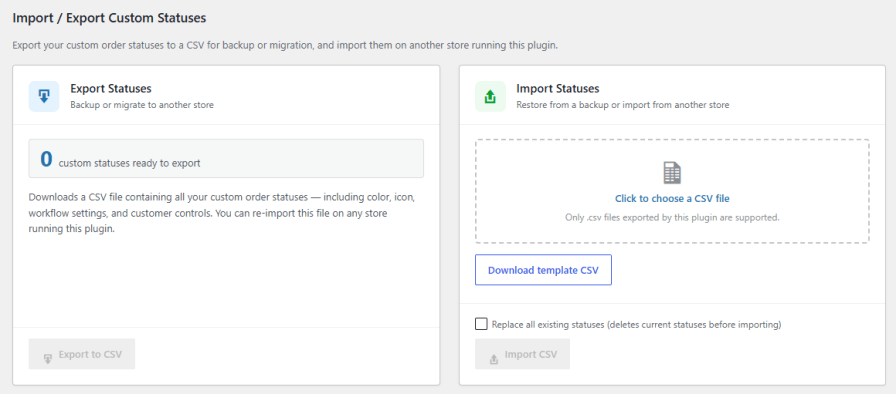
Export all your custom order statuses to a CSV file, including their colors, icons, workflow settings, and customer controls, for backup or to move them to another store running the same plugin. Import a CSV to bring statuses in, with the option to replace all existing custom statuses first, or download a template CSV to build your own from scratch.
Yes. You can create unlimited custom order statuses alongside WooCommerce's core statuses, each with its own color, icon, and internal description.
Yes. Add a webhook URL to any custom status, and the plugin automatically sends the order data as JSON the moment an order reaches it, with an optional secret key to verify the request source.
No, not unless you allow it. You control order cancellation, payment, and downloads independently for each custom status, so customers only see actions that make sense for where their order actually stands.
Yes. Automation rules support a time delay before they fire, so a status change can happen immediately or after a delay you configure, rather than the moment conditions are met.
Yes. Rules can be filtered by product or category, user role, billing or shipping country, order quantity, order amount, shipping method, and payment method, and you can combine filters to target a specific slice of orders.
They move to a fallback status. You can set a fallback for each custom status individually, or rely on a global fallback that applies whenever one isn't configured.
Kategorien
Länder







