

Das Abonnement beinhaltet
Support
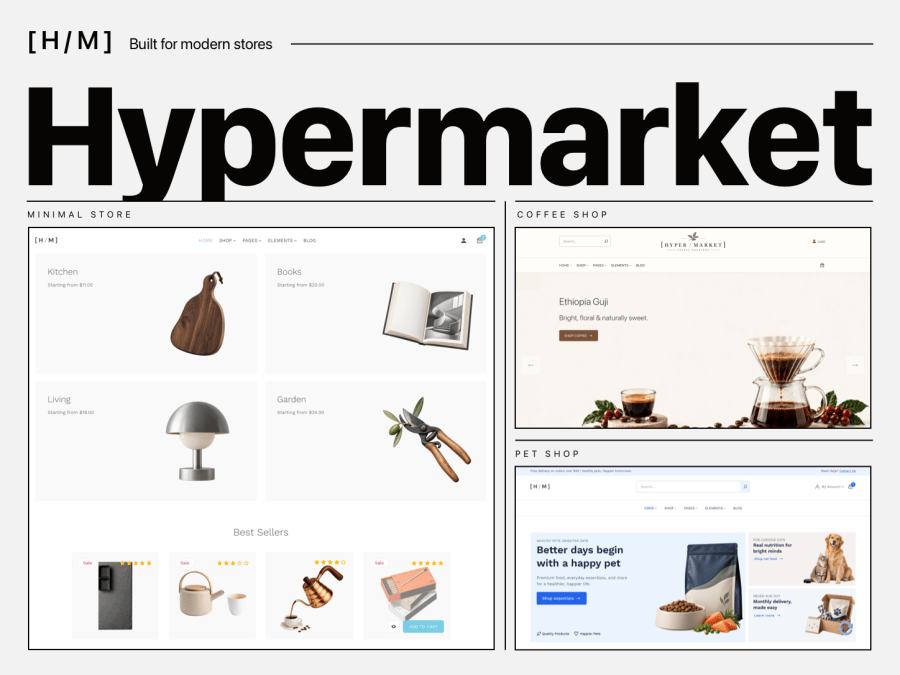
Hypermarket is a WooCommerce theme that helps you build a store around the products you sell. Start with one of three ready-made storefronts, Minimal Store, Coffee Shop, or Pet Shop, and import the demo that fits your business.
Each storefront gives you a starting point for your pages, product displays, and overall look. From there, use the WordPress Site Editor to make it yours. Customers get clear product listings, Quick View, and consistent layouts as they move from browsing to checkout.
Choose a starting point that suits what you sell. Each Hypermarket demo has its own layout, imagery, and style, while giving you the same flexibility to edit pages, patterns, and templates in the WordPress Site Editor.
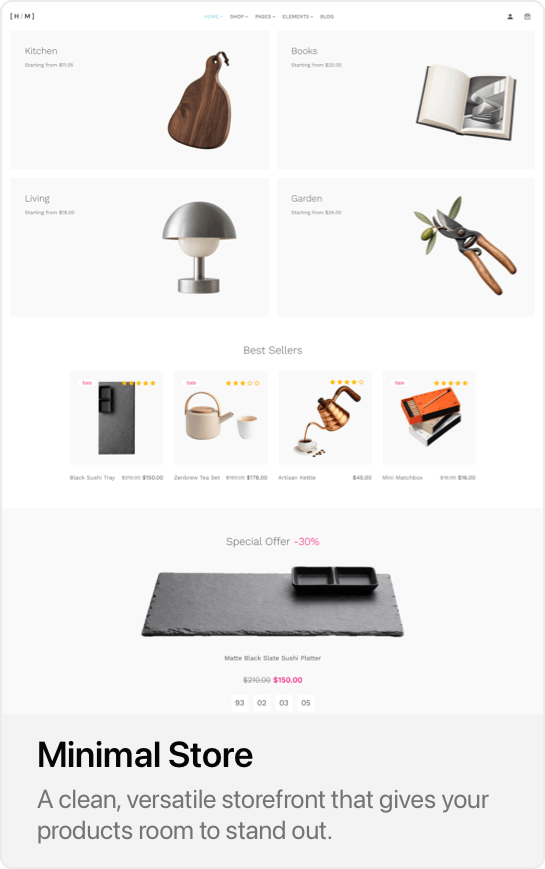
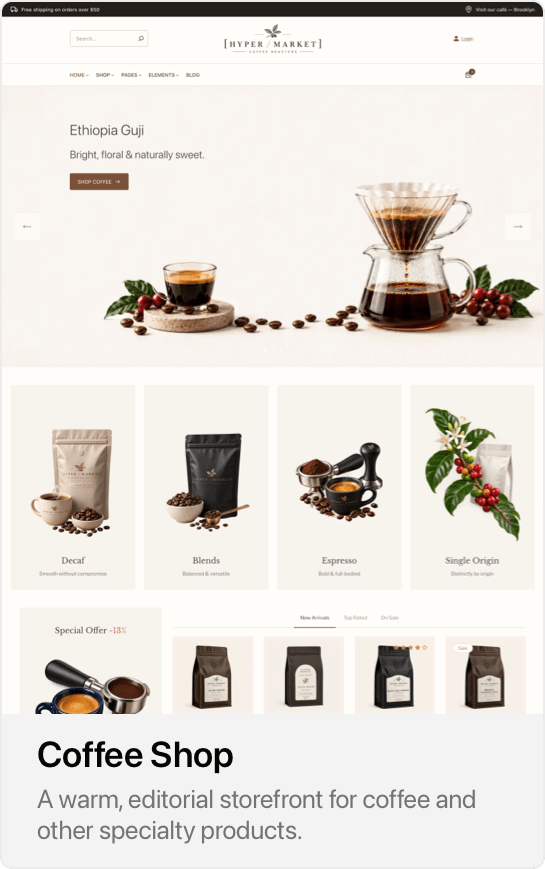
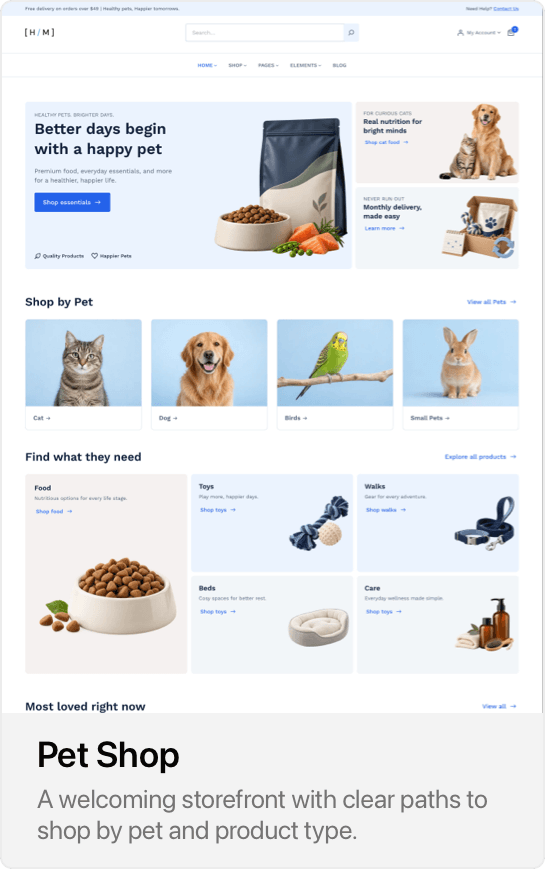
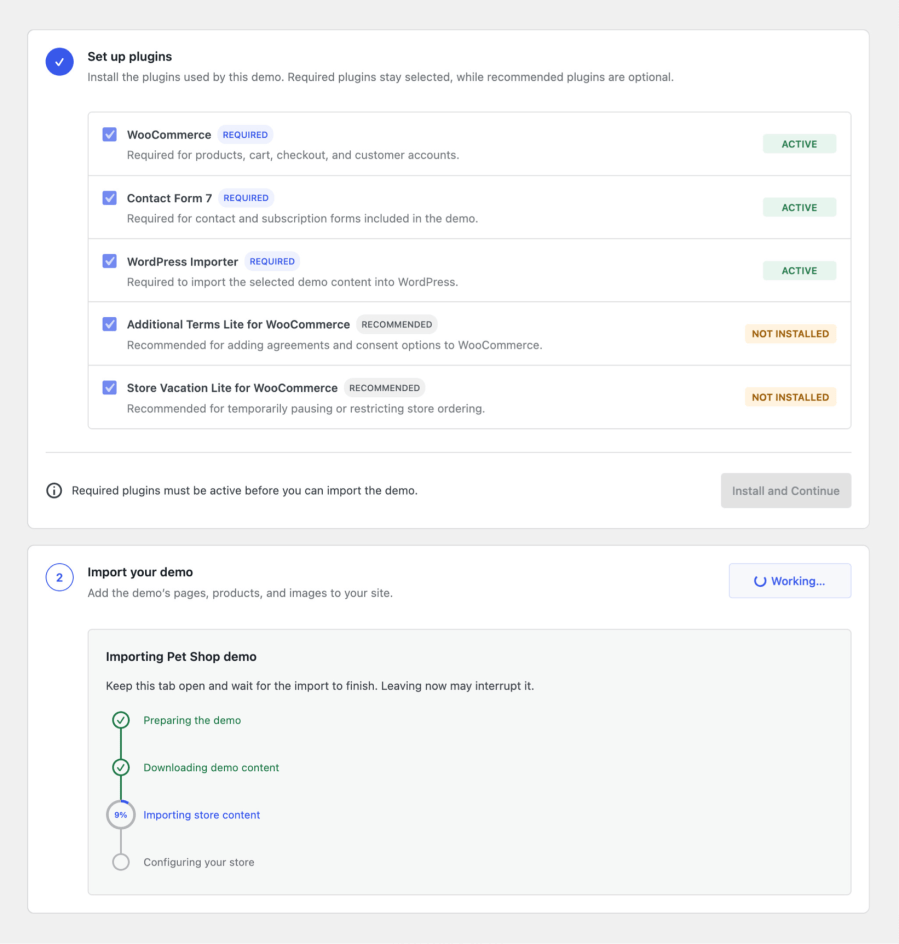
Choose a storefront and let Hypermarket guide you through the demo import. It prepares the plugins used by that demo, adds its pages, products, and images, and shows you the progress as your store takes shape. Afterward, you can edit the content and design in the WordPress Site Editor.
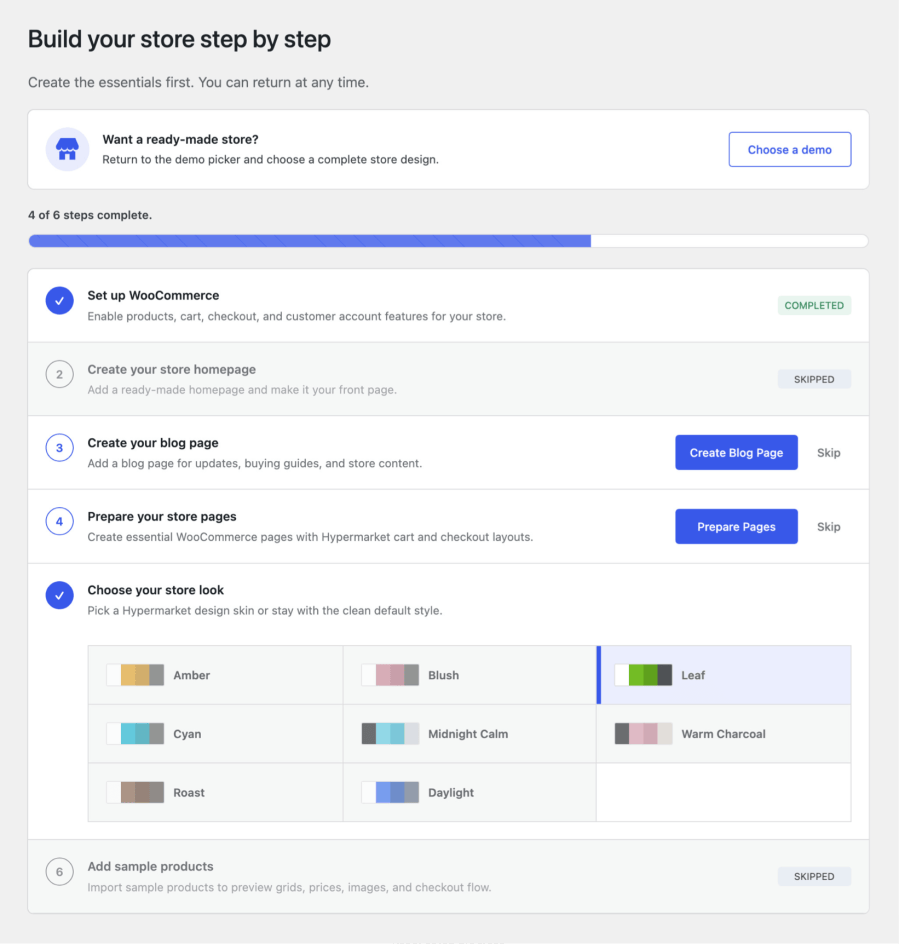
Prefer to start from scratch? You can continue through setup without importing a demo. Follow the manual setup instead. Create the pages you need, choose a style, and add your own products at your own pace. You can return to setup later
Start with a demo, then shape it around your brand in the WordPress Site Editor. Choose from three header layouts and three footer layouts, and adjust colors and typography to suit your store.
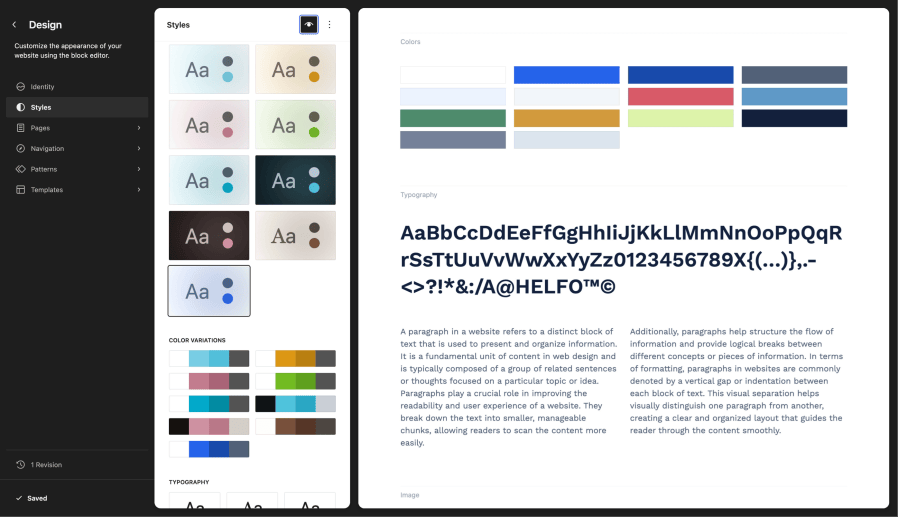
Build pages with ready-made patterns, and use Hypermarket blocks to highlight products and categories. Customize product templates to arrange product images, details, and purchase options.
Give your store more than a homepage. Hypermarket includes ready-made patterns for landing, About, Contact, FAQ, and category showcase pages, so you have a starting point for telling your story, answering customer questions, and presenting your collections.
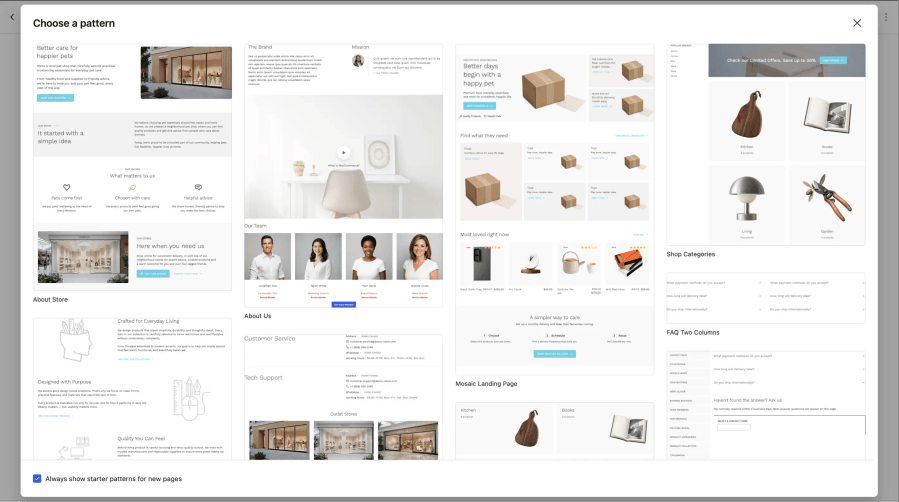
Insert a pattern, replace the text and images, and adjust the layout in the WordPress editor to suit your business.
Hypermarket brings a consistent design to your shop, product, cart, and checkout pages. Product grids, pricing, and purchase options follow the same visual style, giving customers a familiar experience as they move through your store.
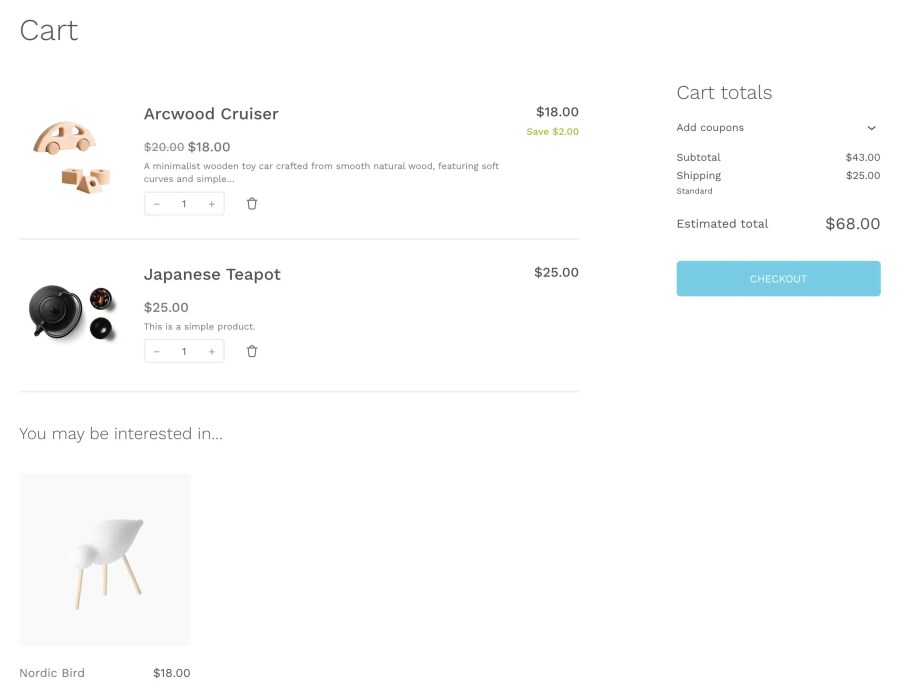
Shop and product templates remain editable in the WordPress Site Editor, so you can adapt their layouts to what you sell.
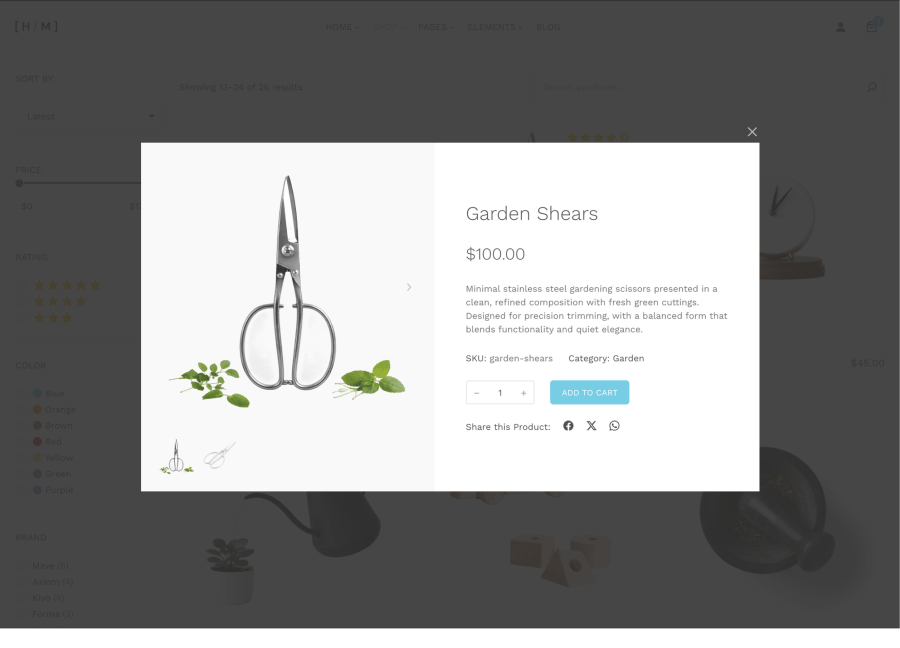
Let customers take a closer look without leaving the product grid. Quick View opens product details in a modal, so shoppers can review an item, close the preview, and continue browsing where they left off.
Build product sections for your homepage, landing pages, and other store pages using WooCommerce Product Collection blocks styled for Hypermarket.
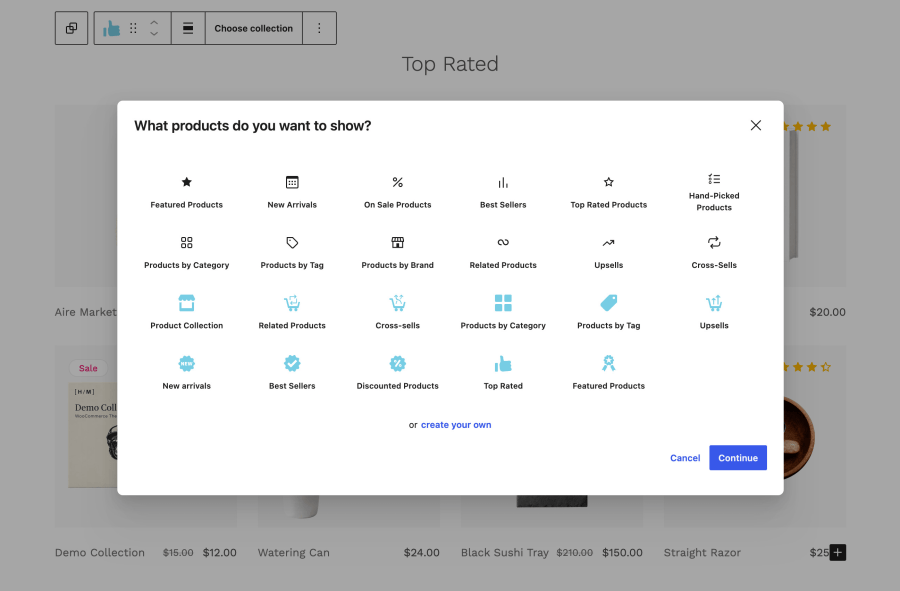
Highlight new arrivals, discounted products, best sellers, and top-rated items, or create collections by category. Use related products, upsells, and cross-sells in the relevant product and cart layouts to show customers more of what you offer.

Display products using the default shop query.
Useful for general product sections or flexible layouts.

Display products from selected categories to showcase a department or collection.

Display complementary products based on cart contents.
Great for increasing order value.

Show recently added products.
Keeps your store feeling fresh and updated.

Highlight products currently on sale.
Perfect for promotions and limited-time offers.

Show products related to the current item.
Helps to discover similar items and continue browsing.

Group products by shared tags, such as seasonal picks, gift ideas, or shopping needs.

Highlight higher-value or recommended products.
Encourages customers to upgrade their purchase.

Display your most popular products.
Builds trust and helps customers choose faster.

Show products with the highest ratings.
Helps customers find trusted and well-reviewed items.
Hypermarket’s AJAX offcanvas post view opens articles in a side panel when visitors select “Read More.” Customers can read buying guides, product stories, or store news, then close the panel and continue browsing where they left off.
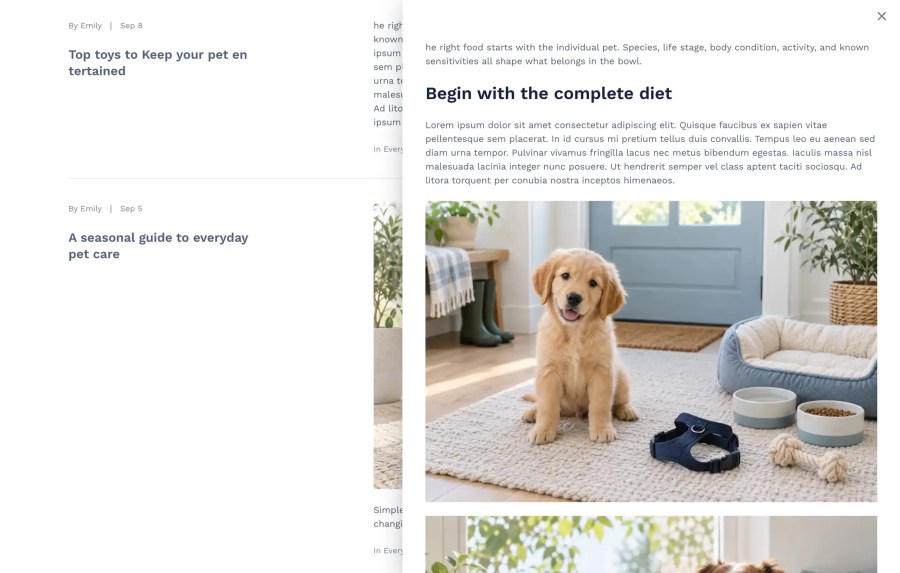
Use it on blog and archive pages, or in custom sections built with the WordPress Query Loop block.
Build promotional sections, share customer feedback, and display useful store information with Hypermarket’s blocks. Add them to your pages and templates in the WordPress editor, then customize them to fit your storefront.
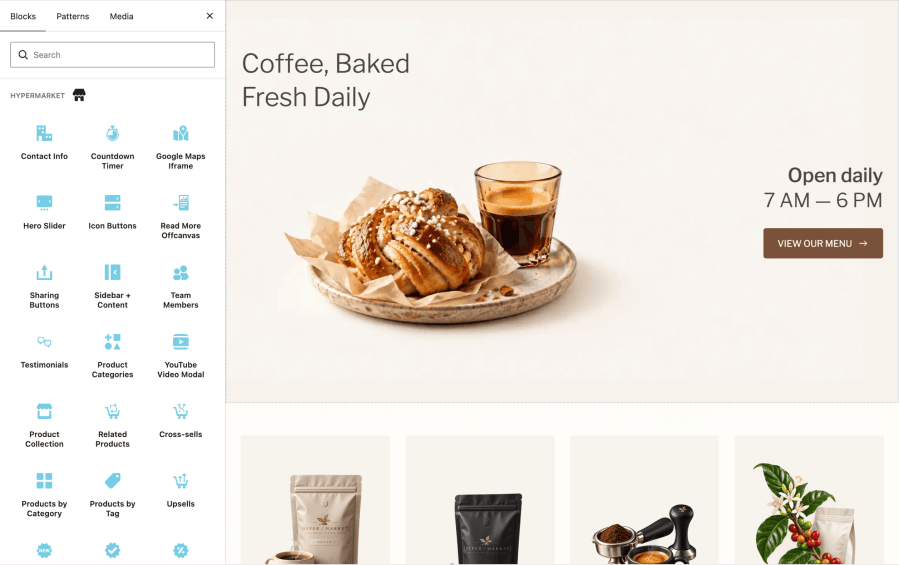

Show featured products and store offers with images, text, and action buttons.

Display phone, email, WhatsApp, address, and opening hours in one store panel.

CShow time remaining until your sale ends, promotion starts, or product debuts.

Show selected or automatic product categories to help users browse your store.

Introduce your team with photos, roles, and social links across website pages.

Let customers share your products and blog articles on their social platforms.

Share customer feedback and real product experiences in a dedicated page area.

Arrange sidebar and main content areas for store filters and extra navigation.

Help customers find your physical stores with an embedded Google Maps display.

Play YouTube content in modals using preview images with play button overlays.

Guide shoppers to products and pages using action buttons with selected icons.

Open article content in side panels so visitors browse without changing pages.
Start with a Hypermarket demo or create your own layout using ready-made patterns and blocks. Shape the design around your brand in the WordPress Site Editor, from headers and typography to product displays.
Give customers clear paths to explore your catalog, preview products with Quick View, and move through consistently styled shop, product, cart, and checkout pages.
Choose your starting point, make it yours, and bring your products to your next storefront.
Hypermarket includes storefront demos, guided demo import, ready-made page patterns, style variations, header and footer layouts, WooCommerce templates, and Hypermarket blocks. Quick View and offcanvas post browsing are also included.
Yes. Minimal Store, Coffee Shop, and Pet Shop are starting points, rather than restrictions on what you can sell. Replace their content and images, adjust the design, and organize product collections around your business.
The guided importer prepares the plugins used by your selected demo and imports its sample pages, products, and images. It also configures the demo’s templates, header, footer, navigation, and style to recreate the storefront.
No. You can follow the manual setup and build your store with your own content. Ready-made patterns, styles, templates, and Hypermarket blocks are available without importing a demo.
Yes. Choose from three header layouts and three footer layouts, then customize them in the Site Editor. You can also select style variations and typography presets or adjust colors and fonts to match your brand.
Yes. Hypermarket includes blocks such as Hero Slider, Testimonials, Countdown Timer, Contact Info, and Hand-Picked Categories. You can add and customize them in the WordPress editor.
Yes. Hypermarket’s layouts and blocks adapt to mobile, tablet, and desktop screens. Preview your changes at different screen sizes as you customize your store.
Visit the Hypermarket documentation for setup and customization guides. If you need assistance, contact Hypermarket support through your WooCommerce account.
Extension information
Quality Checks
Länder