

Das Abonnement beinhaltet
Support
A shopper looking for a blue T-shirt in size L shouldn’t have to scroll through every top you sell. SEO Product Filter adds one filter to your shop and category pages that lists every attribute and taxonomy you choose. Checkbox, radio, and dropdown filters show how many products match each value, so shoppers can see what’s available before they click.
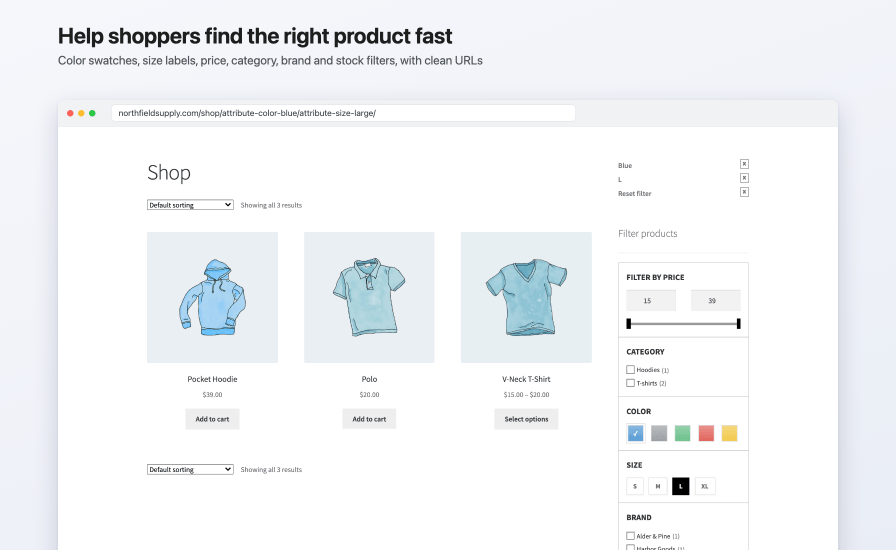
Filtered pages usually look like /shop/?filter_color=blue&query_type_color=or, with the same heading and text as the category above them. With permalinks on, SEO Product Filter builds clean paths instead, such as /product-category/t-shirts/attribute-color-blue/, and you choose the prefix and the separator between values.
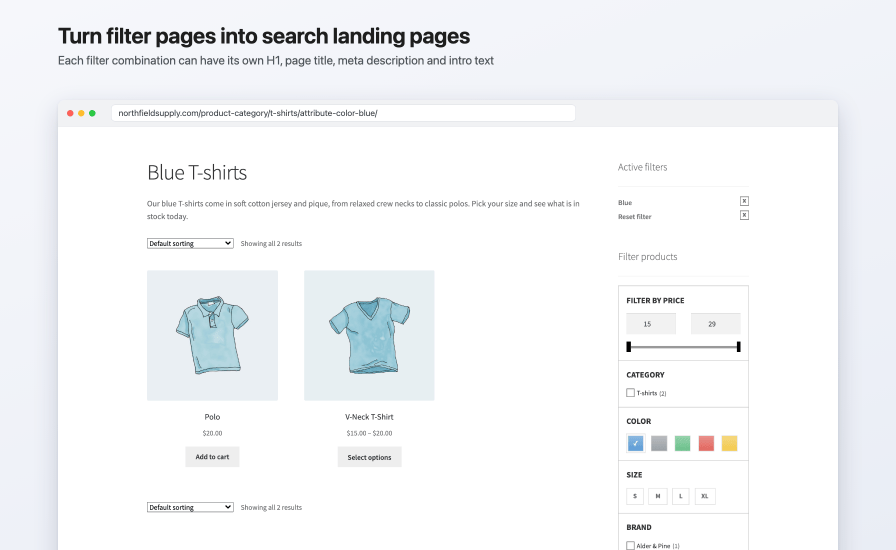
Add an SEO rule for a category and one or more attribute or brand values, and that page gets its own:
For example, a rule for the T-shirts category and the color Blue turns /product-category/t-shirts/attribute-color-blue/ into a “Blue T-shirts” page, with the title “Blue T-shirts | Northfield Supply”, its own meta description, and a short introduction above the products.
Insert variables such as the category name, the selected attribute values, the brand, the price range, or the number of products, so one set of texts reads naturally on every page you generate from it. For filtered category pages without a rule, set default texts on the SEO Settings tab.
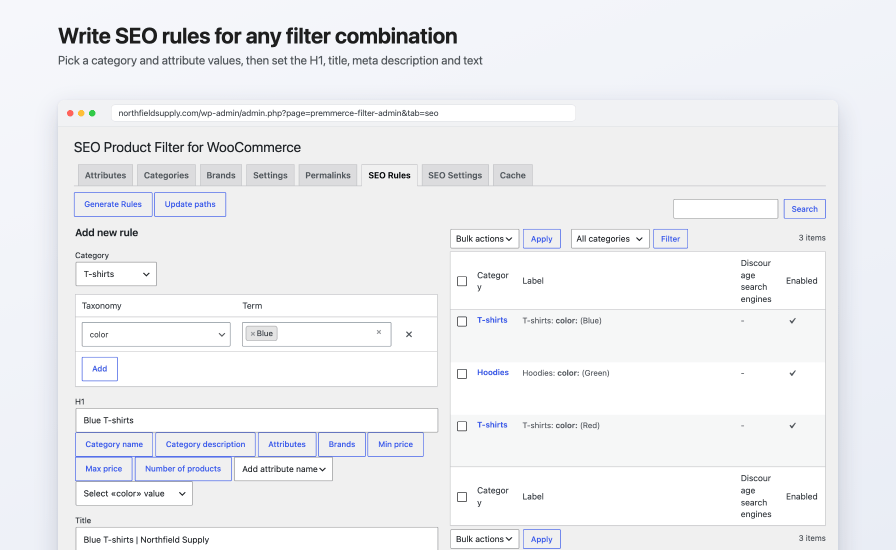
Pick categories, attributes, and terms, write the texts once with variables, and Generate Rules creates a rule for each combination that has products. Rules with no matching products are skipped, and so are rules that already exist.
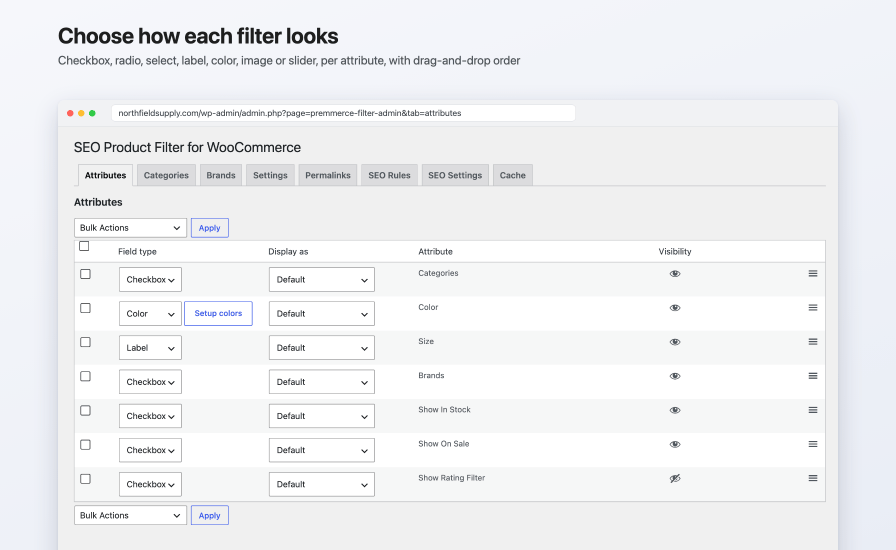
Choose which terms appear for each category, tag, or brand filter, drag filters into the order you want, and pick the pages the filter shows on: the shop, categories, tags, brands, attribute archives, and search results.
| WooCommerce’s built-in filters | SEO Product Filter | |
|---|---|---|
| Filter URLs | Query strings, such as ?filter_color=blue | Clean paths, such as /attribute-color-blue/, with your own prefixes |
| Own H1, title, meta description, and description for a filter combination | No | Yes, on category pages |
| Create landing pages in bulk for attribute combinations | No | Yes |
| Filter landing pages in Yoast SEO, Rank Math, and All in One SEO sitemaps | No | Yes |
Only if you let them. With permalinks on, one setting marks every filter page without an SEO rule as noindex, nofollow, so search engines index only the landing pages you've written texts for.
Yes. Tick "Discourage search engines from indexing this page" on its SEO rule. The page gets noindex, nofollow, a Disallow line in WordPress's robots.txt, and stays out of sitemaps.
Product category pages filtered by one or more attribute or brand values. Other filter pages, such as the shop page or a tag, can be filtered and noindexed but don't take rule texts.
Yes. On the SEO Settings tab, turn on "Use default seo settings" and write a default H1, document title, meta description, and category description with variables. They apply to filtered category pages that don't have a rule of their own.
Yes. Rule pages are added to their XML sitemaps (with Yoast SEO, as filter_seo_rule-sitemap.xml), and the rule's meta description, canonical URL, and robots settings are passed through each plugin. Without one of them, the extension prints its own meta description and canonical tag and sets WordPress's robots tag.
It declares compatibility with High-Performance Order Storage. It works on shop, category, tag, brand, and search pages and doesn't change the cart or checkout.
The filter is a block you can add to a block theme's shop and category templates, as well as a classic widget and a shortcode. It's tested with Storefront, and its AJAX updates are built around WooCommerce's classic shop templates, so test a block theme on a staging site first.
It loads its files only on pages where the filter shows, caches its product lookups and price ranges, and can load the filter after the page with "Load deferred".
Yes. Any public product taxonomy can be added under Settings > Use taxonomies, and you choose which of its terms appear.
Attribute filters use WooCommerce's own attribute filtering, including its attribute lookup table when that's on. The stock filter shows in stock, out of stock, and on backorder products with a count for each.
SEO rule texts can be translated with WPML String Translation, and the extension includes German, Spanish, French, Russian, and Ukrainian translations.
Your settings and SEO rules stay in the database. While it's inactive, WordPress doesn't recognize the clean filter paths, so they return a not found page until you reactivate it.
See the documentation for setup and troubleshooting, and contact us through your WooCommerce.com account if you need more help.
Kategorien
Extension information
Quality Checks
Länder
Sprachen







