

Aktive Installationen
2K+
Das Abonnement beinhaltet
Support
Give customers clarity. Give your team control.
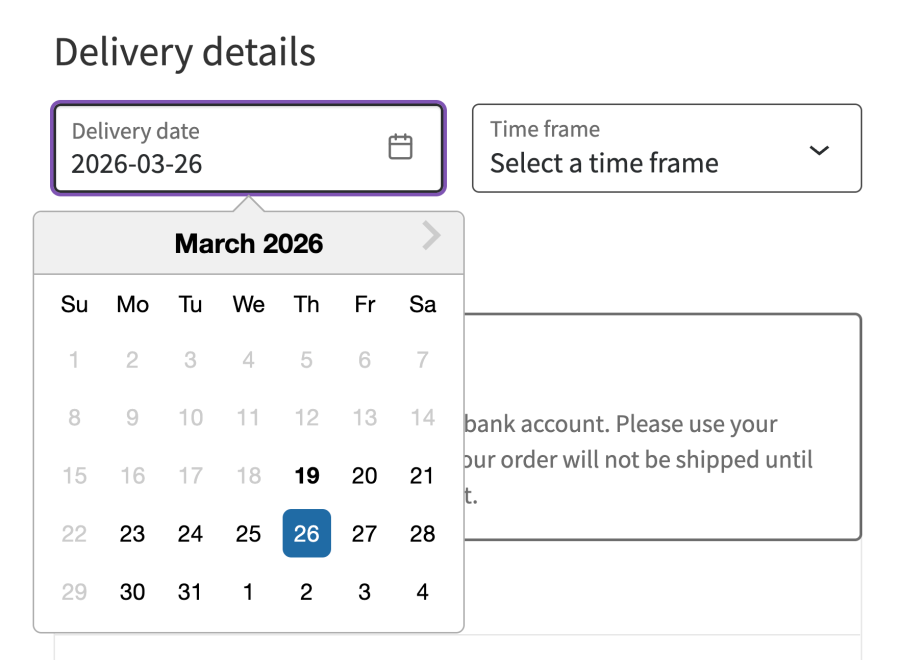
Order Delivery for WooCommerce lets customers choose – or view – exactly when their order will be delivered or ready for pickup, directly at checkout.
Whether you offer local delivery, in-store collection, or both, this plugin ensures your customers see accurate dates while you stay in control of fulfilment.
Make scheduling part of your checkout experience.
No more uncertainty – customers know exactly what to expect.
Accurately reflect how long it takes to prepare orders.
The plugin automatically calculates available or estimated dates based on your real workflow.
Configure when orders can be delivered or collected.
Perfect for businesses managing both fulfilment methods.
Prevent overload and keep operations smooth.
Monetise convenience and peak demand.
Support multiple shipping speeds with accurate estimates.
Add optional tipping for delivery or pickup orders.
Delivery and pickup details are visible everywhere they matter.
Manage fulfilment easily from your WooCommerce dashboard.
Your fulfilment process is part of your customer experience.
Order Delivery for WooCommerce ensures:
If you offer delivery, pickup, or both, you need more than a basic date field.
You need a system that:
Order Delivery for WooCommerce does exactly that.
Yes. In your store's WP Admin dashboard, head to WooCommerce > Settings > Shipping & Delivery > Delivery Field, then mark the field as required.
Absolutely. Order Delivery uses standard WooCommerce templates that can be overridden in your theme for complete layout control.
Yes. Order Delivery automatically calculates delivery dates for subscription renewals based on customer preferences.
Yes. Set cut-off times, lead times, and delivery ranges to create flexible same- or next-day delivery rules.
Yes! You can configure pickup days and time frames independently from your delivery schedule.
Yes. Add fees for specific days or windows to support premium shipping options.
Yes! As of version 3.0+, you can use WooCommerce Order Delivery on the WooCommerce checkout block. It will continue to support the legacy checkout shortcode and other checkout solutions such as CheckoutWC.
Kategorien
Extension information
Quality Checks
Works with
Kompatibilität
Länder



