
Instalaciones activas
200+
Product comparison
La suscripción incluye
Ayuda y soporte
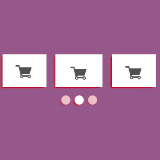
Esta extensión permite crear fácilmente una atractiva presentación en carrusel de productos en tu sitio o tienda para aumentar las conversiones y las ventas. Ayuda a los propietarios de tiendas de WooCommerce de varias maneras: crea una presentación para Productos destacados, Productos de categoría, Productos en oferta, Nuevos productos, etc. Product Slider Carousel permite que tu tienda o sitio web muestre un sinfín de artículos de manera fluida y profesional. Lo mejor de esta extensión es que ofrece la opción de crear una presentación personalizada para los productos y categorías que elijas.
Crear una presentación no requiere ningún conocimiento especial, puesto que esta extensión ya cuenta con valores predefinidos. Puedes mostrar la presentación de productos en páginas, entradas, plantillas personalizadas e incluso widgets con solo añadir un shortcode. Esta extensión también permite mostrar u ocultar el precio del producto, el botón «Añadir al carro», el nombre del producto y las valoraciones.

It displays your WooCommerce products in responsive sliders and carousels: featured, on-sale, best-selling, top-rated, new, category or hand-picked products. Each slider can also include a Quick View popup, a sale countdown timer and product videos, and every product click is tracked in a built-in analytics report.
Yes. Create a slider, choose Best Sellers as the slider type, and add it to your homepage with the Gutenberg block, Elementor widget, Divi module or shortcode. The slider updates automatically as your sales change.
Yes. It includes a native Elementor widget and a native Divi Builder module. Search for "Product Slider Carousel" in the widget panel or module library and select your slider. A Gutenberg block is included too.
Yes. Customers can pick size, colour and other attributes inside the Quick View popup and add the product to the cart without visiting the product page.
Yes. You can insert sliders directly using the Gutenberg editor by selecting the Product Slider block.
Set a sale end date on a product (Product → General → Sale price → Schedule → "To" date). The countdown appears on that product's card automatically. For products without an end date, you can set a fallback date in the slider settings.
Yes. Add a YouTube, Vimeo or MP4 link in Product → Advanced. A play button appears on the product card, and clicking it opens the video in a full-screen lightbox.
Set a sale end date on any product (Product → General → Sale price dates → To). The countdown appears automatically. For products without an end date, set a global fallback date in the slider settings.
Yes. Go to All In One Product Slider → Analytics in your WordPress admin to see the top clicked products per slider, filterable by 7, 30, 90 or 365 days.
Yes. You can create unlimited sliders and place as many as you like on a single page.
Yes. Sliders are fully responsive and support touch and swipe on phones and tablets.
Yes. Each slider has an option to exclude out-of-stock products.
The slider can show a wishlist button that works with YITH WooCommerce Wishlist and TI WooCommerce Wishlist.
Yes. It's compatible with WooCommerce High-Performance Order Storage (HPOS), works on multisite installs, and is translation ready.
No. Sliders come with sensible defaults, and you can adjust layout, colours and what's shown on each card from the settings screen. Custom CSS per slider is available if you want finer control.
Categorías
Información de la extensión
Comprobaciones de calidad
Países







