

Instalaciones activas
800+
La suscripción incluye
Ayuda y soporte
Auctions for WooCommerce es un plugin de subastas para profesionales que amplía tu tienda de WooCommerce con un nuevo tipo de producto personalizado: la subasta. Artículos de subasta con subastas normales, inversas, silenciosas o proxy. Además, puedes usar Auctions junto con el plugin Product Vendors para crear un sitio al estilo de eBay en el que los usuarios pueden subastar sus propios artículos.
Auctions for WooCommerce se puede personalizar con plantillas y admite hooks, traducciones y WPML. También incluye funciones específicas de las subastas, como la función contra herramientas de puja automática, incrementos variables de pujas, la actualización de pujas en vivo mediante la técnica Ajax, las notificaciones de pujas en vivo del navegador y distintos tipos de clasificación.
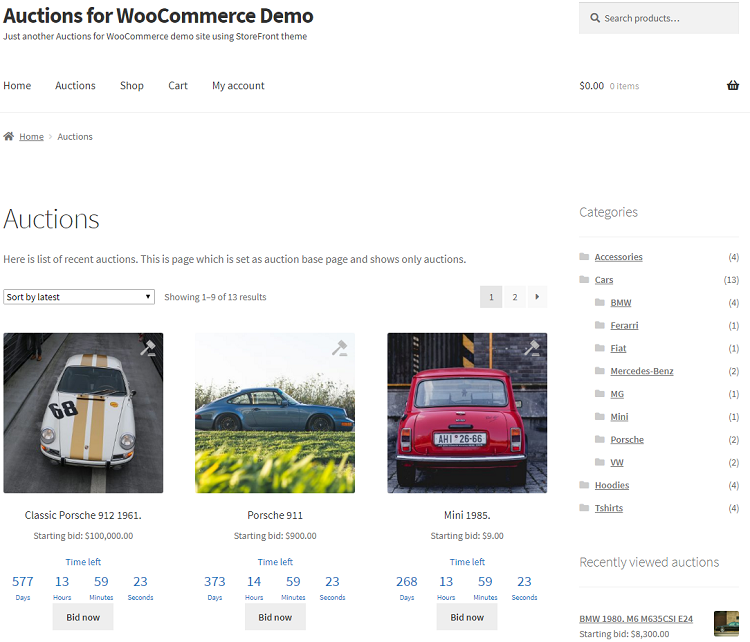
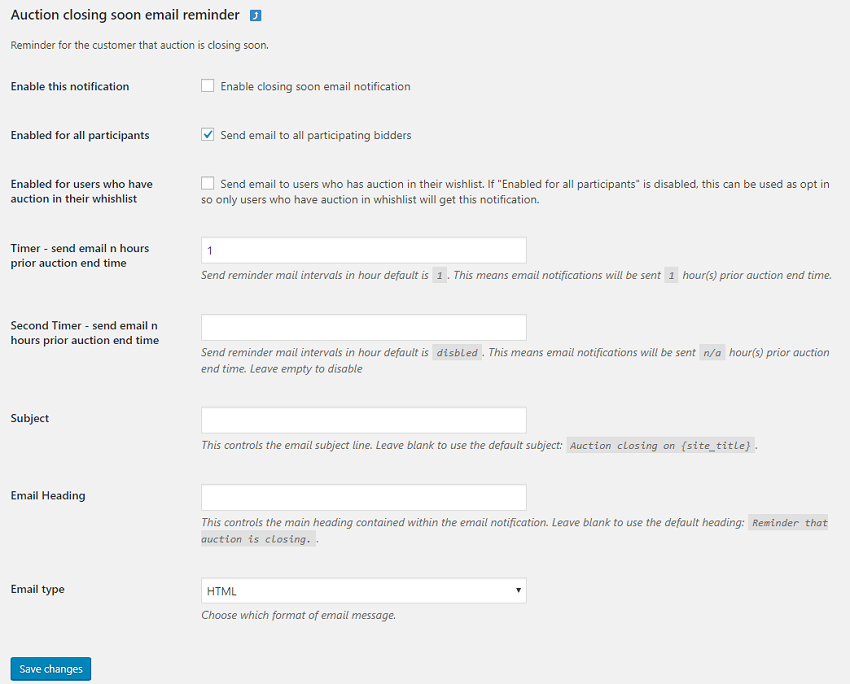
Puedes ver a continuación capturas de pantalla obtenidas del sitio web de demostración de Auctions for WooCommerce:
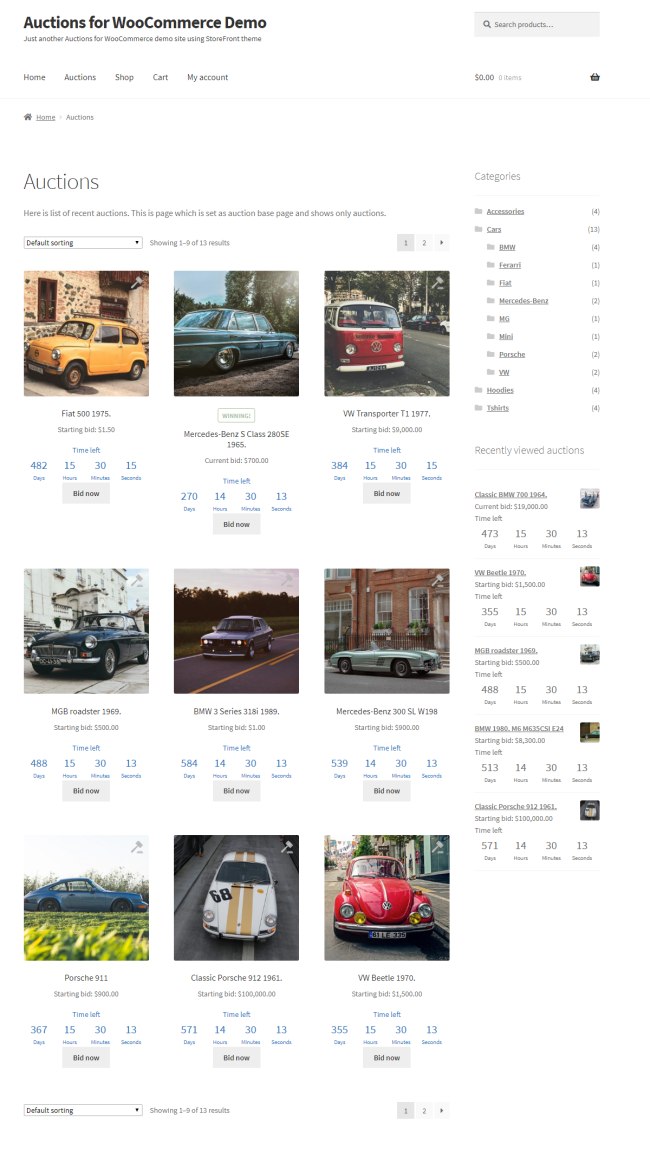

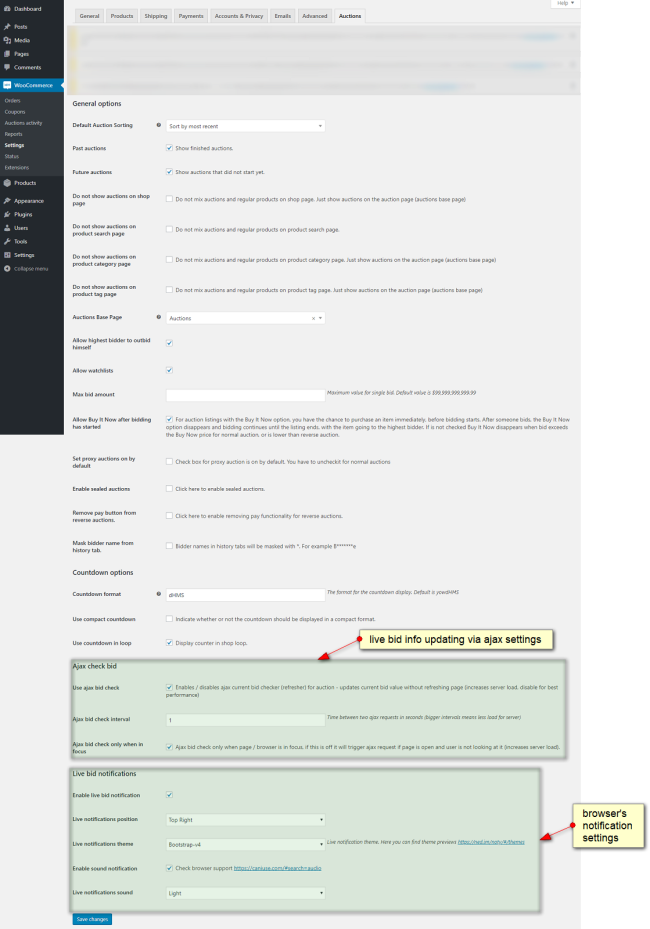
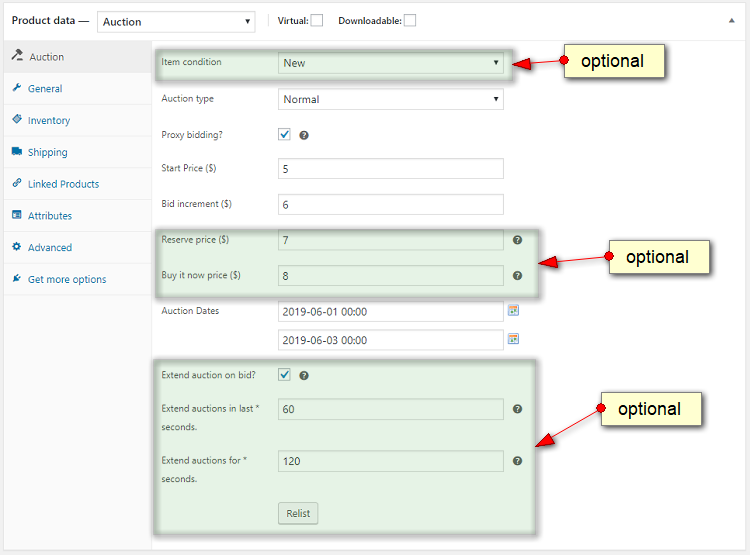
Consulta la documentación completa para obtener más información sobre estas funciones y su uso.
Yes, go to edit auction then check "Extend auction on bid" option and set "Extend auctions in last seconds" and "Extend auctions for seconds" values.
Those are auctions which require seat to be purchased in order to bid - bidders have to purchase seat in order to participate in auction. Auctions for WooCommerce support this feature. You define simple product called "Buy Seat" and check option "Seated auction?" on edit auction page. Then in dropdown you need to select simple product called "Buy Seat" which you defined earlier. Number of seats is defined by stock of simple product "Buy Seat".
Yes, you can use this code snippet for that.
Yes, go to item details, section Auction where auction log is and click on delete.
Yes, please check it here https://wpinstitut.com/auctions-for-woocommerce-documentation
Yes, check this tutorial - working code example is included.
Please check faq item no 24 here https://wpinstitut.com/auctions-for-woocommerce-documentation
Yes, this can be enabled in auction settings.
User has to be logged in because we don’t have reliable way to track its bid(s) otherwise. If you have real auction site at one moment user(s) will have to enter details for shipping, payment etc, it’s also a way to filter serious bidders and block fake accounts more easily.
There is option in auction settings for that called “Mask bidder name from history tab”.
You can delete that winning bid and next highest bidder will be winner and will see pay now button for auction. There is auto relist option that can relist auction: “Relist if not paid after n hours”.
Please check this sample code snippet.
If you use persistent like Redis / Memcache object cache you will need to add group to a list of non presistent groups in your wp-config.php, see line below:
define( 'WP_REDIS_IGNORED_GROUPS', ['afw'] );Categorías
Información de la extensión
Comprobaciones de calidad
Países
Requisitos








