

Product comparison
La suscripción incluye
Ayuda y soporte
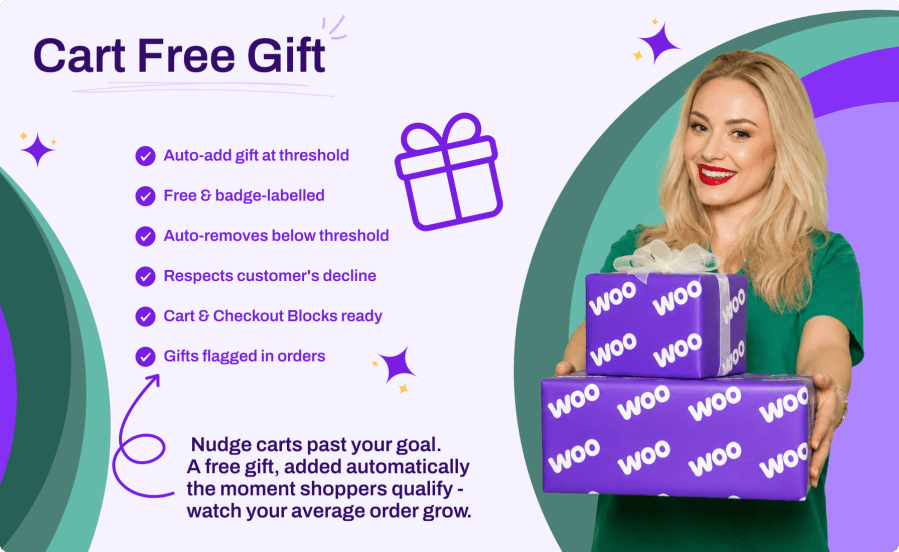
«Spend X and get a free gift» is one of the highest-converting incentives in ecommerce: it gives customers a concrete reason to add one more item and push their cart over the line. Cart Free Gift brings that incentive to WooCommerce with zero configuration overhead: pick a gift product, set a cart subtotal threshold, and the plugin does the rest. The gift is added automatically at a price of zero, locked to a quantity of one, and clearly labelled with a badge, so customers always know it is a reward. Drop back below the threshold and the gift is removed again; remove the gift yourself and the plugin respects that choice for the rest of the session. It works identically with the classic cart and checkout and with the Cart and Checkout blocks.
Choose a published simple product as the gift, set a cart subtotal threshold, and flip the master switch. From then on the engine watches every cart: it adds the gift when the threshold is crossed, keeps the line free and at quantity one, and removes it when the cart no longer qualifies. No rules to build, no coupons to manage.
The gift line is normalized on every totals calculation: quantity forced back to one, price forced back to zero. A second validation pass on the cart and checkout pages removes stale gift lines, re-checks the threshold, and blocks checking out a cart that contains only the free gift.
Some customers do not want the gift, and that is fine. When a customer removes the gift line themselves, the plugin records a decline for the session and stops re-adding it, even while the cart still qualifies. The standard WooCommerce «Undo?» link brings it back and cancels the decline.
The engine hooks into totals calculation, so it runs for classic shortcode pages, AJAX cart updates, and the Store API used by the Cart and Checkout blocks. Classic carts show the badge next to the item name; block carts show a «Gift: Included free with your order» row on the gift line.
The plugin treats that as the customer declining the gift and does not add it back automatically during the same session. The standard WooCommerce "Undo?" link restores the gift and cancels the decline, and once the cart drops below the threshold and later climbs back above it, the gift is offered again.
By default the gift is removed automatically, so a cart can never check out with an unearned gift. If you prefer a friendlier policy, turn the auto-remove option off and the gift stays in the cart once it has been unlocked for the session.
Yes. The gift engine runs for the Store API used by the Cart and Checkout blocks, and the gift is surfaced as an item data row on the gift line, so block-based carts display it correctly alongside the classic shortcodes.
Yes. Only the automatically added line is flagged as the free gift; the same product can sit in the cart as a regular paid line at its normal price and quantity. Flagged gift lines are the only ones locked to quantity one and priced at zero.
Any published, purchasable, in-stock simple product can be the gift (variable, grouped, and external products are not supported). Coupon handling is up to you: with "Include coupon discounts" enabled (the default), discounts are subtracted from the subtotal before it is compared to the threshold.
Categorías
Comprobaciones de calidad
Países







