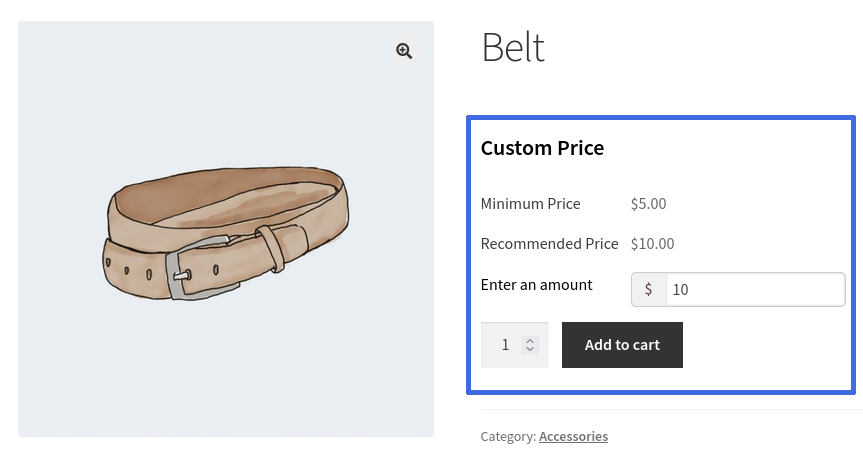
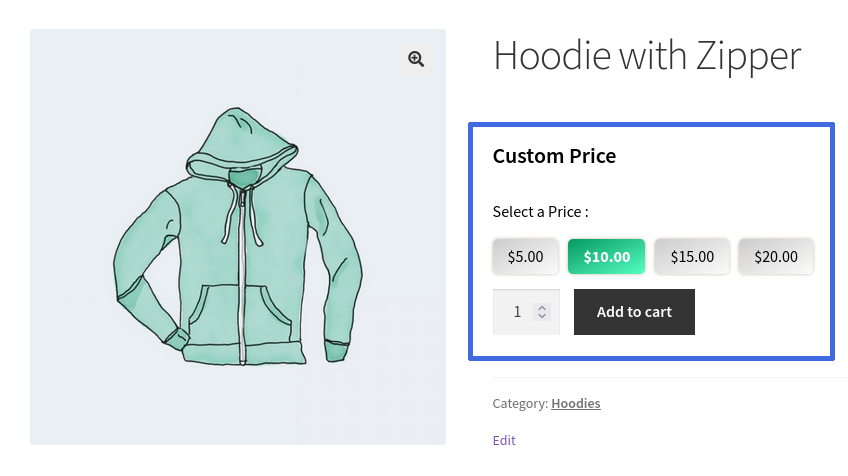
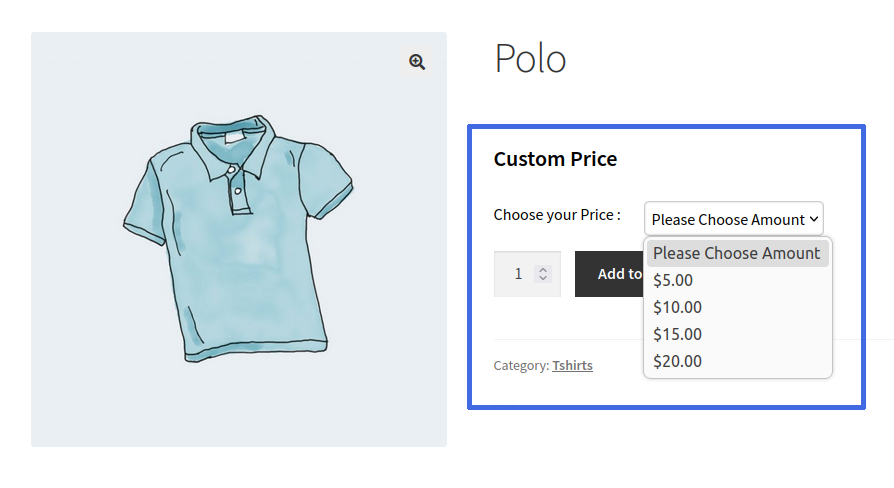
Allow customers to enter their own price using Text, Button, or Dropdown input types, with configurable minimum, maximum, and recommended price limits.
Create unlimited custom pricing rules and apply them globally or at the product level. Configure pricing rules for specific products, categories, brands, and product types for maximum flexibility.
3. Fixed Amount & Percentage Pricing Controls
Set minimum, maximum, and recommended prices based on either a fixed amount or a percentage of the product price.
4. Advanced Store Customization
Customize pricing labels, messages, product badges, tax handling, shipping costs, payment gateways, and product price displays to match your store’s requirements.
5. Admin Reports & Analytics
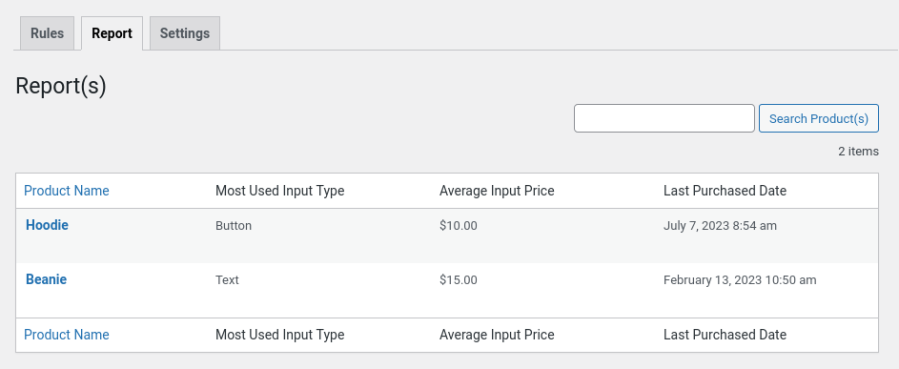
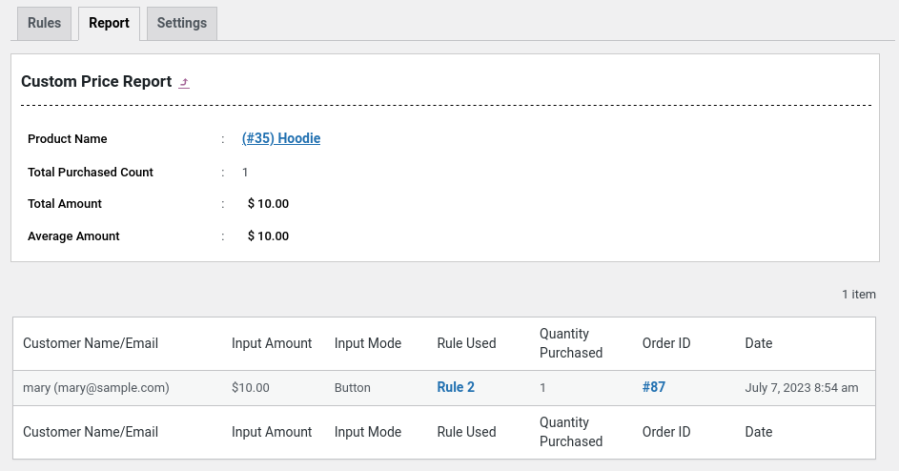
Track customer-paid prices and analyze custom pricing activity through dedicated Custom Pricing Reports in the admin dashboard.
Extensive Features List
Works with simple and variable products
Works for members and guests
Create unlimited rules
Set Minimum price, Maximum price and Recommended price based on a Fixed Amount or Percentage of Product Price
Set Custom Price as mandatory or Optional for the product
Works for eligible products and, or whole categories
Restrictions you define
Supported price input and selection types:
Text
Button
Dropdown
Option to set custom pricing products on a global level(using rule) or product level
You can hide some Payment gateways for Custom Pricing Product.
Option to redirect the custom price product directly to the checkout page when clicking the Add to Cart on the single product page
Option to hide Regular Price or Sales Price
Option to display Tag/Badge for the custom pricing products on shop & product pages
Option for the Site Admin to optionally include tax costs for Custom Pricing Products
Optionally include shipping costs for Custom Pricing Products
Color customization options available for custom pricing product display
Customizable messages and frontend labels
Dedicated Custom Pricing Reports for site admins.
Shortcode available to display custom pricing products.
Option to duplicate custom pricing rules.
Filter options available to include or exclude products by brand, product type, and product tag
WooCommerce High-Performance Order Storage (HPOS) compatibility
Tanto nosotros como nuestros socios procesamos tus datos personales (como los datos de navegación, las direcciones IP, la información sobre las cookies y otros identificadores únicos) en función de tu consentimiento o en nuestro interés legítimo para optimizar nuestra web, las actividades de marketing y tu experiencia como usuario.