Icono del producto

Payment Method Messages para WooCommerce

Display custom payment-specific messages on your WooCommerce Cart and Checkout pages. Messages update dynamically when customers switch payment methods and work seamlessly with both Classic Checkout and WooCommerce Blocks.
Elige una opción de facturación
$29
Ahorra un 20 %
$58 $46.40

La suscripción incluye

  • Actualizaciones y mejoras del producto
  • Atención al cliente
  • Garantía de devolución de 30 días

Payment Method Messages & EU Withdrawal Button

Payment Method Messages allows your WooCommerce store to display dynamic payment-specific messages during checkout.
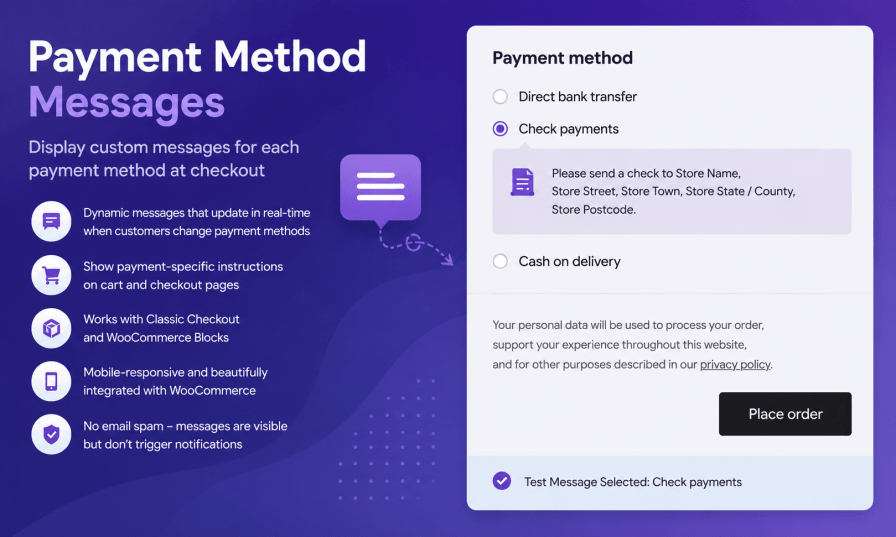

Payment Method Messages allows you to show dynamic messages based on the payment method selected by your customers. Whether you need to provide bank transfer instructions, cash-on-delivery information, payment reminders, or special notes for specific gateways, this extension helps deliver the right message at the right time.


EU Withdrawal Module helps WooCommerce store owners handle withdrawal and order cancellation requests in a simple and organized way. Customers can submit requests directly from their order pages, while administrators manage all requests from a dedicated WooCommerce dashboard. Includes email notifications, country restrictions, duplicate request protection, and customizable templates.

EU Withdrawal Module

Withdrawal Button on Order Pages

Show a customizable withdrawal button on the thank you page and customer order detail view. Customers can start a cancellation request immediately after purchase.

Simple Withdrawal Form

Let customers submit a request with their order number and billing email address. An optional message field captures additional details. Login is not required unless you enable the logged-in-only option.

Dedicated Withdrawal Page

A withdrawal form page is created automatically when you enable the module. The form is displayed on that page out of the box, or you can place it anywhere using the [epmm_withdrawal_form] shortcode.

Admin Withdrawal Dashboard

All requests are listed under WooCommerce → Withdrawal Requests, with order number, customer, and submission date for quick review and follow-up.

Email Notifications

Send automatic confirmation emails to customers and alerts to the store admin. Customize the subject and message with placeholders such as {order_number}{customer_name}, and {site_name}.

Country Restrictions

Limit the withdrawal button and form to customers with a billing address in selected countries — ideal for EU and EEA markets such as Germany, Austria, or Switzerland. Leave empty to allow all countries.

Logged-in Customers Only

Optionally require customers to be logged in before they can see or use the withdrawal form and button.

Duplicate Request Handling

If a customer submits a request for an order that already has one, they see a friendly confirmation message instead of an error

Dynamic Checkout Messages

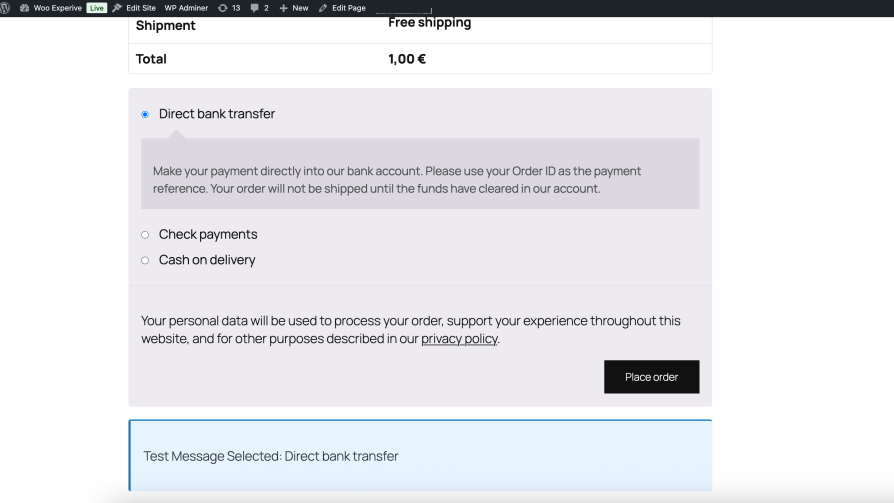
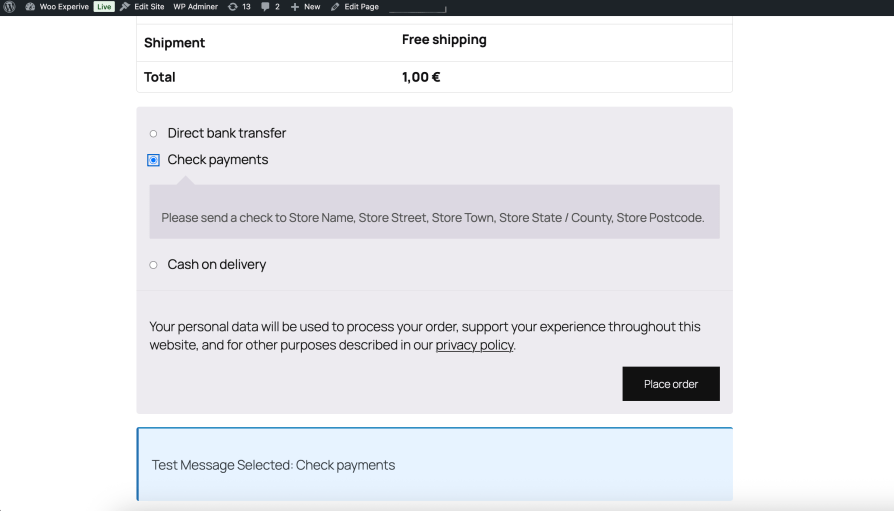
Automatically display different messages when customers select a payment method during checkout. Messages update instantly without requiring a page refresh.

WooCommerce Blocks Support

Fully compatible with both the Classic Checkout and the modern WooCommerce Blocks Checkout experience.

Mobile-Friendly Design

Messages are displayed using WooCommerce-native styling and adapt seamlessly to desktop, tablet, and mobile devices.

Flexible Message Management

Create unique messages for each available payment gateway, including bank transfer, cash on delivery, credit card providers, and custom payment methods.

Benefits

  • Improve customer communication during checkout
  • Reduce payment-related questions and support requests
  • Provide clear instructions for manual payment methods
  • Increase customer confidence before order completion
  • Deliver a more professional checkout experience

Perfect For

  • Stores using bank transfer payments
  • Cash on delivery businesses
  • B2B WooCommerce stores
  • Stores with custom payment gateways
  • Merchants needing payment-specific instructions

Payment Method Messages helps ensure customers always see the information that matters most based on how they choose to pay.

How to get started
Getting started
  1. To set up your store with Payment Method Messages:
  2. Go to: WooCommerce > Settings > Payment Method Messages.
  3. Tick the checkbox to Enable Payment Method Messages
  4. Enter a description for Checkout Message
  5. Save changes.
Usage

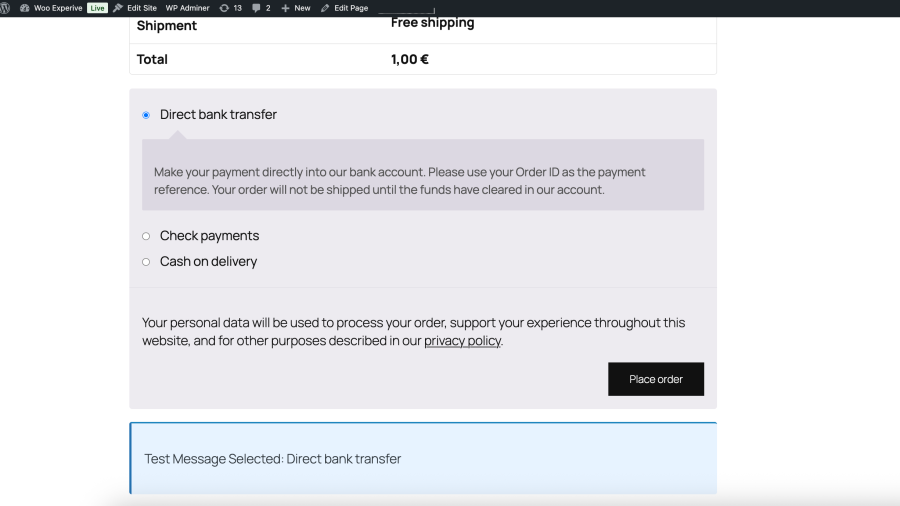
What customers see on the front end.


Troubleshooting
Here are some common issues and how to fix them:

1. Messages are not showing on checkout page
Make sure the plugin is enabled in WooCommerce → Settings → Payment Method Messages. Also check if you have saved your changes correctly.

2. Changes are not updating on the frontend
Clear your cache (browser cache or any caching plugin like WP Rocket / LiteSpeed Cache) and refresh the page.

3. Payment methods are missing from settings
Ensure that the payment method is active under WooCommerce → Settings → Payments. Inactive gateways will not appear in the plugin settings.


Preguntas frecuentes

Can I write separate messages for each payment method?

Yes, you can assign different messages for each payment method individually.

Where can I edit the messages?

You can edit them in WooCommerce → Settings → Payment Method Messages.

Do changes take effect immediately?
  • Yes, once you save the changes, they are applied immediately on your store.

Opiniones de clientes

Estamos aceptando reseñas para este producto, y las mostraremos cuando tengamos unas cuantas más.

Información de la extensión

  • Se requiere una versión de PHP: 7.4
  • Se ha probado con WordPress: 6.9
  • Se ha probado con WooCommerce: 10.4.3
  • Se necesita al menos WordPress: 6.0
  • Se necesita al menos WooCommerce: 8.0

Países

  • Todo el mundo

Related Products

Precio: $279/anualmente
Valoración: 3.2 sobre 5 estrellas
Precio: $79/anualmente
Valoración: 3.4 sobre 5 estrellas
Precio: $59/anualmente
Valoración: 3.1 sobre 5 estrellas
Precio: $109/anualmente
Valoración: 2.7 sobre 5 estrellas
Precio: $49/anualmente
Valoración: 4.1 sobre 5 estrellas
Precio: $109/anualmente
Valoración: 2 sobre 5 estrellas
Precio: $109/anualmente
Valoración: 2.3 sobre 5 estrellas
Precio: $109/anualmente
Valoración: 2.6 sobre 5 estrellas
Precio: $109/anualmente
Valoración: 2.3 sobre 5 estrellas
Usar sus datos personales
Tanto nosotros como nuestros socios procesamos tus datos personales (como los datos de navegación, las direcciones IP, la información sobre las cookies y otros identificadores únicos) en función de tu consentimiento o en nuestro interés legítimo para optimizar nuestra web, las actividades de marketing y tu experiencia como usuario.