

La suscripción incluye
Ayuda y soporte
As your store grows, completed, cancelled, and failed orders accumulate in the same database table as active ones, gradually slowing down admin screens, reports, and backups. Export and Archive Orders for WooCommerce clears eligible orders from that table on a schedule you define, based on order status, age, and value, while preserving full export options and uninterrupted customer access to their order history.
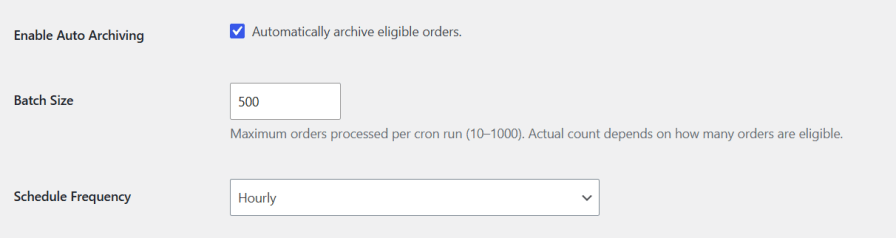
Enable auto order archiving to have the plugin move eligible orders out of your active list automatically. Set a batch size between 10 and 1000 orders per run, and choose a cron frequency ranging from hourly to less frequent intervals to match your store’s order volume.
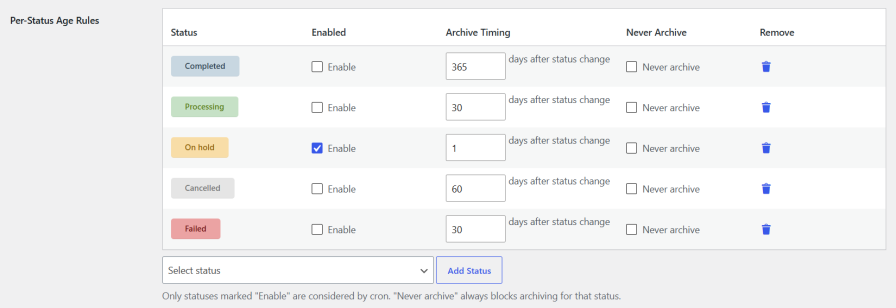
Export and Archive Old Orders for WooCommerce let you define how long each order status stays active before archiving. Enable a status, set the number of days after the status change, or mark it «Never archive» to keep it permanently excluded. Add or remove custom statuses anytime.
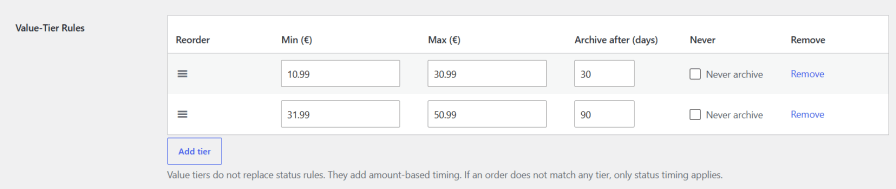
Set archive timing by order amount, not just status. Define a min and max range for each tier with its own archive delay, and protect high-value orders with a «Never archive» tier. If no tier matches, standard status timing applies, and the longer of the two timings always wins.
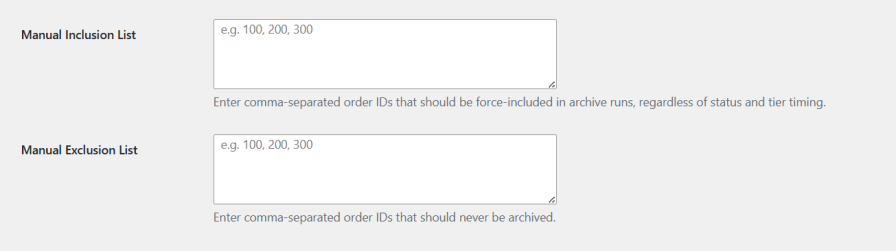
Add order IDs to the Manual Inclusion List to force-archive them right away, regardless of status or timing rules. Add IDs to the Manual Exclusion List to keep them out of every archive run, permanently.
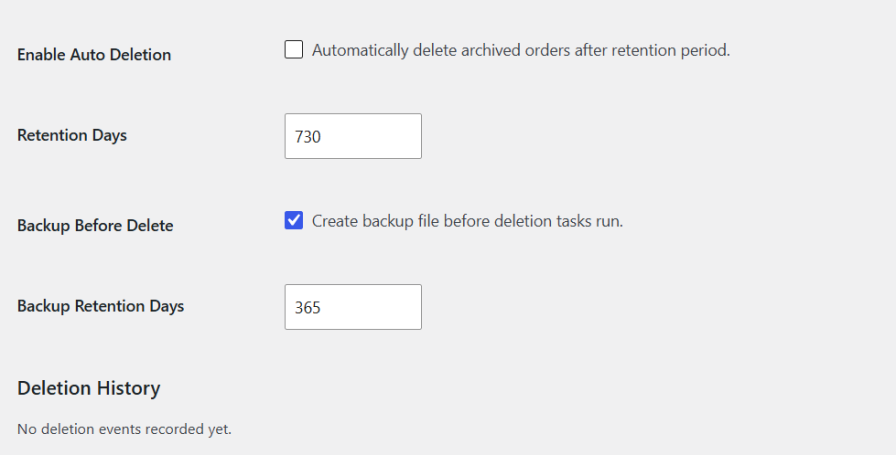
Set a retention period and let old archived orders delete automatically once it ends. Enable backups before every deletion run, with a separate retention period for how long backup files are kept, plus a log of every deletion event.
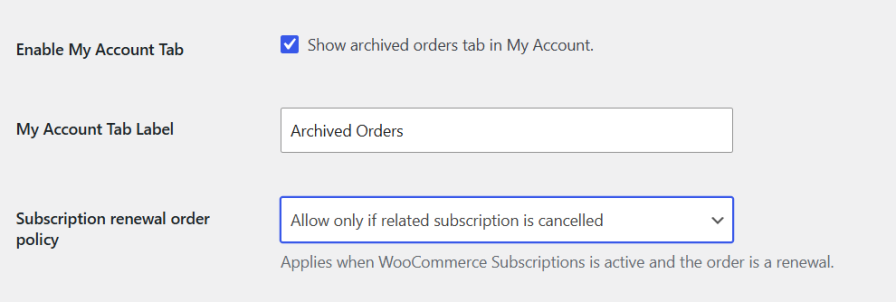
Add an «Archived Orders» tab to My Account so customers can view past orders anytime, with a customizable tab label. For stores using WooCommerce Subscriptions, set a renewal order policy to control archiving of active subscriptions’ renewal orders.
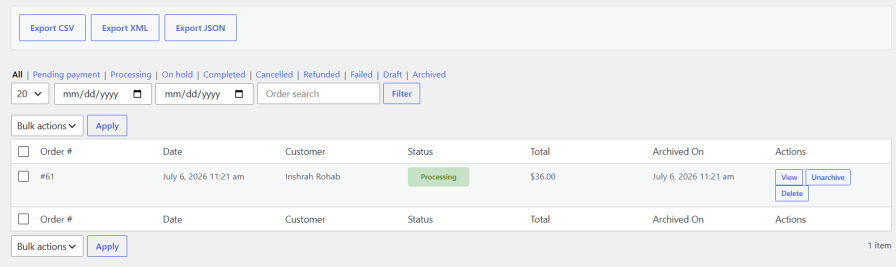
Access all archived orders from a dedicated Archived Orders tab in your WordPress dashboard. Export the data as CSV, XML, or JSON in one click, filter by status, including pending payment, processing, on hold, completed, cancelled, refunded, failed, and draft, or narrow results by date range and order search.
Choose whether the plugin’s database table and settings are deleted on deactivation. This is off by default, so your archive data stays safe unless you choose to remove it.

It checks the Manual Inclusion and Exclusion lists first, then applies status-based age rules and value-tier rules. If both a status rule and a value tier apply to an order, the plugin uses whichever archive delay is longer.
No. Archiving only moves orders out of the active list. Orders are only deleted if you turn on Auto Deletion and set a retention period under Deletion & Backup.
Yes. Enable the My Account tab under Archive Orders settings and archived orders will show up in a dedicated tab on the customer's account page.
Yes. The Archived Orders screen lets you export data as CSV, XML, or JSON, with filters for status, date range, and order search.
Países







