La suscripción incluye
Ayuda y soporte
The store locator for WooCommerce lets you add and showcase multiple physical store locations on a dedicated page, making it easy for customers to find your products worldwide.
It allows you to display the locations of your physical store with the help of Google Maps API. Its responsive design and auto-geocoding feature automatically detect the nearest store for in-person shopping. You can also show opening hours, holiday schedules, and temporary closures, and pick the layout that suits your page.
Add multiple store locations to your site and manage them effectively with multistore for WooCommerce. Display store name, address, location, and contact information.
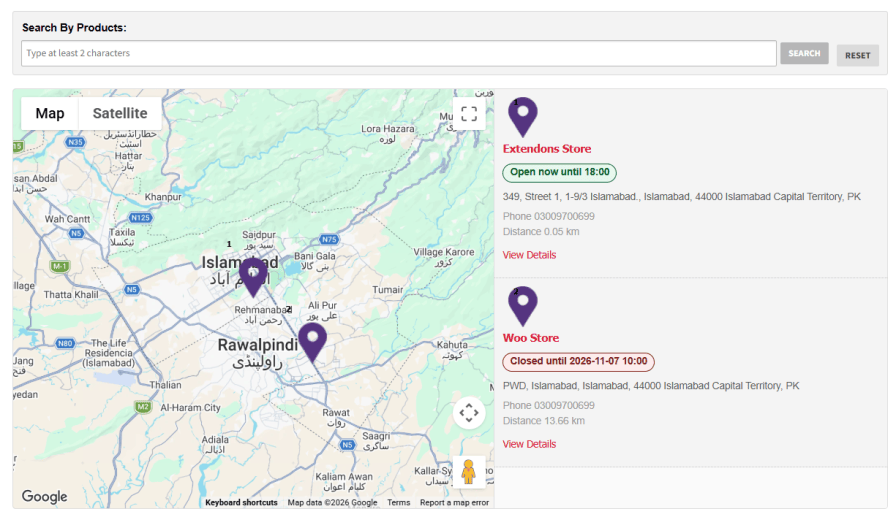
Customers can easily locate stores that have their desired product in stock by using the product search filter. They can find the nearest store with the item they are looking for in just a few clicks.
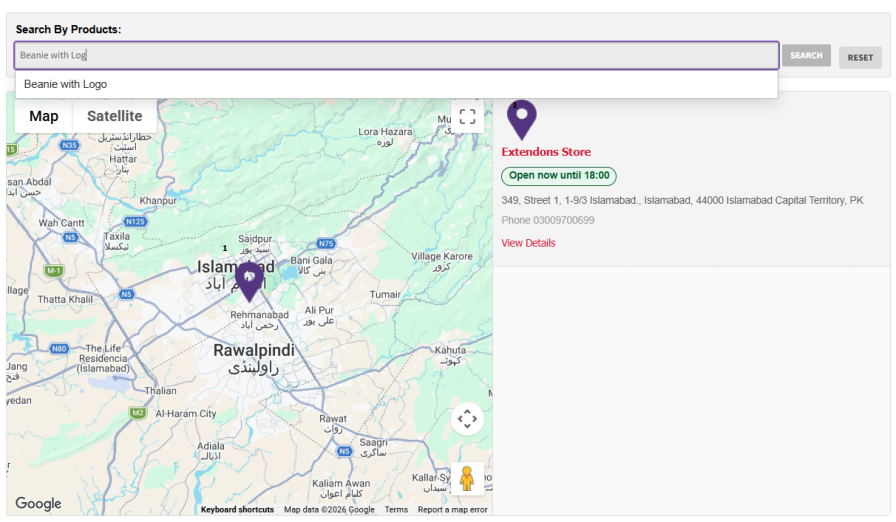
Store searching can be narrowed down by adding more detail about the desired store. The store locator helps customers locate stores in their vicinity for convenient shopping.
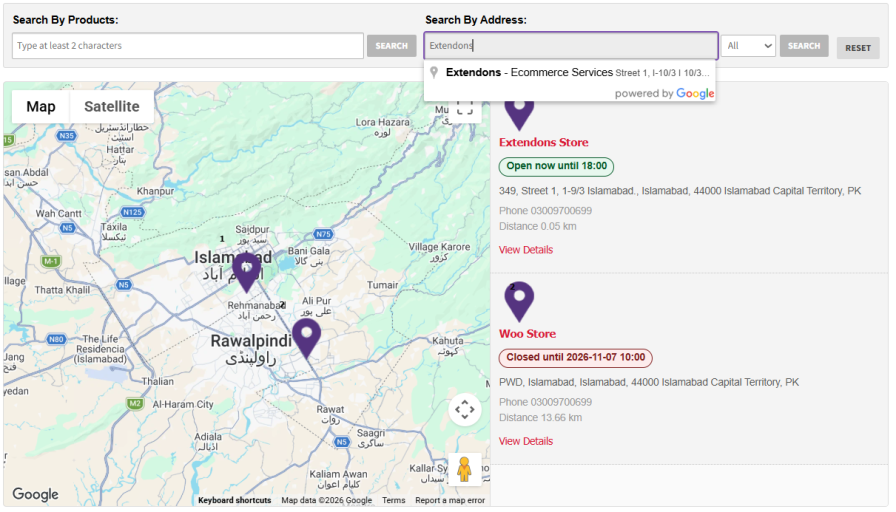
Store Locator allows you to create a dedicated store finder page on your website or lets you integrate a store locator into an existing page.
Pick the layout that suits your site. Classic 2-Column shows the store list beside the map, Split View puts the map on the left with results on the right, and Grid View shows a collapsible full-width map with responsive store cards below.
Show location markers on Google Maps to help customers easily understand where the store is located, fully guiding them to their destination as well. Display various store locations by putting your own custom markers on the map.
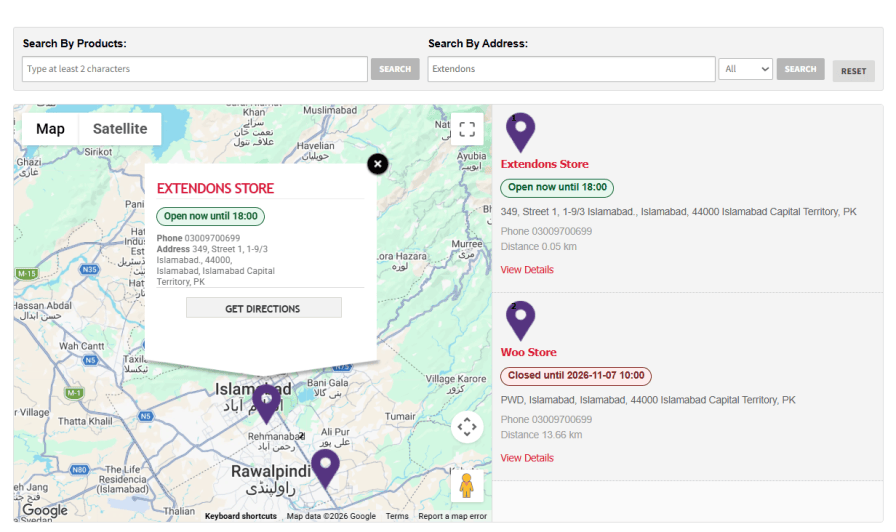
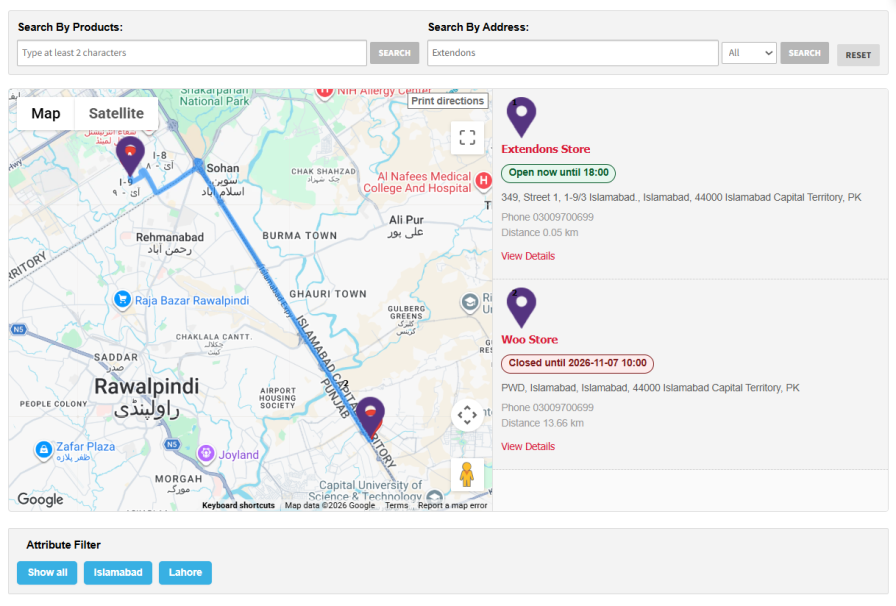
Site visitors can simply select “Get Directions” to view the best route from their current location to the nearest store. The directions will be displayed below the map, showing the distance and time it will take to reach the destination.
Display a «Find in store» button in your store locator and set its text to match your store’s wording. Customers get a clear action to look up the stores near them.
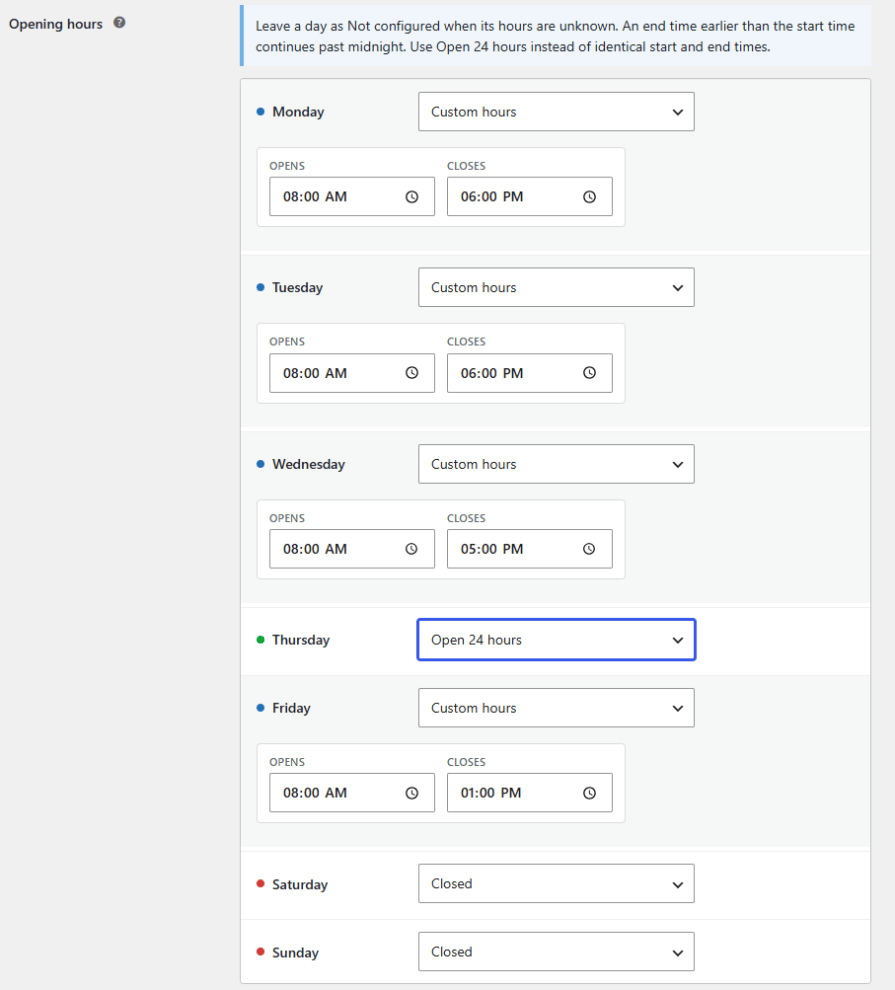
Let customers know when each store is open before they visit. Set custom opening and closing times for every day of the week or mark a day as Open 24 hours. Choose a timezone for each store, and the hours are saved as local clock times for that store.
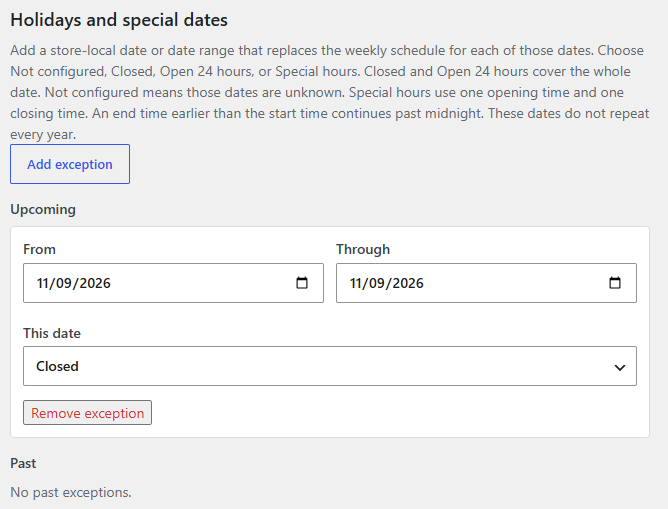
Keep customers updated when your schedule changes. Add an exception for a single date or a date range, and it replaces the weekly schedule for those days. Mark the dates as Closed, Open 24 hours, or Special hours with one opening and one closing time.
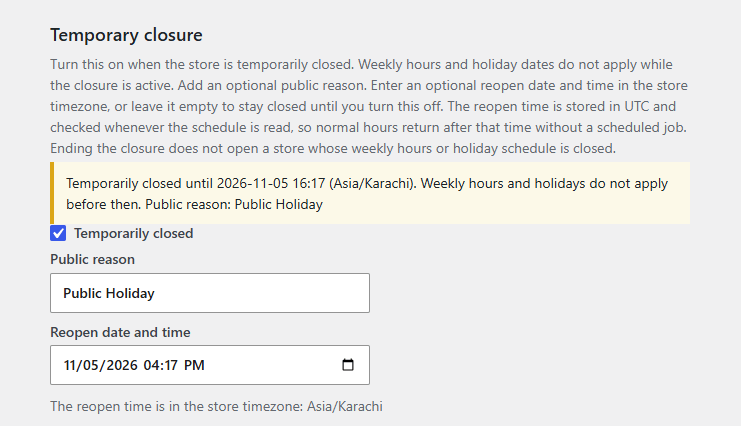
Turn on temporary closure when a store needs to shut for a while. Weekly hours and holiday dates stop applying while the closure is active. Add a public reason so customers know why, and set a reopen date and time.
With the Extendons store locator for WooCommerce, customers can easily narrow down their search to find the perfect store for them with the help of filters. Be it based on the proximity of the store or the availability of a certain product.
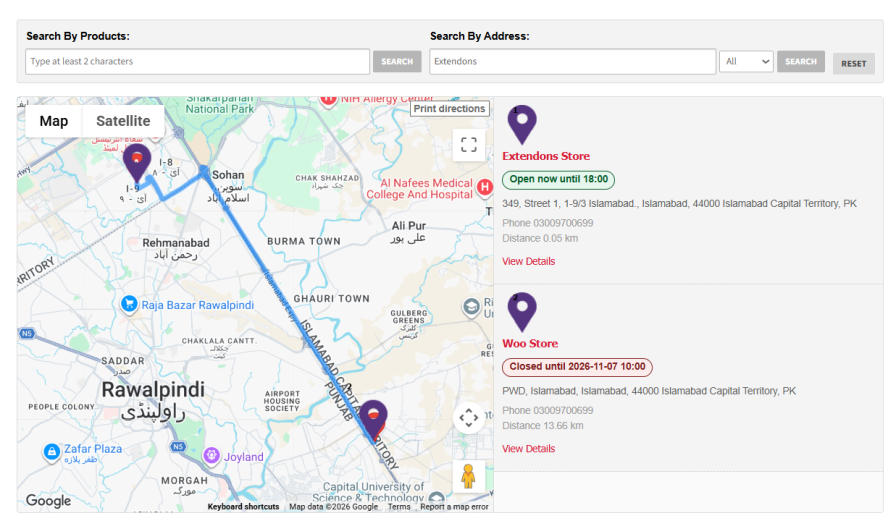
The Extendons store locator for WooCommerce includes a product search filter. Customers can find stores that carry the item they want and see the nearest one first.
Auto-geocoding detects the customer’s location and highlights the closest stores on Google Maps. Each result shows the distance and travel time, so customers know how long the trip will take.
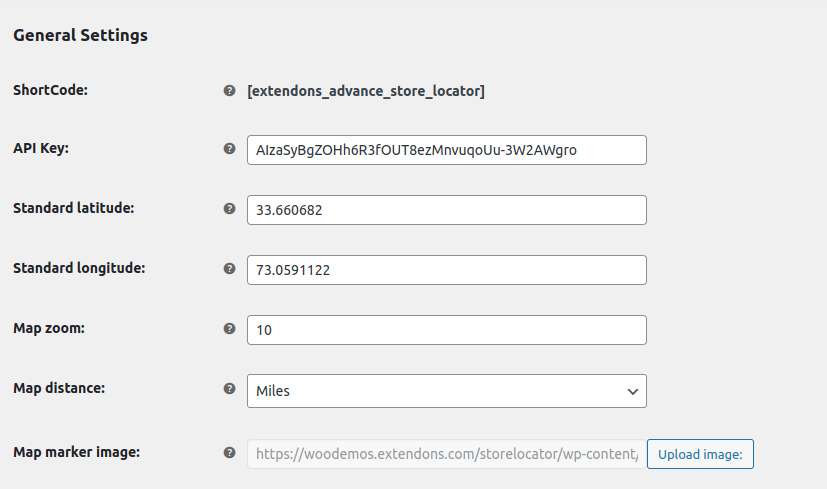
Place the shortcode on any page to show the store locator. You can also create a dedicated “store-finder” page so customers can find your physical store locations in one place.
Customers click the “Get Directions” button to view a live route from their current location. The best route, distance, and estimated travel time appear below the map.
You can add the store name, address, location, phone number, and other contact details for every store. Customers see accurate, up-to-date information before they visit.
Every store gets its own weekly opening hours and timezone. You can also add holiday dates and special hours that replace the regular schedule.
Turn on temporary closure, add a public reason, and set a reopen date and time. Leave the date empty to keep the store closed until you switch it off.
Choose from three layouts: Classic 2-Column, Split View, and Grid View. Each one is responsive, so it works on desktop and mobile.
Información de la extensión
Comprobaciones de calidad
Países