

Product comparison
La suscripción incluye
Ayuda y soporte
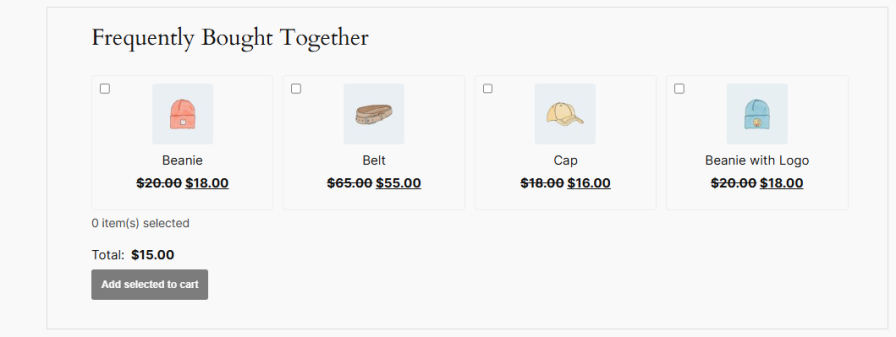
WooCommerce does not include a native frequently bought together feature. Merchants who want to display bundle suggestions on product pages are usually left with manual cross-sell configuration, wYes. The widget supports list, grid, and slider layouts, with eight placement positions on the product page, including shortcode support for page builders. Widget title, button text, colors, border radius, and price display options are all configurable per rule.hich offers no discount logic or analytics, or separate upsell plugins that don’t combine bundling, discounting, and tracking in one workflow. Frequently Bought Together brings all three into a single settings panel.
With rule-based bundle management, AI-powered product suggestions, three flexible discount types, widget scheduling, audience targeting, and a built-in analytics dashboard, the plugin gives you full control over which products are bundled together, how discounts apply, and where the widget appears.
For stores without manual rule setup, auto-suggestions pull from existing upsells, cross-sells, categories, and tags, so every product page can display a bundle widget from day one. Larger catalogs can also lean on AI-generated suggestions, while the analytics dashboard tracks full and partial bundle adds, estimated revenue, and conversion rate, so you can see exactly which bundles are working.
Create unlimited bundle rules to decide which products trigger the Frequently Bought Together widget and which products appear as suggestions. Target rules by product, category, or tag, with include or exclude logic on both sides. Set a numeric priority so that when multiple rules apply, the right one takes precedence, with product-level settings always overriding global rules.
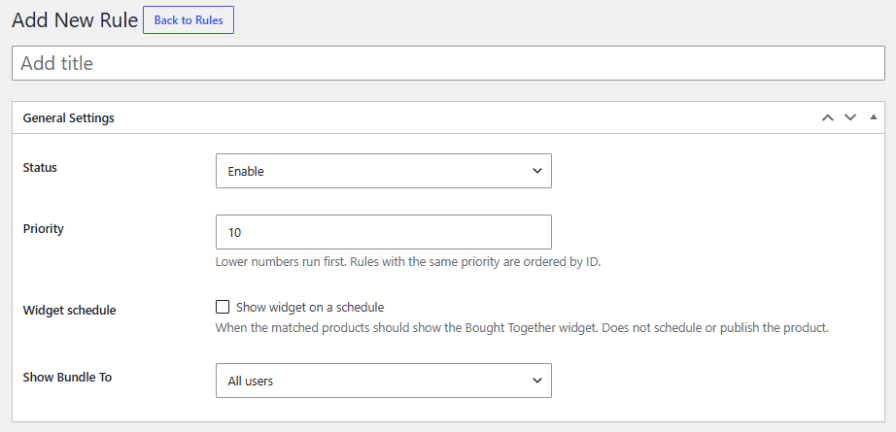
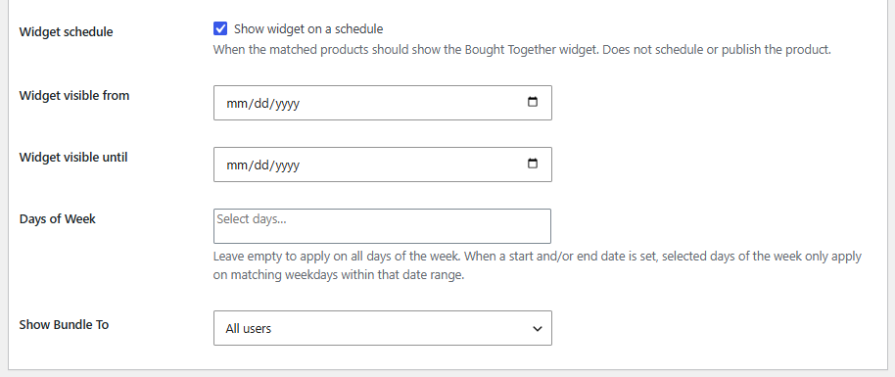
Show bundle widgets only within a specific date range, on selected days of the week, or both. Restrict visibility to all users, selected user roles only, or everyone except selected roles, making it easy to run time-limited or role-specific bundle promotions without extra plugins or custom code.
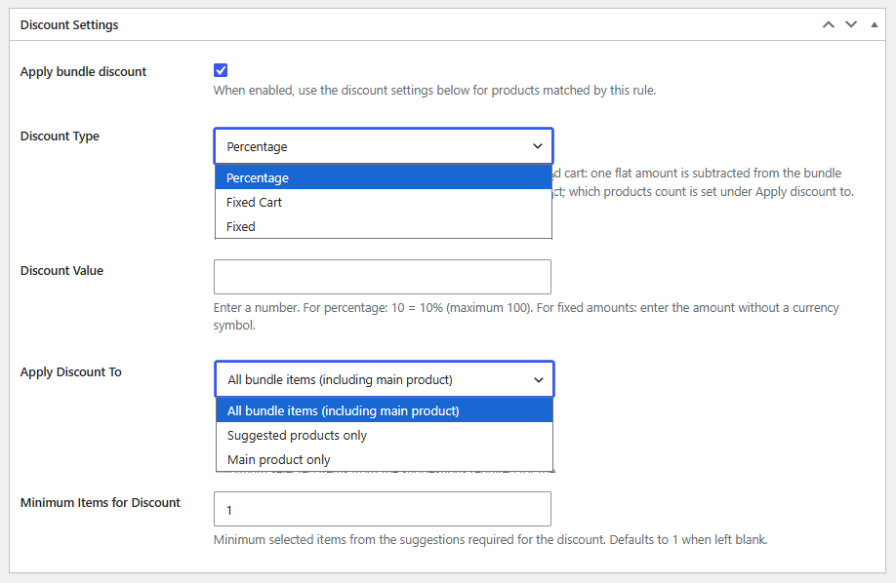
Choose from three discount types: percentage, fixed cart, or fixed per product. Apply discounts to all bundle items, suggested products only, or the main product only, and set a minimum item threshold so the discount only activates once enough suggested products are selected. Coupon compatibility is fully configurable, letting bundle discounts stack, be blocked, or apply whichever saves the customer more.
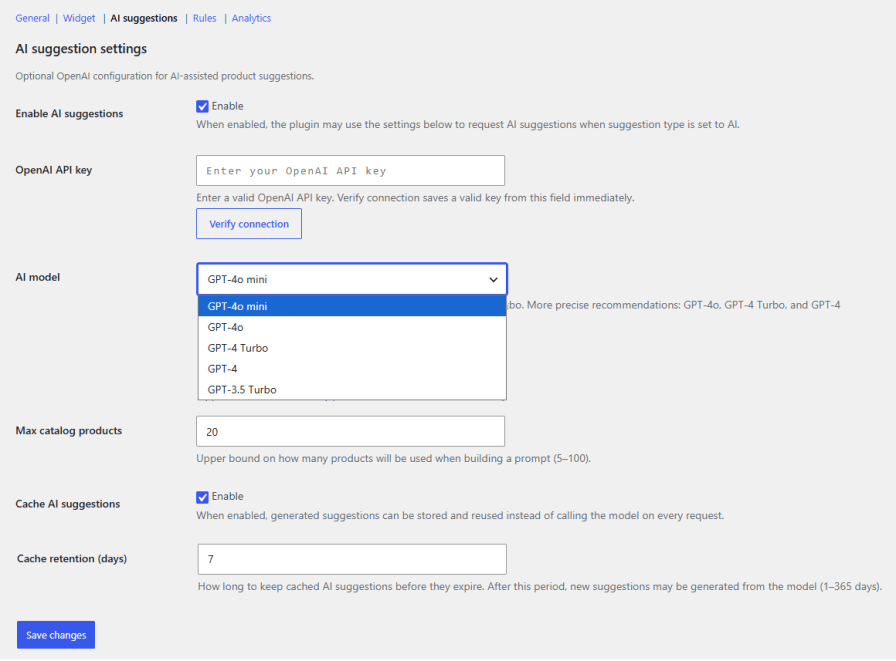
Connect an OpenAI API key and let the plugin generate bundle suggestions directly from your product catalog. Choose from GPT-3.5 Turbo through GPT-4o, control how many catalog products are used to build each prompt, and cache generated suggestions for up to 365 days to keep API usage efficient.
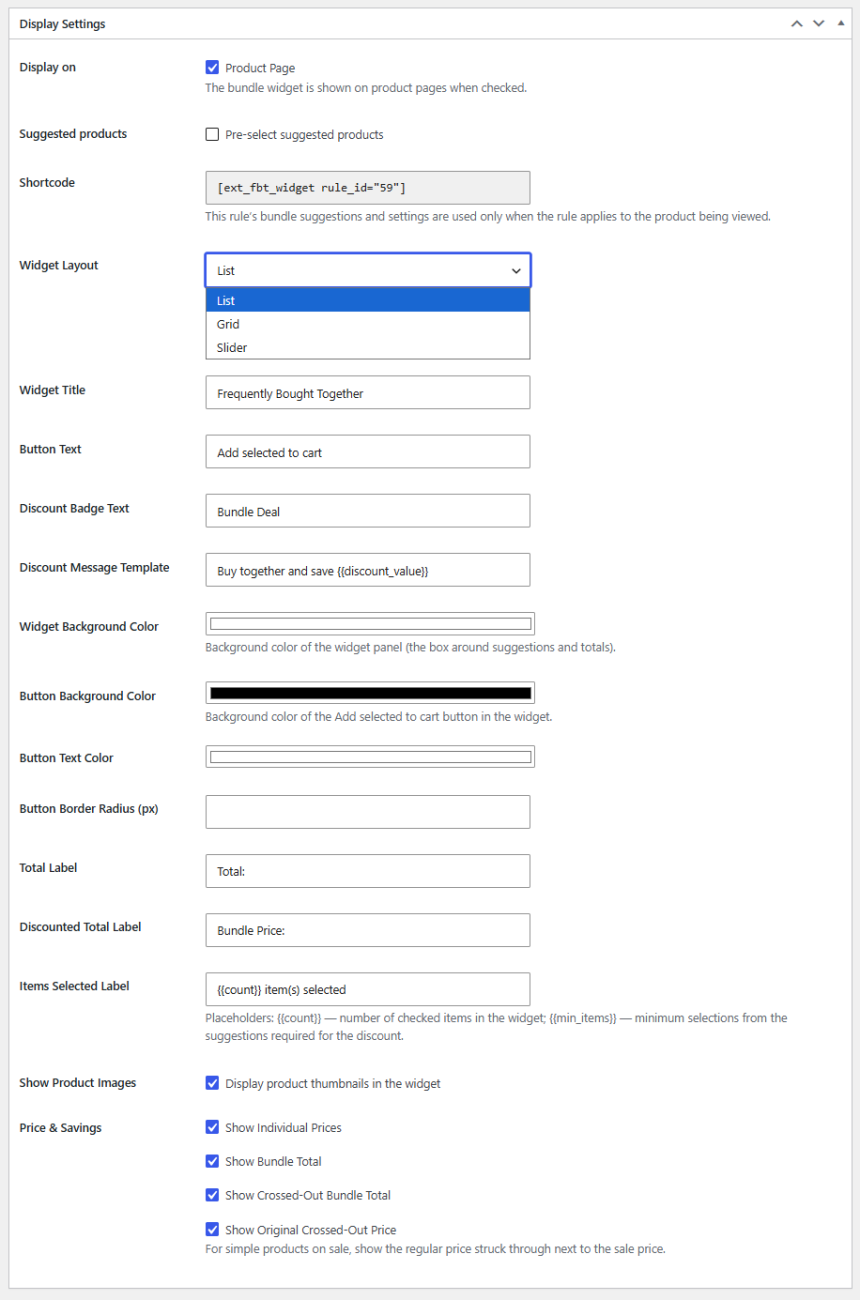
Choose list, grid, or slider layouts, with separate column settings for desktop and mobile. Place the widget in eight positions on the product page, or use a shortcode for page builders. Customize the widget title, button text, discount badge, colors, and border radius, and control how prices and savings are displayed.
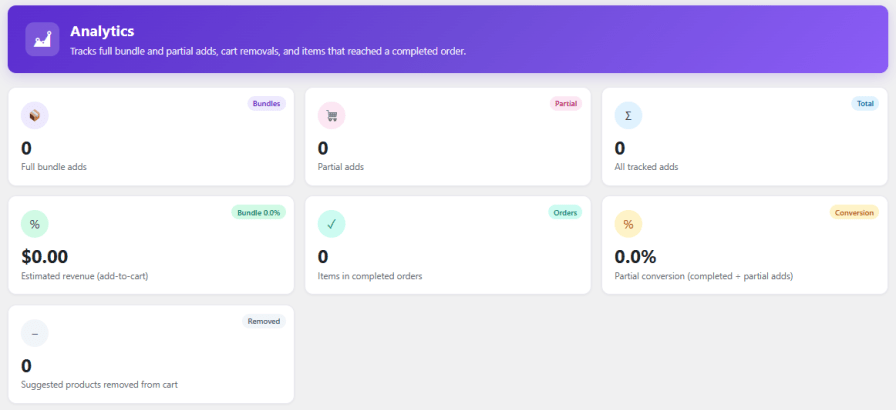
Yes. The widget supports list, grid, and slider layouts, with eight placement positions on the product page, including shortcode support for page builders. Widget title, button text, colors, border radius, and price display options are all configurable per rule.See exactly how your bundles are performing with a dedicated analytics dashboard. Track full bundle adds, partial adds, estimated revenue, completed order items, and partial conversion rate, filterable by date range and individual rule. Visual trend charts and a detailed per-row breakdown make it easy to identify which bundles are working.
Yes. You can create unlimited bundle rules and target them by product, category, or tag, using include or exclude logic. Each rule can be given a numeric priority, so when multiple rules apply to the same product, the correct one takes precedence.
Yes. You can choose from three discount types: percentage, fixed cart, or fixed per product. Discounts can apply to all bundle items, suggested products only, or the main product only, and you can set a minimum item threshold before the discount activates.
Yes. Coupon compatibility is configured globally, so you can choose to let bundle discounts stack with coupons, block them when a coupon is applied, or automatically apply whichever gives the customer a greater saving.
Yes. The plugin supports two automatic options. AI-Powered Product Suggestions connect to OpenAI to generate suggestions from your product catalog, and auto-suggestions pull from existing upsells, cross-sells, categories, and tags for products without a manual rule configured.
Yes. The widget supports list, grid, and slider layouts, with eight placement positions on the product page, including shortcode support for page builders. Widget title, button text, colors, border radius, and price display options are all configurable per rule.
Categorías
Países







