
Instalaciones activas
100+
Product comparison
La suscripción incluye
Ayuda y soporte
Travel Tour Booking is a complete tour reservation system built on WooCommerce. It adds a dedicated «Tour» product type so you can sell multi-day tours, time-slot day trips, and flexible travel-date packages — each with its own availability calendar, guest types, and pricing rules.
It is made for tour operators, travel agencies, and activity providers who want to take bookings on their own WordPress site without external booking platforms or per-booking commissions.
Customers pick a date on a real-time calendar, choose guests and extra services, and pay a deposit or the full amount at checkout. Pricing adjusts automatically for seasons, group sizes, and early-bird reservations, while the plugin handles the follow-up: reminder emails, remaining-balance invoices, and automatic sync to Google Calendar or any iCal-compatible platform. You keep full control of your data, payments, and customers.
Each tour can run as a multiple-day trip with a fixed length, a set of time slots within a day, or open travel dates where the customer selects a start and end date. One product type covers your whole catalog, so you don’t need a separate tool for each kind of tour.
For example, a «3-Day Ha Long Bay Cruise» uses the multiple-day type, an «Old Quarter Walking Tour» offers 9:00 and 14:00 time slots, and a «Private Mekong Package» lets customers pick any date range.

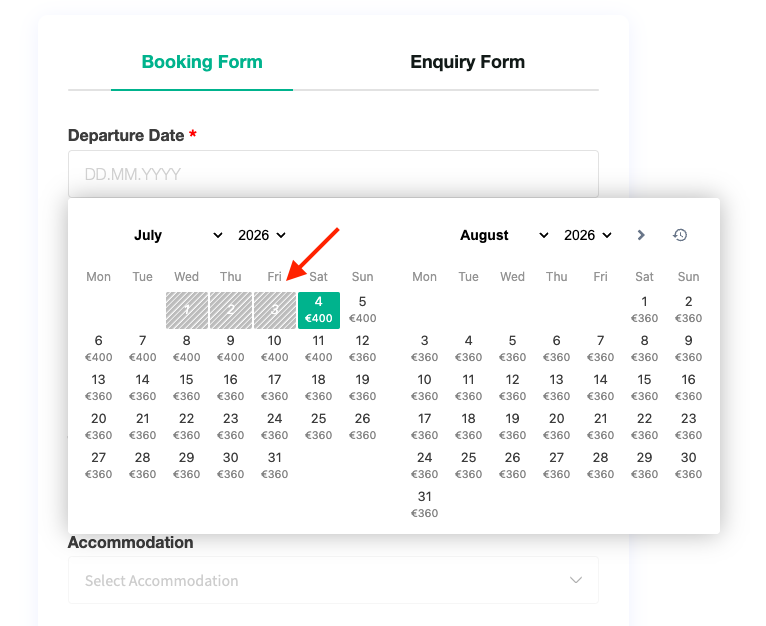
A front-end booking form with a real-time calendar shows exactly which dates are open, so customers reserve instantly without back-and-forth emails. Weekday closures, preparation days, and a same-day cut-off hour keep unfulfillable orders out, while an enquiry tab on the same page and optional reCAPTCHA round out the form.
For example, if you need two days to arrange guides, set «preparation days: 2» — today and tomorrow are automatically grayed out on every tour calendar.
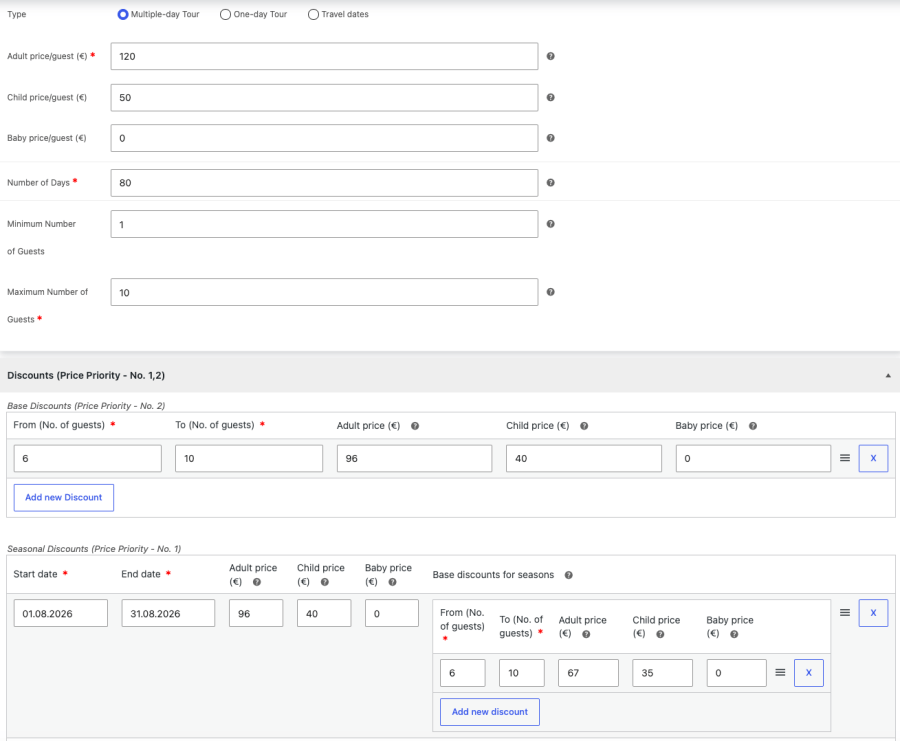
Define unlimited guest types with individual rates, set minimum and maximum guests per booking, and layer on seasonal date ranges, special-time adjustments, and quantity discounts. High season, weekend departures, and large groups are always charged exactly per your rate card, with zero manual work at order time.
For example, adults pay $120 and children $50; from June 1 to August 31 a summer date range raises prices 20%, and groups of 6 or more get a 10% discount — all calculated automatically in the live total.
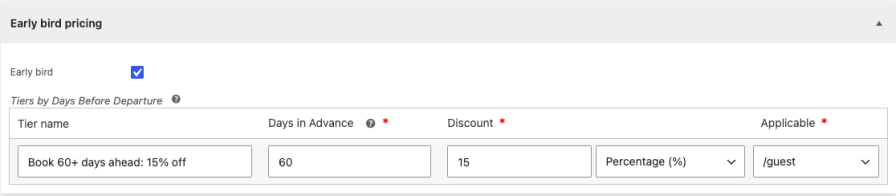
Reward customers who book a set number of days before departure with tiered discounts — a percentage or fixed amount, applied to guest prices or the whole booking. It’s a proven travel-industry tactic for filling seats earlier and improving cash flow, now fully automatic.
For example: «Book 60+ days ahead: 15% off. The discount is applied and labeled in the price breakdown without any coupon codes.
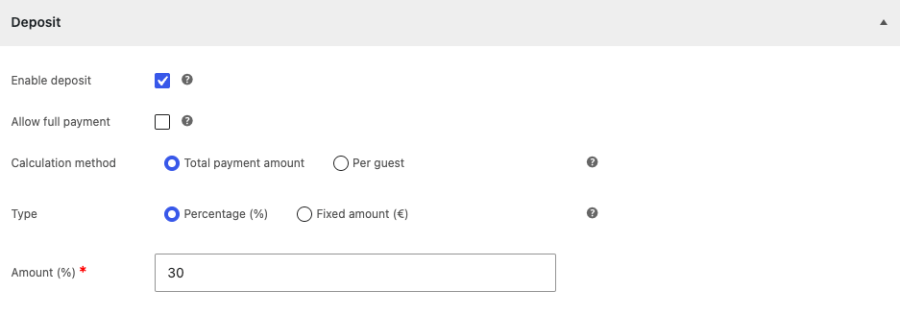
Let customers reserve with a deposit — a percentage or fixed amount, calculated on the order total or per guest — and choose whether full payment is also offered. A lower upfront cost means more completed checkouts, especially for expensive tours booked months ahead, and a scheduled task emails the remaining-balance invoice automatically so no one forgets to collect the rest.
For example, a $2,000 family package requires a 30% deposit: the customer pays $600 today, and the plugin emails the $1,400 balance invoice on the schedule you set.
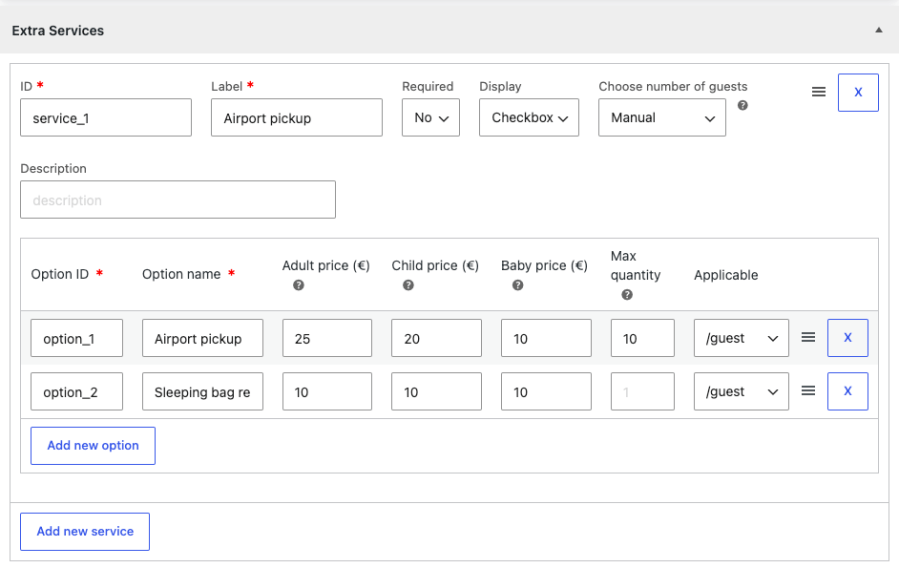
Offer optional add-ons customers select while booking, priced per booking or per guest with the guest count applied manually or automatically. It’s the easiest way to increase average order value — upsell transport, meals, insurance, or equipment at the exact moment customers are ready to buy.
For example, a trekking tour offers «Airport pickup – $25 per booking» and «Sleeping bag rental – $10 per guest»; the total updates as the customer ticks each option.
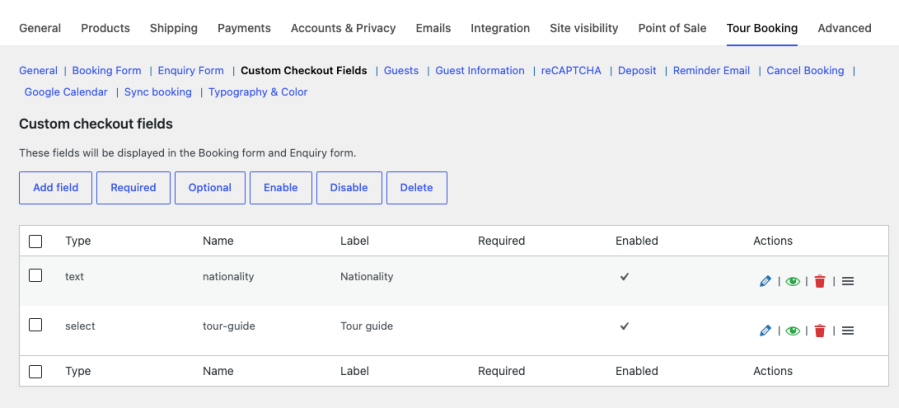
Build custom fields (text, select, checkbox, file upload, and more) to collect details for each guest or for the whole order — globally or per tour — and even attach prices to them. Passports, dietary requirements, and hotel pickup points arrive with the booking, so operations get complete manifests without chasing customers later, and the details show up in enquiry emails and order screens.
For example, a diving tour requires «Certification level» per guest and offers a paid «Underwater camera rental» field, while a visa-support tour asks each guest for passport number and expiry date.
A central dashboard with filtering and bulk actions, a color-coded calendar of all departures, and a full «Add New Booking» screen for phone and walk-in customers keep online and offline sales in one place — seat counts stay accurate and your team stops juggling spreadsheets.
For example, when a customer calls to book 4 seats, staff create the booking in the admin, pick the date and guest types, apply the deposit, and the seats are immediately deducted from online availability.
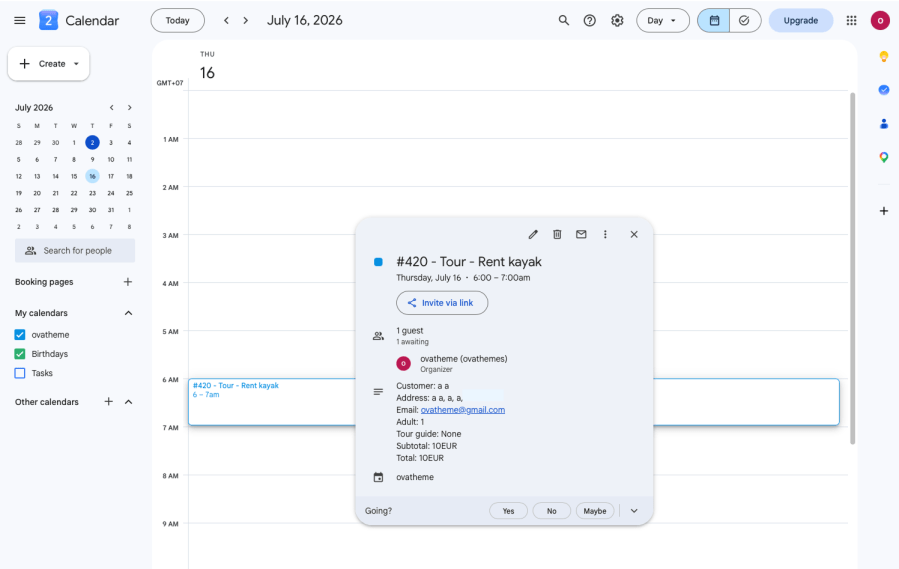
Sync works in both directions between your website, Google Calendar, and platforms like Booking.com and Airbnb…. Confirmed bookings sync automatically to Google Calendar via a secure OAuth connection and export as iCal feeds, while reservations made on external platforms are imported through their .ics links and block those dates on your site — a scheduled task keeps everything up to date. Guides, drivers, and partner platforms see the live schedule in tools they already use, with no double bookings and no copying dates by hand.
For example, when an order is paid, the departure appears on your operations Google Calendar with customer and guest details, while your channel partner subscribes to the iCal feed to block those dates.
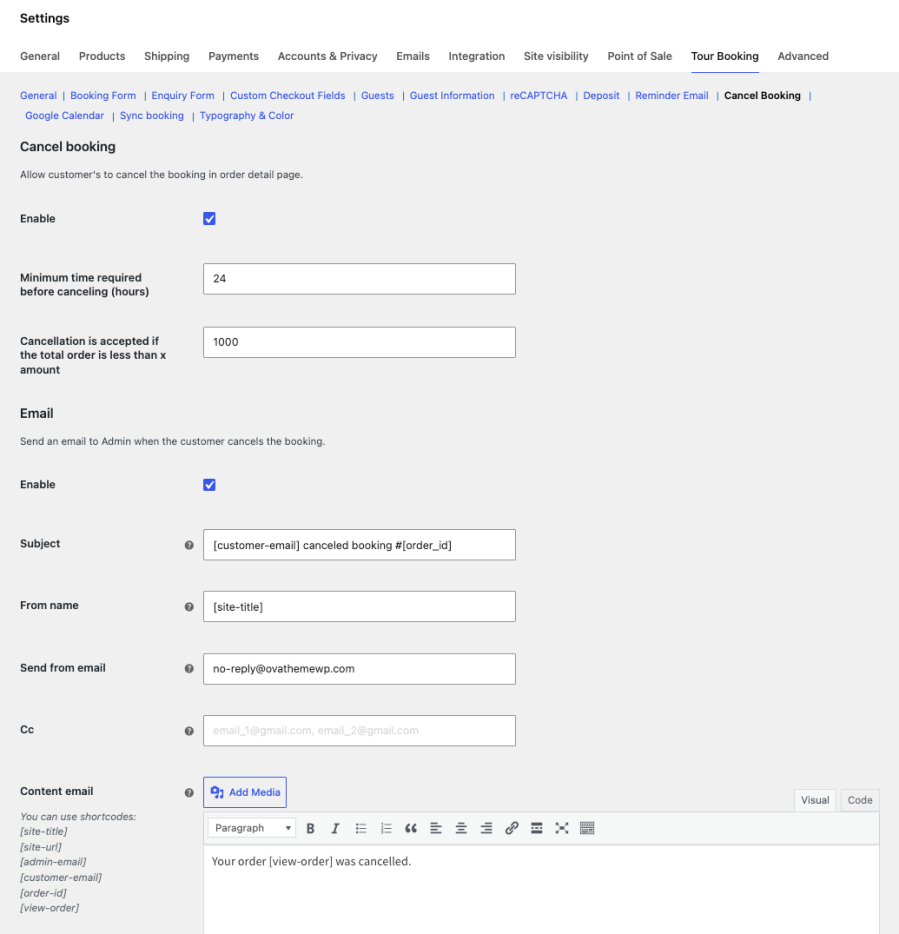
Configurable automatic emails — enquiry notifications to admin and customer, reminders before the tour date, cancellation notices, and remaining-balance invoices — use dynamic shortcodes for booking details. The result: fewer no-shows, faster balance collection, and professional communication without anyone writing emails manually.
For example, three days before departure every customer automatically receives a reminder with the tour name, date, guest list, and meeting details.
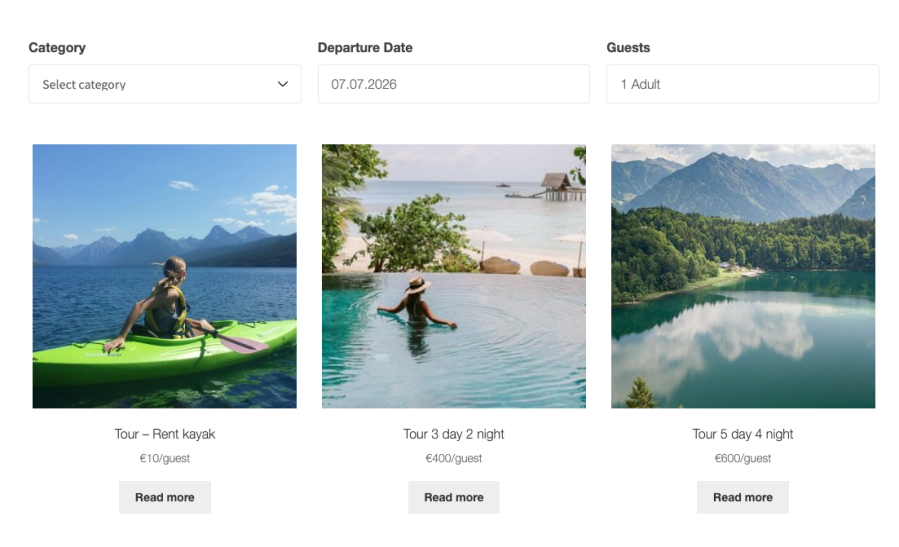
«Search Tour Product» and «Search Tour Product Ajax» Elementor widgets, plus matching shortcodes, let visitors filter your catalog by keyword and criteria with instant AJAX results. Customers find the right trip in seconds on any page you design — which matters most when you offer dozens of tours.
For example, drop the Ajax search widget into your Elementor homepage hero: visitors type «Sapa» and matching tours appear instantly without a page reload.
A tour operator sells fixed-length packages with separate adult and child pricing, applies high-season date ranges, requires a 30% deposit at checkout, and offers early-bird discounts for departures booked 60 or more days in advance.
A walking-tour company runs time-slot tours with limited seats per slot, sets a 2-hour same-day booking cut-off, and syncs confirmed departures to Google Calendar so guides always see their schedule.
An adventure agency sells travel-date packages where customers choose their own start and end dates, upsells per-guest equipment rentals as extra services, and collects certification details from each guest at booking time.
A cruise reseller uses the enquiry form for bespoke requests alongside direct booking, takes per-guest deposits for confirmed reservations, and lets automated invoices collect the remaining balance.
A web agency builds tour booking websites for clients using the Elementor search widgets, configures custom fields per tour, and matches each brand with the built-in typography and color settings.
Want to try Travel Tour Booking before you buy? Create your own sandbox site with the plugin pre-installed and explore both the front-end booking experience and the admin dashboard — no setup required.

Yes. Bookings go through the standard WooCommerce checkout, so any gateway your store supports will work, including Stripe.
Yes. Enable deposits per tour as a percentage or fixed amount, calculated on the total or per guest. The remaining balance is invoiced automatically on your schedule.
Yes. Create unlimited guest types, each with its own price, and combine them with seasonal date ranges, quantity discounts, and early-bird pricing.
Yes. Each tour can be a multiple-day tour, a time-slot tour, or a flexible travel-date tour, and you can mix all three types in one store.
Yes. Connect your Google account and confirmed bookings sync automatically. You can also export bookings as iCal feeds for other platforms.
Yes. The Add New Booking screen in the admin lets staff create complete bookings — dates, guests, extra services, deposits — and availability updates immediately.
Yes. It includes Search Tour Product and Search Tour Product Ajax widgets for Elementor, plus shortcodes you can use with any page builder or theme.
Yes. Build custom guest information fields (globally or per tour) for details like passport numbers or dietary needs. Fields can also carry extra charges.
WordPress 6.0+, WooCommerce 9.3+, and PHP 7.4+. The plugin is compatible with WooCommerce HPOS and cart/checkout blocks.
Yes. All strings are translatable (text domain ova-tour-booking) and RTL styling is supported. If you have questions before purchasing, our support team is happy to help.
Información de la extensión
Comprobaciones de calidad
Países






