

La suscripción incluye
Ayuda y soporte
Running a successful WooCommerce store means keeping your customers engaged and confident in their purchases. Often, stores lose potential sales simply because the checkout button disappears as the customer scrolls, or because visitors leave without feeling a sense of urgency. TrendPulse helps you discover product trends, track performance patterns, and solve these conversion drops directly from your WooCommerce dashboard.
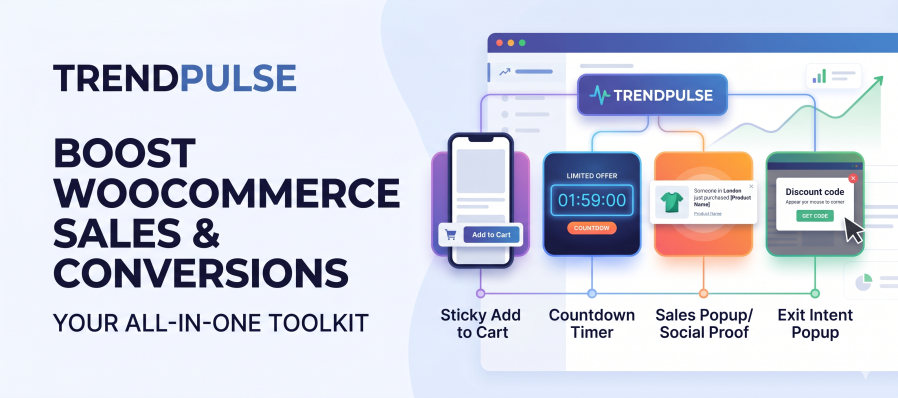
Increase Visibility and Action Instead of hoping visitors find their way back to the top of a long product page, our Sticky Add to Cart feature ensures the purchase button remains visible at all times. By keeping the cart accessible, you naturally increase clicks and streamline the checkout experience. To further encourage action, you can deploy customizable Countdown Timers that highlight limited-time offers and turn hesitation into immediate purchases.
Build Trust and Recover Sales Customers are more likely to buy when they see others doing the same. TrendPulse includes Sales Popups that display real, recent purchase notifications to build powerful social proof based on your actual WooCommerce orders. If a customer still decides to leave, our Exit Intent Popup detects their mouse movement and presents a targeted offer or reminder right before they exit, helping you recover abandoned carts before they are lost forever.
Total Control in a Native Environment You are never forced into a one-size-fits-all setup. The built-in display conditions system gives you full control to enable features globally, restrict them to specific categories, or apply them only to individual products. Everything is managed comfortably from your native WooCommerce settings panel, built entirely to follow standard WooCommerce UX guidelines.
Optimized for Performance TrendPulse is designed to enhance your store’s conversions without compromising your page speed. The plugin operates cleanly without external API calls, heavy third-party tracking scripts, or restrictive license key systems. It is highly developer-friendly, utilizing native WordPress hooks and filters, and is fully HPOS (High-Performance Order Storage) ready to ensure broad theme compatibility.
TrendPulse enhances your WooCommerce store with powerful conversion-boosting features such as Sticky Add to Cart, Countdown Timers, Sales Popups, and Exit Intent offers — all designed to increase sales and reduce cart abandonment.
No. TrendPulse does not modify any WooCommerce core files.
It uses hooks and filters to integrate safely with your store.
No. Trend Pulse is lightweight and optimized.
Scripts are only loaded when necessary, and features can be enabled or disabled individually.
Yes.
Each module (Sticky Add to Cart, Countdown, Sales Pop, Exit Intent) can be enabled or disabled independently from:
WooCommerce → Settings → TrendPulse
TrendPulse works with most properly coded WooCommerce-compatible themes.
If your theme heavily customizes product templates, minor CSS adjustments may be needed.
Sticky Add to Cart keeps the add-to-cart button visible while users scroll on product pages, making it easier for customers to complete their purchase.
The Countdown Timer creates urgency by showing a timer on product pages — perfect for limited-time offers or promotions.
Sales Popup displays recent purchase notifications (social proof) to build trust and encourage more conversions.
Exit Intent detects when a user is about to leave the page and displays a targeted popup to reduce abandonment and recover potential lost sales.
Yes.
TrendPulse includes condition controls that allow you to define where modules appear — such as specific products, categories, or pages.
No.
TrendPulse does not collect or send any customer data to external servers.
Yes, TrendPulse follows WooCommerce standards and is compatible with HPOS.
(Confirm this before publishing — but based on structure, it should be safe.)
No.
TrendPulse does not require a license key or external activation.
All frontend enhancements will stop displaying, but your WooCommerce data remains unchanged.
Yes.
You can customize text, behavior settings, and styling.
Additional CSS adjustments can be made if needed.
Información de la extensión
Comprobaciones de calidad
Países







