

Instalaciones activas
20K+
La suscripción incluye
Ayuda y soporte
A nadie le gusta quedarse sin existencias. Pero, ¿no puedes evitarlo? Entonces, ¡conviértelo en una ventaja! Olvídate de las ventas que pierdes y céntrate en los clientes que puedes recuperar.
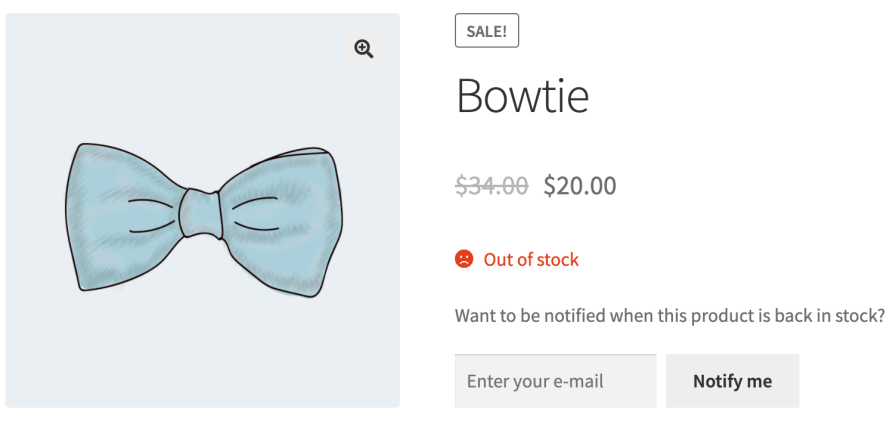
Back In Stock Notifications ofrece a los clientes una forma sencilla de saber cuándo vuelven a estar disponibles tus productos, y les hace volver a tu tienda. A continuación, te contamos cómo funciona:
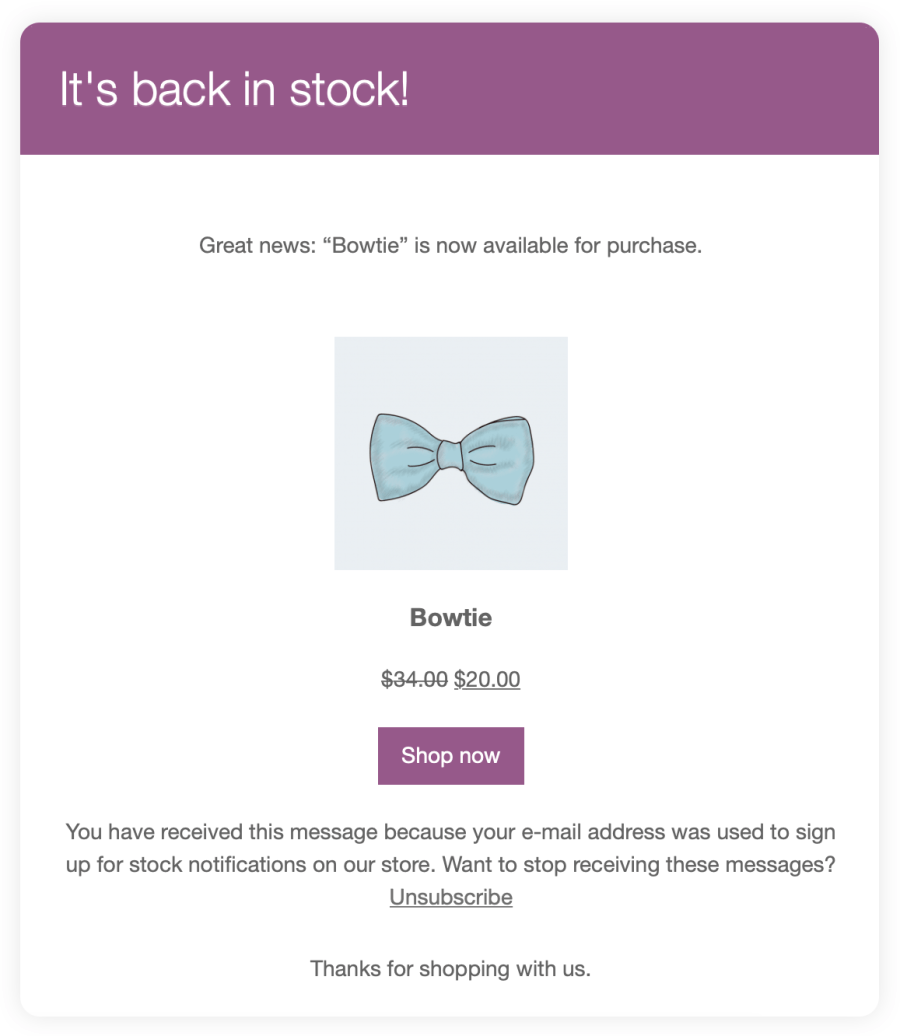
Ya no tendrás que ocultar los productos agotados en el catálogo. Con Back In Stock Notifications, puedes hacer lo siguiente:
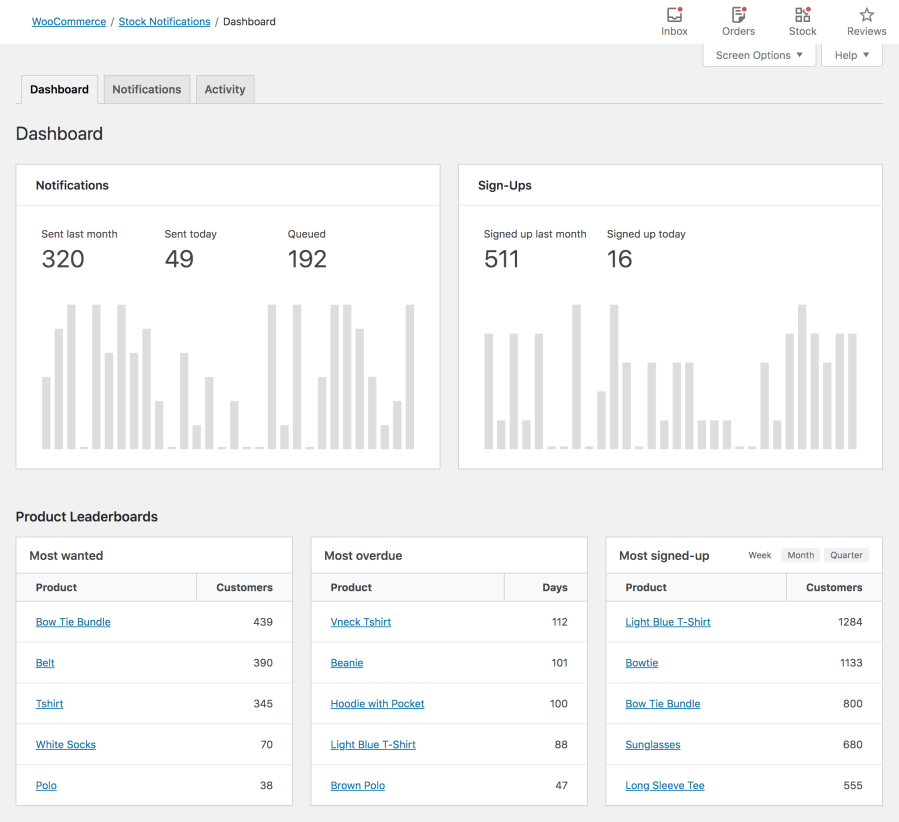
Los clientes que se apuntan a las notificaciones de reposición de existencias muestran una clara intención de compra. Así que, ¿por qué no aprovechas la oportunidad y mantienes el contacto con ellos?
Back In Stock Notifications almacena los datos de contacto de tu lista de espera, incluso después de que se hayan enviado todas las notificaciones. De esa manera, puedes exportarlos y usarlos en la plataforma de marketing por correo electrónico que prefieras.
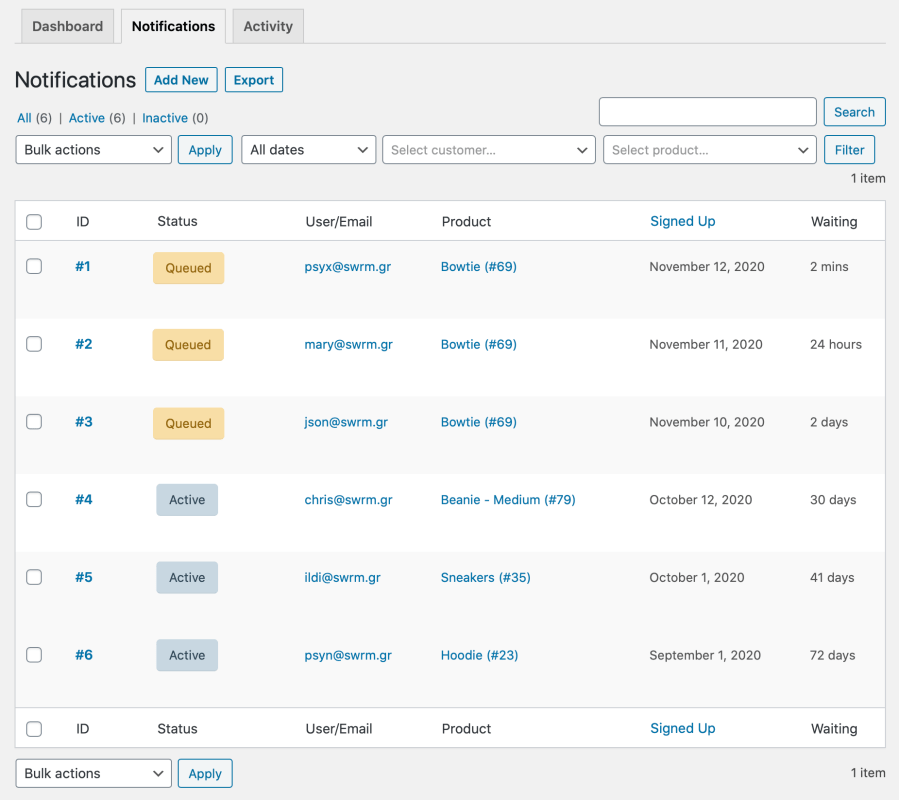
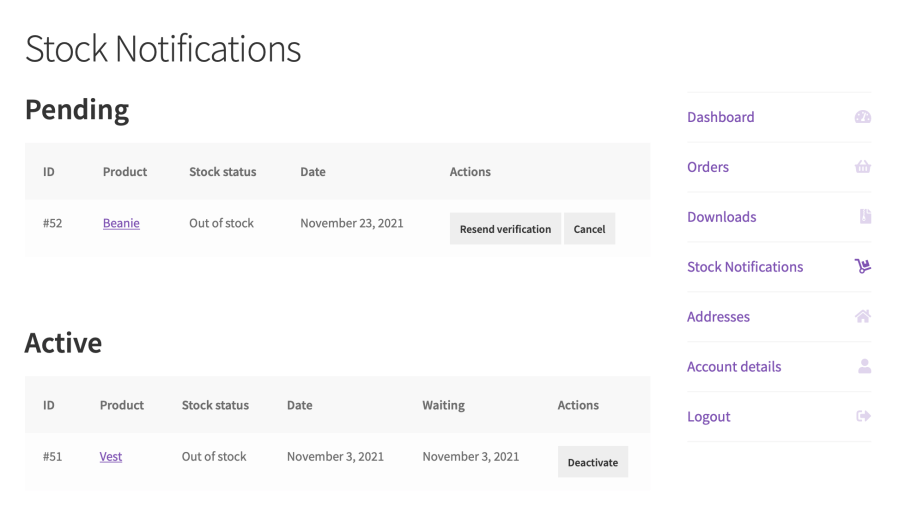
¿Te preocupa la privacidad de los clientes? El plugin admite el registro doble y se encarga de los registros y las bajas, lo que proporciona a los clientes (con independencia de que tengan o no una cuenta) la libertad de gestionar sus preferencias:
Back In Stock Notifications se ha optimizado para aprovechar las últimas tecnologías integradas en WooCommerce, así como para sacar el máximo rendimiento de las funciones que más te gustan.
No te conformes con menos, el software de WooCommerce es rapidísimo y de eficacia probada. Además, cuenta con el respaldo de un equipo de soporte en el que puedes confiar.
¿Buscas una manera de limitar los registros de notificaciones a los clientes que hayan iniciado sesión? ¿No quieres crear una nueva cuenta para los invitados que se registren en las alertas de reposición de existencias? No te preocupes. Back In Stock Notifications incorpora todo lo que necesitas para que funcione como quieres.
Back In Stock Notifications is a WooCommerce extension that turns your sold-out products into waitlists and sends automated emails when items are restocked. When a shopper lands on an out-of-stock product page, they can sign up with their email to be notified. Once the product is available again, everyone on the waitlist receives an automated back-in-stock email that brings them back to complete their purchase.
Yes. Recovering lost sales is one of the core reasons to use Back In Stock Notifications. Instead of losing shoppers who arrive when a product is sold out, the extension captures their interest with a waitlist sign-up and automatically emails them the moment the item returns. Because these shoppers already showed clear purchase intent, a timely restock alert gives you a straightforward way to bring them back and convert a stockout into a completed order.
Yes. Back In Stock Notifications adds the sign-up form right after the "Out of stock" status on sold-out simple products and individual variations. That means a shopper can subscribe to the specific variation they want, such as a particular size or color, and get notified when that exact option is restocked rather than the product as a whole.
Yes. Back In Stock Notifications works with Product Bundles. If a bundle cannot be purchased because it does not have enough stock, customers can sign up to be notified, and they receive an automated alert when the bundle becomes available again.
Yes. Both guests and logged-in customers can join a waitlist. Guests sign up with their email address, while logged-in customers can subscribe without re-entering their email and manage their active notifications from their My Account page. If you prefer, you can also configure the extension to limit sign-ups to logged-in customers only, or to avoid creating new accounts for guests who subscribe.
Yes. Back In Stock Notifications supports double opt-in and handles opt-ins and opt-outs gracefully. Confirmation and notification emails include an unsubscribe link, so customers can stop receiving alerts whenever they choose. This gives shoppers with or without an account a clear way to manage their own preferences.
Yes. Back In Stock Notifications includes a Stock Notifications Dashboard that helps you measure purchase intent for out-of-stock products and view your most wanted sold-out items. That visibility gives you a signal for which products to restock first and can support more accurate demand forecasting, so your inventory decisions are guided by real customer interest rather than guesswork.
Yes, to a degree. Back In Stock Notifications stores your waitlist contact details even after all notifications have been sent, and your sign-ups can be exported as a CSV file. That makes it straightforward to bring those contacts into your preferred email marketing platform, so a stockout can also become an opportunity to grow your audience and build customer loyalty.
Yes, one setting matters. The sign-up form only appears when out-of-stock products are visible in your catalog. If WooCommerce is set to hide out-of-stock items, shoppers will not be able to subscribe for alerts. To allow sign-ups, keep the "Hide out of stock items from the catalog" option disabled under WooCommerce > Settings > Products > Inventory.
Yes. When a product is restocked, Back In Stock Notifications queues all pending emails and processes them in batches using Action Scheduler, the same task processing system used by WooCommerce core. This is designed to send notifications reliably even when a popular product has a long waitlist.
Delivery depends on your email setup, so it is worth planning for. Back In Stock Notifications cannot guarantee or measure email deliverability, and most email providers cap how many messages you can send per day. For dependable delivery, especially on stores with large waitlists, it helps to use a dedicated email sending service. For more detail on improving email delivery, see the WooCommerce Email FAQ.
Yes. Back In Stock Notifications can be configured to send notifications only when you restock above a minimum quantity threshold. This helps you hold off on alerting a large waitlist until you have enough inventory to meet the demand, which keeps the customer experience positive.
It is a strong fit for WooCommerce stores that regularly sell out of popular products and want to recapture that demand rather than lose it. Retailers with variable products, limited restocks, or seasonal inventory benefit most, since the waitlist and demand insights help them prioritize what to reorder and bring interested shoppers back at the right moment.
WooCommerce does not include a built-in restock alert flow, so you need an extension to add one. Back In Stock Notifications provides this by adding a sign-up form to sold-out product pages, collecting emails into a waitlist, and sending automated alerts when items return. It is built specifically for WooCommerce and works with simple products, variations, and Product Bundles.
All notification sign-ups appear under WooCommerce > Stock Notifications > Notifications. You can filter the list by customer email, product, or variation, and export the records to a CSV file. This gives you a central place to review demand, manage your waitlists, and keep your records organized.
Categorías
Información de la extensión
Comprobaciones de calidad
Países
Idioma:








