

Installations actives
7K+
L’abonnement comprend
Assistance
Cette solution est idéale si votre boutique vend des produits uniques, lourds ou volumineux qui nécessitent des frais d’expédition supplémentaires, contrairement au reste de votre catalogue, ou si vous n’avez que quelques produits pour lesquels les frais d’expédition sont définis.
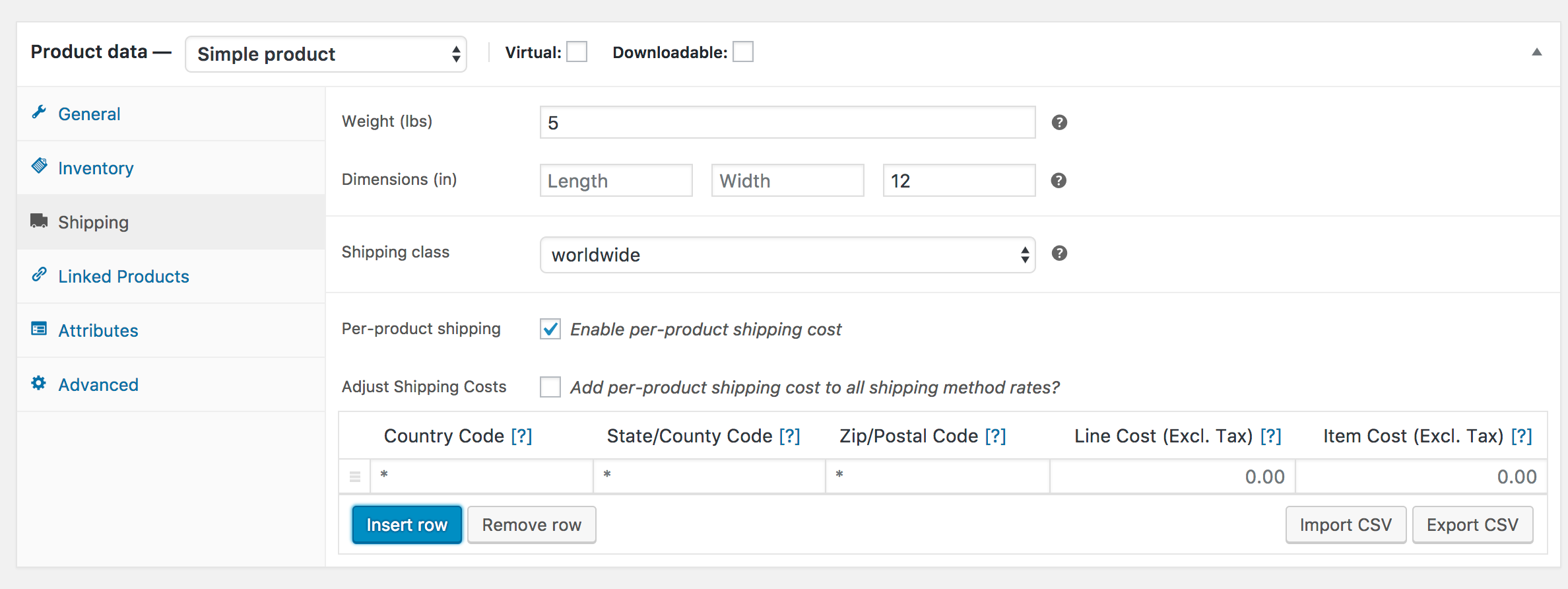
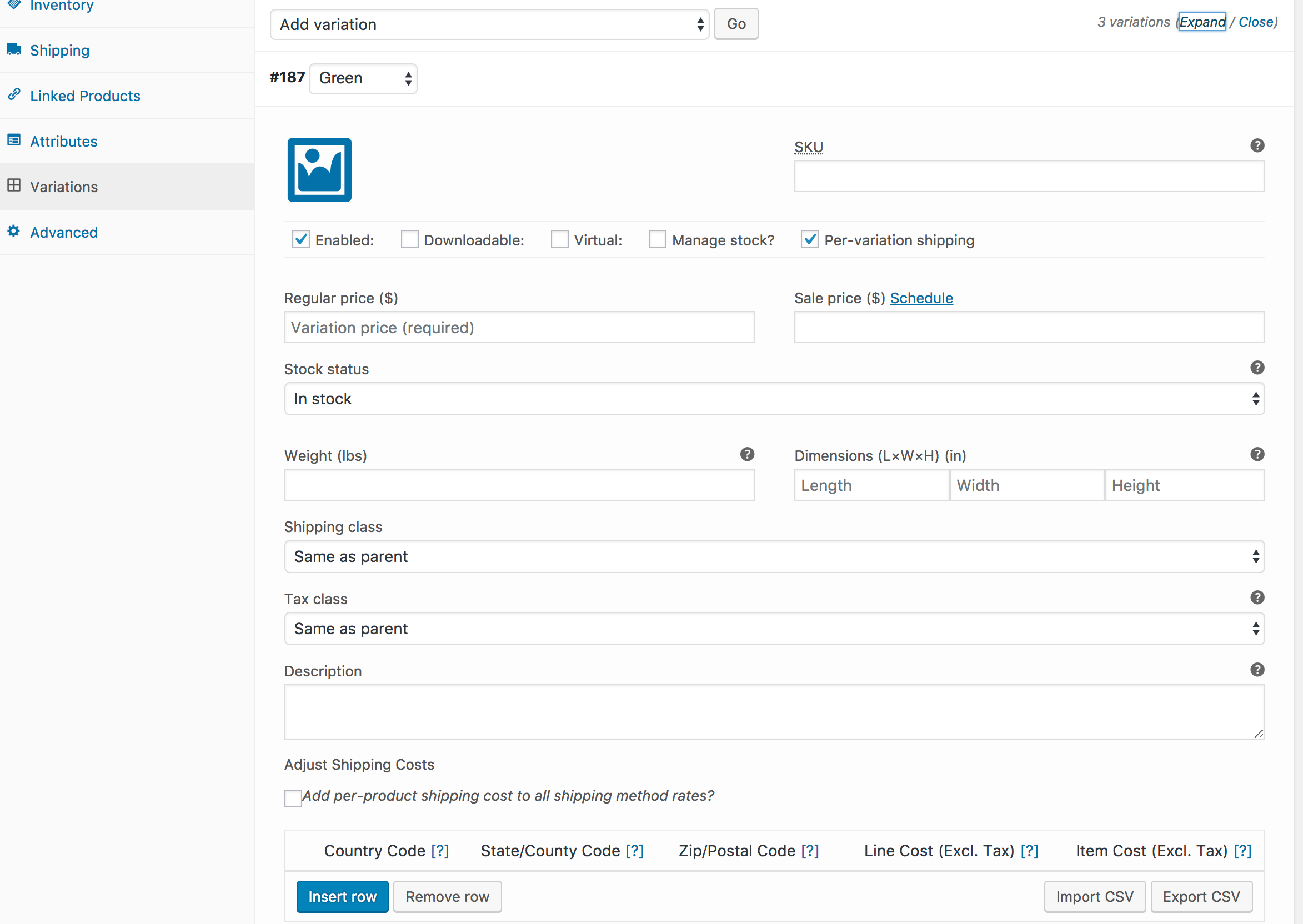
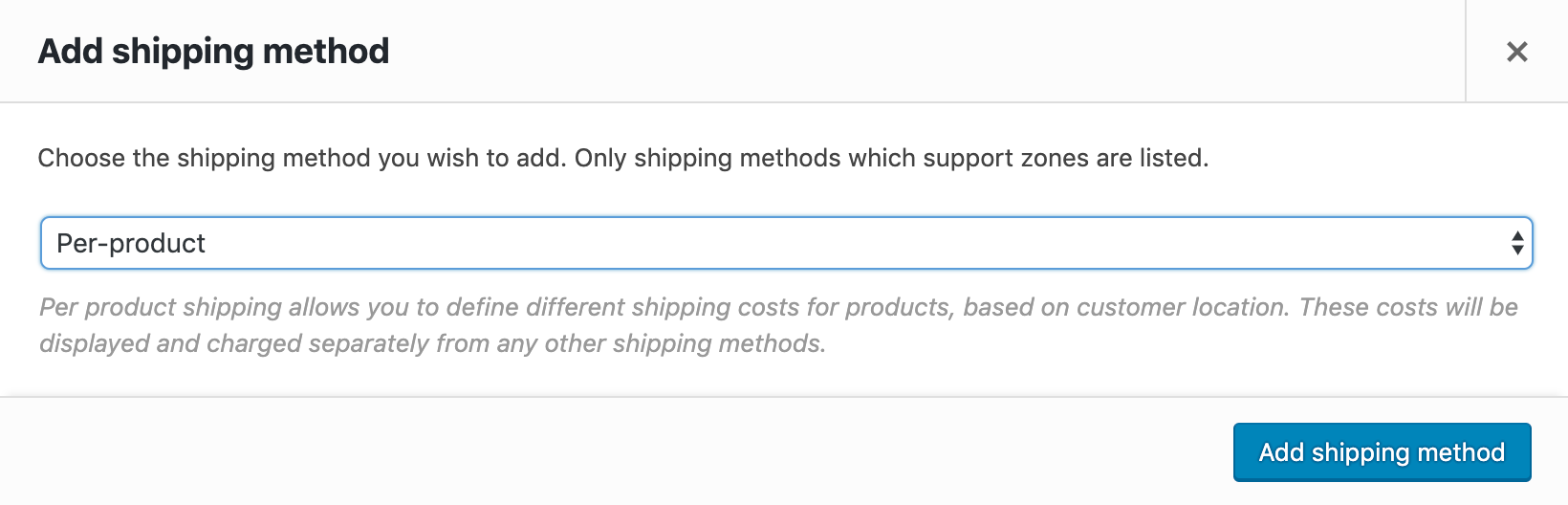
Per Product Shipping peut être utilisée de deux manières :
 |
DocumentationBesoin d’aide ? Consultez la documentation détaillée pour en savoir plus sur l’extension Per Product Shipping. Voir la documentation |
 |
Questions et assistanceSi vous avez des questions sur la prévente ou si vous avez besoin d’aide, contactez nos sympathiques Happiness Engineers. Obtenir de l’aide
|
Per Product Shipping is a WooCommerce shipping extension that lets you set specific shipping costs on individual products, rather than applying one blanket rate across your whole catalog. You can define costs per product or per variation, and vary those costs by customer location using country, state, and postal code. It is a good fit when a small number of items in your store need shipping fees that differ from everything else.
Per Product Shipping gives you tools to do this at the product level. On each product you can enable per-product shipping and build a rate table with line costs (applied once per line) and item costs (applied per unit). Rates can also target specific countries, states, and postal codes, with wildcards for broader matches. This is useful when one or two products carry shipping costs that do not match the rest of your catalog.
Yes. Per Product Shipping is designed for stores that sell one-off, heavy, or large products that need additional shipping cost compared to the rest of the catalog. You can add a product-specific fee on top of your existing shipping methods, so a bulky item carries its extra cost while your other products keep their normal rates. In a mixed cart, both the default shipping for standard items and the added cost for the bulky item are combined into the total.
Yes. Per Product Shipping works in two ways. In the "add to other methods" mode, product-specific costs are added on top of the rates calculated by your other shipping methods (excluding free shipping). Alternatively, you can run it as a standalone method, where all product costs are added together into a single rate. When you use the standalone method, no other shipping methods are offered by default.
Yes. You can define per-variation shipping costs, so each variation of a product can carry its own rates. When variation rates are set, they override the product-level rates for that variation. This is helpful if different sizes or versions of the same product have meaningfully different shipping costs.
Yes. Each rate row can target a country code, a state or county code, and a specific postal code, and you can use wildcards to match a range of postcodes. Only one row matches per customer location, checked from top to bottom, so you control which rate applies for each destination.
Yes. Per Product Shipping includes a built-in CSV import and export handler, so you can export a product's rates, adjust them, and import them again. This is useful when you want to apply similar rates across many products instead of entering each one by hand.
It can help. By assigning accurate, product-specific shipping costs to items that are heavier, larger, or more expensive to ship, Per Product Shipping gives you a way to recover those costs instead of absorbing them under a single flat rate. You can also add handling fees per product or per order when using the standalone method, which gives you more control over how shipping is priced.
It is best for stores that have a handful of products with fixed shipping costs that vary from item to item, or that sell occasional heavy, large, or one-off products needing their own shipping fees. If most of your catalog ships normally and only a few items are exceptions, Per Product Shipping is a focused way to handle those exceptions.
It may not be the right fit if your shipping rules depend on the overall cart rather than individual products. If your rates need to vary by total cart weight, item count, price, or shipping class, Table Rate Shipping is designed for that kind of complexity. If you pack items into pre-defined boxes and price by box size or box weight, consider Flat Rate Box Shipping instead.
Per Product Shipping sets shipping costs at the product and variation level, so each product carries its own fixed or percentage cost that can vary by location. Table Rate Shipping works at the cart level, letting you build tables of rates within shipping zones that respond to weight, price, item count, or shipping class. Choose Per Product Shipping when a few specific products drive your shipping costs, and Table Rate Shipping when your rules are more complex and cart-based.
For the standalone method, yes. You add Per Product Shipping as a shipping method inside a WooCommerce shipping zone so it appears at checkout, then enable per-product shipping and define rates on each product. Setup is guided through your WooCommerce shipping settings and the product edit screen, so you configure it without custom code.
Yes, when Per Product Shipping is used as a standalone method. You can add a handling fee per product, applied to every product in the cart, and a handling fee per order, applied once to the cart as a whole. Both can be set as a fixed amount or a percentage, which gives you flexibility in how you cover packaging and processing costs.
You have control over this. When using the standalone method, you can choose to ignore free shipping and ignore local pickup so those options do not appear for packages in the same zone as Per Product Shipping. This helps keep checkout consistent when product-based rates are the shipping model you want customers to use.
Catégories
Informations sur l'extension
Vérifications qualité
Compatibilité
Pays







