
Icona del prodotto

Quote Offer per WooCommerce

Request a quote for WooCommerce: collect quote requests, reply and agree a price, then turn the quote into an order.
Scegli un'opzione di fatturazione
$59
Risparmia 20%
$118 $94.40

Confronto prodotti

L'abbonamento include

  • Aggiornamenti e miglioramenti del prodotto
  • Servizio clienti
  • Garanzia di rimborso entro 30 giorni

Let customers request a quote, then turn it into an order

Bulk orders, custom work and trade buyers often need a conversation before they buy. Quote Offer adds a request a quote flow to WooCommerce: customers send a quote request instead of buying, you reply and agree a price in one thread, and the agreed quote becomes a WooCommerce order with a payment link. No spreadsheets, no lost emails.
  • Two ways to ask. A quote list for many products in one request, or a quote popup on the product page.
  • Your own quote form. Build it with drag and drop: text, email, number, date, dropdowns, checkboxes, file uploads and more.
  • Every quote in one place. Statuses, filters, search by email and a message thread, with replies emailed to the customer.
  • Quote to order. Set the agreed prices, create a pending order, add shipping and send the payment link.
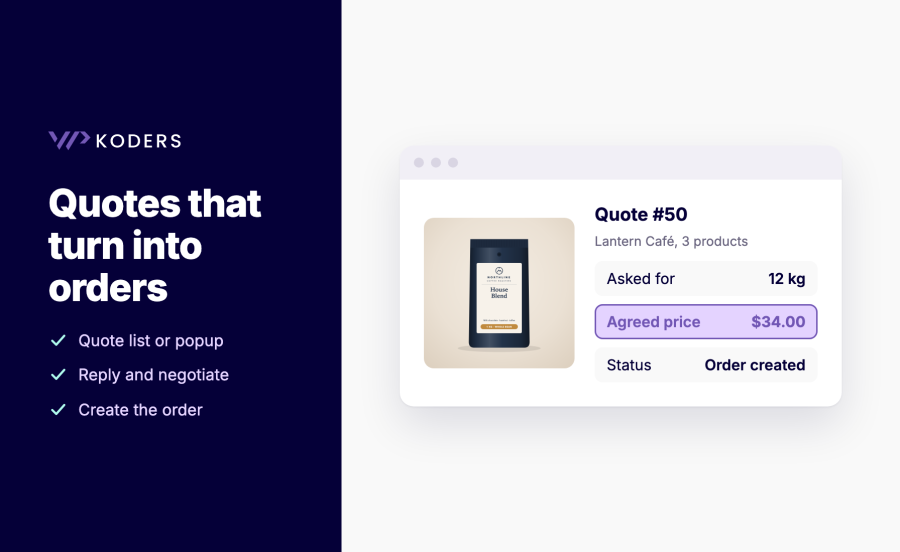
Quote with the requested quantity, the agreed price and status Order created

Who it’s for

  • B2B and trade stores where prices depend on volume or the customer.
  • Manufacturers and custom-work shops that price each job.
  • Wholesale suppliers that negotiate case prices with cafés, shops or offices.
  • Any store with “price on request” products that needs a proper product enquiry process.

WooCommerce request a quote features

Quote rules: who sees prices

  • Rules by product, category, customer role and country. Hide the price, the Add to cart button or both, and show a quote button.
  • Separate rules for guests and registered customers. For example “Price on request” for guests only.
  • Hidden prices stay hidden. On product pages, blocks and the Store API, in structured data, analytics data and price filters.
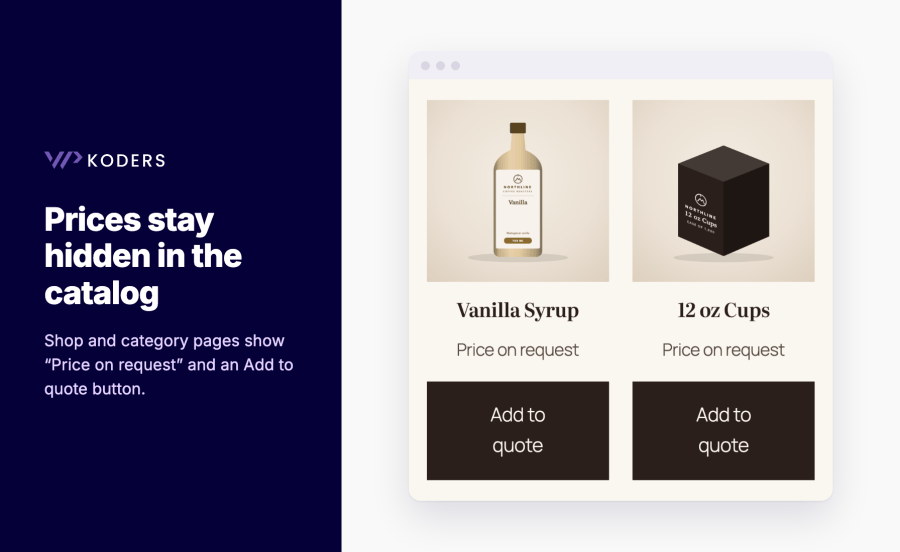
Shop page with Price on request and Add to quote buttons on each product

Quote list, popup and form builder

  • Quote list or popup. “Add to quote” on many products, then one request, or ask from the product page.
  • Variations recorded. The chosen variation is saved in the quote and in the order.
  • Drag-and-drop quote forms. Use any form anywhere with the [quote_form] shortcode, and show a quote link with the item count with [qo_quote_link].
  • Private file uploads. Uploaded files are stored privately and only shop managers can download them.
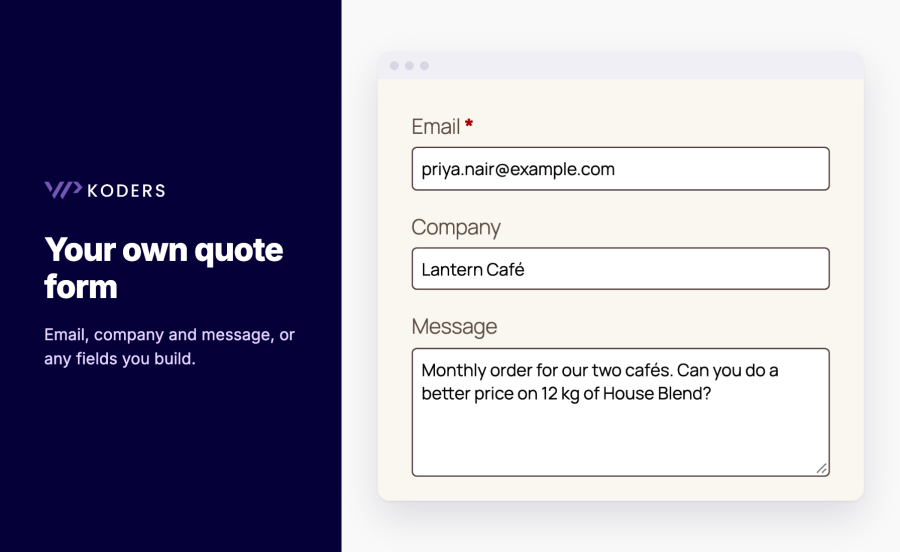
Quote request form with email, company and message fields

Manage, reply and create the order

  • Quote statuses. New, Replied, Order created and Closed, set automatically when you reply or create an order.
  • Message thread. Reply from the quote screen; the customer gets each reply by email.
  • Create an order from a quote. Set the agreed unit prices, create a pending order and send the payment link.
  • My Account. Logged-in customers see their quotes and the conversation under Submitted Quotes.
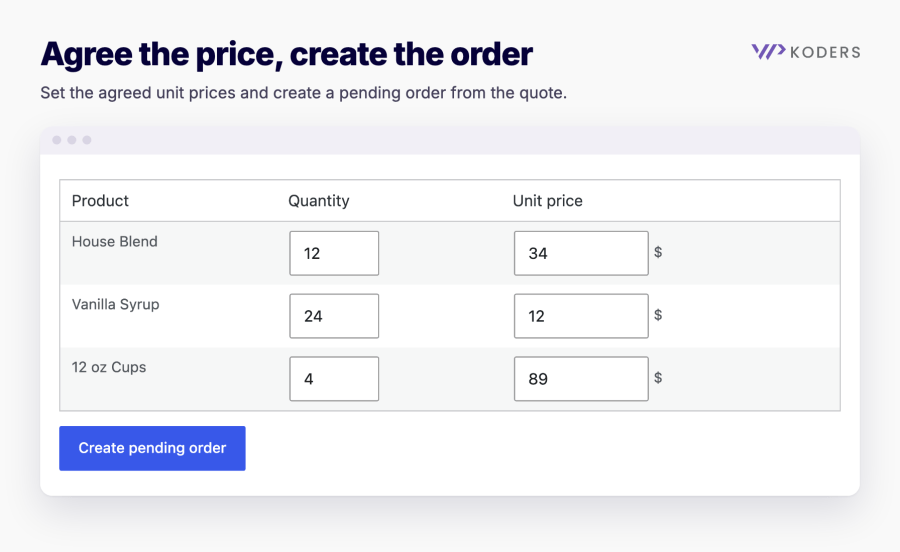
Agreed unit prices for each product and a Create pending order button

Ready for real stores

  • Spam and privacy. Rate limits per visitor and email address, a hook for your own CAPTCHA, personal data export and erasure, and optional deletion of old quotes.
  • Compatible. Block and classic themes, the Cart and Checkout blocks, HPOS, WPML and Polylang string translation, and full-page caching.

How it works

  1. Activate the plugin. New stores get a “Request a quote” page and a default quote form.
  2. Create a rule under WooCommerce > Quote Rulesets: choose the products, customers and countries, and whether to hide the price and Add to cart.
  3. Customers add products to their quote and send the form.
  4. Reply from the quote screen, agree the price and create the order.

Works great with


Domande più comuni

How do I add a request a quote button in WooCommerce?

Create a rule under WooCommerce > Quote Rulesets. Choose the products or categories, the customers (guests, registered customers, roles) and countries, and whether to hide the price and the Add to cart button. The quote button appears on those products.

Can customers request a quote for several products at once?

Yes. With the quote list, customers click "Add to quote" on each product and send one request from the quote page. You can also use a quote popup on the product page.

Can I hide prices until a customer asks for a quote?

Yes. A rule can hide the price and show your own text, such as "Price on request". Hidden prices are also removed from blocks, the Store API, structured data, analytics data and price filters.

How do I turn a quote into an order?

Open the quote, set the agreed unit prices and click "Create pending order". Add shipping or fees, then send the payment link from the order, or turn on the payment link email to send it straight away.

Can I customize the quote form?

Yes. Build forms with drag and drop, using text, email, number, date, dropdowns, checkboxes, file uploads and more. Put any form anywhere with the [quote_form form_id="ID"] shortcode.

Are uploaded files private?

Files are stored in a folder with a random name that is never linked, and only shop managers can download them from the quote screen. On nginx you can also deny direct access to that folder in the server configuration.

Can I stop spam quote requests?

Requests are rate limited per visitor and per email address. To add a CAPTCHA, use the qo_validate_submission filter to check the token and reject the request.

Does it work with page caching?

Yes. Quote buttons and forms refresh their security token when a cached page is older than WordPress allows. For country-based rules, exclude product pages from the cache or vary the cache by country.

Related Products

Prezzo $279 Annualmente
Valutato 3.9 su 5 stelle
Prezzo $79 Annualmente
Valutato 3.4 su 5 stelle
Prezzo $59 Annualmente
Valutato 3.1 su 5 stelle
Prezzo $49 Annualmente
Valutato 4.1 su 5 stelle
Prezzo $109 Annualmente
Valutato 2.8 su 5 stelle
Prezzo $109 Annualmente
Valutato 2 su 5 stelle
Prezzo $109 Annualmente
Valutato 2.5 su 5 stelle
Prezzo $39 Annualmente
Valutato 2.8 su 5 stelle
Prezzo $199 Annualmente
Valutato 4 su 5 stelle
Uso dei tuoi dati personali
Noi e i nostri partner trattiamo i tuoi dati personali (come dati di navigazione, indirizzi IP, informazioni sui cookie e altri identificatori univoci) sulla base del tuo consenso e/o del nostro legittimo interesse per ottimizzare il nostro sito web, le attività di marketing e la tua esperienza utente.




