
Aktive Installationen
7K+
Product comparison
Das Abonnement beinhaltet
Support
Richte Vorbestellungen in deinem WooCommerce-Shop ein, sodass Kunden Produkte bestellen können, bevor diese verfügbar sind. Du kannst Bestellungen automatisch oder manuell freigeben und ausführen, wenn du bereit bist – alles Weitere erledigt die Erweiterung!
Das Vorbestellungserlebnis ist vollständig anpassbar und unterstützt sowohl Vorbestellungen mit Vorauszahlung als auch Vorbestellungen mit Bezahlung bei Veröffentlichung. Wenn du ein unterstütztes Zahlungs-Gateway verwendest, können Vorbestellungen bei der Veröffentlichung in Rechnung gestellt werden, ohne dass der Kunde den Shop erneut aufsuchen und seine Bestellung bezahlen muss.
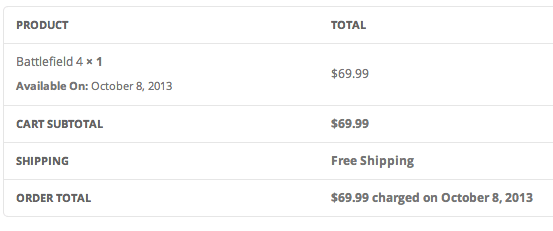
* Nicht kompatibel mit WooCommerce Subscriptions
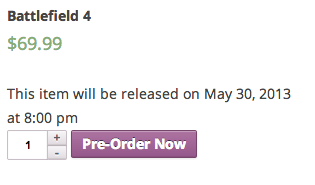
Lege fest, wie vorbestellte Produkte angezeigt werden, indem du integrierte Einstellungen für Button-Text, Produktaussagen und vieles mehr verwendest. Zeige die verbleibende Zeit an, bis ein Produkt überall auf deiner Website verfügbar ist, indem du einen Countdown-Zeit-Shortcode mit Unterstützung für die Anpassung über CSS verwendest.
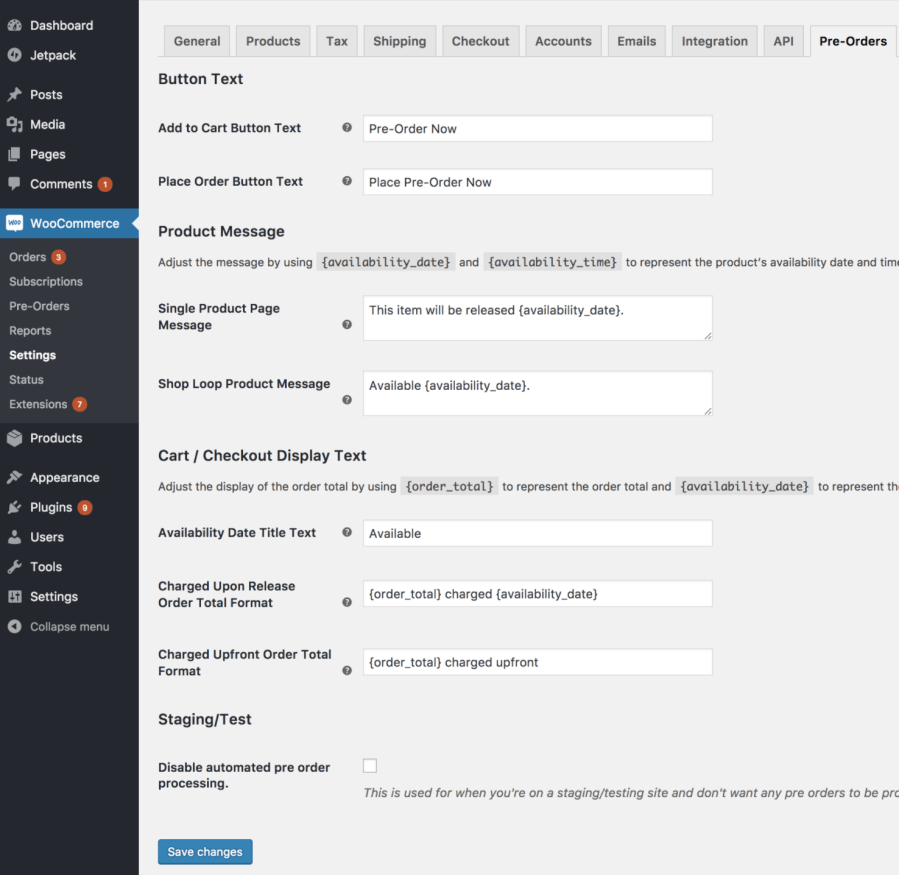
Vorbestellungen können auf zwei Arten in Rechnung gestellt werden, im Voraus oder bei Veröffentlichung. Wenn eine Vorbestellung im Voraus in Rechnung gestellt wird, zahlt der Kunde den gesamten Vorbestellungsbetrag während des ersten Bezahlvorgangs.
Wenn eine Vorbestellung bei Veröffentlichung in Rechnung gestellt wird, wird die Zahlungsmethode des Kunden belastet, sobald das Produkt veröffentlicht wird (entweder durch Erreichen des Verfügbarkeitsdatums, falls festgelegt, oder manuell im Pre-Orders-Administrator). Dies gilt, wenn ein unterstütztes Gateway verwendet wird. Wenn kein unterstütztes Gateway verfügbar ist, erhält der Kunde bei Veröffentlichung der Vorbestellung eine E-Mail, in der er aufgefordert wird, den Shop erneut aufzusuchen und seine Vorbestellung zu bezahlen.
Alle Vorbestellungen können über eine spezielle Seite verwaltet werden. Von hier aus kann der Administrator ausgewählte Vorbestellungen verzögern, abschließen, stornieren oder E-Mails dazu versenden. Er kann auch über den Abschnitt „Aktionen“ dieselben Aktionen für alle Vorbestellungen eines bestimmten Produkts durchführen.
Wenn du eines der unterstützten Zahlungs-Gateways verwendest, kannst du die Zahlungsmethode deines Kunden automatisch belasten, sobald die Vorbestellung verfügbar ist. Alle Gateways unterstützen manuelle Zahlungen für Vorbestellungen, bei denen der Kunde eine E-Mail erhält, in der er aufgefordert wird, zurückzukehren und seine Vorbestellung zu bezahlen, sobald diese veröffentlicht ist.
WooCommerce Pre-Orders is a WooCommerce extension that lets customers order products before they launch. You set an optional availability date and time, and once that moment arrives, the product stops being a pre-order and behaves like a regular product. It works with both simple and variable products, so you can open reservations for new releases, upcoming items, and limited runs while you finish production.
Yes. WooCommerce Pre-Orders supports two charging options: upfront or upon release. When charged upfront, the customer pays the full amount at checkout, like a normal purchase. When charged upon release, the customer is billed when the product becomes available, either automatically on the availability date or manually from the Pre-Orders admin. This gives you flexibility to match your cash flow and product strategy.
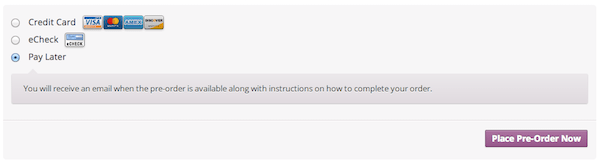
It depends on your payment gateway. If you use a supported payment gateway, the customer's payment method can be charged automatically when the pre-order is released, so they do not need to return to your store. For any other gateway, WooCommerce Pre-Orders includes a built-in Pay Later option and sends the customer an email prompting them to come back and complete payment once the product is available.
Yes, this is one of the most common reasons merchants use pre-orders. By opening reservations before a product is in stock, WooCommerce Pre-Orders gives you a clear early signal of interest so you can plan production and inventory with more confidence. It is well suited to new product lines, limited-edition drops, made-to-order goods, and seasonal releases where you want to secure sales before manufacturing or ordering in bulk.
Yes. You can set an optional availability date and time for each pre-order product, and you can change the release date later from the Pre-Orders admin. WooCommerce Pre-Orders also lets you email everyone who pre-ordered a product, so you can keep customers informed if a launch date shifts. Note that while active "pay upon release" pre-orders exist, the fee and charging method are locked until those pre-orders are completed or cancelled, though the release date can still be updated.
Yes. WooCommerce Pre-Orders lets you add an optional pre-order fee on top of the regular product price, in your store's currency. This is useful if you want to cover early handling costs or offer a distinct pre-order price point. The fee is set per product in the Pre-Orders product settings.
Yes. WooCommerce Pre-Orders gives you built-in settings to change the "Add to Cart" and "Place Order" button text, so a product can show "Pre-Order Now" instead of "Add to Cart." You can also add custom messages on the single product page and shop pages that announce when a product will be available, using placeholders for the availability date and time. There is also a countdown timer shortcode you can place around your site, with styling controlled through CSS.
Yes, WooCommerce Pre-Orders works with both simple and variable products. One thing to keep in mind: pre-orders apply at the product level, which means all variations of a product are marked as pre-order items. Customers can choose which variation they want to pre-order, but you cannot set only certain variations as pre-orders while others remain regular stock. If per-variation control matters for your store, factor this into your decision.
Yes. WooCommerce Pre-Orders includes a setting to enable pre-orders for compatible products when they go out of stock. This is helpful when you want to keep capturing demand for popular items during a restock rather than losing the sale. Keep in mind that pre-orders and backorders are different: pre-orders are for items not yet released, while backorders apply to released items that are temporarily unavailable.
WooCommerce Pre-Orders adds a dedicated "pre-order" order status so you can filter and identify pre-orders separately from your regular orders. From the Pre-Orders admin, you can complete pre-orders (which charges customers using a supported gateway or sends a payment request), cancel pre-orders that are no longer available, change release dates, and email everyone who pre-ordered a given product. Once a pre-order is completed, it moves into your normal WooCommerce order workflow.
You can cancel one or more pre-orders from the Pre-Orders admin, and you can optionally send customers an email with a custom message explaining the cancellation. One important detail for planning: for pre-orders that were charged upfront, any payments are not reversed automatically and need to be refunded manually, the same way you would handle a standard WooCommerce refund.
Yes, WooCommerce Pre-Orders works with WooCommerce Subscriptions. A subscription product can be charged upon release using the built-in Pay Later gateway or a gateway that supports automatic payments, with the subscription starting from the pre-order completion date. It can also be charged upfront, billing the first subscription period at checkout. One limitation to note: pre-orders are not compatible with the synchronized renewals or free trial features of WooCommerce Subscriptions on the same product.
WooCommerce Pre-Orders is a strong fit for merchants launching new products, releasing limited editions, selling made-to-order goods, or timing seasonal and holiday drops. It is also a good choice for stores that want an officially supported, Woo-built pre-order extension with control over charging timing, release dates, and customer notifications. If you want to build anticipation for an upcoming launch while securing early sales, it gives you the core tools to do that.
WooCommerce Pre-Orders may not be the right fit if you need per-variation pre-orders, since pre-order status applies to the whole product and all its variations together. It also does not split a mixed cart into separate charges for in-stock and pre-order items on its own, so if a shopper needs to buy available and pre-order products with different billing in one flow, plan for that. If your real need is conditional rules around which payment or shipping methods appear based on cart contents, Conditional Shipping and Payments may be a better companion or alternative.
Pre-orders and backorders solve related but different problems. Pre-orders let customers reserve a product before its official release, when it is not yet in stock, which is ideal for launches and upcoming items. Backorders apply to products that have already launched but are temporarily out of stock. WooCommerce Pre-Orders is built for the pre-release scenario, with availability dates, launch messaging, and flexible charging, and it can also open pre-orders when a compatible product goes out of stock.
Kategorien
Extension information
Quality Checks
Works with
Kompatibilität
Länder
Anforderungen