
Icono del producto

Donations & Fundraising para WooCommerce

Accept WooCommerce donations on products, cart, and checkout pages. Run goal-driven fundraising campaigns, support nonprofits and crowdfunding, and let customers contribute with fixed or custom amounts — without leaving the shopping experience. Includes progress bars, multiple donation forms, customizable layouts, and shortcode placement anywhere on your site. The complete WooCommerce donation plugin for nonprofits, charities, schools, and ca
Elige una opción de facturación
$69
Ahorra un 20 %
$138 $110.40

Product comparison

La suscripción incluye

  • Actualizaciones y mejoras del producto
  • Atención al cliente
  • Garantía de devolución de 30 días

The Complete WooCommerce Donation & Fundraising Plugin

Accept donations directly through your WooCommerce store — on products, cart, and checkout pages. Run fundraising campaigns with goals and progress bars, support nonprofits, charities, schools, and crowdfunding causes. Fixed or custom amounts, customizable forms, and seamless integration with your existing store.

If you run a WooCommerce store and need to accept donations, run fundraising campaigns, or support a cause — this plugin gives you a complete donation system that works on products, cart, and checkout without disrupting the shopping experience.

Whether you’re a nonprofit running a charity drive, a school fundraising for a program, a crowdfunding creator, or a commercial store wanting to support causes — the Donations & Fundraising plugin handles every donation scenario with goal tracking, customizable forms, and flexible placement.

Who This Plugin Is Built For

Nonprofits & Charities

Build dedicated fundraising pages with custom forms, images, and impact descriptions. Perfect for ongoing charitable campaigns and donor outreach.

Crowdfunding Campaigns

Set funding targets with real-time progress bars. Create urgency and engagement for creative projects, community initiatives, or product launches.

Checkout Donations

Add optional donation prompts during checkout. Let customers contribute a small amount alongside their purchase to support your cause.

Schools & Community Programs

Fundraise for school programs, sports teams, or community projects with goal-tracking pages that show donors the impact of their contributions.

Cause-Linked Products

Connect donations to specific products («Buy this and support education»). Integrate fundraising into regular purchases for higher conversion.

Anywhere on Your Site

Place donation forms on product pages, sidebars, landing pages, or footers using shortcodes. Maximum reach, maximum donations.
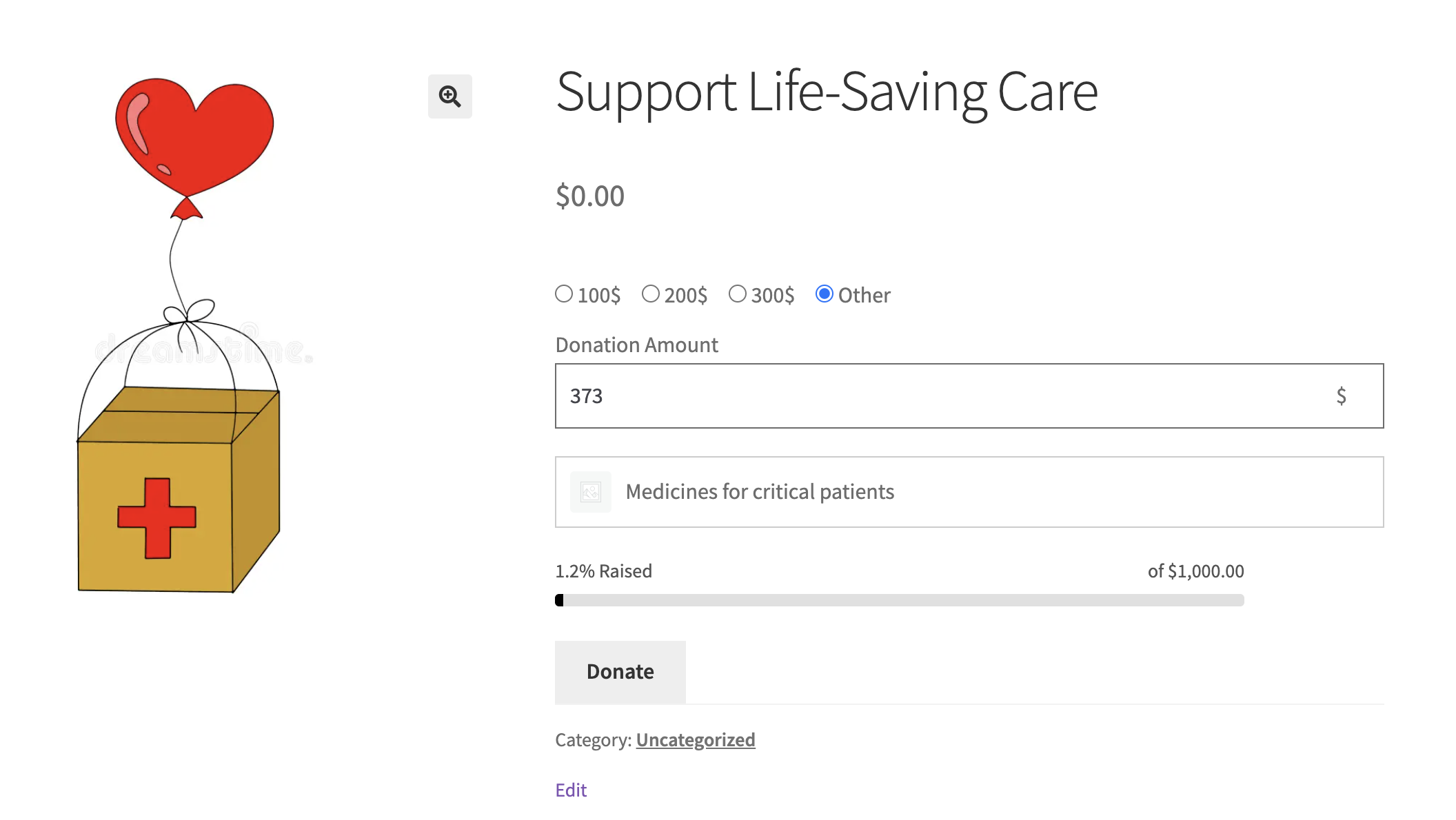
WooCommerce Donation plugin frontend view

Why Store Owners Choose This Plugin

  • Three donation placements — Product pages, cart pages, checkout pages. Use one or all three to maximize donor reach.
  • Fixed or custom amounts — Offer preset donation amounts ($5, $10, $25), let donors enter their own amount, or combine both for maximum flexibility.
  • Real-time goal tracking — Progress bars update instantly as donations come in, creating urgency and motivating new donors.
  • No performance impact — Lightweight code, conditional asset loading, and clean frontend rendering with zero page-load slowdown.

Built by WPKoders — Trusted by 270,000+ WooCommerce Stores

This plugin is developed by WPKoders, a WooCommerce expert team with plugins running on over 270,000 active stores worldwide. We’re committed to long-term support, regular updates, and fast response times.
  • Security audited — Passed WooCommerce vulnerability and dependency checks
  • HPOS compatible — Fully compatible with High Performance Order Storage
  • Block checkout ready — Works with modern WooCommerce block-based checkout
  • Translation ready — WPML and Polylang support out of the box
  • 30-day money-back guarantee — Try it risk-free

Complete Feature List

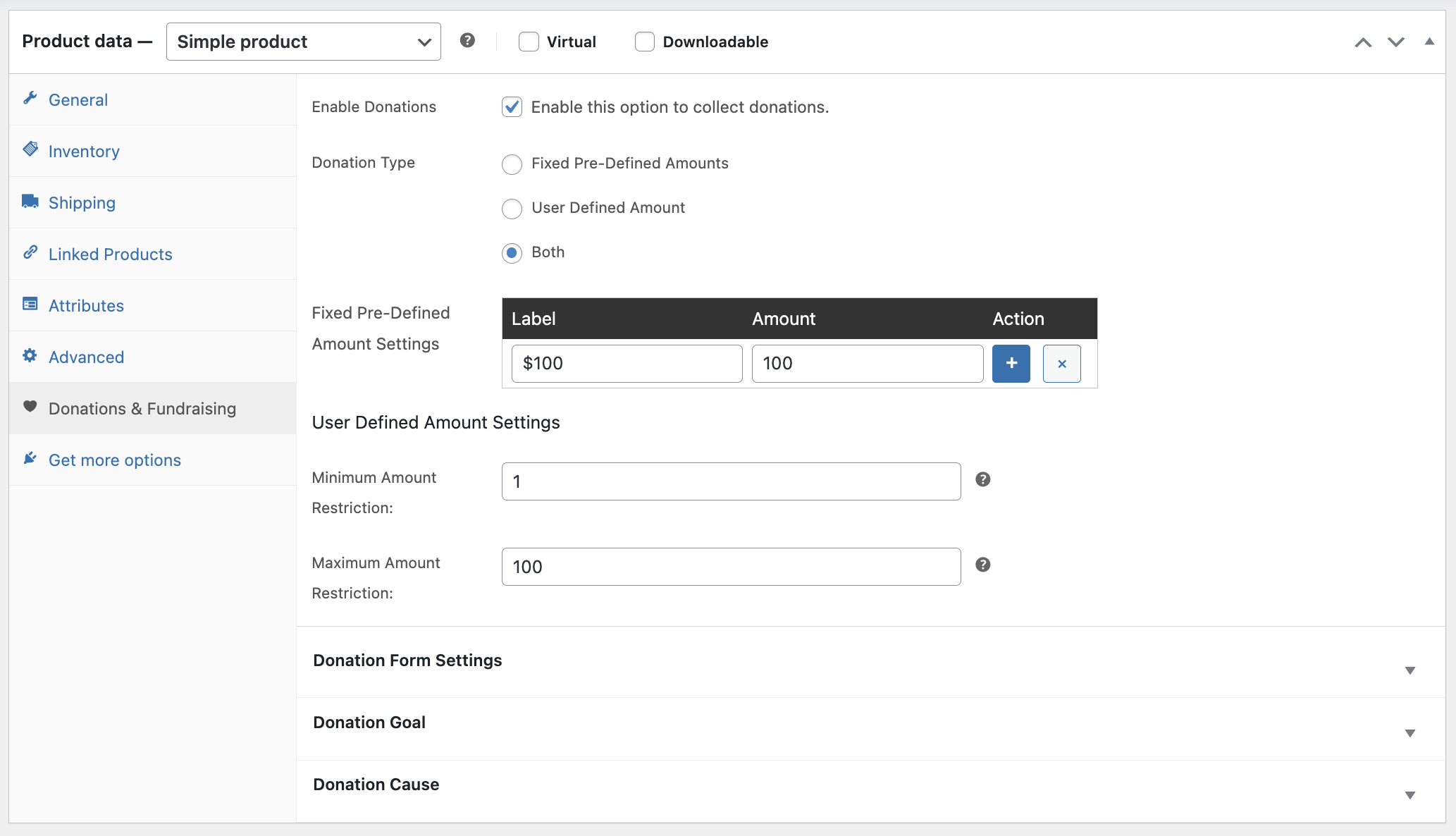
  • Flexible donation options — Accept fixed amounts, user-defined contributions, or both. Set suggested amounts that work for your audience.
  • Cart & checkout integration — Capture donations seamlessly during the regular shopping flow without forcing donors to navigate elsewhere.
  • Fundraising goals & progress bars — Set campaign targets and display real-time progress that motivates donors and tracks success.
  • Multiple donation forms — Place donation forms anywhere on your site using shortcodes — product pages, sidebars, landing pages, or footers.
  • Customizable form layouts — Adjust labels, amount tiers, field layouts, and styling to match your store’s branding.
  • Cause-based displays — Create dedicated campaign pages with titles, images, descriptions, and progress trackers.
  • Donation reporting — Track donations from the WooCommerce dashboard alongside your regular order data.
  • Multiple campaigns — Run several fundraising campaigns simultaneously, each with its own goal and forms.

WordPress donation plugin amount settings

Cart & Checkout Donations

Capture donations during the regular shopping flow with optional checkout prompts. Donors can add a contribution alongside their purchase.
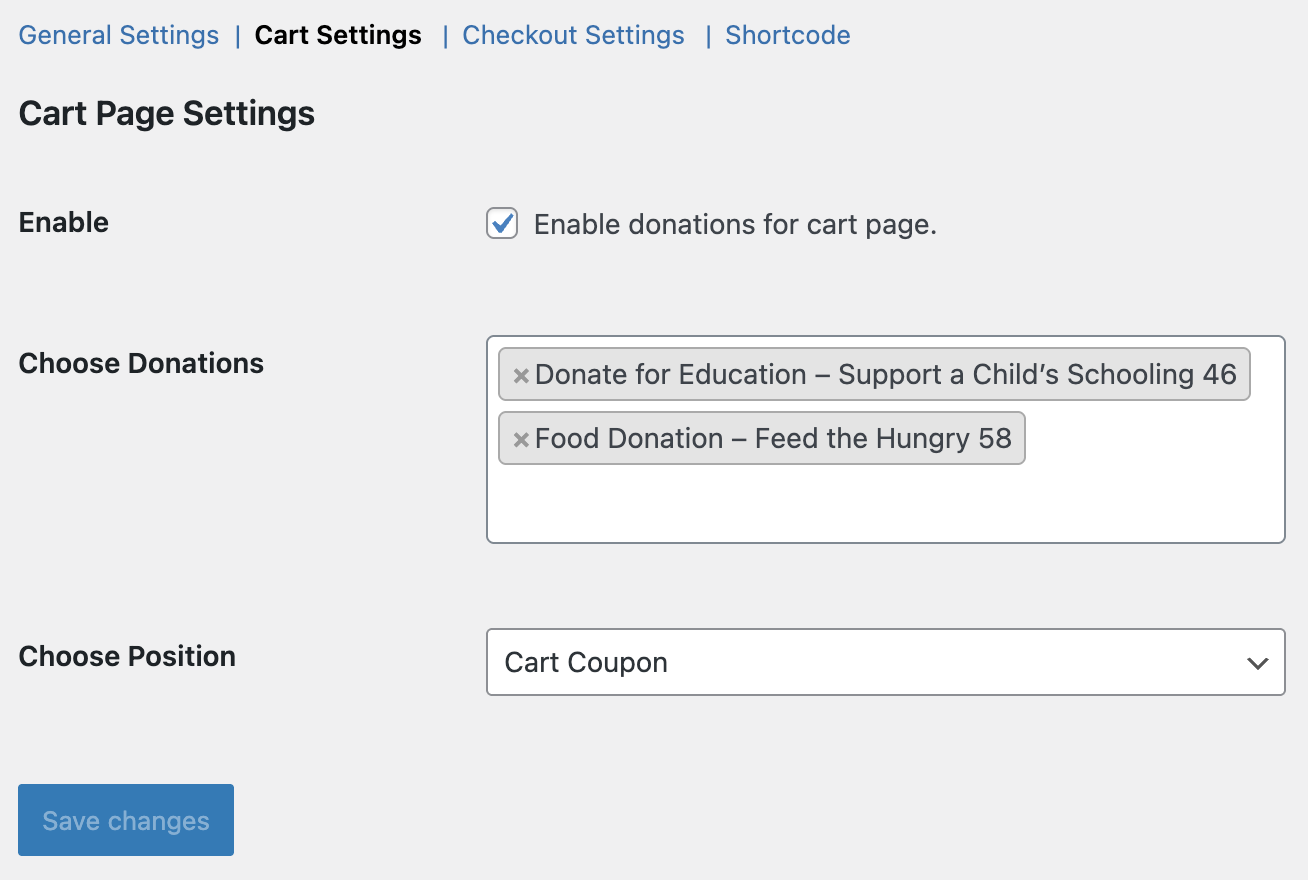
WordPress donation plugin cart settings

Fundraising Goals & Progress Tracking

Set targets and display real-time progress bars that update as donations come in. Create urgency and motivate new donors.
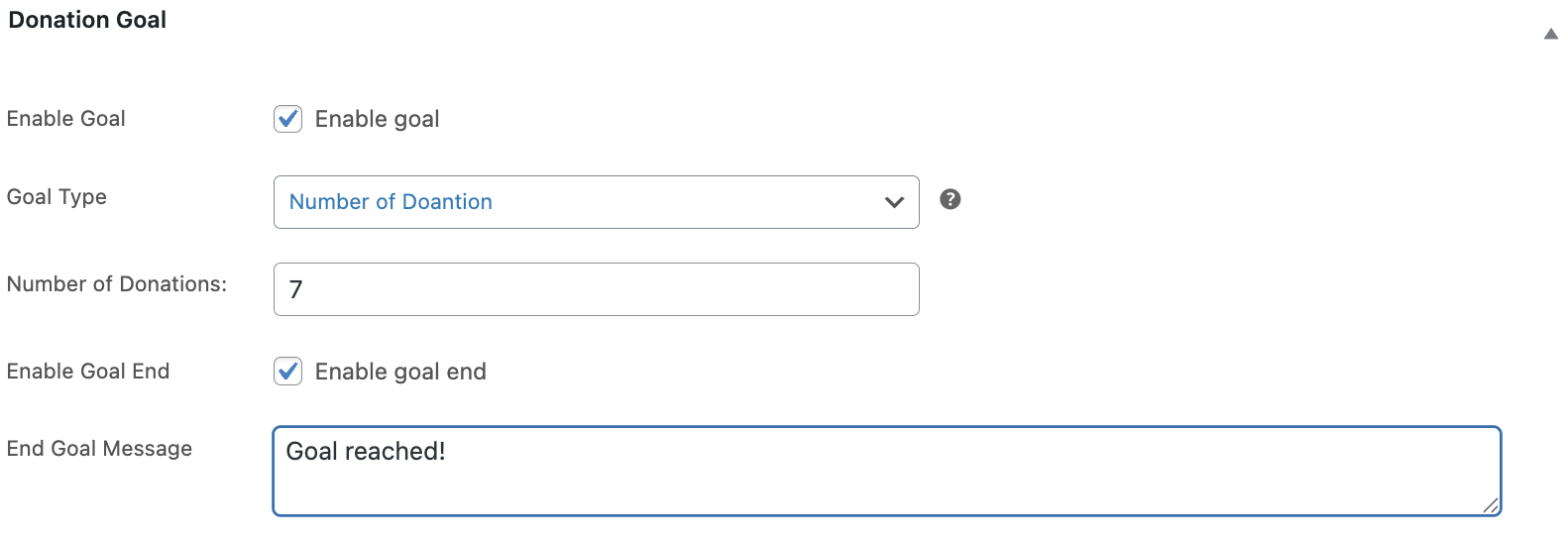
WordPress donation plugin fundraising goals

Shortcode Placement Anywhere

Place donation forms on any page or widget area using shortcodes. Product pages, sidebars, landing pages, footers — maximum reach.
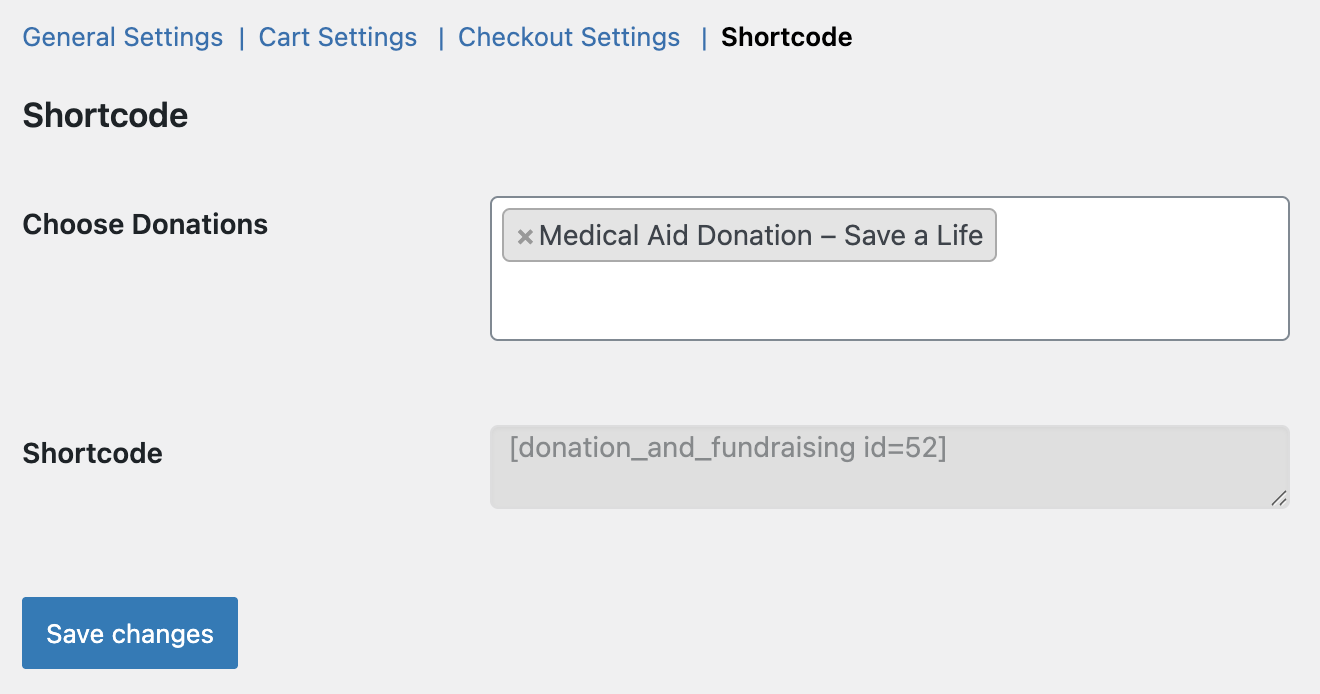
WordPress donation plugin shortcode placement

Customizable Form Layouts

Adjust labels, amount tiers, field layouts, and styling to match your brand and optimize the donor experience.
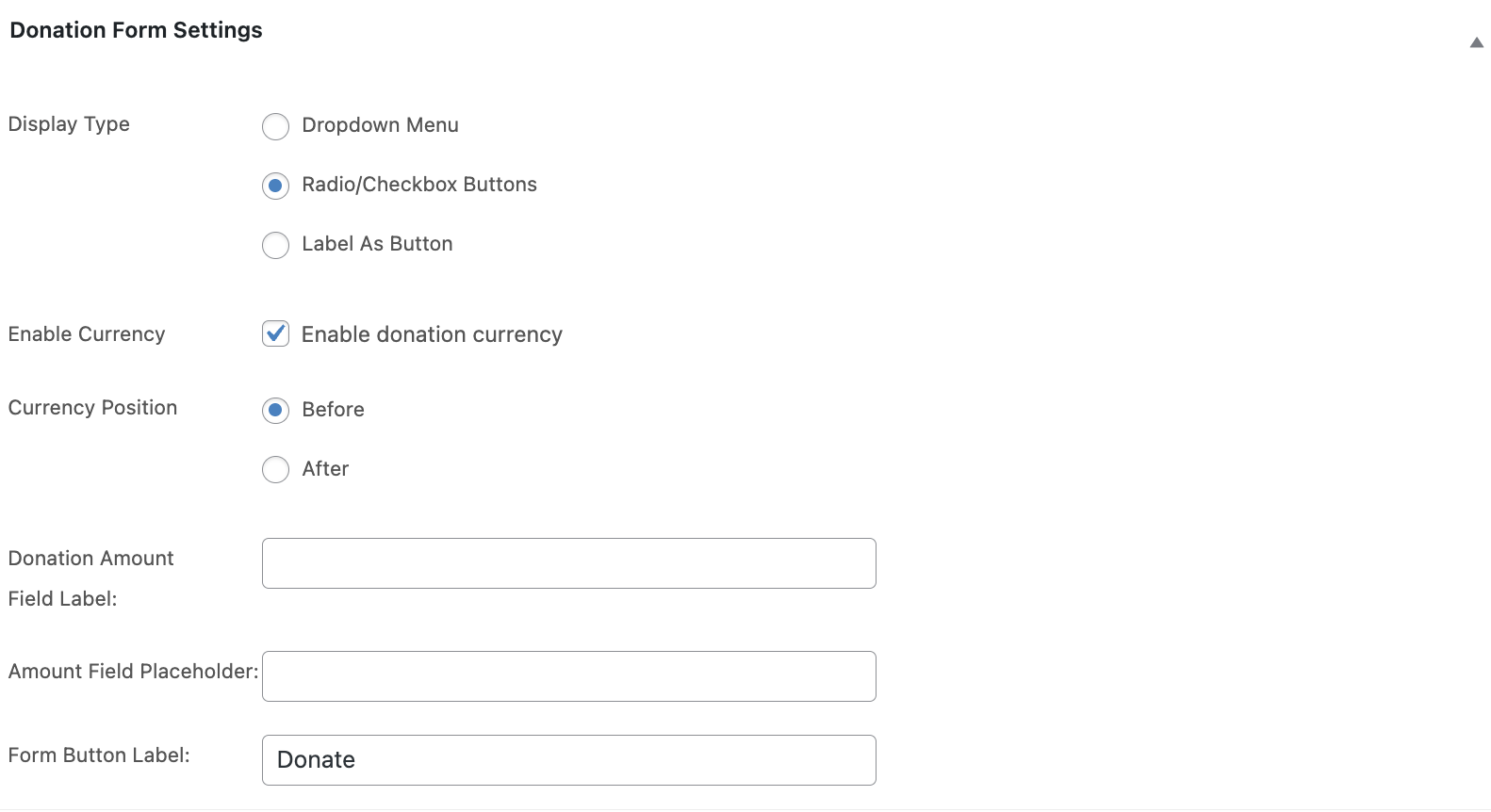
WordPress donation plugin form customization

More Powerful Features

  • HPOS compatible — Fully compatible with WooCommerce High Performance Order Storage for fast, scalable order management.
  • Block checkout ready — Works seamlessly with WooCommerce block-based checkout and modern themes.
  • Translation ready — Fully translatable with WPML and Polylang support for multilingual stores.
  • Lightweight & fast — Conditionally loaded assets and clean code with zero impact on page load speed.
  • Works with all payment gateways — Donations process through your existing WooCommerce payment setup (Stripe, PayPal, etc.).
  • Theme compatible — Donation forms render correctly across Storefront, Astra, GeneratePress, Divi, and most premium themes.

Quick Setup in 7 Steps

  1. Install and activate the plugin from your WooCommerce account.
  2. Go to Products → Add New Product (or edit an existing product).
  3. Scroll to the Donations & Fundraising tab in Product Data and check Enable Donations.
  4. Configure donation options: choose Fixed, User-Defined, or Both. Set amounts, labels, and form layout.
  5. Optionally enable fundraising goals and add cause details with images, titles, and descriptions.
  6. For cart/checkout donations, go to WooCommerce → Settings → Donations & Fundraising, select donation options, and choose placement.
  7. Save and test the donation flow on the frontend.

Need help? Visit our detailed documentation for setup guides and examples.

Is This Plugin Right for You?

This is for you if you need:

  • Donations on product, cart, or checkout pages
  • Fundraising goals with real-time progress bars
  • Fixed and/or custom donation amounts
  • Multiple campaigns running at once
  • Shortcode placement on any page
  • Cause-linked product donations

This is NOT for you if you need:

  • Recurring/subscription donations (needs WooCommerce Subscriptions)
  • Peer-to-peer fundraising where users create their own campaigns
  • Tribute donations (in honor/memory of someone)
  • Public donor wall or contributor leaderboard
  • Round-up donations (round cart total to nearest dollar)
  • UK Gift Aid tax reclaim functionality
  • 501(c)(3) tax receipt generation

Frequently Asked Questions

Where can donations appear on my store?

Three core placements: on individual product pages (as a donation product), in the cart (as an add-on contribution), and at checkout (as a final donation prompt). You can also use shortcodes to place donation forms on any page or widget area.

Can I set fundraising goals with progress bars?

Yes. Each campaign can have its own goal amount, and the progress bar updates in real time as donations come in. This creates urgency and motivates donors to contribute when they see how close you are to your target.

Can donors choose their own donation amount?

Yes. You can offer fixed preset amounts ($5, $10, $25), let donors enter their own custom amount, or combine both. This flexibility maximizes the donor’s willingness to give what’s comfortable for them.

Can I run multiple fundraising campaigns at the same time?

Yes. Create and manage multiple campaigns simultaneously, each with its own goal, donation options, and forms. Perfect for seasonal drives, product-linked campaigns, or multi-program nonprofits.

Will this work with my WooCommerce theme?

Yes. The plugin works with all standard WooCommerce themes including Storefront, Astra, GeneratePress, OceanWP, Kadence, Divi, and most premium themes. Donation forms render correctly without custom code.

Does this support recurring donations?

Recurring donation functionality requires the separate WooCommerce Subscriptions extension. This plugin handles one-time donations natively. For recurring/monthly donations, install both plugins to combine functionality.

How are donations processed?

Donations process through your existing WooCommerce payment gateways — Stripe, PayPal, Authorize.net, or any gateway you have configured. No separate payment setup needed.

Is this plugin compatible with HPOS and block checkout?

Yes. Fully compatible with WooCommerce High Performance Order Storage (HPOS) and works seamlessly with the new block-based checkout. Tested on the latest WooCommerce versions.

Will this slow down my store?

No. The plugin uses conditional asset loading — donation scripts and styles only load on pages where donation forms are present. Zero impact on Core Web Vitals or page load speed on non-donation pages.

What’s your support response time?

We aim to respond to all support requests within 12 hours on business days. Most queries are resolved within 24 hours. Support is included for the duration of your active subscription.

Is there a money-back guarantee?

Yes. WooCommerce offers a 30-day money-back guarantee on all marketplace purchases. If the plugin doesn’t work for your use case, you can request a full refund within 30 days, no questions asked.

Explore the Complete WPKoders Plugin Suite

Combine Donations & Fundraising with our other WooCommerce extensions to build a complete store solution:

Hide Price & Show Custom Button →

Hide WooCommerce prices, run catalog mode, and replace Add to Cart with quote forms.

Multistep Product Bundles →

Build step-by-step configurable bundles for gift sets, meal kits, and PC builders.

B2B Pricing →

Role-based pricing, tiered discounts, and tax exemptions for wholesale customers.

Restrict Checkout →

Control who can complete checkout based on cart, history, or location.

PDF Invoice →

Auto-generate PDF invoices, packing slips, and credit notes for every order.


Opiniones de clientes

Estamos aceptando reseñas para este producto, y las mostraremos cuando tengamos unas cuantas más.

Información de la extensión

  • Se requiere una versión de PHP: 7.4
  • Se ha probado con WordPress: 6.7
  • Se ha probado con WooCommerce: 10.7.0
  • Se necesita al menos WordPress: 6.1
  • Se necesita al menos WooCommerce: 5.0

Países

  • Todo el mundo

Related Products

Precio: $79/anualmente
Valoración: 3.4 sobre 5 estrellas
Precio: $279/anualmente
Valoración: 3.2 sobre 5 estrellas
Precio: $59/anualmente
Valoración: 3.1 sobre 5 estrellas
Precio: $109/anualmente
Valoración: 2.8 sobre 5 estrellas
Precio: $49/anualmente
Valoración: 4.1 sobre 5 estrellas
Precio: $109/anualmente
Valoración: 2 sobre 5 estrellas
Precio: $109/anualmente
Valoración: 2.3 sobre 5 estrellas
Precio: $109/anualmente
Valoración: 2.6 sobre 5 estrellas
Precio: $109/anualmente
Valoración: 2 sobre 5 estrellas
Usar sus datos personales
Tanto nosotros como nuestros socios procesamos tus datos personales (como los datos de navegación, las direcciones IP, la información sobre las cookies y otros identificadores únicos) en función de tu consentimiento o en nuestro interés legítimo para optimizar nuestra web, las actividades de marketing y tu experiencia como usuario.




