
Instalaciones activas
10K+
Product comparison
La suscripción incluye
Ayuda y soporte
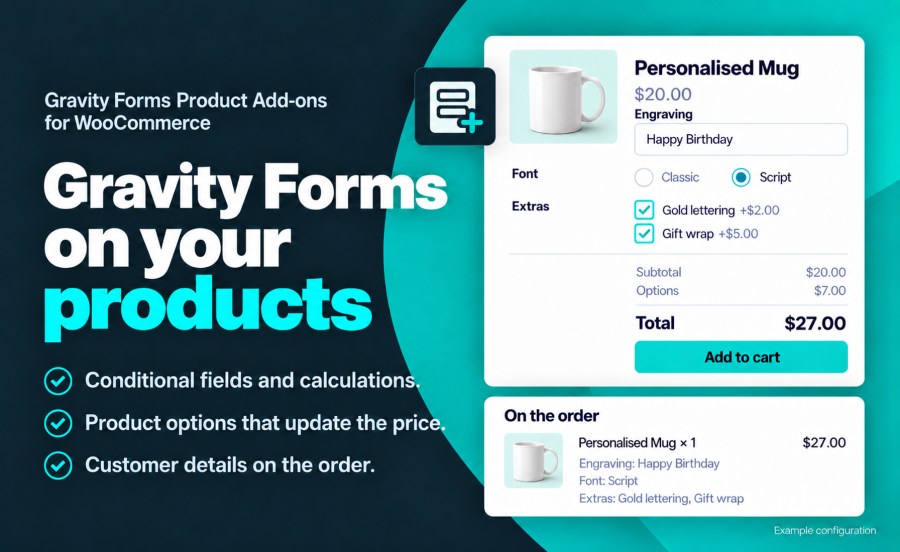
Con la extensión Gravity Forms Product Add-ons, se pueden crear formularios avanzados de configuración de productos y vincularlos a cualquier producto en WooCommerce. Se pueden crear para los productos formularios con lógica condicional, campos de precios, precios introducidos por el usuario, campos de precios condicionales y lógica de botón de envío condicional. Además, se hace un seguimiento en el carrito de cualquier producto que contenga un formulario de Gravity Forms para asegurar que, independientemente de la complejidad del formulario del producto, solo se añadan al carrito configuraciones únicas y que los duplicados se incrementen en cantidad.
La extensión Gravity Forms Product Add-ons te ofrece un control total sobre la apariencia que tienen los precios en la tienda. Puedes mostrar los precios por defecto que aparecen en WooCommerce o, en el caso de un producto que se pueda configurar y que contenga campos de precios, fijar el precio como «Tan bajo como 1000 $».
También puedes controlar cuándo se mostrará el cálculo automático de precios ya integrado (si es que quieres que se muestre). Además, puedes configurar cada etiqueta por separado.
Campos estándar:
Campos avanzados:
Funciones:
No son compatibles aún:
Yes. Gravity Forms Product Add-ons requires Gravity Forms 2.9 or later, at any license level. Gravity Forms is sold separately.
The cart price is the WooCommerce product price plus the total of the form's Product and Option fields. A $20 mug with $7 of options is added to the cart at $27. Set the Regular Price to $0 when the form sets the whole price.
Yes. Assign a form to product categories and tags from the form's WooCommerce settings, and every product in them uses it. Settings made on the form apply to every product that uses it, and any product can override them section by section. See the documentation for both setups.
Yes. With cart editing enabled, an Edit link on the cart item reopens the product with the customer's selections filled in, and saving updates the item in the cart.
Yes. Form details show one per line in the Cart, Mini-Cart and Checkout blocks, and in the classic cart and checkout.
On the cart item, at checkout, on the order, in the customer's account, in order emails and in a Gravity Forms entry linked to the order. You choose whether the item shows every field, a selected set of fields, or a custom summary built from merge tags.
Yes. Map form fields to the cart item's weight, length, width, height and quantity, and shipping rates and labels use those values.
Gravity Forms Product Add-ons works with simple and variable products, WooCommerce Subscriptions, WooCommerce Bookings, Dynamic Pricing, Bulk Variation Forms, Quick View Pro, High-Performance Order Storage, and Gravity Perks such as Populate Anything, Conditional Pricing, Limit Choices and Nested Forms.
Questions before you buy go through the pre-sales form. After purchase, open a ticket from your WooCommerce.com account. Support tickets are answered by the Gravity Forms Product Add-ons developer.
Información de la extensión
Comprobaciones de calidad
Compatibilidad
Países
Requisitos