
Instalaciones activas
70K+
La suscripción incluye
Ayuda y soporte
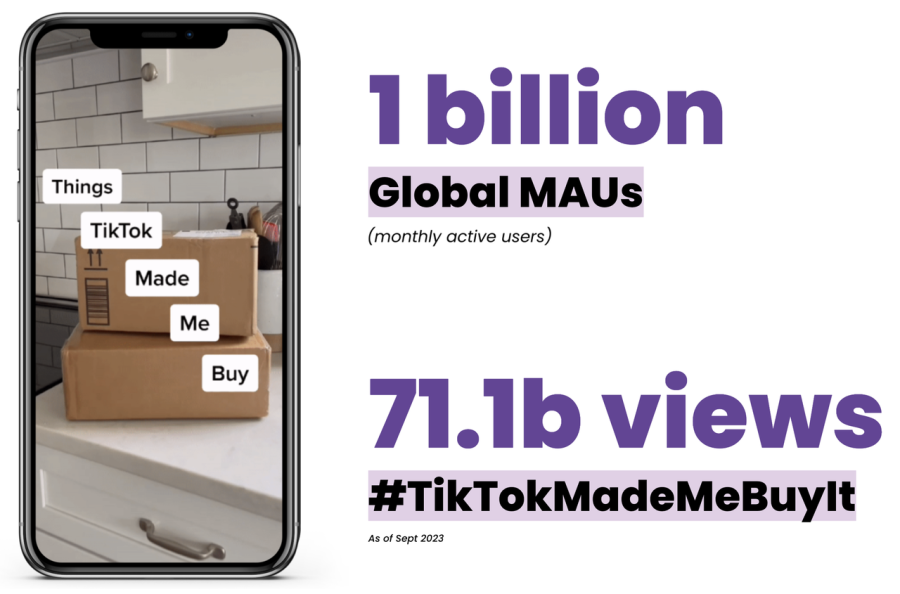
WooCommerce’s official integration with TikTok makes it simple to put your business in front of billions of highly engaged consumers, helping you achieve your marketing and sales objectives by promoting your products or services worldwide. These users aren’t just browsing — they’re buying, as evidenced by the popular hashtag #TikTokMadeMeBuyIt. And they could become your next customers.
Benefits:
Note: Advertisers with an existing TikTok Pixel can connect it to TikTok for WooCommerce. However, we recommend creating and installing a new Pixel via this extension for a more seamless setup and event deduplication. If you currently use a custom setup, deduplication work may be required for accurate reporting. Visit the TikTok Business Help Center for more on deduplication.
Learn more about creative best practices for TikTok.
Get inspiration from other small businesses who have found success on TikTok.
Download, install, and activate the official TikTok extension.
From the Marketing sidebar menu in your admin dashboard, click TikTok.
For versions 6.5 or greater, the Marketing sidebar menu may not appear by default. To fix this, please follow the steps below:
Navigate to WooCommerce or WordPress > Settings > Advanced > Features
Uncheck the Navigation option and save the changes.
You should now see TikTok under the Marketing tab.
Follow the prompts to complete setup and create (or connect) your TikTok accounts.
Up to $10K USD in advertising credits (the «Ad Credits» or «Coupon»), [available while supplies last]. The Ad Credits shall expire if not used by 1/30/27. The Ad Credits may be used solely for media placement within the TikTok Ads Manager platform («TTAM»). The Ad Credits are subject to all applicable TikTok policies, terms, agreements, and other requirements necessary for you to access and use the Ad Credits and TTAM (the «Ad Policies»). You hereby agree and acknowledge that you shall adhere to all applicable Ad Policies including, without limitation, participating in TTAM onboarding and creating a TTAM account. You may not transfer Ad Credits to any third party including, without limitation, your affiliates. Additional terms apply.
How to claim:
Reasons for ineligibility:
Simple setup of TikTok For Business and Ad accounts.
Server- and browser-side (Pixel) connection.
Additionally, for ecommerce advertisers:
Automatic catalog sync to use ad formats like Video Shopping Ads.
Access to assisted ad-campaign creation within your dashboard.
Yes, you will need to connect to a new or existing TikTok account.
The updated integration supports View Content, Start Checkout, Add-to-Cart, Purchase, Add to Wishlist, Click Button, Submit Form, Complete Registration, and Subscribe.
We recommend advertisers take advantage of this extension ahead of the busy season to enable more opportunities for measurement, optimization, and targeting to maximize performance on TikTok.
Navigate to WooCommerce > Settings > Advanced > Features.
Uncheck the Navigation option and save the changes.
You should now see TikTok displayed under the Marketing tab.
Advanced Matching is a feature that enables businesses to send customer information to better match website and app events with people on TikTok. This allows advertisers to enhance performance through more robust measurement, optimization, and audience creation capabilities.
You can create ads on TikTok Ads Manager and, or via this extension (for a conversion campaign). For access to all other objectives (such as reach, traffic, app installs, video views, and lead generation), please use TikTok Ads Manager. Learn how to choose the right objective for your campaign.
Yes — you must have an Ad Account in an approved state with payment methods set up before an ad campaign can start delivery. Learn more about account approval and accepted payment methods.
Yes, you will be able to view all campaigns created via this extension in your TikTok Ads Manager account.
Get a detailed overview of restricted product categories for advertising.
oth new and existing TikTok Shop sellers can connect to TikTok Shop by creating a new account or logging in with their existing TikTok Shop account.
TikTok Shop is currently available in Malaysia, the Philippines, Singapore, Thailand, United Kingdom, United States, and Vietnam.
For an individual seller: Upload an image of the front and back of your passport, national ID, or driver’s license.
For a business: Upload an image of:
A government-issued identification document of the legal representative, company director, or person with significant control (PSC).
A business license, registration, or similar official documents evidencing your eligibility under applicable law to sell your products/services via TikTok Shop.
Order cancellations, returns, and refunds can only be managed in the Seller Center. Please log in to your Seller Center account to manage cancellations, returns, and refunds.
Categorías
Información de la extensión
Comprobaciones de calidad
Países
Idioma: