

Installations actives
1K+
L’abonnement comprend
Assistance
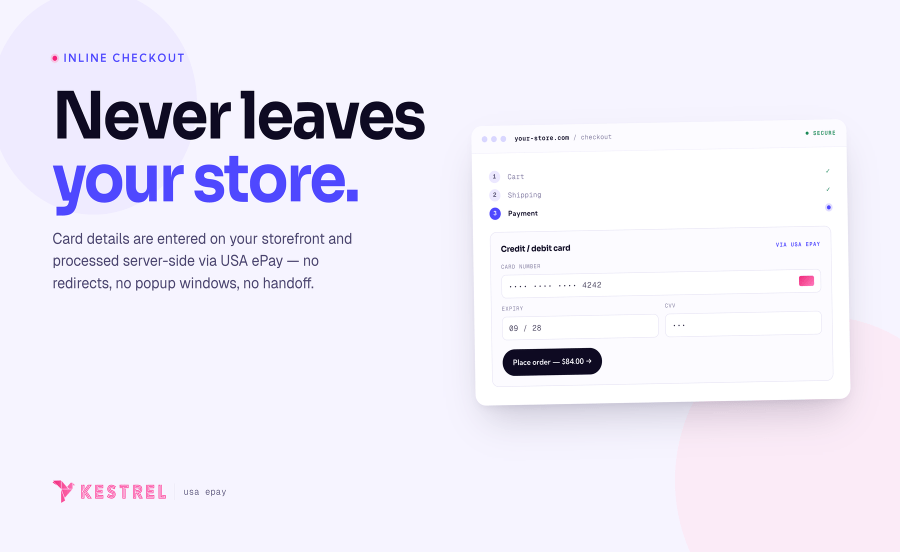
The WooCommerce USA ePay payment gateway extension provides a completely integrated checkout experience between WooCommerce and USA ePay. Payments take place directly on your website so you have maximum control over what the checkout looks like, and customers never have to leave your site to make a payment.

Using the USA ePay extension allows you to decide what your checkout process will look like, while keeping the customer on your site for the entire process. This gives you maximum control over this experience, providing a slick checkout process for the user and maximum customizability for the business owner.
Mobile checkout is enhanced as well, offering automated card formatting and numerical (tel type) fields for easier input.

You can now opt to show detailed decline messages to your customers, no more « an error occurred » error messages!

Shop employees can now process refunds for an order paid for with USA ePay directly from within WooCommerce — no more logging into your merchant account to process refunds. Speed up your store management by creating full or partial refunds from the Edit Order screen and sending the transaction automatically to USA ePay by clicking “Refund via Credit Card.” If the transaction has not been captured or settled, a transaction void will be performed automatically instead to cancel the order.
Some users choose to set the payment gateway to only authorize charges rather than authorize & capture them. However, this requires the user to then log into the payment gateway admin to capture charges. USA ePay for WooCommerce lets you optionally capture previously authorized transactions directly from the WooCommerce Edit Order screen rather than logging into your USA ePay control panel to do so. Simply edit the order, select the “Capture Charge” action, and charges will be captured through USA ePay.

Customers can save credit cards to their account at checkout or from My Account → Payment Methods, and reuse them for faster repeat purchases, subscriptions, and pre-orders. Tokens are stored by USA ePay so card data isn’t retained on your server beyond the transaction. This integration is server-side, so it falls under PCI SAQ-D — confirm your specific compliance scope with your QSA.
USA ePay is an ideal gateway for WooCommerce Subscriptions and Constellation Memberships, handling subscription date changes, payment date changes, and the rest of the recurring billing feature set. It also fully supports WooCommerce Pre-Orders, so you can take customers’ payment information upfront and then automatically charge their payment method once the pre-order is released.
USA ePay for WooCommerce keeps checkout on your site and gives you powerful tools to manage payments end‑to‑end. Authorize now and capture later from the Edit Order screen, refund or void without leaving WooCommerce, and let returning customers pay faster with saved cards. You decide authorization and capture rules, when to auto‑capture on status change, which transactions to force‑charge for virtual orders, and where the payment option appears. Detailed decline messaging and clean reporting help you resolve issues quickly and keep revenue flowing.
Made by

Yes. This plugin connects an existing USA ePay merchant account to your WooCommerce store — it isn't a payment processor itself. Your USA ePay account is typically opened through an ISO or payment processor that recommends USA ePay (now an NMI company) as their preferred gateway. Once you have an account, generate an API Key and PIN from the USA ePay Merchant Console and paste them into the plugin settings.
Yes — fully integrated. Customers enter their card details on your WooCommerce checkout, the data is processed server-side through USA ePay's REST API, and the customer is never redirected to a hosted payment page.
Yes. From the Edit Order screen, click Refund via Credit Card to create full or partial refunds. If the transaction hasn't been captured or settled, a void is performed automatically instead, cancelling the authorization before any funds move.
Yes. Customers can save cards at checkout or from My Account → Payment Methods, then reuse them for one-click repeat purchases, subscriptions, and pre-orders. Cards can be viewed, set as default, and deleted from the customer's account. The USA ePay API doesn't support editing an existing token (for example, changing the expiry date), so a customer updating a card simply deletes the old one and adds a new card.
Yes. USA ePay is a strong fit for recurring billing — it works with WooCommerce Subscriptions, Constellation Memberships by Kestrel, and any extension built on the WooCommerce Subscriptions framework. Subscription date changes, payment date changes, renewal handling, and customer-initiated plan changes are all supported.
Yes. Take payment information upfront, then automatically charge the customer's saved payment method when the pre-order is released.
Yes. The gateway can be configured to either Charge (authorize and capture in one step) or Authorize (hold funds, capture later). Captures can then be performed directly from the WooCommerce Edit Order screen — no need to log into the USA ePay control panel.
Yes. The gateway has separate Production and Sandbox environments, each with its own API Key and PIN. The Sandbox environment connects to sandbox.usaepay.com so you can test the full checkout, subscription, and refund flows without touching live cards. Test card defaults are pre-filled on the payment form when Sandbox is active.
USA ePay returns a detailed reason for the decline. You can choose whether the customer sees a generic error or the specific reason — showing the detailed message often reduces support load because the customer can self-correct (wrong CVV, expired card, address mismatch, etc.) without contacting you.
Catégories
Informations sur l'extension
Vérifications qualité
Pays
Langues
Conditions






